

If your inbox is overflowing, here's the short version. Work out what's driving the volume, sort conversations with tags and filters, and give your whole team (part-timers included) access to one shared inbox so nobody becomes a bottleneck. Add reusable answers, cut down on repeat contacts, and choose pricing that doesn't punish you for adding people or conversations. Busy periods stop feeling stressful and start feeling manageable. 🙌
I'll walk you through each piece, step by step, with advice you can use this week.
Why High Support Volume Feels Overwhelming (and What's Really Going On)
Picture the week before Christmas. Orders are flying out the door, the packing table is a sea of brown paper, and your support inbox is stacking up faster than you can read it. Someone's asking where their parcel is. Someone else got the wrong size. A third person left a message on Instagram that nobody has seen yet.
Here's the reassuring bit: a spike in messages usually means you're growing, not failing. More orders mean more questions. That's just maths.
What turns a healthy spike into chaos is scattered tools. Most small stores I talk to have some mix of:
- A general email inbox that two or three people check
- A live chat tool that only one person logs into
- Social DMs that live on someone's phone
- A notebook, spreadsheet, or personal notes with the real context ("she already got a refund, don't offer another")
When the information is split across four places, every conversation takes longer, replies get duplicated or missed, and customers end up repeating themselves. The volume isn't really the problem. The scatter is.
So the approach we'll follow is simple. Understand what drives your support volume, sort it, share the workload, reuse your best answers, cut repeat contacts, and pick pricing so growth doesn't hurt.
Step 1: Find What Actually Drives Your Support Volume
Before you change anything, spend an hour looking at what customers are actually asking. You can't fix what you haven't named.
- Review the last 30 to 90 days of conversations. Export them or just scroll through your inbox, and group them by theme. A spreadsheet with a tally column is perfectly fine.
- Start with the usual e-commerce categories: where is my order, returns and refunds, sizing and product questions, discount code issues, and damaged or wrong items. These cover most stores.
- Look at timing. Do questions spike a couple of days after dispatch? After delivery? On sale days, bank holidays, Black Friday, or during the Christmas rush? Timing tells you why people are writing.
- Note which channel each question arrives on. If delivery questions come through your live chat widget, customers expect a quick answer. If returns come by email, they're probably happy with a slightly slower, more thorough reply.
- Pick your top three to five drivers. Fixing these usually removes a big chunk of volume, so resist the urge to boil the ocean.
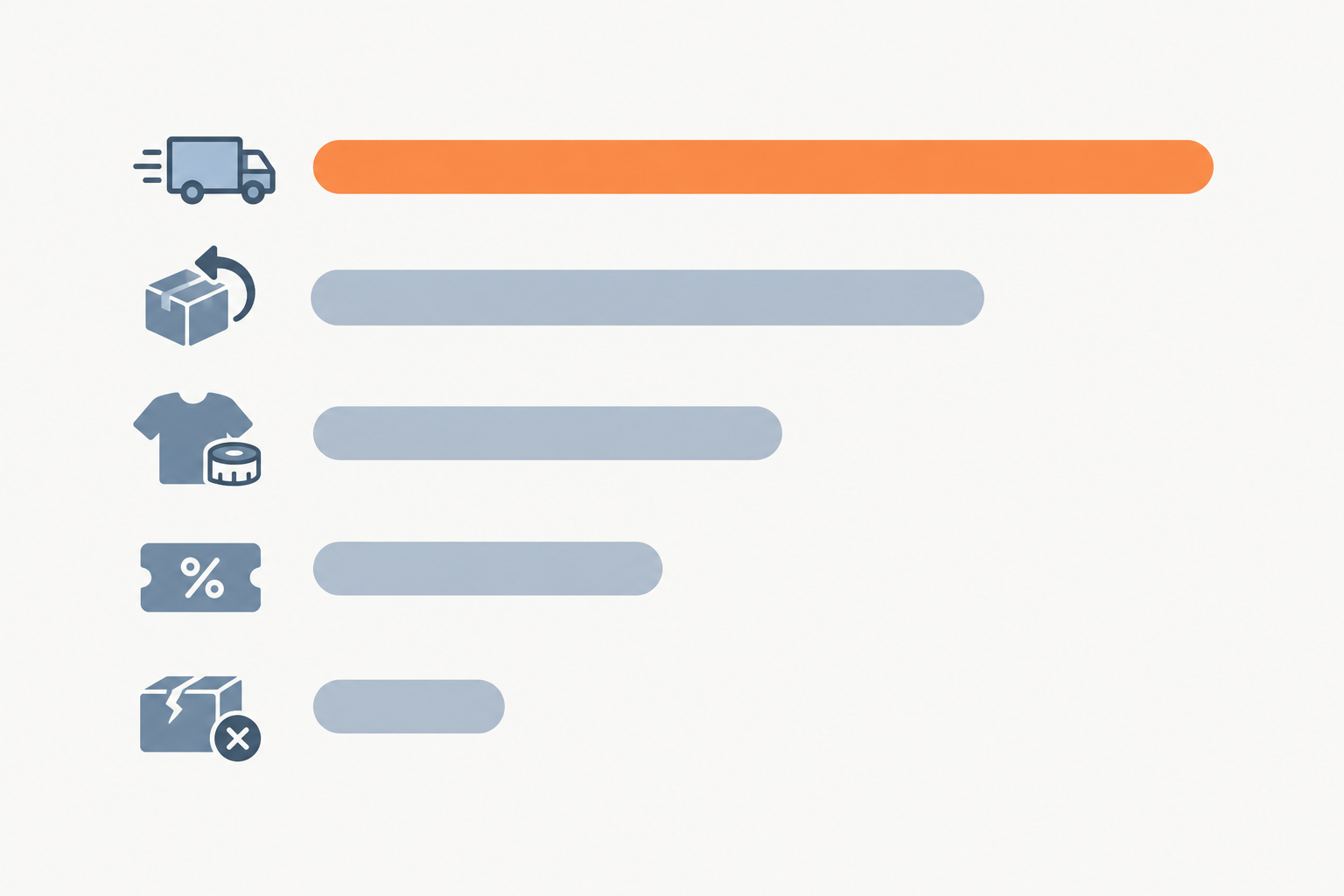
Here's a small, honest story. A home-goods seller I know assumed her inbox was full of product questions because her items were a bit quirky. When she finally tallied up a month of messages, well over half were simply delivery-status questions. Not complaints, just people wanting to know where their parcel was. That one discovery changed her whole plan. She stopped hiring a second person and fixed her dispatch emails instead.
A gentle note on outside data. Baymard Institute's research puts the average documented cart abandonment rate at around 70%, with extra costs, forced account creation, and slow delivery among the commonly cited reasons. That isn't a measure of support tickets, but it's a useful clue. If customers are confused about shipping costs or delivery times at checkout, you'll probably see those questions in your own tags too. Treat it as a hypothesis to check against your own conversations, not a fact about your store.
Step 2: Triage High Support Volume with Tags and Filters
How do I prioritise customer conversations when everything feels urgent? Give every conversation one of three priority levels as it arrives, then let filters show you what to open first.
Here's a framework that works for most small stores:
- Urgent: damaged or wrong items, payment problems, time-sensitive deliveries (a birthday gift due on Friday, say)
- Standard: order status, product questions, discount code help
- Low: general feedback, partnership enquiries, anything that can wait a day or two
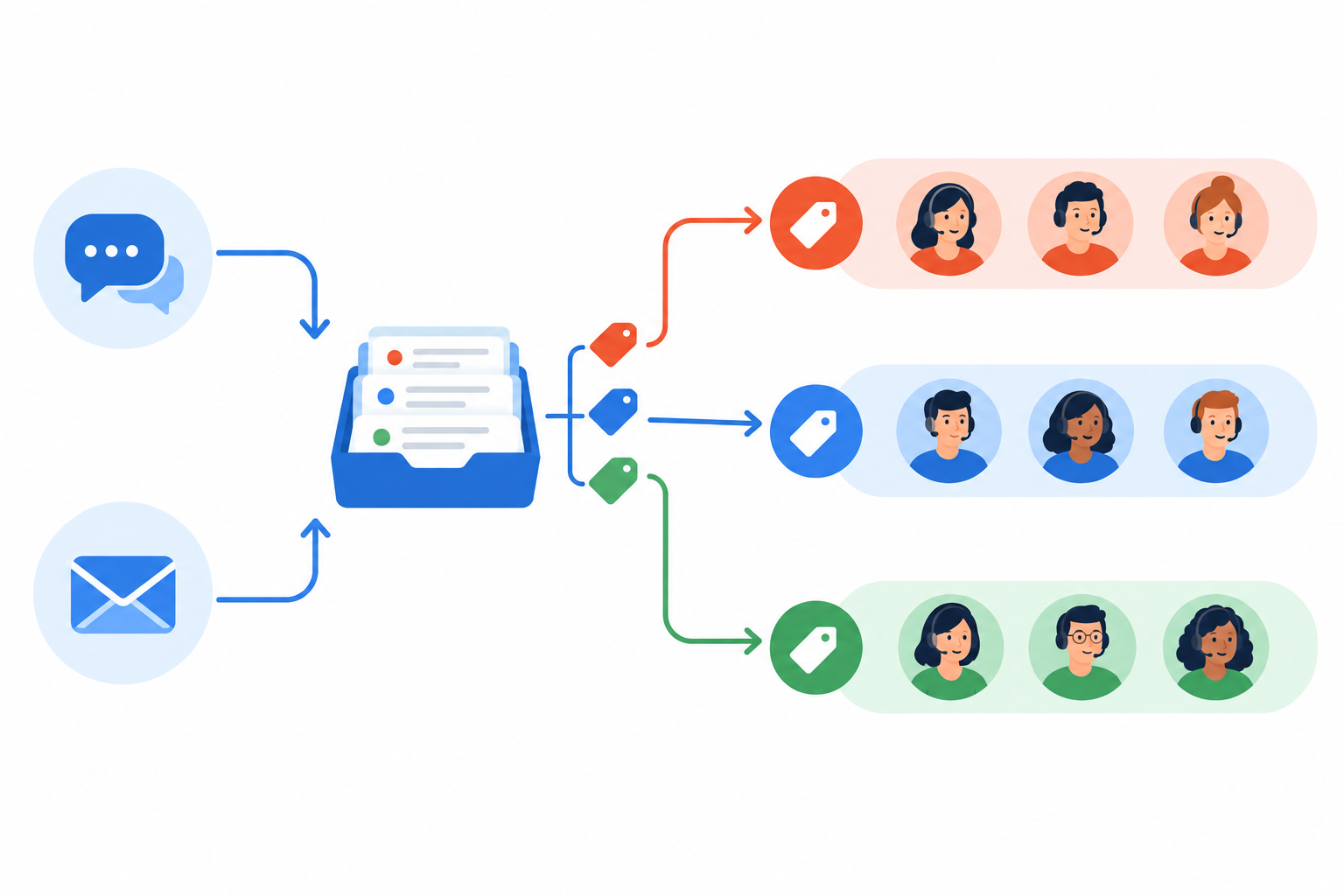
Use tags to organise customer support conversations
In a shared inbox for online stores, tags let you label each conversation by topic (returns, sizing), urgency (urgent, standard, low), and order stage (pre-dispatch, in transit, delivered). Once conversations are labelled, the chaos starts to look like a to-do list.
A few tips from experience:
- Keep your tag list short. Aim for 10 to 15 tags. Beyond that, people stop using them or use them inconsistently, and tagging fatigue sets in.
- Tag as the conversation comes in, not at the end. It takes five seconds and saves you from untangling things later.
- Agree on definitions. If "urgent" means something different to you and your co-founder, the system falls apart.
Create saved filters for faster inbox triage
Once tags exist, filters turn them into views you can check at a glance. I'd set up two straight away:
- Urgent and unassigned: the things that need an owner right now
- Returns waiting on customer: a tidy list for follow-ups, so nothing quietly dies in limbo
Use internal notes to give your team context
Internal notes let the next person pick up with full context. "Customer sent photo of damage, replacement approved, waiting on stock" saves everyone from asking the customer to explain it all again. Customers notice when they don't have to repeat themselves, and they appreciate it.
This is where having everything in one place really matters. Sonny brings live chat, email-to-ticket forwarding, tagging, and filtering together in a single shared inbox, so triage happens in one view rather than across several tabs.
Step 3: Give More Team Members Inbox Access During Peaks
Can part-time helpers use a shared inbox? Yes, and they should be able to without anyone paying an extra licence fee for the privilege.
When volume surges, the help you can realistically get rarely looks like a trained support specialist. It's more likely to be:
- A seasonal temp you've taken on for November and December
- A friend or family member of the founder who owes you a favour
- Your warehouse lead, who knows exactly where every parcel is
- A freelance VA who can take the overflow for a few hours a day
- Someone from marketing who can happily answer product questions
Let non-specialists help safely
The trick is not to hand a newcomer the whole inbox and wish them luck. Use tags to limit what each person handles. Your marketing colleague takes anything tagged "product question." Your warehouse lead handles "where is my order." Your VA covers the standard conversations. Internal notes and shared history mean they can see what's already happened before they reply, and a clear escalation route means they know when to pass something to you.
Create a simple peak-week support playbook
Write this on a single page and share it before the rush begins:
- Who owns which tag? Name one person per tag.
- Who covers live chat, and during which hours?
- Who escalates, and to whom? Refund decisions, angry customers, and anything involving damaged goods should go to one named person.
- When's the daily check-in? Ten minutes, same time each day.
Avoid per-seat pricing bottlenecks
Here's something that doesn't get talked about enough. When every extra person costs money each month, teams quietly limit who gets access. The founder and one support person get logins, and everyone else works around them. That's fine in a quiet month. But right when volume surges, you've built a bottleneck into your own setup, because the people who could help can't.
Sonny's flat rate with unlimited agents takes that trade-off off the table. You can add the seasonal temp, the VA, and the warehouse lead without doing sums first. And because there are native apps for iPhone, Mac, and Android alongside browser access, helpers can respond from the packing room, the sofa, or the bus.
Step 4: Write Customer Support Answers Once and Reuse Them
If you've typed "Thanks for getting in touch, your order has been dispatched..." more than ten times this week, it's time for saved replies.
Start with the top drivers you found in Step 1. Write a good template for each one, and keep these tips in mind:
- Keep the tone warm and human. Imagine you're writing to a friend who happens to have bought a scarf from you.
- Make the next step obvious. "Send us a photo of the item and we'll sort a replacement" beats a vague apology.
- Leave room to personalise the first line. Using the customer's name and mentioning their actual issue stops it feeling like a robot wrote it.
- Include the UK details people expect: Royal Mail or courier timeframes, your returns window, and, for international orders, anything about VAT or duties.
- Review them monthly. Policies change, couriers change, and a stale template can create more contacts, not fewer.
Where customer support automation fits
Sonny offers optional AI copilot features trained on your own help docs, which can draft replies for you. I'd use something like this with a human checking each draft before it goes out. Automation works best on predictable questions like delivery timeframes, return steps, and sizing guidance. For sensitive situations (a distressed customer, a complicated refund, a gift that arrived broken), a real person should write the reply. Let automation give your team time back for those conversations. Don't use it to avoid them.
Step 5: Reduce Repeat Customer Contacts at the Source
How do I cut repetitive customer questions? Answer them before customers have to ask. Replies are only half the job. Getting fewer questions is the other half.
- Send proactive order updates. Dispatch and delivery emails with clear tracking links answer the most common question in e-commerce before it's asked.
- Improve your product pages. Add sizing guides, short FAQs, and clear delivery and returns information right where people are deciding.
- Create a simple help page that mirrors your top ticket tags. If "returns" and "delivery" are your biggest tags, those should be the first two headings on your help page.
- Place your live chat widget where hesitation happens. Delivery info pages and checkout are good spots. A chat bubble on a page where nobody has a question just adds noise.
- Close the loop. When a tag spikes, find the root cause, fix it, and watch whether volume falls.
It's worth the effort. Zendesk's 2023 CX Trends research found that 67% of consumers prefer self-service over speaking to a company representative, and 73% want to be able to solve issues on their own. That doesn't mean hiding your contact options, though. The same research shows customers still value good service highly, with 88% saying it makes them more likely to buy again. Self-service should sit alongside easy access to a human, not replace it.
A tagged shared inbox takes much of the guesswork out of this. Say you rewrite your returns page in March. In April, you can look at the "returns" tag and see whether it shrank. If it did, great. If not, the page probably isn't the problem. You're no longer relying on gut feeling.
Which Metrics Matter During a High Support Volume Surge?
What metrics matter in a surge? Fewer than you'd think. When you're busy, you need a handful of numbers that tell you where to put people right now.
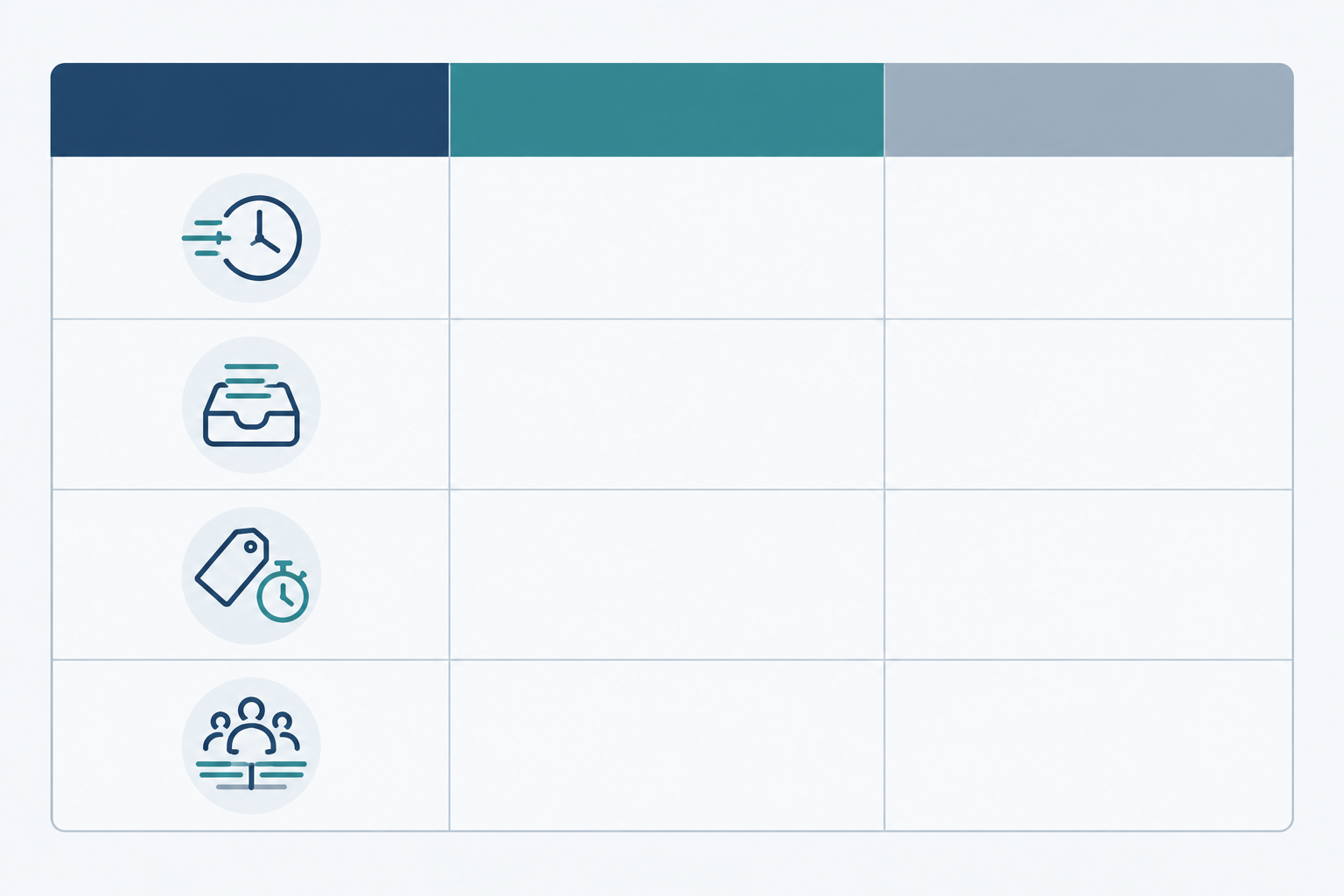
| Metric | What it tells you | What to do if it slips |
|---|---|---|
| First response time | How long customers wait before hearing from a human. It's the number they feel most. | Move someone onto live chat or the urgent view, and lean on saved replies for common questions. |
| Open and unassigned conversations | Your real-time pressure gauge. Unassigned means nobody owns it. | Assign owners by tag, and clear the unassigned filter at set times each day. |
| Resolution time by tag | Where your real bottlenecks are, such as returns taking three times longer than order status. | Look at the slow tag's process, add a template, or give it a dedicated owner. |
| Volume by tag and channel | What's driving the surge and where customers are choosing to ask. | Pick the biggest tag and fix its root cause, for example by updating tracking emails. |
| Team workload balance | Whether one person is carrying too much. It flags burnout before it happens. | Redistribute tags and bring in a helper for the overloaded person. |
Two extra tips worth borrowing from standard support practice. First, track your open backlog against what's coming in and what's getting resolved. If arrivals consistently outpace resolutions, your queue will keep growing even if everyone looks busy. Second, look at contact rate relative to orders (messages per 100 orders, for instance) so you can tell whether support demand is genuinely rising or you're just selling more.
Zendesk's 2023 research reported that 72% of customers expect immediate service when they get in touch. That's why first response time and the age of your oldest unanswered conversation make such useful live checks.
What can wait? Detailed satisfaction trends and long-term analysis. They matter, but you can look at them once the rush is over. For now, run a ten-minute check-in each morning using your response-time and team-performance reporting. Where are we slow? Who's overloaded? What's the biggest tag today? Then go and answer some messages.
Choose Help Desk Pricing That Can Handle Growth
Pricing is one of those things you barely think about until a busy month sends the bill somewhere unexpected. There are two common cost traps worth knowing about.
- Per-seat pricing. Every agent adds to the bill, so you're tempted to restrict access, which is the bottleneck problem from Step 3.
- Per-conversation or ticket-volume pricing. Your busiest month becomes your most expensive one, and some plans charge overages when you exceed your allowance.
Neither is automatically bad. A small team with modest volume might do fine on either. But if your team swells seasonally or your volume swings, it's worth doing the sums properly.
A worked example (illustrative numbers only)
Imagine a UK store with 3 core staff and 5 seasonal helpers over the festive period. Let's say a typical per-seat help desk costs $25 per agent per month. That's a made-up figure for illustration, so please check real prices with any vendor you're considering.

| Scenario | Illustrative per-seat model ($25/agent) | Sonny flat rate |
|---|---|---|
| Quiet month, 3 agents | $75 | $19.99 |
| Peak month, 8 agents | $200 | $19.99 |
| Record sales month, 8 agents, double the conversations | $200 or more, depending on any volume terms | $19.99 |
Sonny's model is simple: $19.99 per month, unlimited agents, unlimited conversations. A record sales month doesn't lead to a bigger bill, and neither does adding the temp for December. One thing to keep in mind: pricing is in US dollars, so UK readers should factor in the exchange rate when budgeting.
The practical setup details when you're short on time
Busy store owners don't have time for a month-long software rollout. With Sonny, setup takes under 5 minutes with no onboarding calls. There's a 7-day free trial with no credit card required, and a 99.9% uptime SLA so the inbox is there when you need it. Brands such as Shopstar use Sonny, which suggests the platform suits e-commerce teams.
Questions to ask any help desk software vendor
Before committing to any help desk software, get clear answers to these:
- How is a billable ticket or conversation counted? Do reopened or merged cases count again?
- What happens if I exceed my allowance? Are there automatic overage charges?
- Do seasonal, part-time, or read-only teammates cost extra?
- Can I change plans temporarily for a peak period?
- What's my total cost at my forecast busiest month, not just today's team size?
- Are channels like live chat or integrations priced separately?
That last point on total cost is worth underlining. Compare platform fee, seat charges, volume charges, add-ons, and integration fees at both your current usage and your peak-season usage. A low starting price doesn't always stay low.
A Simple Plan to Manage High Support Volume This Week
You don't need to overhaul everything at once. Here's a five-day plan that fits around a busy store:
- Day 1: Bring everything into one place. Move your email and live chat into one shared inbox and forward your support address to it.
- Day 2: Review and define. Read through recent conversations, then set your tag list (10 to 15 tags, remember) and your three priority levels.
- Day 3: Write your saved replies. Start with your top three volume drivers. Don't aim for perfect, aim for useful.
- Day 4: Invite the team. Add your whole crew and any part-time helpers, and agree who owns which tags.
- Day 5: Set up a simple check. Decide on your daily ten-minute metrics review, and pick one root-cause fix to tackle, perhaps clearer tracking emails or a better returns page.
Here's what I'd gently say: you don't need a perfect system, just a clearer one. A tidy shared inbox, a few good tags, and a team that can all get in will take you a long way. And since Sonny's 7-day trial needs no credit card, trying it costs nothing but a little of your time. 💛
Frequently Asked Questions About High Support Volume
How do I prioritise conversations when everything feels urgent?
Start with three levels: urgent (damaged or wrong items, payment issues, time-sensitive orders), standard (order status and product questions), and low (general feedback). Tag conversations as they arrive and use a saved filter for urgent and unassigned messages so you always know what to open first.
Can part-time or seasonal helpers use a shared inbox?
Yes. With a shared inbox that has unlimited agents, you can give seasonal staff, freelancers, or colleagues from other teams access without paying per person. Limit what they handle by tag, and use internal notes to share context.
How do I cut down on repetitive customer questions?
Find your top five question types, then fix them at the source with clearer product pages, proactive delivery updates, and a help page that mirrors those topics. Saved replies handle whatever still comes through quickly and consistently.
What metrics matter most during a support surge?
Focus on first response time, the number of open and unassigned conversations, resolution time by tag, and team workload balance. These tell you quickly where to put people and what to fix.
Is flat-rate pricing really better than per-seat pricing for a growing store?
It depends on your team size, but flat-rate pricing is easier to predict and removes the temptation to restrict access during busy periods. If you rely on seasonal or part-time help, or your volume swings, it usually works out cheaper.