
How Internal Notes Improve Team Collaboration in Customer Support
Meta description: Learn how internal notes in a shared inbox help your support team keep context, hand off tickets, escalate issues and ask for input without relying on Slack threads or spreadsheets.
Internal notes are private comments attached directly to a customer conversation, visible only to your team (depending on your platform's settings). They keep context, decisions and next steps in the same place as the ticket, so anyone can pick it up without digging through Slack or a spreadsheet. If you use them consistently, handoffs, escalations and quick questions to teammates get faster and a lot less stressful.
That's the short version. If you run a small support team and you're bringing live chat and email into one shared inbox, the longer version is worth a coffee. We'll look at how internal notes work day to day, what to put in them (and what to leave out), and how to make writing them a habit rather than a chore. ☕
Why Context Gets Lost in Customer Support Handoffs
Let me paint a picture you might recognise. A customer writes in on Monday about a billing problem. They've been charged twice, they're a bit cross, and your colleague Priya promises to look into it. On Tuesday Priya is off. Dan covers the inbox, opens the conversation, and has no idea whether a refund was promised, whether the payment provider was contacted, or whether the customer has been with you for years. So he does the only thing he can: he asks the customer to explain it all again.
Nobody did anything wrong here. The information just wasn't where Dan could find it.
Where customer support context ends up hiding
When live chat is handled in one tool and email in another, context scatters fast. Bits of the story end up in:
- Slack DMs between two people who happened to be online
- A 'tricky tickets' spreadsheet that's slightly out of date
- Sticky notes on someone's monitor
- Someone's head (and that someone is on holiday)
The real cost of scattered context
Customers get asked the same questions twice, resolutions take longer, and two teammates can send slightly different answers to the same person. Customers end up feeling unheard, which is the last thing you want.
There's research on what customers expect here. Salesforce's State of the Connected Customer research (2023 edition) reported that 56% of customers said they often have to repeat or re-explain information to different representatives. Zendesk's CX Trends 2024 report found that 70% of consumers expect anyone they interact with to have full context of their previous interactions. Neither study measures internal notes, so they don't prove notes fix the problem. They do show why shared context matters when a case changes hands. (Figures come from the editions named, so check the latest reports if you're quoting them.)
Why small support teams feel it most
You'd think a small team would have it easier, since everyone sits close together. In practice it's often harder. Everyone wears several hats, so one person might do support in the morning, ship orders at lunch and fix a bug after. Handoffs happen constantly and informally: a quick message, a shout across the room, a 'can you grab this one?'
You don't need more process to fix that. Put the context where the conversation already lives, in one shared inbox.

What Are Internal Notes For (and Aren't)?
Plainly put, an internal note is a private comment on a ticket or chat that your team can see and the customer can't. Think of it as a sticky note stuck to the customer's file.
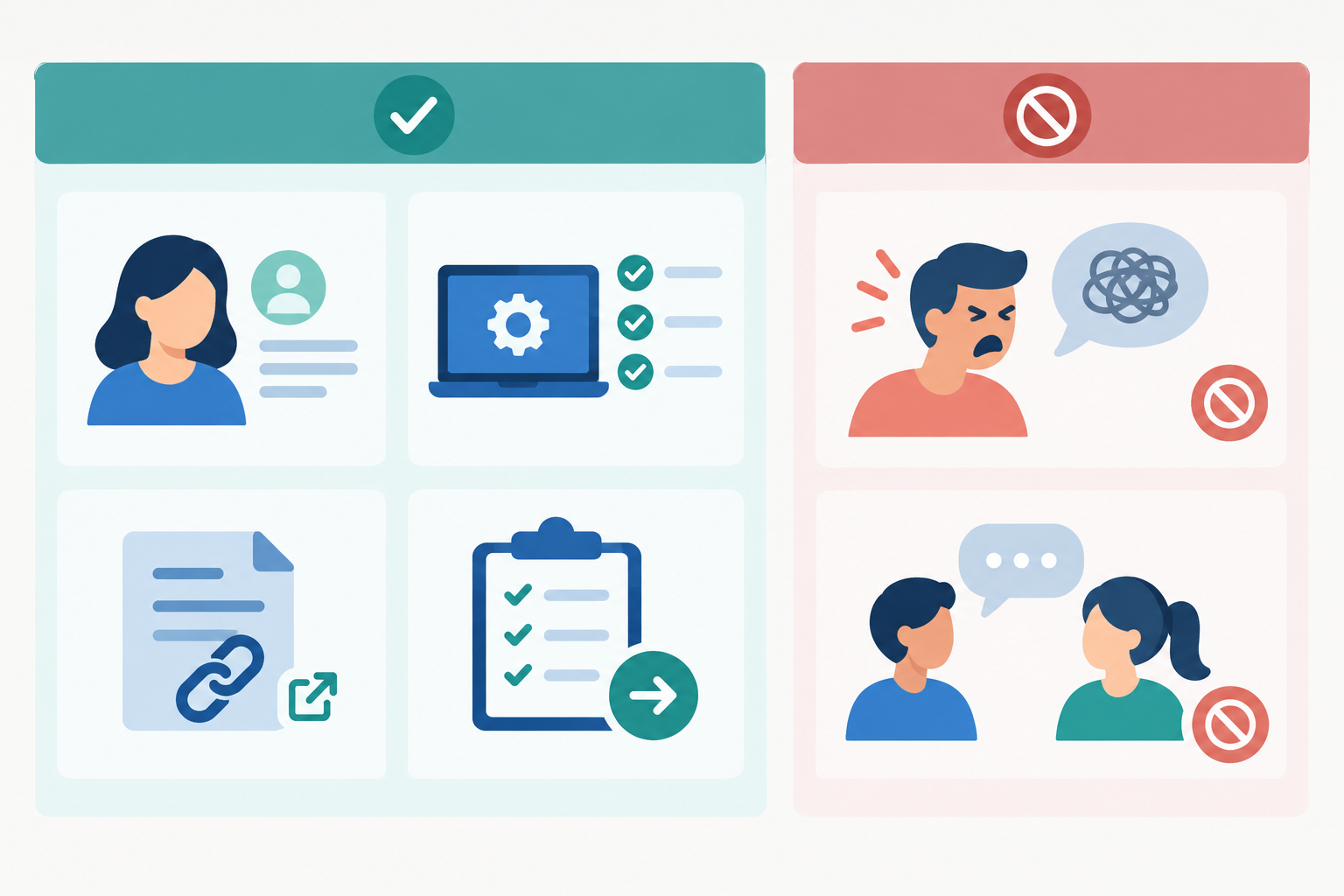
Good uses for internal notes
- Customer background: 'Long-standing customer, been with us since 2021, usually very patient.'
- What you've already tried: 'Reset password and cleared cache, still seeing the error on Safari.'
- Links to the relevant help doc, bug report or order page
- The reason behind a decision: 'Offered a partial refund because the delay was our fault.'
- Promised follow-ups: 'Told her we'd update her by Thursday lunchtime.'
A handy test is whether the note is actionable. The best ones summarise the issue, what's been done, any commitments made, and who owns the next step. For example: 'Customer can't access account after changing phones. Password reset tried, but MFA still goes to old number. Promised an update today. Please verify identity and reset MFA.' Anyone could pick that up cold.
What to keep out of internal notes
- Venting about customers. Everyone has a frustrating day, but a ticket isn't the place for it.
- Long, unrelated team chatter. Save the Friday banter for elsewhere.
- Personal data you don't need. Record only what's relevant to resolving the issue.
That last point matters, particularly in the UK. Under UK GDPR, people can make a subject access request for the personal data you hold about them, and notes attached to their conversation may be included. The data-minimisation principle also says personal data should be adequate, relevant and limited to what's necessary (the ICO's UK GDPR guidance explains this in detail). So keep notes factual and professional, avoid sensitive details unless they're genuinely needed, and follow your organisation's data-protection policy. Imagining the customer reading over your shoulder is a useful tone check, but it isn't a compliance test. If you're unsure what's appropriate to record, ask whoever handles data protection for your business.
Notes also aren't a replacement for a task tracker, a knowledge base or a customer reply. If a note includes a follow-up, name the owner and the deadline. And if the customer needs an update, send it as a normal reply too.
How are internal notes different from tags?
People often ask how these two differ. Tags categorise and filter. They're short labels like 'refund' or 'bug' that help you sort and report. Notes explain the story and the why. A tag tells you a ticket is about a refund; the note tells you the refund was approved by Sam on Monday and is waiting on the payment provider.
In customer support software like Sonny, they work as a pair. Tag the conversation so you can filter for every open 'bug' ticket, then open one and read the note to see exactly where it stands.
Can customers see internal notes?
Internal notes are designed to be hidden from customers, but how that works depends on your platform's settings and permissions. Take a few minutes in your first week to check how your tool labels note mode versus reply mode (often a different background colour or a clear label), and test it with a dummy conversation. A thirty-second check before you hit send beats an awkward apology.
Replacing Slack Threads and Spreadsheets with Internal Notes
In my experience, small teams rarely plan their Slack-and-spreadsheet system. It just grows. Someone posts a tricky ticket in a channel, someone else starts a spreadsheet, and now there are two places to check and neither is complete.
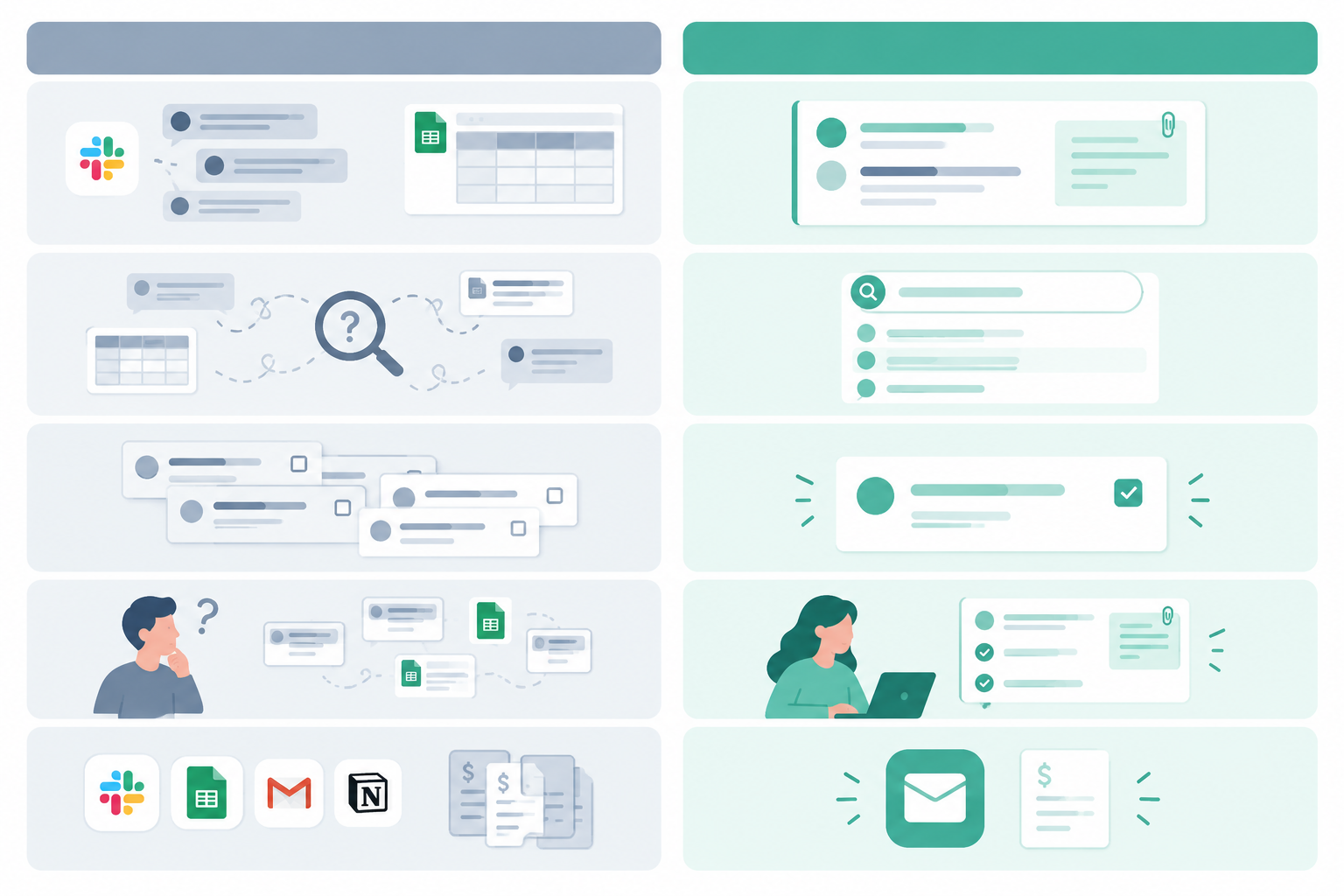
Here's how the two approaches compare. The benefits on the right depend on your tool's features and on your team agreeing who owns what, so treat it as a guide rather than a guarantee.
| Slack + spreadsheet | Internal notes in a shared inbox | |
|---|---|---|
| Where context lives | Split across channels, DMs and rows | Attached to the conversation itself |
| Searchability | Depends on who posted where, and how | Often searchable alongside the ticket, depending on your tool |
| Risk of duplicated work | Higher, since two people can pick up the same issue unseen | Lower when ticket ownership is visible and the team uses it consistently |
| Onboarding a new teammate | 'Ask Sam, she knows about that one' | They can read the notes on past conversations |
| Extra tools to maintain | Another tool to keep in sync | Part of the inbox you already use |
Slack still has a place
I'm not saying delete Slack. It's great for quick banter, announcements and 'who's making the tea?' But it's a poor home for the record of a specific customer issue, because threads scroll away and get buried.
An illustrative example of internal notes in a shared inbox
Imagine a two-person e-commerce support team. They've kept a 'tricky tickets' spreadsheet for months: order number, issue, who's on it, status. It works, mostly, but someone always forgets to update it. After a month of adding internal notes directly on those conversations, they realise they've stopped opening the spreadsheet. Everything they need is already on the ticket. This is a hypothetical scenario rather than a customer case study, but I think a lot of small teams will recognise it.
Tagging Teammates in Internal Notes for Quick Input
Sometimes you don't need to hand a ticket over. You just need a second opinion. Here's a simple five-step way to get one without leaving the conversation.
- Write the question clearly in a note. Say what the customer needs and what you've already checked.
- Mention the right teammate so they get pinged without you switching tools.
- Say what kind of input you need and by when. A yes or no, a technical check, a refund approval? Add a time if it's urgent.
- Let your teammate reply in a note, so the answer is saved on the ticket for next time.
- Close the loop. Reply to the customer, then add a final note summarising the outcome.
A good internal note versus a vague one
Here's the vague version:
Can someone look at this?
And here's one that gets answered quickly:
@Sam, customer was charged twice for order #4821 (£34.50 each). I've confirmed both payments in the dashboard. Can you approve a refund of one charge? Customer is waiting, so a reply by 3pm would be great.
The second takes twenty seconds longer to write and saves a round of back-and-forth. Sam knows the issue, what's been checked, what's needed and the deadline.
One tip: use mentions sparingly. On a small team, if everyone's pinged for everything, the pings stop meaning anything.
Using Internal Notes During Customer Support Escalations
Escalations are where missing context hurts most. The person receiving the ticket, whether that's a developer, an account owner or a manager, is usually busy and stepping in cold. Every follow-up question you have to answer is time the customer spends waiting.
A simple escalation note template
You don't need anything fancy. Copy this into your team guide and adjust it to suit:
- Customer and issue summary: who they are and what's wrong
- Steps taken: what you've tried and what happened
- What's blocking: why you can't resolve it yourself
- Urgency: how pressing it is, and why
- What the customer's been told, including any promises or timelines
The 'what the customer's been told' line is the one people skip, and it's often the most useful. It stops the specialist from contradicting you.
A timeline for whoever steps in
Because notes sit on the conversation in order, they build a timeline automatically. Whoever steps in can scroll through and see who did what and when, without a catch-up meeting.
Tags plus notes make ticket reviews easier
Add a tag such as 'escalated' or 'bug' and you can filter for those conversations later, then read the notes to see how each one went. If your reporting shows response times creeping up on certain tickets, escalations are often a good place to look. You might find they stall at the same point each time, which tells you what to fix.
An example of internal notes in an escalation
Imagine a SaaS team gets a message from a customer who can't log in. The agent confirms the issue on two browsers, notes that it started after Tuesday's update, adds the account ID and error message, and tags the developer. The developer reads the note, spots the cause and replies in a note with the fix. The agent updates the customer, and the whole thing is recorded for next time.

How Internal Notes Help During Agent Handoffs
Handoffs happen every day on a support team, and these are the moments where I'd lean on internal notes most:
- Shift handovers. Leave an end-of-day note on any open conversation. Two lines is plenty: where things stand and what happens next.
- Holiday and sick cover. UK teams juggle bank holidays, annual leave and the odd unexpected sick day. A quick note on each open conversation means a cover agent can be briefed in seconds.
- Moving between channels. When a live chat turns into an email thread, the context can travel with it if both live in one inbox.
- Onboarding new agents. Past notes become a library of how tricky cases were handled, so new starters pick up your tone and judgement calls from real examples.
Building a Habit of Documenting as You Go
Let's be honest: writing notes can feel like extra work at first. You're busy, the next ticket is waiting, and you'll definitely remember this one. (You won't. None of us do.)
The trick is to make it small and make it normal. Here's how I'd start:
- Start with one rule. For example: 'Add a note whenever you pause or pass on a ticket.' Don't try to change everything at once.
- Write a short team guide. Half a page on what a good note includes and the tone to use. Factual, professional, kind.
- Keep notes quick. Bullet points beat essays, and a two-line note is far better than none.
- Review a few together. In a weekly catch-up, read out a couple of notes and celebrate the really helpful ones.
- Make it easy. If your tool has mobile or desktop apps, you can add a note the moment something happens, even away from your desk.
- Be patient. It takes a little time up front, but many teams find it pays back the first few times someone picks up a ticket cold.
Trying Internal Notes in Sonny Customer Support Software
This section is specifically about Sonny, so skip ahead if you're using another tool. The principles above apply anywhere.
Sonny is customer support software that brings live chat and email into one shared inbox. At the time of writing, setup involves forwarding your support email, adding the live chat widget to your site and inviting your team, and Sonny describes this as taking under five minutes. Pricing is a flat $19.99 a month with unlimited agents and conversations, and there's a 7-day free trial with no credit card needed. Sonny also offers native apps for iPhone, Mac and Android, and an optional AI copilot trained on your docs. Plans, limits and features can change, so please check Sonny's pricing and features pages for the current details before you decide.
One practical benefit of flat pricing is that per-seat charges don't discourage you from inviting part-timers, the founder or the developer who occasionally needs to look at a bug. The people with the answers can be in the conversation.
For a first-week experiment, keep it simple. Use an internal note on every ticket that needs a second opinion, and see how many Slack messages quietly disappear. If it helps, great. If not, you've lost nothing but a few minutes.
FAQ: Internal Notes in Customer Support
How are internal notes different from tags?
Tags are short labels for sorting, filtering and reporting, such as 'refund' or 'bug'. Internal notes are free-text comments that explain context, like what you've tried and why.
Can customers see internal notes?
Not when they're used as intended. Internal notes are meant to be visible only to your team, but exact behaviour depends on your platform's permissions and note/reply mode. Check your configuration, and test it before relying on it. Keep notes factual and professional, as UK customers can request the personal data you hold about them.
How do internal notes help during agent handoffs?
They keep the history, pending actions and anything promised to the customer attached to the conversation, so the next agent can carry on without asking the customer to start again.
Do we still need Slack if we use internal notes?
Probably, for general team chat and announcements. But anything specific to a customer conversation is better kept on the ticket, where it won't get buried in a channel.
How much should I write in an internal note?
Aim for just enough that a teammate could pick up the ticket cold. Two to five lines covering the issue, what you've done and what's next is usually plenty.