
Why a Shared Inbox Beats Juggling Multiple Customer Support Tools
A shared inbox brings live chat, email ticketing, and team collaboration into one place, so your whole team sees the same customer conversations without logging into three different apps. For early-stage founders, that's not just tidier. It saves money, saves time, and helps prevent the worst outcome of all: a customer message that falls through the cracks.
If that sounds like exactly the mess you're in right now, grab a coffee. I want to walk you through why this happens, what it's actually costing you, and how to know when it's time to stop duct-taping tools together. I'll also get into where a shared inbox has real limits, because I'd rather be straight with you than sell you something that doesn't fit.
The hidden cost of customer support tool sprawl
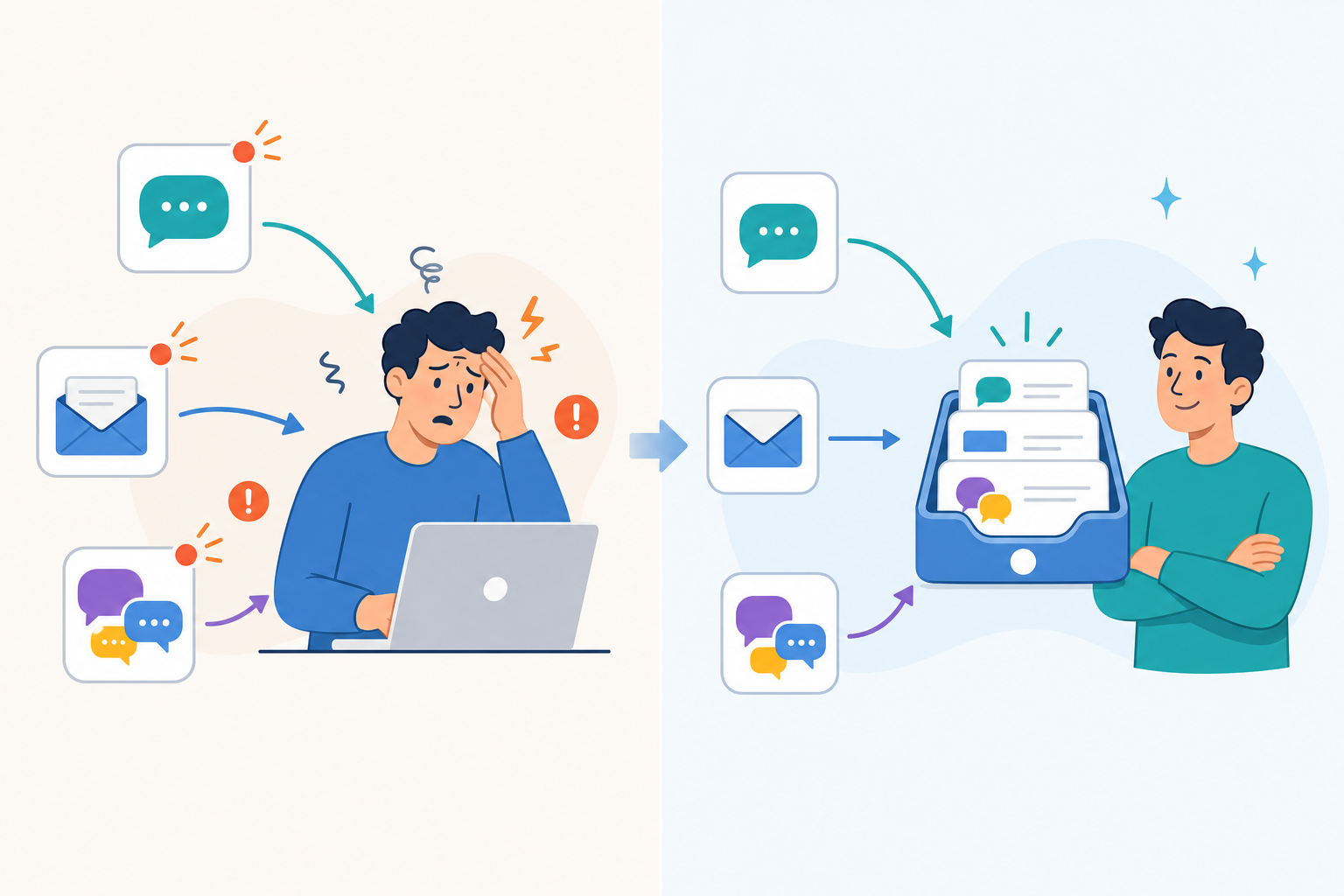
Here's a scenario I hear constantly from early-stage SaaS founders: you started with a live chat widget because it felt modern and fast. Then customers started emailing your support address too, so you set up a shared Gmail inbox. Then your co-founder started missing things in that inbox, so now there's a Slack channel where someone posts "hey, did you see this customer message?" every few hours.
Three tools. Three logins. Three places a message can get lost.
The subscription costs add up, sure, but honestly, that's not even the biggest problem. The real cost is the mental tax of context-switching. Let's put a rough number on it: if you switch between chat, email, and Slack even 15 times a day, and each switch costs you just two minutes of re-reading context (a conservative estimate, based on general context-switching research), that's 30 minutes a day, gone. Over a month, that's roughly 10 hours per person, just re-loading context in your brain rather than actually helping customers. I want to be upfront that this is an illustrative calculation, not a scientific study of your business specifically, but most founders I've talked to say it feels about right, if not low.
Then there's the pricing trap. Most help desk software charges per seat. That's fine when it's just you answering tickets. But the moment you hire your second or third support person, your bill doesn't creep up. It can jump substantially, depending on the plan tier you're on. Suddenly you're paying two or three times as much just so another human can reply to emails. I've talked to founders who genuinely delayed hiring support staff because the software cost scared them more than the salary did. That's backwards.
And the sprawl creates a sneakier problem too: duplicate or missed replies. Two team members open the same Gmail thread, both start typing a response, and now your customer gets two slightly different answers within minutes of each other. Or worse, everyone assumes someone else already replied, and nobody did. This isn't a certainty with every multi-tool setup, but it's a well-documented risk when there's no shared visibility into who's working on what. I've been on the receiving end of it as a customer, and it's a fast way to lose trust in a brand.
What a shared inbox solves for customer support teams
A shared inbox isn't a fancy new concept. It's really just customer support software built around one simple idea: everything lives in one place. Here's what a shared inbox typically fixes:
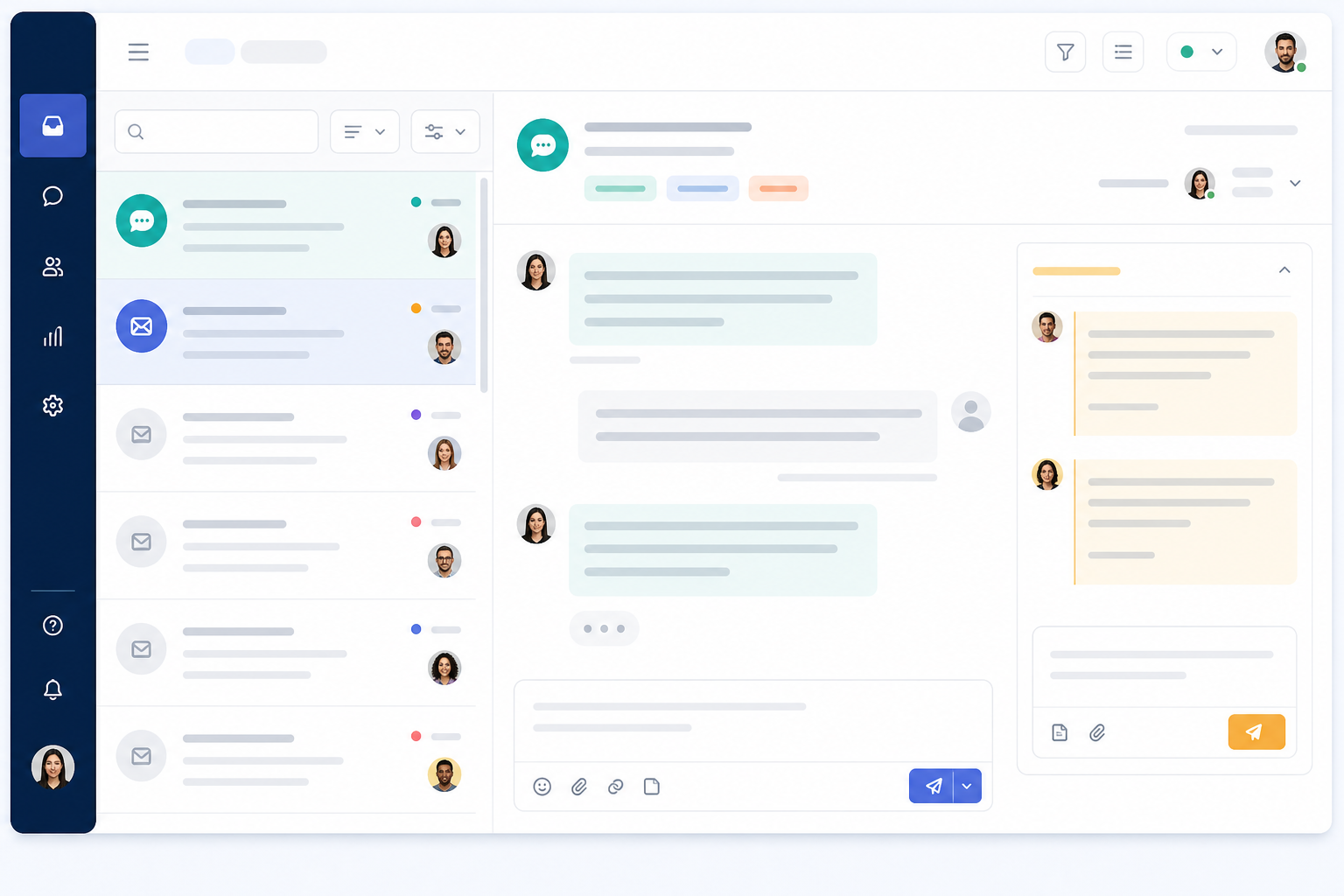
- Every conversation, no matter which channel it came from, lands in the same queue. No more "wait, was that in the email or the chat?"
- Need to loop in a teammate or flag a bug report? You can do it right inside the conversation, with the context already attached, instead of switching to an app that has none.
- When someone opens or claims a conversation, the rest of the team can usually see that instantly. It's not a guarantee (no software can fully prevent human error), but it removes the blind spots that cause most duplicate replies in the first place.
- New team members can scroll through conversation history in one tool and get the full picture, instead of you explaining "okay, chat is over here, email is over there, and internal stuff happens in Slack."
This is really what team collaboration should feel like for support: less of a scavenger hunt across apps, more of a shared view everyone's working from together. That said, a shared inbox isn't automatically a full help desk replacement for every team. If you need complex SLA automation, a public knowledge base with version control, phone/IVR support, or enterprise-grade audit logs, you may still need a more specialised (and pricier) platform. For most teams under, say, 10 support agents, though, a shared inbox covers the core job well.
How live chat and email work together in a shared inbox
Here's the pattern I see over and over: founders launch with a live chat widget because it feels immediate and modern. Then, inevitably, a support email address gets added too, because not every customer wants to chat live, and some issues need a paper trail. The problem is these two channels almost always live in completely separate systems, built by different vendors, with different logins and no shared history.
A shared inbox like Sonny puts both in the same queue. A live chat conversation and an email-to-ticket conversation show up side by side, taggable and filterable in the same way. Worth flagging: connecting a chat conversation and an email from the same customer into one unified thread usually depends on matching an email address or identifier. It's not always automatic across every tool, so it's worth checking how a specific shared inbox handles identity matching before you rely on it. When it works well, though, it means your team sees the full history for a customer in one place, rather than reconstructing it from memory across two systems.
Email-to-ticket forwarding, in plain terms, works like this: your customers keep emailing the support address they already know. Nothing changes for them. Behind the scenes, that email gets converted into a trackable ticket, similar to how a chat message would be, so it can be tagged, assigned, and reported on alongside everything else in your inbox. You're not asking customers to change their behaviour; you're just making sure their message lands somewhere useful once it arrives.
How a shared inbox helps founders save time and budget
Let's talk numbers, because this is usually where the decision actually gets made. And let's be precise about currency and billing terms, since a lot of pricing pages default to USD even when you're budgeting in GBP.
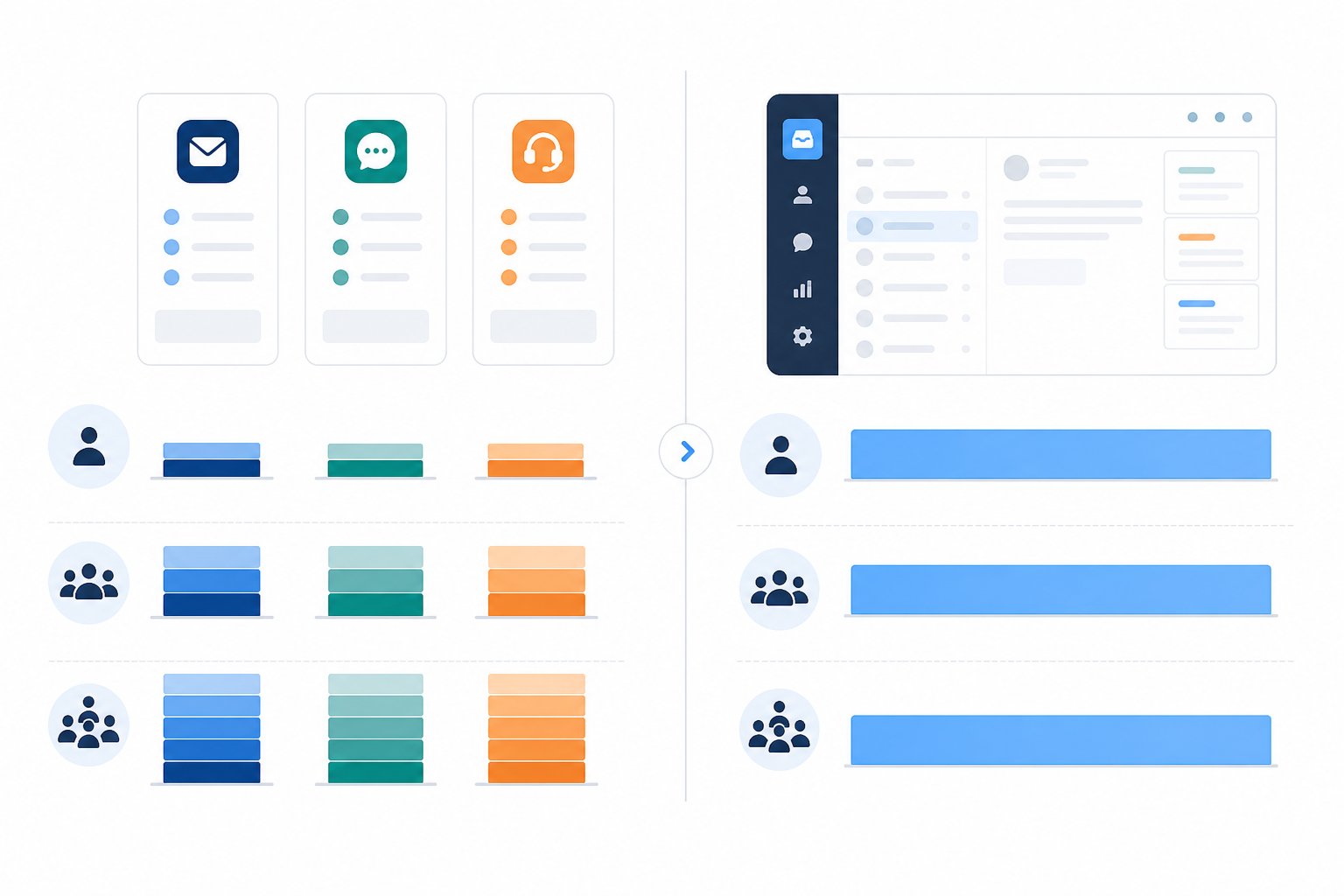
Most per-seat help desk software runs somewhere in the range of £12–£20 per agent, per month, and that's often just for one piece of the puzzle, like email ticketing. Add a separate live chat tool (commonly another £10–£20 per agent) and a separate reporting add-on, and you're stacking multiple bills on top of each other. Here's a simplified, illustrative comparison. Treat the specific figures as ballpark, since exact pricing varies by vendor, plan tier, and whether you're billed monthly or annually:
| Setup | 1 agent/mo | 3 agents/mo | 5 agents/mo |
|---|---|---|---|
| Separate chat tool (~£15/agent) | £15 | £45 | £75 |
| Separate email ticketing (~£15/agent) | £15 | £45 | £75 |
| Separate reporting add-on (~£10/agent) | £10 | £30 | £50 |
| Three-tool total | £40 | £120 | £200 |
| Sonny (flat rate, unlimited agents)* | ~£16 | ~£16 | ~£16 |
Sonny's pricing is advertised at $19.99/month (roughly £16, depending on the exchange rate at the time you check) for unlimited agents and unlimited conversations, correct as of writing this article. VAT treatment and any currency conversion may vary, so it's worth confirming the current price and whether it's billed in GBP or USD before you commit. Always check the vendor's live pricing page rather than relying on a snapshot in a blog post.
What this table is really showing is the shape of the problem: per-seat pricing multiplies as you grow, while flat-rate pricing doesn't. That changes the math on hiring. Your third or fourth support hire doesn't have to come with a software tax attached, assuming the flat-rate tool covers the features you actually need.
Setup time matters too. Traditional help desk software often involves onboarding calls, configuration wizards, and a sales rep walking you through settings for an hour or more. Sonny advertises setup in under five minutes with no sales call required: sign up, connect your inbox, drop in a chat widget, and you're live. As with any tool, your actual setup time will depend on how much you're migrating from existing systems, so budget a bit more time if you're moving years of ticket history.
Because switching tools always feels a little risky, Sonny offers a 7-day free trial with no credit card required at the time of writing, so you can test it against your real support volume before committing to anything. If data residency or GDPR compliance matters for your business (and for most UK companies handling customer data, it should), it's worth checking a vendor's data processing agreement and where customer data is stored before migrating.
A few things that often come bundled in, which you'd otherwise pay extra for elsewhere:
- Reporting on response times and team performance, so you can see whether conversations are getting answered quickly enough, without buying a separate analytics add-on.
- An optional AI copilot, which some shared inboxes (including Sonny) offer trained on your own docs, aimed at deflecting repetitive questions like "how do I reset my password" before they need a human reply. This won't eliminate the need for a support team, and its usefulness depends heavily on how well-documented your product already is, but it can reduce the volume of repeat tickets your team handles.
Signs your team is ready to consolidate support tools
Not every team needs to switch immediately. Here's a quick self-audit. Give yourself a point for each one that's true:
- You're paying for two or more tools that each handle just "part" of customer support (one for chat, one for email, maybe another for reporting).
- A customer message has been missed or duplicated in the last month. Even once is worth paying attention to.
- Your team asks "wait, did anyone reply to this?" more than once a week. That's context-switching fatigue talking.
- You're about to hire your second or third support person, and you're already dreading the per-seat pricing math.
- You want mobile access (iPhone, Android, Mac) without paying extra for a separate app tier.
- You don't have complex requirements like phone support, enterprise SLAs, or a large public knowledge base that would need specialised software anyway.
Scoring: If you scored 3 or more, tool sprawl is probably costing you more than you realise, in money, in time, and in customer trust. If you scored 1–2, keep an eye on it, but you may not need to switch yet. If your team genuinely needs the specialised features in that last point, a shared inbox might not be the full answer on its own, and it's worth weighing that before you migrate.
Frequently asked questions about shared inboxes
What is a shared inbox in customer support?
A shared inbox is a centralised place where your whole team can see, respond to, and collaborate on customer conversations, whether they come in through live chat, email, or another channel. Instead of each tool having its own separate inbox, conversations route into one shared view with tagging, internal notes, and assignment, which reduces (though doesn't fully eliminate) the risk of something getting missed.
How is a shared inbox different from traditional help desk software?
Traditional help desk software is often built around email ticketing first, with live chat added later as a separate product, sometimes with its own bill. A shared inbox like Sonny is designed to handle live chat and email together in one queue from the start. That said, larger or more complex support operations sometimes need features a lean shared inbox doesn't offer yet, like advanced workflow automation, telephony integration, or granular permission structures for big teams. It's worth checking feature depth against your specific needs, not just price.
Can a shared inbox replace separate chat and email tools?
For many early-stage teams, yes. If your live chat widget and support email are both just funnelling conversations to the same small team, there's often little reason to keep them in separate systems. That said, "replace" depends on what those separate tools are doing for you today. If you rely on advanced automation rules, a large integration ecosystem, or specific reporting your current tools provide, check that a shared inbox covers those before migrating, and ask about data export and migration support so you're not stuck if it doesn't.
Is a shared inbox worth it for a two-person support team?
Often it's especially useful at that size, because two people juggling multiple tools are more likely to step on each other's replies or lose context while switching between apps. Flat-rate pricing also means adding a third teammate later doesn't automatically double your software bill, though it's still worth confirming what happens to your data and workflows if you outgrow the plan, and whether the tool supports role-based permissions as your team grows.
If you're currently stitching together a chat widget, a shared inbox, and a Slack channel just to keep customer conversations from slipping through the cracks, you're not alone, and you're not doing anything wrong. It's just what happens as a company grows past "one founder answering everything."
Here's a concrete next step, rather than just a nudge to trial something. First, list every tool you're currently paying for to handle support, along with what each one costs monthly. Second, add up that total and be honest about how many missed or duplicated replies you've had in the last 30 days. Third, pick one shared inbox, run it against your real support volume during a free trial, and measure it against two things: your current monthly spend and your current response times. If both improve, you've got your answer. Sometimes it really is just one inbox, built to handle it all. But let the numbers, not the sales page, make that case for you.