
Meta description: A practical UK-focused guide to e-commerce live chat, including where to place a live chat widget, what agents should say, how to measure conversion impact, and how customer support software can improve the buying journey.
Live chat can genuinely move the needle on completed purchases, but only when it shows up at the exact moment someone's stuck on a specific worry. I don't think the widget itself does much of anything on its own. It's the timing and the words that matter. And to be fair to anyone rolling their eyes at another "chat converts!" claim, any conversion lift needs to be checked against a real baseline, not just assumed because your chat volume looks busy. I'll get to how you actually test that a bit further down.
Here's the scenario I keep coming back to: someone's on a product page, thumb hovering near "add to cart," and one nagging doubt is the only thing standing between them and a finished order. Will this actually fit? Is shipping going to cost more than the item itself? Can I send it back if it doesn't work out? A chat widget sitting passively in the corner won't catch that moment. One placed with intent, backed by a decent script, can.
Having live chat installed isn't the same thing as using it well. The lift comes from where you place it and what your team actually says once someone clicks. Slap a generic "chat with us!" bubble in the corner and you'll see a fraction of the value. Trigger it at high-intent moments with scripts that gently guide people toward checkout, and it becomes a real conversion tool, as long as you're also tracking whether it's working.
Let's get into how that actually plays out.
Why Shoppers Abandon Carts Without Asking Questions
Here's something that surprises a lot of store owners: most shoppers won't email you before they abandon their cart. They won't open a support ticket. Half the time they won't even click your chat widget. They'll just leave, quietly, and you'll never know exactly why.
The Baymard Institute's ongoing cart abandonment research, a rolling compilation of dozens of studies last substantially updated in 2024, puts the average documented abandonment rate at around 70%. Sit with that for a second. Roughly seven out of ten people who add something to their cart never finish the purchase. This is an aggregate average across many studies and store types, not one controlled experiment, so treat it as a directional benchmark rather than a precise number for your own store.
When Baymard has asked US shoppers directly why they bailed on a cart, a few reasons come up again and again in their checkout usability research:
- Shipping cost surprises – extra costs like shipping, tax, or fees turning out higher or less transparent than expected is consistently one of the top-cited reasons
- Sizing doubts – will this actually fit the way I need it to?
- Return policy uncertainty – what happens if I need to send this back?
- Trust signals – not feeling confident enough in the site's security to hand over card details
- Total cost confusion – not seeing the full price until the final checkout step
One fair caveat: these figures come mostly from US survey samples, so UK shopper behaviour may skew a bit differently, particularly around VAT-inclusive pricing, which UK shoppers are used to seeing upfront by law. It's also worth being honest that not every abandonment reason can be fixed with a chat message. Someone who bails because the total price is simply more than they're willing to pay, or because they're comparing three tabs at once, isn't going to convert just because an agent said hello. Payment failures and plain price sensitivity sit mostly outside what live chat can influence.
But the reasons rooted in uncertainty rather than unwillingness — sizing, returns, shipping cost, trust — are exactly the kind of friction a quick, specific answer can clear up. The shopper isn't asking because asking takes effort, and most people would rather quietly close the tab than type a question to a stranger. That gap between "mostly convinced" and "convinced enough to click buy" is where live chat earns its keep, as long as your team is actually watching for it in the right places.
Where Should You Place a Live Chat Widget for Best Results?
This is where most stores get live chat wrong. They install a widget, set it to appear the same on every page, and call it done. A chat prompt that looks identical on your blog and on your checkout page is missing the point entirely.
Instead, think about the specific moments where hesitation tends to peak, and build trigger rules around those rather than relying on one generic timer:
- Product pages with variants – trigger after someone toggles between two or more sizes or colours and has spent roughly 45–60 seconds on the page without adding to cart. Dwell time alone can just mean someone's reading; pairing it with variant interaction is a much stronger signal they're actually stuck on a decision.
- The cart page, before shipping costs are revealed – this is the exact moment the "unexpected cost" abandonment reason becomes real. A proactive message here, clearly showing UK delivery costs and estimated timeframes upfront, can defuse sticker shock before it happens.
- Checkout, near friction-heavy fields – account creation prompts or clunky address fields (particularly awkward for Northern Ireland postcodes or BFPO addresses, which some checkout builders handle badly) are common stall points.
- Exit-intent triggers – when a cursor drifts toward the back button with items still in the cart, a well-timed prompt can be a last chance to help. Cap these to one appearance per session so they don't feel like nagging.
A few operational guardrails matter here too. Cap proactive prompts to once per page per session so returning visitors aren't hit repeatedly. On mobile, avoid triggering an overlay that covers the add-to-cart button, and make sure the widget is genuinely accessible — keyboard-navigable and readable by screen readers — rather than a floating element that only works with a mouse. And never trigger a proactive prompt during the final payment step itself. That's the one place an interruption does more harm than good.
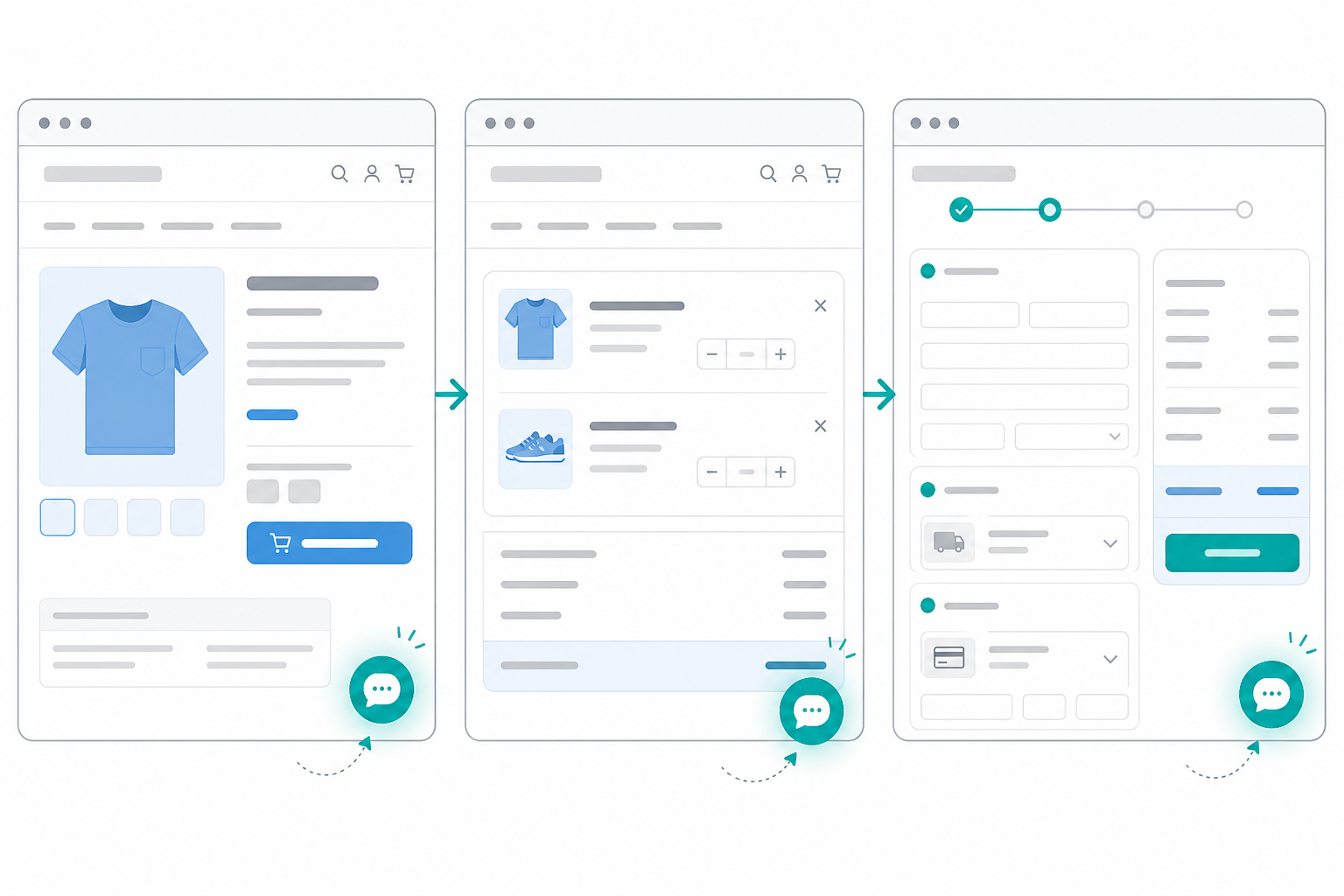
Nielsen Norman Group's usability research on proactive chat has found that messages triggered by actual behaviour — time on page, scroll depth, repeat visits — tend to land better than chat that pops up immediately for every new visitor, which can feel intrusive. That's a directional finding from usability testing, not a guaranteed conversion lift for every store, but the logic holds up: a prompt that fires the moment someone lands on your homepage reads very differently than one that fires after they've spent a minute comparing sizes.
Passive chat buttons underperform for a simple reason: they ask the shopper to notice they're stuck, decide to ask for help, and initiate contact. Most people won't do all three. A well-built proactive prompt does the noticing for them.
Example E-commerce Live Chat Scripts That Move Shoppers to Checkout
Placement gets someone into the conversation. What your agents say determines whether that conversation turns into a sale. A few script patterns have worked consistently well across the e-commerce chats I've reviewed. Treat these as starting templates to adapt to your own tone and product.
Opening line for someone lingering on a product page:
"Hi! Noticed you're looking at [product] — happy to help if you've got questions about sizing, shipping, or anything else before you decide."
Low pressure, specific to what they're doing, and it gives them an easy way in.
Responding to "Is this true to size?":
"Great question! Most customers tell us it runs true to size, though if you're between sizes we'd usually suggest sizing up — let me know your usual size and preferred fit and I can give you a more specific recommendation."
This builds confidence without overpromising. Agents should only give fit guidance based on verified sizing data (return-rate patterns by size, customer feedback logs) rather than a guess, since bad sizing advice creates real returns headaches and, in some cases, complaint risk.
Handling shipping cost objections:
"Totally understand wanting the full cost upfront. Shipping to [location] is £X (VAT included), and it usually arrives within [timeframe] — want me to check the exact delivery estimate for your postcode?"
Clear, specific, and it already includes VAT, since UK shoppers expect that shown by default.
Returns and cancellation questions:
"You're covered by your 14-day right to cancel under the Consumer Contracts Regulations, plus our own [X-day] returns policy on top. If it doesn't work out, you can send it back for a full refund — want me to send you the returns link now so it's handy?"
Accuracy matters more than warmth here. Don't overstate return rights or promise timeframes your operations team can't actually meet.
Closing script that nudges toward checkout:
"Want me to hold that for you while you finish checking out? Happy to stay on chat if anything comes up."
(Only offer to hold stock if your inventory system genuinely supports reservations. Otherwise, just offer to stay available.)
When the agent doesn't know the answer:
"Good question — I want to give you an accurate answer rather than guess, so let me check with the team and come straight back to you."
A specific, honest "I don't know yet" builds far more trust than a confident wrong answer.
What not to say:
Skip anything that reads as a hard sell. Lines like "This is selling fast, grab it now!" tend to trigger scepticism rather than urgency. Shoppers can usually tell the difference between genuine help and a sales script, and trust drops the moment they sense the latter.
Combining Live Chat With Order Tracking Questions
A "where's my order?" chat is, first and foremost, a support interaction, and it should be treated that way before anyone thinks about it as a sales opportunity. Someone checking on a delayed or missing parcel is usually frustrated, not in a browsing mood, and leading with a cross-sell in that moment can genuinely damage trust. So the sequencing here matters more than people think.
Resolve the actual issue first. Confirm the order status, give an honest timeframe, and if something's gone wrong — a delay, a damaged item, a failed delivery attempt — deal with that fully before mentioning anything else. UK consumer protection also entitles customers to clear information about delivery delays and remedies, so this isn't just good manners. It's part of doing right by the customer.
Only once the query is genuinely resolved, and only if the order isn't flagged as delayed, damaged, or disputed, does it make sense to add a light, optional follow-up: "While that's on its way, a few customers who ordered this also liked [related item] — happy to send a link if you're interested, otherwise no worries at all." Notice the opt-out built into that phrasing. If a customer says no or seems anything less than positive, don't bring it up again in the same conversation.
It's also worth being mindful of UK GDPR and PECR when using purchase history this way. Referencing someone's own order within a support conversation they started is generally fine, since it's not unsolicited marketing. But if you're planning to follow up later by email or SMS with product suggestions, that typically needs separate marketing consent, not just an inferred interest from a chat.
This kind of follow-up works far better when your agent isn't juggling three separate tools to piece together context. A shared inbox setup — where one agent can see the original sales chat, the shipping ticket, and any prior conversation history in one place — means they're not asking the customer to repeat themselves, and they're not tempted to skip straight to a pitch just because pulling up order history is slow. Handled with the right sequencing, a routine tracking question can turn into a positive retention touchpoint instead of a missed trust moment.
What to Measure: Chat-Assisted Conversions
A widget with no reporting attached to it is basically a black box. But it's worth being precise about what your metrics can and can't tell you. Chat-assisted conversion — someone who chatted and then bought — isn't the same as incremental conversion, because people who initiate a chat usually already have higher purchase intent than the average visitor. Comparing chatters to non-chatters will almost always overstate chat's real impact for that reason alone.
A more credible approach, if you have the traffic for it: run a controlled comparison where a similar segment of eligible visitors either does or doesn't see the proactive prompt (a simple A/B split on the trigger itself, not on who chooses to chat), then compare completed-order rates between the two groups over a few weeks, controlling for traffic source, device, and product category as best you can. That difference — proactive-prompt group conversion rate minus control-group conversion rate — is a far better estimate of real impact than raw chat-assisted numbers alone.
For day-to-day tracking, it helps to split metrics into three tiers rather than one flat list:
| Category | Metric | Why it matters |
|---|---|---|
| Availability & responsiveness | First response time, chat initiation rate | Slow replies tend to correlate with more abandoned chats, though correlation isn't proof of causation on its own |
| Engagement quality | Resolution rate, tagged conversation outcomes (purchased, abandoned, browsing only) | Shows which conversation types are actually associated with completed orders |
| Commercial impact | Chat-assisted conversion rate vs. site-wide baseline, conversion rate in a controlled test group, assisted revenue, refund/return rate on chat-assisted orders | Gets closer to genuine incremental impact rather than correlation, and the refund rate check guards against chat pushing people into purchases they later regret |
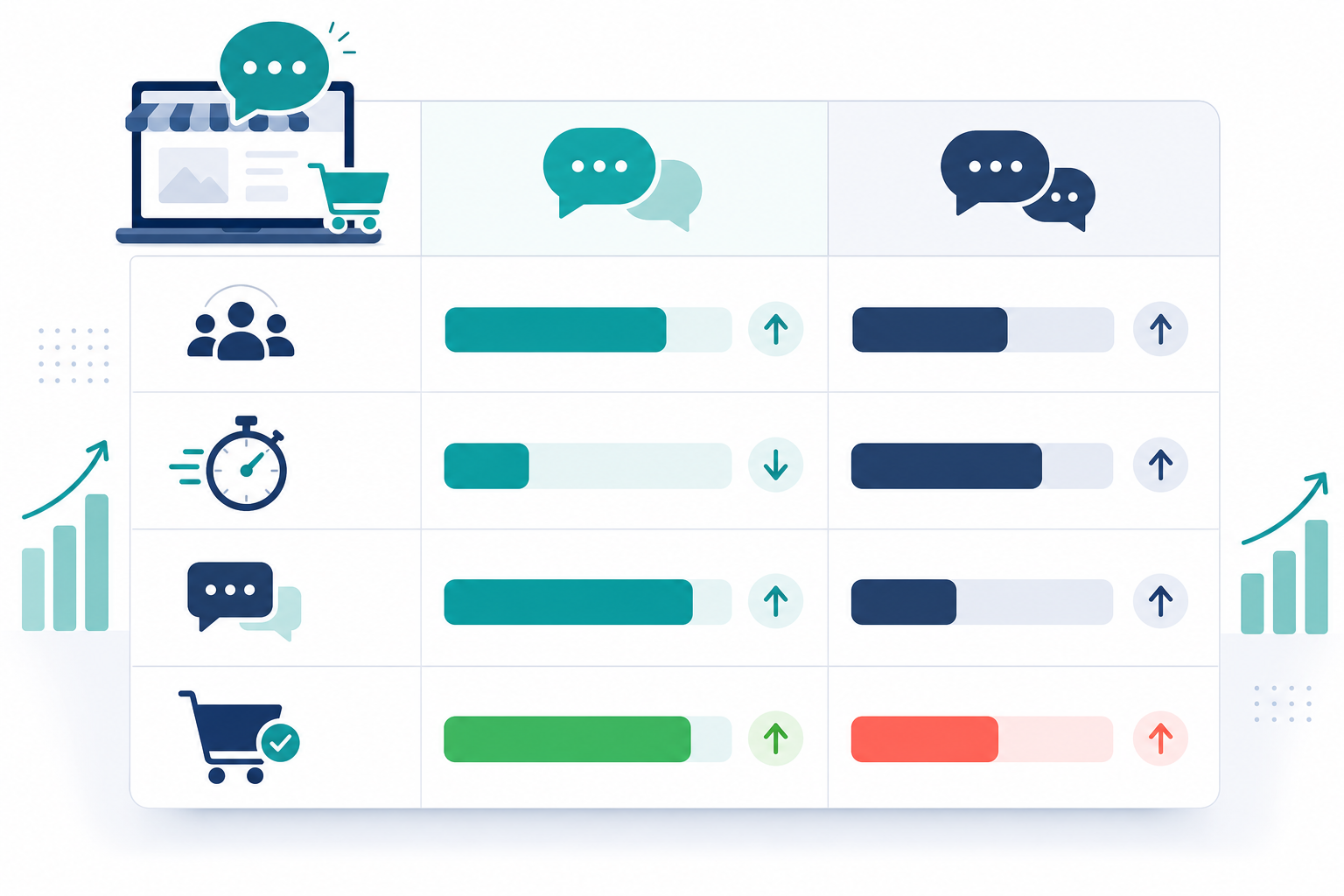
Honestly, the habit that makes the biggest difference isn't picking the perfect metrics. It's reviewing them regularly. Tag conversations by outcome and glance at that data weekly, and patterns start to surface: certain scripts convert better, certain pages generate more purchase-ready chats, certain agents consistently move things forward. Customer support software with built-in reporting on response times and team performance can turn this into a five-minute weekly check instead of a spreadsheet project, though the review habit matters more than which tool provides it.
How Sonny Supports This E-commerce Live Chat Workflow
Quick, clearly labelled note here since this is a product I work on: chat volume for most e-commerce stores doesn't stay flat. It spikes during sales events, holidays, and product launches, exactly when you need more agents online. Per-seat pricing models can get expensive at the worst possible time, forcing you to either understaff your busiest week or accept a much bigger bill just to cover it.
Sonny uses flat-rate pricing at $19.99/month (USD; UK businesses paying by card should check their bank's FX conversion, and separate VAT may apply depending on how your business is registered) for unlimited agents and unlimited conversations on that plan, so bringing on extra seasonal agents for a sale doesn't add to your software bill. Setup takes a few minutes without a mandatory onboarding call, and there are native apps for iPhone, Mac, and Android so agents can respond outside a fixed desk. As with any vendor claim, it's worth checking current plan details directly before committing, since pricing and features can change.
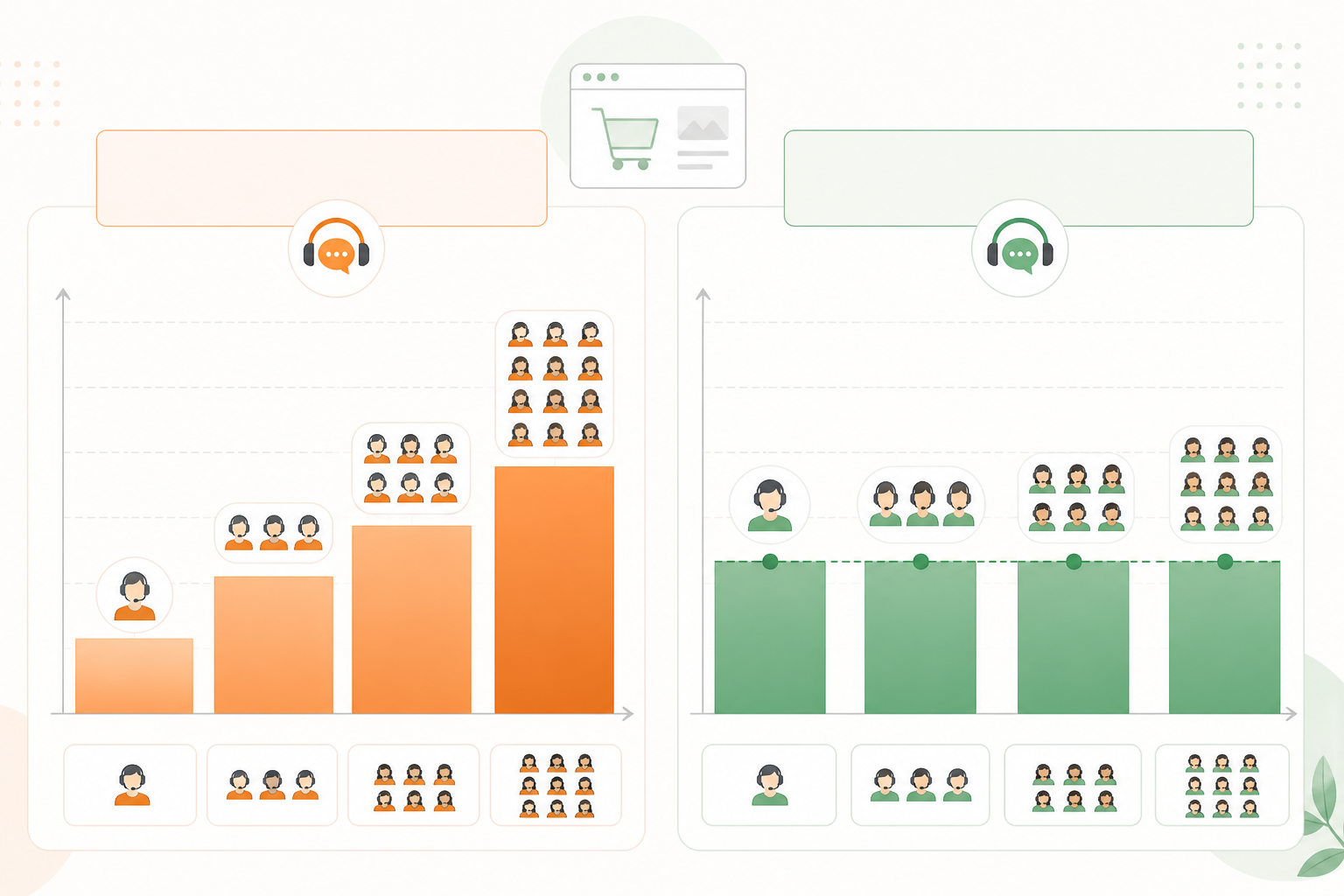
To be clear: pricing structure alone doesn't make live chat convert better. Good placement, good scripts, and a habit of actually reviewing your data are what move the needle. Flat pricing just removes one obstacle to staffing chat properly when your business needs it most.
Getting Started: An E-commerce Live Chat Implementation Checklist
If you're setting this up for the first time, here's a sensible order of operations:
- Install the widget on product, cart, and checkout pages only to start — not site-wide.
- Set one proactive trigger rule per page (dwell time plus variant interaction on product pages, for example) and cap it to once per session.
- Write three or four core scripts — product question, shipping cost, returns, and closing nudge — and get your team comfortable with them before launch.
- Set up outcome tagging (purchased, abandoned, browsing) from day one, even if your review process starts as a simple weekly glance.
- If you have the traffic, run a basic controlled comparison for two to four weeks before declaring a conversion win.
- Review your metrics weekly for the first month, then monthly once patterns settle down.
Start narrow, get the placement and scripts right on a handful of pages, and only then expand chat coverage further across the site. E-commerce live chat earns its keep through consistent, honest, well-timed conversations, not through installing a widget and hoping for the best.
E-commerce Live Chat FAQ
Does live chat really increase online store conversions?
It can, when it's placed at genuinely high-intent moments and answers a real hesitation, but the honest answer is "it depends on measurement." Chat-assisted conversion rates alone tend to overstate impact, since people who choose to chat often already intend to buy. A controlled comparison between visitors who do and don't see a proactive prompt gives a far more reliable picture of the real lift.
Where should I place a live chat widget for best results?
Focus on high-intent pages: product pages with size or variant options, the cart page (especially before shipping costs appear), and checkout. Trigger prompts based on actual behaviour — dwell time combined with variant switching, for example — rather than a flat timer that fires for every visitor regardless of what they're doing.
What should agents say to help a hesitant shopper buy?
Keep it short, specific, and honest rather than salesy. Address the actual hesitation directly — sizing, shipping cost, returns — using verified information rather than guesses, then offer a small, optional nudge rather than pressure. If an agent doesn't know an answer, saying so and following up beats a confident guess every time.
How do I track sales influenced by live chat conversations?
Tag conversations by outcome as your team resolves them, and track response time and resolution rate alongside chat-assisted conversion rate. For a more credible read on actual impact rather than correlation, compare a group of visitors exposed to proactive chat against a similar group who aren't, over several weeks.
Will proactive chat annoy visitors instead of helping them?
It can, if triggers are too aggressive or repeat too often. Capping prompts to once per session, basing them on genuine behaviour signals rather than arrival time, and never interrupting the final payment step all help keep proactive chat feeling helpful rather than intrusive.
Do I need consent to use live chat under UK GDPR and PECR?
Generally, responding within a conversation the customer started doesn't require separate marketing consent. But if you plan to follow up later via email or SMS based on something discussed in chat, that typically needs its own marketing consent, and any chat cookies used for tracking should be covered in your cookie policy and consent banner.
How much staffing coverage do I actually need?
Enough to keep first response times reasonably fast during your peak browsing hours, which for most UK e-commerce stores tend to cluster in the evening. It's better to run chat well during your busiest hours than to offer it thinly across 24 hours with slow replies throughout.