
How to use e-commerce live chat to increase sales, not just handle support
Meta description: See how e-commerce live chat can turn buying hesitation into sales with proactive prompts, practical scripts, intent signals, and trustworthy ROI testing.
Quick answer: E-commerce live chat increases sales when it's used proactively to resolve hesitation at genuinely high-intent moments: someone lingering on a product page, or hovering over the back button on checkout. It works best for considered purchases (roughly £50+), fit-sensitive products like clothing and footwear, and anything with a delivery-sensitive decision behind it. It does not work well as a blanket always-on widget with no targeting, and any lift you see needs to be confirmed with a proper holdout test, not a simple before-and-after comparison, which will lie to you. Here's how to set it up properly, for whichever of these fits your store.
I know this sounds backwards if you've been treating your chat widget like a glorified FAQ page. But once you start thinking of chat as revenue instead of just support, it changes almost everything about how you run it: who staffs it, what they say, and how you measure whether it's actually working.
E-commerce live chat as a sales tool, not just support
Most online stores set up a live chat widget and then quietly forget about it. It sits in the corner, waiting for someone to ask where their tracking number is. That's a fine use of it, honestly, but it's leaving a lot on the table.
Think of it as three steps: detect hesitation, resolve uncertainty, suggest a relevant next step. In a physical shop, someone picking up the same jumper twice usually gets asked if they need a different size. Online, that hesitation is invisible unless you're watching for it, through time-on-page, exit-intent, or scroll depth, which I'll get into below. Real-time reassurance during a purchase decision can close the gap between browsing and buying while intent is still warm, in a way a follow-up email sent hours later just can't.
Quick terminology check, since these get used interchangeably and shouldn't be. An always-on live chat widget is passive. It's there if a visitor wants it, like a contact form with a friendlier face. Proactive chat starts a conversation based on what the visitor is doing, rather than waiting for them to click. Chatbot automation is software answering or routing messages without a human involved. That's fine for simple FAQs, but it tends to fall flat on the nuanced, reassurance-driven questions that actually move someone toward checkout. This article is mostly about proactive chat handled by a person, with automation playing a supporting role.
A caveat worth saying plainly: none of this is guaranteed to lift your numbers. The uplift proactive chat can generate depends heavily on your product, price point, and traffic quality. Cart abandonment itself is well documented. Baymard Institute's meta-analysis of dozens of studies puts the average somewhere around 70%, with unexpected costs and checkout friction as recurring causes, but exact rates vary a lot by sector, device, and traffic source. Treat the ideas below as testable hypotheses for your store, not universal laws.
When should proactive live chat messages appear?
Timing is everything. Fire a popup the second someone lands on your site and you'll annoy them. Wait until they've already abandoned their cart and you've missed the window. The goal is to catch genuine hesitation, not just page loads.
Two quick definitions. Exit-intent detects when a visitor's cursor moves toward the browser's close or back button, suggesting they're about to leave. It only works on desktop, since mobile browsers don't expose that signal. Scroll depth measures how far down a page someone has read. Both are common features in live chat and analytics platforms, though implementation varies by provider.
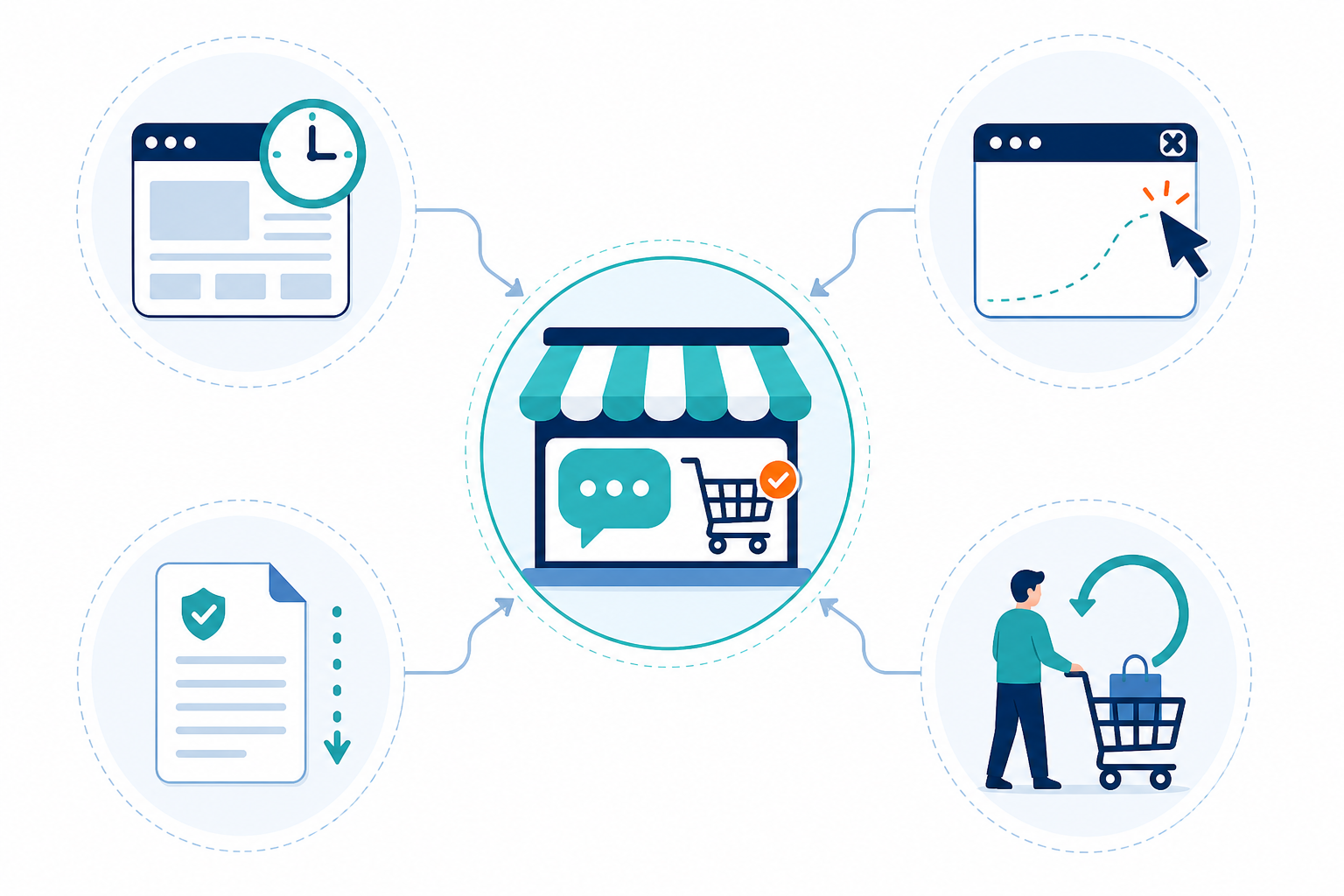
Here's a starting framework. Treat every threshold as a hypothesis to adjust, not a fixed rule:
| Trigger | Best for | Example prompt | Suppression rule | Watch this KPI |
|---|---|---|---|---|
| Time-on-page (45s+, no add-to-cart) | Considered purchases; adjust down for cheap impulse items, up for £200+ purchases | "Need help picking the right size?" | Don't fire twice in one session; skip if item's already in cart | Add-to-cart rate after prompt |
| Exit-intent on cart/checkout (desktop) | Any store with checkout friction or delivery cost surprises | "Before you go, is delivery cost the sticking point? Happy to check." | Suppress for logged-in repeat customers unless they're new to this category | Cart recovery rate |
| Returning product-page visitor (2nd–3rd visit, no cart action) | Active comparison shoppers | "Still weighing this up? Happy to compare it with [similar product]." | Cap at one prompt per return visit | Conversion on return visit |
| Returning cart abandoner (added, didn't buy, came back) | Your highest-intent segment; treat differently from a casual repeat browser | "Still thinking about the [item]? It's still in stock, want a hand?" | Cap at one prompt per 48 hours | Basket recovery rate |
| Scroll depth on FAQ/shipping/returns pages | Delivery-sensitive or trust-sensitive purchases | "Questions about delivery to your area? Ask us directly." | Suppress if visitor's already chatted this session | Conversion rate post-chat |
| Mobile inactivity or scroll pause (exit-intent alternative) | Mobile-first stores, where cursor exit-intent doesn't work | Small, dismissible banner, never a full overlay | Never block the checkout button; one prompt maximum | Bounce rate, checkout completion |
Usability researchers, including groups like Nielsen Norman Group, have long warned against generic "Can we help?" messages that fire on every page. They read as intrusive, and repeated exposure just trains visitors to dismiss them automatically. Cap your frequency, suppress prompts for visitors who've already dismissed one, and keep the message specific to page context. Mobile needs even lighter-touch rules, since a badly timed overlay can block checkout buttons entirely.
One UK-specific point: if your triggers rely on cookies or similar tracking to detect time-on-page or returning visits, that typically falls under PECR and UK GDPR consent requirements. Check with whoever manages your cookie consent banner before rolling out new behavioural triggers, since some may need to be classed as non-essential and gated behind consent.
A quick operational checklist for proactive chat
Before switching proactive triggers on, think through staffing. A trigger that fires when nobody's available to answer does more harm than good:
- Coverage by trading hours. Map your busiest browsing windows against your agent rota; proactive triggers only help if someone can respond within a minute or two.
- Routing for high-intent chats. Decide whether sales-flagged conversations, exit-intent on checkout for example, jump the queue ahead of general support questions.
- Escalation rules. Agents should know when to loop in fulfilment or product for questions they can't answer confidently, rather than guessing.
- No-agent fallback. If nobody's available, decide whether a bot handles a holding message, or the trigger simply doesn't fire outside staffed hours.
- Shared context. If your sales-minded chat replies live in a separate system from support tickets, you get fragmented context and duplicated effort. A shared inbox, chat, email, and internal notes together, means whoever picks up a conversation sees the full picture immediately.
E-commerce live chat scripts that turn questions into sales
The messages themselves matter as much as the timing. A support-trained agent and a sales-trained agent will often answer the same question quite differently, and that difference can show up in conversion numbers.
Use this framework: answer the real question, clarify if needed, recommend a specific next step, then soft-close. And one hard rule underneath all of it: never promise a system capability (holding stock, adding to basket, guaranteeing delivery dates) that your actual tools can't deliver on, and never manufacture urgency that isn't real.
Stock question. ❌ "Hi there! Let us know if you need anything 😊" — generic, fires on every page, gets ignored fast. ✅ "Yes, that's in stock. A lot of customers pair it with [related product], want me to check availability on that too?" (Only say this if your chat tool is genuinely connected to live inventory. If you're not sure, say so and offer to check.)
Shipping cost objection. ❌ "Sorry, that's just our delivery fee." — defensive, doesn't address the real worry. ✅ "Delivery on this is £3.95 and typically arrives in 2–3 working days, want me to check the exact estimate for your postcode?" You're addressing the real concern (will it arrive in time?) rather than assuming price is the only issue.
Delayed delivery concern. ❌ "Sorry for the inconvenience, your order is on its way." — vague, doesn't reassure anyone. ✅ "I can see it's currently with the courier and running about a day behind, want me to flag it for priority tracking and email you the update?"
Abandoned basket re-engagement. ❌ "You left something in your basket! Buy now before it's gone!" — false urgency, and customers can usually tell. ✅ "Still deciding on the [item]? Happy to answer anything before you check out, no rush."
Size or fit questions. "Our sizing chart suggests this runs slightly small for some customers, if you're between sizes, going up is usually the safer bet." Only offer to add an item to someone's basket if your chat platform actually supports that action; otherwise point them to the button.
Social proof, used honestly. Only reference popularity if you can point to real data: order volume, review mentions, return-rate trends. Vague claims like "most customers say" without evidence can backfire badly if a customer checks reviews and finds otherwise.
Soft closes. "Want me to point you to checkout?" or "Happy to answer anything else before you decide" feel helpful rather than pushy, because they leave the decision with the customer.
Using live chat data to spot buying intent
Once proactive triggers and better scripts are running, your chat transcripts become genuinely useful, assuming someone's actually reviewing them.
Start with repeated questions. If several customers this week asked about sizing on the same jacket, that's a signal your product page is missing a sizing chart. Delivery worries clustering around one product usually mean the shipping estimate isn't clear enough there.
Make tagging a five-minute end-of-shift habit rather than a retrospective project. Whoever handles the chat tags it before closing the conversation, using four tags: intent (browsing, comparing, ready-to-buy), topic (sizing, shipping, returns, stock), outcome (converted, abandoned, follow-up needed), and handoff reason. Once a month, a support lead spot-checks a sample of roughly 20 conversations for tagging consistency and rolls up themes to whoever owns product pages and UX. As a rough rule of thumb: if the same topic shows up in 5% or more of a week's conversations, that's worth a product-page fix rather than another round of repeated chat answers.
Internal notes matter too. If an agent spots someone who asked several detailed questions and seemed close to buying but didn't check out, a note flags that shopper for a follow-up, the kind of high-intent conversation that's easy to lose if it isn't written down. One caveat: using a transcript to justify a follow-up email needs to sit within your existing marketing consent. A chat conversation isn't automatic permission to add someone to an email list.
Response time is worth tracking too, though be careful with the causal story you tell yourself. A slow reply on a high-intent chat may cost you a sale, but response time is one factor among several; product fit, price, and stock availability all matter. Track it as a leading indicator worth improving, not a guaranteed lever on revenue.
How to measure live chat ROI and conversion impact
Here's the honest challenge: comparing "sessions with chat" to "sessions without chat" is tempting but flawed, because people who start a chat often already have higher purchase intent to begin with. That's correlation, not proof chat caused the sale. A fairer test looks like this:
- Run a randomised holdout test. Show your proactive prompt to a portion of eligible visitors (say, 50%) and suppress it for a comparable control group over the same period.
- Track AOV across both groups, not just conversion rate. Chat sometimes convinces existing buyers to add an extra item rather than converting new ones.
- Watch refunds and margin, not just top-line sales. A script that nudges hesitant buyers toward checkout is only genuinely useful if those orders don't come back at a higher-than-normal return rate.
- Use response time reporting directionally. Compare your fastest-responding periods against your slowest and note whether close rates move together, without treating it as proof.
- Review monthly, not just quarterly, so you can adjust triggers and scripts while they're still relevant to current traffic and seasonality.
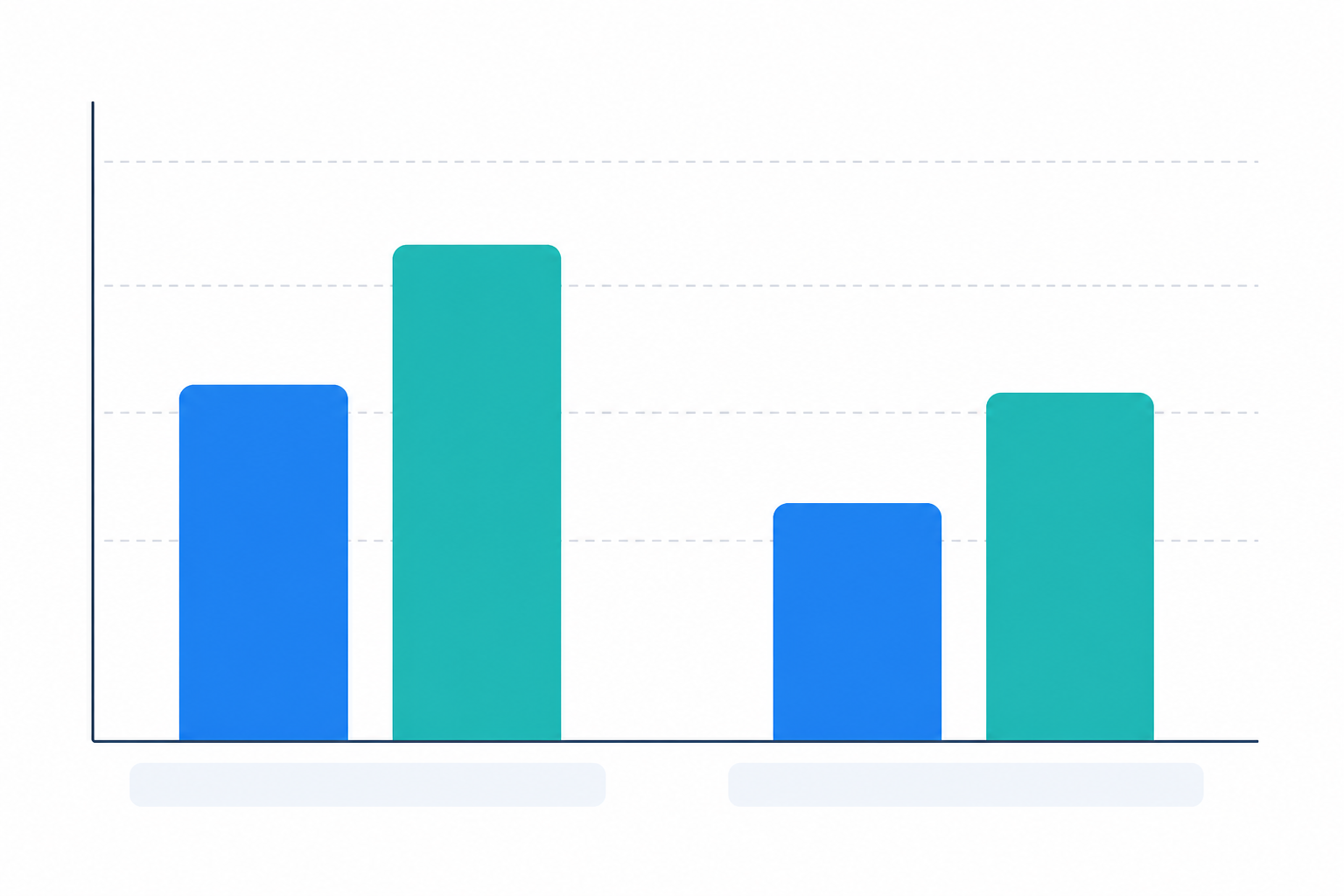
Here's what that looks like with numbers. Say you have 10,000 eligible product-page sessions a month, split 50/50 into test and control, 5,000 each. If your control group converts at 2.4% and your test group converts at 2.9%, that's a 0.5 percentage point lift, or about 21% relative improvement. Before you trust that, check whether it's statistically meaningful given your baseline conversion rate and traffic. As a rough guide, a few hundred eligible sessions a week is usually too thin to draw a confident conclusion within a month, so consider testing across a broader product category rather than a single page. Then look at AOV: if control averages £58 and test averages £62, that's an additional gain even among people who already converted. Multiply your incremental conversions by AOV to estimate incremental revenue, then subtract the cost of any added agent hours for a rough net impact.
Define your attribution window up front too. Are you counting a purchase within the same session as chat-assisted, or within 24 hours, or something else? Being explicit avoids arguments about the numbers later.
Setting up e-commerce live chat without overloading your team
A lot of growing stores hit the same wall. They want to add coverage for proactive chat properly, but per-seat software pricing turns every new hire into a budget conversation right when chat volume, and sales opportunity, is growing.
Here's a simple way to estimate the staff you actually need: take your expected eligible chat volume per hour, multiply by average handling time in minutes, divide by 60, then divide by how many chats one agent can comfortably handle at once (usually 2–3). For example: 20 eligible chats an hour × 4 minutes average handling ÷ 60 ÷ 2 concurrent chats per agent ≈ 0.7 agents needed for that hour. Round up, because half an agent doesn't answer a chat.
When you're evaluating customer support software against that staffing reality, look at integrations with your inventory system, routing rules for high-intent chats, reporting depth, consent controls for behavioural tracking, and how many concurrent conversations an agent can realistically manage in the interface. Flat-rate pricing is one option worth considering here, since per-seat costs can discourage adding coverage at exactly the moment you need it. As one example (correct at time of writing, always check current pricing directly), Sonny offers a flat monthly rate covering unlimited agents and conversations, which removes the per-agent cost barrier to staffing proactive chat properly during peak hours. That's just one example of the flat-pricing model, not a recommendation over other approaches. The right tool depends on whether it also covers the routing, tagging, and integration needs above.
Setup speed matters too, since testing proactive triggers works best as a weekly iteration loop rather than a slow rollout. And since high-intent chats don't only happen during office hours, native mobile apps for iPhone and Android (alongside desktop apps for Mac and Windows, which several providers including Sonny offer) let an agent catch a promising conversation outside a fixed desk shift. Useful, though obviously not a substitute for having enough staffed hours in the first place.
Frequently asked questions about e-commerce live chat
Can live chat increase e-commerce sales, or is it just a support cost? It can support increased sales when used proactively and tested properly, but it's not automatic. The clearest evidence comes from a randomised holdout test, showing prompts to one group and withholding them from a comparable control group, rather than simply comparing chat users to non-chat users, since people who start chats often already intend to buy.
When should proactive chat messages appear on a store, and how is that different from an always-on widget? An always-on widget waits for the visitor to click; proactive chat initiates based on behaviour like time-on-page, exit-intent, or scroll depth on policy pages. Start with conservative thresholds, roughly 45 seconds on a product page, then adjust based on product complexity, device mix, and traffic source. Check whether your behavioural tracking needs cookie consent under UK GDPR/PECR before switching triggers on.
What should support agents say to encourage a purchase without sounding pushy? Lead with a genuine answer to the question asked, then a low-pressure next step. Avoid claims your systems can't back up, and never manufacture urgency that isn't real. Use the answer-clarify-recommend-soft-close framework above.
How do I measure ROI from live chat on my store? Use a randomised holdout test and compare conversion rate, average order value, revenue per visitor, refunds, and margin between visitors who see the proactive chat prompt and those who do not. Define the attribution window before the test begins.
How much traffic do I need to run a valid test? There's no single number, since it depends on your baseline conversion rate and how big a lift you're hoping to detect. As a rough guide, a few hundred eligible sessions a week per product category is usually too thin to draw a confident conclusion within a month. If your traffic's lower than that, test across a broader category rather than a single page, or extend the test period.
Should proactive chat run when no agent is available? Generally, no. A trigger firing into silence does more harm than good. Either suppress triggers outside staffed hours, or use a clearly-labelled bot to take a message and set expectations, rather than letting a proactive prompt go unanswered.
Where to start with e-commerce live chat this week
If you're starting from zero: on day one or two, pick a single high-traffic product page and set one trigger. Exit-intent on checkout is usually the highest-value place to start. On day three, brief whoever's answering chat on the answer-clarify-recommend-soft-close framework and the specific script for that page. On days four and five, let it run and tag every conversation using the four-tag system above. By the end of week one you won't have statistical proof yet, but you'll have a working setup and real transcripts to learn from. That's what the actual holdout test in week two builds on.
And a decision rule for when to stop: if, after a properly sized holdout test, you see no meaningful lift in conversion, AOV, or revenue per visitor, and refund rates haven't improved either, pause it. Revisit your scripts and triggers, or put that agent time somewhere else. Live chat's value isn't measured only in tickets closed. Used proactively, with honest scripts and a fair test, it can quietly rescue sales that would otherwise become abandoned carts. But treat it as a hypothesis you prove for your own store, not a guarantee you inherit from a blog post, including this one.