

Best Customer Support Software for Startups: A One-Afternoon Scorecard
The best customer support software for startups helps you answer customers quickly, puts live chat and email in one shared inbox, and keeps costs predictable as your team grows. Score every tool against eight criteria: must-have features, channel coverage, pricing structure, setup time, collaboration, mobile access, reliability and trial terms. Then trial your top two for a week each.
Here's the honest timeline. You can build your shortlist and start two free trials in a single afternoon. Checking the finalists with real customers takes about a week after that. 🙌
The rest of this post walks through the process step by step, with a scorecard you can copy at the end.
How to Choose Customer Support Software for Your Startup: The One-Afternoon Scorecard
Picture it: it's 11pm, you're on the sofa, and you're answering a customer email from your personal inbox. Somewhere in there is a chat message from earlier that you meant to follow up on. Your co-founder might have already replied to the same person. Or might not have. You honestly can't tell.
I've seen this scene play out at lots of early-stage companies, and it's usually the moment someone starts Googling help desk software. The trouble is that the search turns up a dozen tools, all promising everything, and you don't have a procurement team. You have an afternoon.
So here's how this works. We'll go through eight steps, one per criterion, and you'll give every tool a score from 0 to 2:
- 0 = missing
- 1 = partial
- 2 = fully meets your need
Eight criteria at 2 points each makes a total out of 16. The scorecard at the end spells out what 0, 1 and 2 mean for each row, so two people scoring the same tool should land in roughly the same place.
This checklist is built for time to value and predictable cost, not enterprise procurement. If you need a 40-page security questionnaire and a dedicated account manager, this isn't that guide.
One bit of transparency: we built Sonny for exactly this stage, so I'll mention where it fits. I'll also be upfront about where it may not be the right choice. Please run the scorecard on us too. 😊
1. Define Your Startup's Customer Support Software Must-Haves
The fastest way to overspend on customer support software is to buy for the company you hope to be in three years. On day one, you realistically need:
- A shared inbox, so nobody wonders who replied
- Email ticketing, so messages to your support address become trackable conversations
- A live chat widget for your site or app
- Internal notes, for talking about a customer without the customer seeing it
- Tagging and filtering, to sort what's coming in
- Basic reporting on response times and team performance
What can wait? Complex workflows, SLAs by customer tier, advanced analytics and multi-brand setups. Those are great problems to have, but they're problems for later. A useful test is to separate 'we need this now' from 'a vendor told us we need this'. Enterprise sales pages are very good at making the second feel like the first.
A ten-minute exercise to define your support needs
Before you open a single pricing page, write down your three most common support questions and the channel each one arrives through. Maybe it's 'How do I reset my password?' via chat, 'Can I get an invoice?' via email, and 'Is this a bug?' via both. That tiny list tells you more about what you need than any feature matrix.
How AI and automation fit into startup customer support
Support automation and AI copilots can be helpful, especially when they're trained on your own docs rather than generic answers. But they shouldn't be a day-one requirement. Get your human workflow right first, then add automation. (Sonny offers an optional AI-powered copilot trained on your company docs, but it's optional for a reason.)
2. Choose Customer Support Software That Combines Chat and Email
Here's a pattern I see a lot. A startup installs a chat tool because it's quick. Then they add a separate help desk for email because chat doesn't handle it well. Six months later, a customer has written in on both, two different people answered, and neither saw the other's reply. Duplicate context, dropped conversations, awkward apologies.
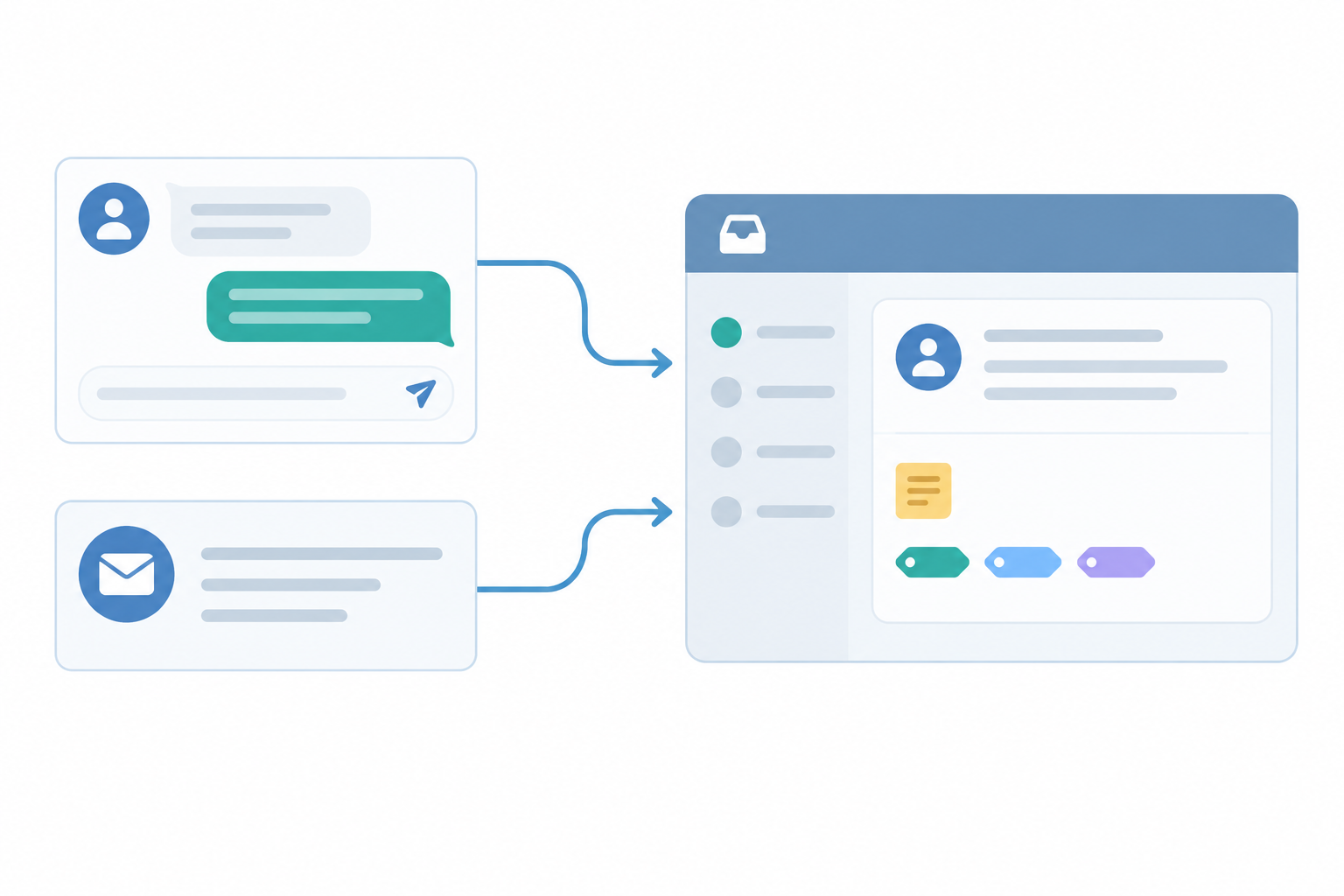
The fix is to choose customer support software where chat and email land in the same shared inbox, with one customer history.
What to check in a shared inbox
- One inbox, one history. Can an agent see a customer's chat and email threads together?
- Email-to-ticket forwarding. Does it work with your existing support address, without you having to fiddle with domain setup? Forwarding from the address you already use is the simplest route.
- Live chat widget. How easy is it to install, brand and position on your site or app? A snippet you paste in once is ideal.
The two-message test for chat and email
Send yourself an email and a chat message, then open the tool as an agent. How do they appear? Are they clearly part of the same system? Can you tag one, add an internal note to the other, and find both again with a filter? Thirty seconds of poking tells you plenty. Score 2 if both channels feel native, 1 if one feels bolted on, and 0 if you'd need a second tool.
3. Compare Customer Support Software Pricing as Your Startup Grows
Pricing is where early-stage founders tend to get surprised, so let's slow down here.
There are two common models:
- Per-seat pricing: you pay for each agent or user, every month.
- Flat-rate pricing: one price covers the whole team. Sonny, for example, lists $19.99/month with unlimited agents and unlimited conversations.
Per-seat pricing looks cheap when you're two people. It looks different when you're fifteen.
Customer support software pricing example in dollars and pounds
The table below shows the entry-level paid plan from each vendor's public pricing page, at three team sizes. Think of it as a starting-price illustration, not a like-for-like comparison. Plans differ in features, limits and add-ons, and a higher tier at any vendor may be what you really need.
- Currency and billing: USD list prices, per agent or user per month, billed annually, excluding tax.
- GBP figures: indicative only, converted at an illustrative $1 = £0.78 and rounded to the nearest pound. Use the live rate on the day you buy.
- VAT and card fees: UK buyers may see VAT added at checkout, and card fees can nudge the total.
- Sources: Freshdesk pricing, Help Scout pricing, Zendesk pricing and Sonny's own pricing page.
- Check date: prices change often, so write down the date you verify each one in your notes column.
| Team size | Freshdesk Growth ($15/agent) | Help Scout Standard ($25/user) | Zendesk Suite Team ($55/agent) | Sonny (flat rate) |
|---|---|---|---|---|
| 3 people | $45 (about £35) | $75 (about £59) | $165 (about £129) | $19.99 (about £16) |
| 8 people | $120 (about £94) | $200 (about £156) | $440 (about £343) | $19.99 (about £16) |
| 15 people | $225 (about £176) | $375 (about £293) | $825 (about £644) | $19.99 (about £16) |
What the table can't tell you is what each plan includes. A cheaper per-agent plan may lack features you need, and a flat-rate plan may lack the heavyweight tools of a larger help desk. That's why you should compare the total monthly bill for the plan you'd actually use, not the headline number. For Sonny, that means checking the unlimited-agent and unlimited-conversation terms on its pricing page, and checking the feature list against your scorecard. If you need complex workflows or tiered SLAs, it may not cover everything.

The chart is illustrative and uses the same assumptions as the table above.
Hidden costs to check when comparing support software
Watch for these when you read the small print:
- Charges for extra agents, or minimum seat requirements
- Conversation caps or usage-based fees. Intercom, for instance, lists its Fin AI Agent at $0.99 per resolution on top of other charges, so you'd forecast that separately
- Paywalled reporting, or features that need a tier upgrade (advanced routing, custom reports, permissions)
- Add-ons for chat, if chat isn't included in the base plan
- Annual commitments. A monthly price billed annually isn't the same as month-to-month, so check cancellation and renewal terms
Two pricing questions to ask every vendor
- What happens to my bill when I bring in a part-time contractor?
- What happens when the whole team needs to jump into the inbox during a launch?
Under per-seat pricing, both questions have a cost attached. Under flat-rate pricing, the answer should be 'nothing changes', which is rather calming when you're mid-launch.
A pricing note for UK startup founders
Most SaaS support tools price in USD, so your bill can drift with the exchange rate. Check whether VAT is added at checkout, and ask your card provider about foreign transaction fees. If a vendor offers GBP billing, budgeting gets simpler.
How much should customer support software cost?
For an early-stage team, I'd look hard at anything that pushes a tiny team past a few tens of pounds a month, and I'd model anything that scales linearly with every hire. Score 2 for predictable total cost as you grow, 1 for predictable with caveats, and 0 if you can't work out next year's bill.
4. Check Setup Time and Onboarding
When you have no ops person, time to value matters more than feature count. A tool with 200 features that takes two weeks to configure loses to a simpler one you're using by teatime.
My benchmark: you should be live and answering real customers in under an hour, ideally in minutes.
What a five-minute setup looks like
- Create your account. No sales call, no form that waits for approval.
- Connect email forwarding. Point your support address at the tool so emails become tickets.
- Add the chat widget snippet to your site or app.
- Invite your team. With flat-rate pricing there's no seat arithmetic to do first.
- Send a test email and chat, and see both arrive in the shared inbox.
Sonny states that setup takes under five minutes with no onboarding calls. Treat that as a best-case vendor claim covering these basics, not branding, custom domains or migrating old tickets. Time your own setup in the trial and score what actually happened.
Setup and onboarding red flags
- Mandatory onboarding calls
- Long migration projects before you can start
- Sales-gated demos where you can't try the product yourself
None of these is automatically a deal-breaker for a larger company. For a small team, they're time you don't have.
Is a free trial enough to choose customer support software?
Usually, yes, if you use it properly. Connect your real support address, install the widget, and handle actual conversations. Also note whether a trial needs a credit card. A no-card trial, like Sonny's 7-day free trial, means less risk of being charged by accident and one less thing to remember to cancel. It tells you about the trial terms, though, not the quality of the product, so judge the tool on how it performs.
5. Look for Practical Team Collaboration Features
In most early-stage SaaS companies, support isn't a department. It's the founder, plus an engineer who happens to know the answer, plus a product person who's seen the same complaint three times. Good collaboration features are what keep that from turning into chaos.
Look for:
- Internal notes, so a teammate can share context ('this customer was affected by Tuesday's outage') without the customer seeing it
- Tagging and filtering, to spot bug reports, billing questions and feature requests at a glance
- Assignment, so the awkward 'did anyone reply to this?' question disappears
- Reporting on response times and team performance
What to check in support reports each week
Don't drown in dashboards. Once a week, check two or three numbers: how quickly you're replying, how many conversations are still open, and which tags are growing. That's a fifteen-minute habit, not a project.
How tags help a startup team spot customer issues
Imagine a three-person SaaS team that starts tagging every conversation as 'bug', 'billing' or 'feature request'. After a month they filter by 'bug' and notice that a surprising number mention the same export button. Nobody had spotted it because each report arrived on a different day, from a different person. A quick fix later, those conversations stop. That's what tags are good for: they turn scattered messages into patterns.
6. Check Mobile Access and Everyday Convenience
What about mobile access? It matters more than most people expect. Founders answer customers from trains, queues and the occasional dinner they shouldn't be checking email at. 😅
It helps to separate two things. Mobile apps (iPhone and Android) are what you'll use when you're away from a desk. Desktop apps (such as a Mac app) matter if you'd rather not keep a browser tab open all day. Sonny offers apps for iPhone, Android and Mac, alongside browser access. Whichever tool you try, confirm exactly which platforms it supports.
A dedicated app often gives a smoother reply experience than a squeezed browser tab, but don't take that on trust. Notification reliability is something to test.
- Notification reliability. Does a new chat reach your phone quickly, every time? Test it for a few days, with your phone locked.
- Reply parity. Does a reply sent from your phone look the same to the customer as one from your desktop?
- Context on the go. Can you see notes and tags on mobile, not just the message?
Also think about time zones. If you're a UK-based founder supporting US customers, you may need evening or early-morning coverage, and a good mobile app makes that bearable.
7. Check Reliability, Uptime and Data Protection
A support tool going down is doubly painful. Your customers can't reach you at exactly the moment they most need you, and you can't see what they've said. So it's worth a few minutes of scrutiny.
Here's what to check:
- Is there a published uptime SLA, and what does it mean in practice? 99.9% sounds near-perfect, but it still allows roughly 43.8 minutes of downtime in an average month, or about 8 hours 45 minutes across a year. A 99.99% target would allow roughly 52 minutes a year. Sonny states a 99.9% SLA.
- How is uptime defined? Look at the measurement window, what's covered, and whether scheduled maintenance or third-party dependencies are excluded. An SLA's service credit is compensation, not a promise that nothing will break.
- Is there a public status page? You want incident history and, ideally, a way to subscribe to notifications. It helps you tell a vendor outage from a problem with your own connection.
- How are incidents communicated? Ask how quickly, through which channel, and who you can contact.
- Where is data stored, and how is GDPR handled? For UK and EU customers, ask directly and get the answer in writing.
- Can you export your data? You never want to feel locked in.
A contractual SLA is what a vendor commits to. A status page shows what has actually happened. Read both: find each vendor's SLA terms and status page, then compare the stated target with the incident history. Finally, ask what you'd do if the tool were unavailable. Could you still reach customer context and respond another way? That's a procurement check, not proof of any vendor's record, but it surfaces useful answers.
8. Trial Your Top Two Customer Support Tools
By now your scorecard should have narrowed things to two tools, not ten. That's the afternoon's work done: a shortlist and two accounts ready to go. Resist the urge to trial everything. Two real trials teach you more than six shallow ones.
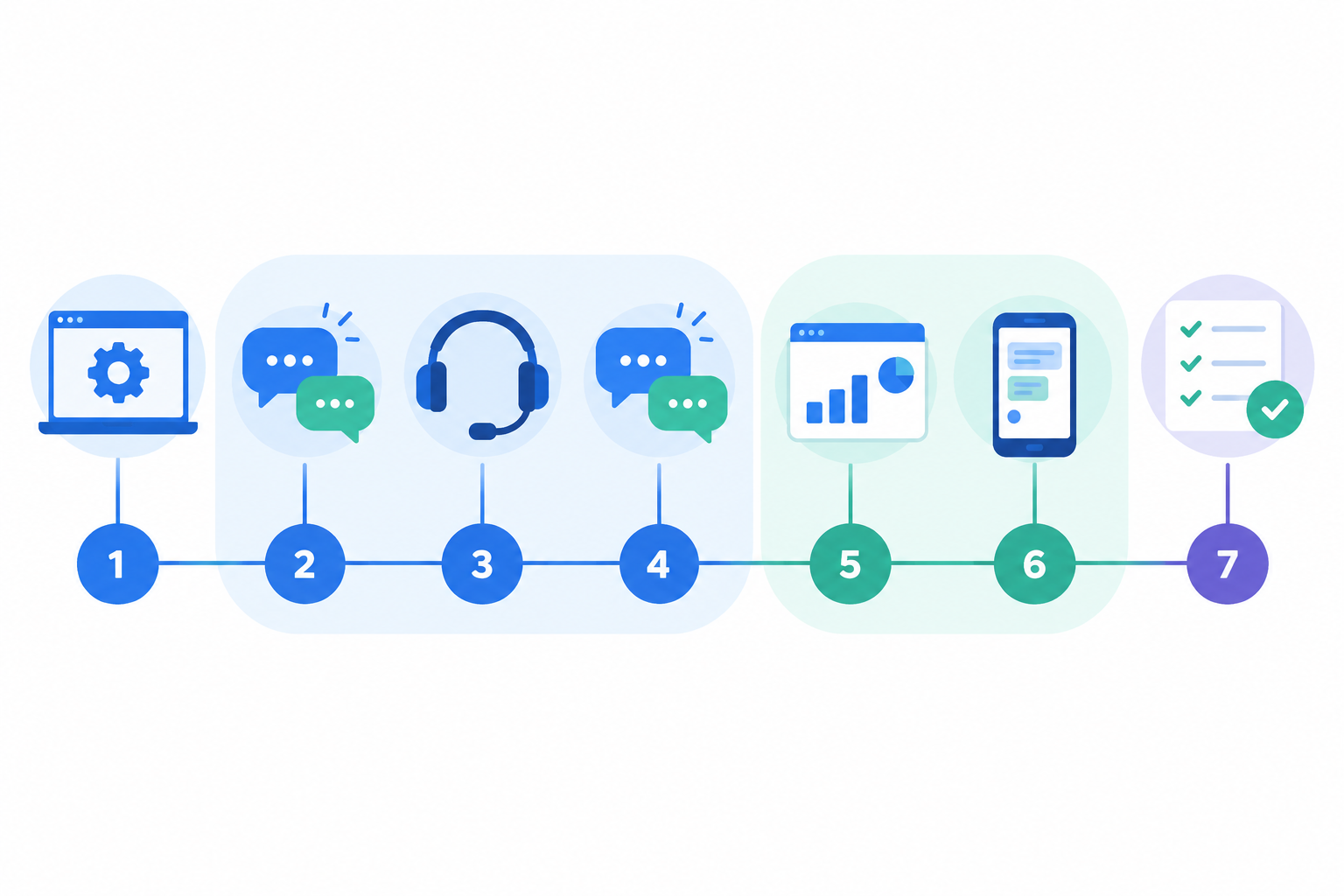
Now comes the week. Run both during the same seven days, using real customer conversations rather than test data, and invite the whole team so you see how each tool feels in daily use. Here's how I'd use a 7-day window:
- Day 1: Setup. Connect email forwarding, install the widget, invite teammates. Note how long it really took.
- Days 2-4: Live use. Answer actual customers, and use notes, tags and assignment.
- Days 5-6: Reporting and mobile. Check response-time reports and answer a few conversations from your phone.
- Day 7: Decide. Score both tools again and compare them against your original must-haves.
Where Sonny fits for startups
Sonny puts live chat, email ticketing and team collaboration in one shared inbox. Its published terms are $19.99/month flat-rate pricing, unlimited agents, a 7-day free trial with no credit card, and a 99.9% uptime SLA. If your priorities are fast setup, full-team access and predictable cost, it should score well. Verify those terms on its pricing page before you rely on them, as you would for any vendor.
If you already know you need complex workflows, tiered SLAs or multi-brand setups, check those against your scorecard honestly. A more heavyweight help desk may suit you better there.
Printable Customer Support Software Scorecard for Startups
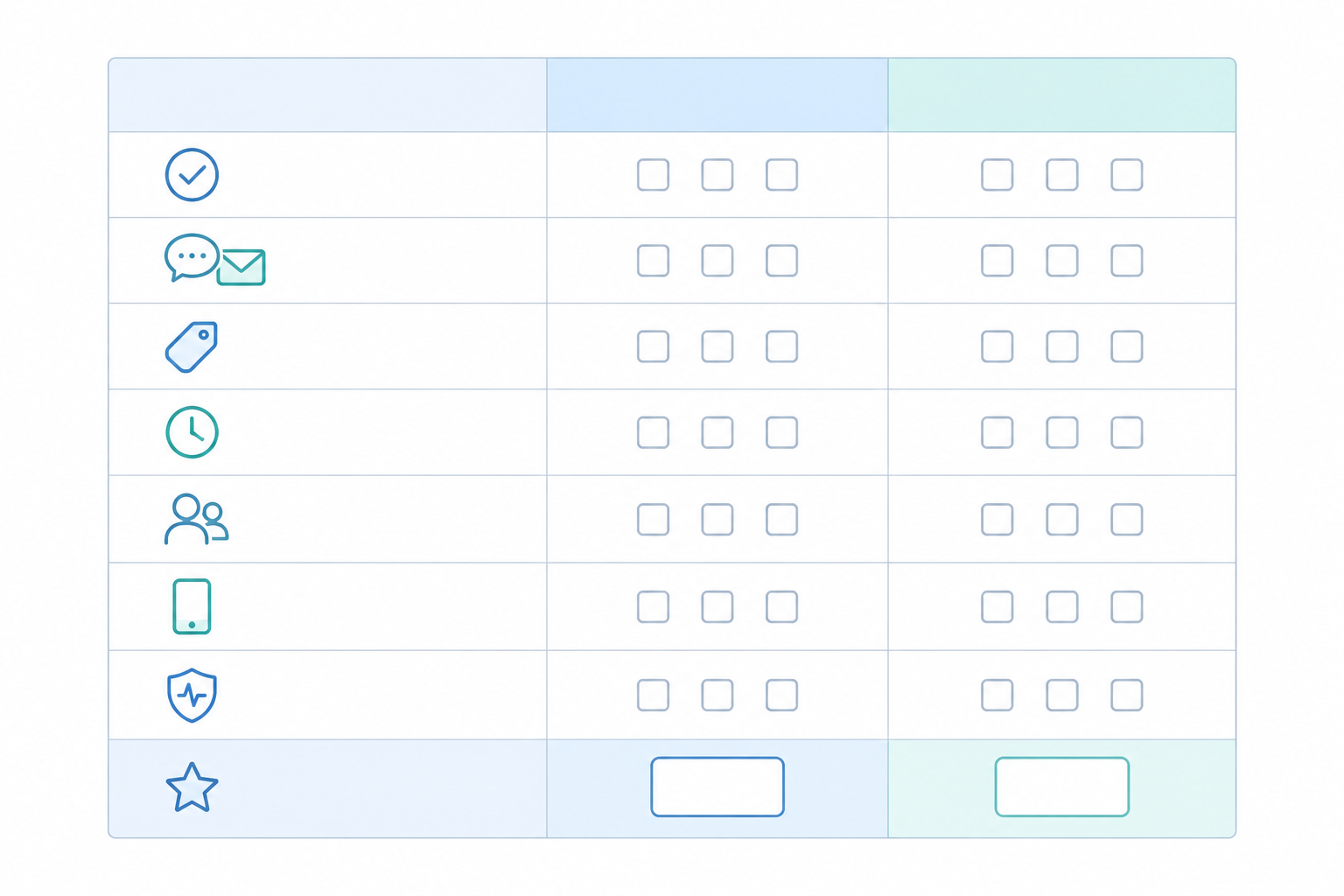
Copy this into a spreadsheet or notes app. Score each tool 0, 1 or 2, add up the totals, and use the notes column to record your evidence and the date you checked it.
| Criterion | Tool A | Tool B | Notes |
|---|---|---|---|
| Must-have features (shared inbox, ticketing, notes, tags, reporting) | |||
| Chat and email in one inbox | |||
| Pricing predictability as team grows | |||
| Setup time (live in minutes?) | |||
| Collaboration (notes, assignment, tags) | |||
| Mobile access (iPhone, Android, plus desktop if you need it) | |||
| Uptime SLA and status page | |||
| Trial terms (length, card required?) | |||
| Total (out of 16) |
What scores of 0, 1 and 2 mean for each criterion
| Criterion | 0 = missing | 1 = partial | 2 = fully meets your need |
|---|---|---|---|
| Must-have features | Two or more day-one features missing | One missing, or locked behind a higher tier | All six day-one features included in the plan you'd buy |
| Chat and email together | Needs a second tool | One channel feels bolted on | Both feel native, in one history |
| Pricing predictability | You can't forecast next year's bill | Predictable with caveats (caps, add-ons) | Total cost stays clear as you hire |
| Setup time | Needs a call or a long project | Live within a day | Live within an hour, tested by you |
| Collaboration | No internal notes or assignment | Some of notes, tags, assignment | All three, plus useful reporting |
| Mobile access | No mobile access | Browser only, or unreliable notifications | Apps for the platforms you use, with notifications that worked in your test |
| Uptime and status page | No SLA or status page | One of the two, or unclear terms | Published SLA and public status page |
| Trial terms | No self-serve trial | Short trial, or card required | Long enough to test with real customers, no sales gate |
For each score, mark your evidence in the notes column as tested (you tried it), confirmed in docs (you read it on the vendor's site) or unverified (a claim you haven't checked). A 2 that is only 'unverified' should make you cautious.
Weight the scorecard around your startup's priorities
If two or three criteria matter far more at your stage, double their scores. If you're pre-revenue, pricing and setup time might count double. If you're about to launch, reliability might. Just decide the weights before you start scoring, and adjust the maximum total to match. Doubling two criteria, for example, makes the total out of 24. The scorecard should serve you, not the other way around.
Final Thoughts: Choose Customer Support Software Your Team Will Use
The best tool isn't the one with the longest feature list. It's the one your team opens every day without anyone having to remind them.
So this week, block out an afternoon, score a handful of tools, and start free trials of the best two. Then let real customers pick the winner. If your top two include Sonny, great. If they don't, that's exactly what the scorecard is for. 💛
Frequently Asked Questions About Customer Support Software for Startups
What does a startup need from customer support software on day one?
A shared inbox that brings email and live chat together, internal notes, simple tagging and basic reporting on response times. Complex automation and multi-tier SLAs can wait until your volume justifies them.
How much should customer support software cost for an early-stage team?
Aim for something predictable. Per-seat plans can climb quickly as you hire, while flat-rate plans keep the bill steady. Compare the total monthly cost for the plan you'd actually use, in pounds, including VAT, and check for conversation caps and paid add-ons.
Is a free trial enough to decide?
Usually yes, if you use it properly. Connect your real support email, install the chat widget, and handle live conversations for a few days. Seven days is enough to judge setup, day-to-day feel and reporting, as long as you trial your top two in the same week.
Do I need mobile apps for customer support software?
If you or your team ever answer customers away from a desk, yes. Check which platforms are supported, and test notification reliability yourself before you commit.
Should I choose an all-in-one tool or separate chat and email tools?
For most early-stage teams, all-in-one is simpler. One shared inbox means one customer history and fewer missed messages, which matters when nobody does support full time.