
Unlimited Agents Pricing: What One Flat Rate Means for Your Team
Unlimited agents pricing means your whole team (support, sales, ops, even your founder) can use a shared inbox for one flat monthly fee, with no per-seat maths required. Instead of rationing logins to save money, you add everyone who needs visibility into customer conversations. That one change quietly reshapes how your team collaborates and covers shifts, and that's really what I want to unpack here.
If you've ever sat in a budget meeting trying to justify why only three people on a twelve-person team have access to your help desk software, you already know the problem. Per-agent pricing doesn't just affect your help desk software cost. It costs flexibility, speed, and a bit of sanity. Let's dig into what unlimited agents pricing actually means, where it genuinely helps, where it doesn't, and what to check before you switch.
A quick note on figures: this article uses GBP pricing for a UK audience, and treats specific provider numbers as illustrative rather than guaranteed. Pricing, VAT treatment, and plan inclusions change over time, so always verify current terms directly with any provider before you commit.
What does “unlimited agents” mean in help desk software?
Here's the plain version: flat-rate pricing means you pay one price, full stop, no matter how many people log in. Per-agent (or per-seat) pricing means your bill grows every time you add a teammate. One model scales with your headcount. The other doesn't.
For example, Sonny's flat rate is listed at £15.99 a month plus VAT (correct at the time of writing, though always check the current pricing page since terms can change), covering unlimited agents and unlimited conversations. A five-person team and a fifty-person team pay the same amount for the same shared inbox, live chat widget, and email-to-ticket forwarding.
But “unlimited” is worth unpacking, because it doesn't automatically mean unlimited everything. Here's what's worth checking with any provider you're evaluating:
- Unlimited seats – anyone can have a login.
- Unlimited conversations – no cap on ticket or chat volume.
- Unlimited features – not guaranteed; premium tools like an AI copilot are often separate add-ons.
- Unlimited permissions – not guaranteed; some agents may default to view-only or restricted roles depending on how admins configure access.
- Fair use – some providers apply fair-use limits on automation, API calls, or storage even on “unlimited” plans, so it's worth asking directly rather than assuming.
With Sonny specifically, the core toolkit sits inside that flat rate: internal notes, tagging, filtering, and reporting on response times and team performance. The AI-powered copilot is an optional add-on. So “unlimited” here refers to seats and conversations, not every premium feature, which I'd argue is a more honest way to price a product than bundling in extras most teams won't use.

Who benefits most from unlimited agents pricing?
Flat-rate, unlimited-agent pricing tends to make the biggest difference for specific kinds of teams:
- Growing teams that keep hiring. When you're adding people every quarter, you don't want your support tool's bill climbing in lockstep.
- Seasonal or e-commerce businesses. A holiday rush might mean doubling support staff for six weeks. Under per-seat pricing, that's a real cost spike. Under flat pricing, you just add people.
- Companies that want broader visibility. Founders, account managers, and developers can get a login to see real customer context without anyone approving a new line item.
- Teams consolidating tools. If you're duct-taping together a help desk, live chat, and a separate email system, one shared inbox under flat pricing avoids paying a “seat tax” on top of a “tool tax.”
That said, flat-rate unlimited-agent pricing isn't automatically the right call for everyone. If your team is genuinely small and stable (say, two or three agents who never expect to grow), a well-priced per-seat plan might cost about the same or less. And if you need granular role-based administration, detailed audit logs, enterprise-grade compliance controls, or dedicated account management, some per-seat enterprise plans are built specifically around those needs in ways flat-rate tools aimed at smaller teams sometimes aren't. It's worth being honest about which category you're in before you switch.
How unlimited agents pricing affects help desk software cost
Here's a pattern that comes up again and again: you start small, maybe three agents on a per-seat plan, then you grow, tickets pile up during a launch, and you need more hands. Adding that person means another £10–£15 a month, multiplied across every tool they need.
So what happens? Teams sometimes share one login among two or three people to dodge extra seats. It feels like a clever workaround, but it costs more than it saves. You lose accountability for who answered what, internal notes get muddled, and your response-time reporting becomes meaningless because it's tracking a login, not a person.
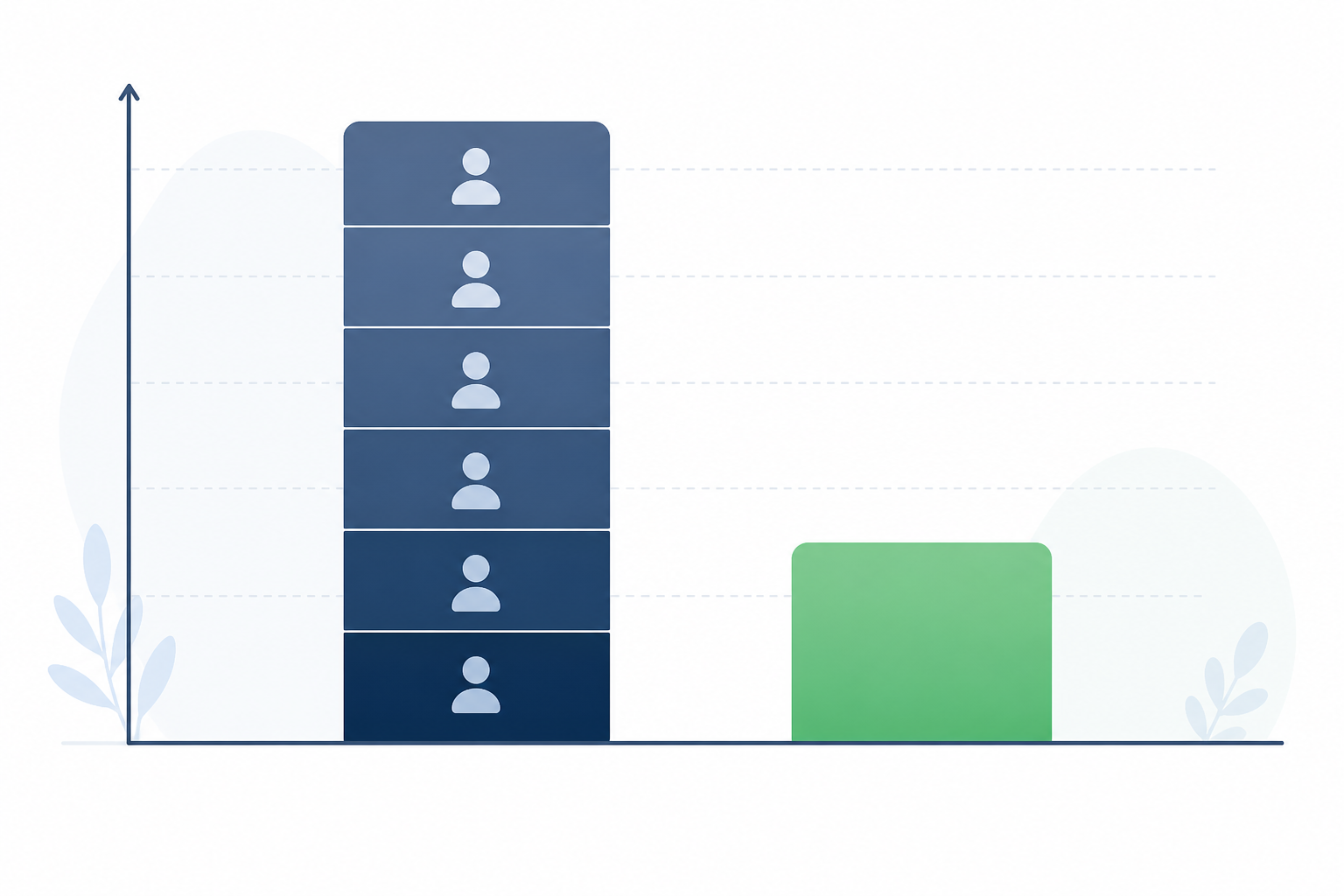
Here's an illustrative calculation, not a claim about market averages: say a six-person team uses a help desk tool charging £12 per agent per month. That's £72 a month just for seats before any premium features, around £864 a year. Compare that to a flat £15.99 a month (plus VAT) covering the same six people, or sixteen. That's roughly £192 a year versus £864. The gap is real, though your actual numbers will depend on the specific tools and plans you're comparing.
This matters most for small to mid-sized SaaS companies and e-commerce brands, where every line item gets scrutinised. When help desk cost scales with headcount, you start making staffing decisions based on your tool's pricing model instead of what customers actually need. Flat-rate pricing is designed to avoid exactly that trap.
Can you give non-support staff shared inbox access without extra cost?
When adding a person doesn't cost anything extra, the question changes. Instead of “who absolutely needs access,” you start asking “who would benefit from seeing this.”
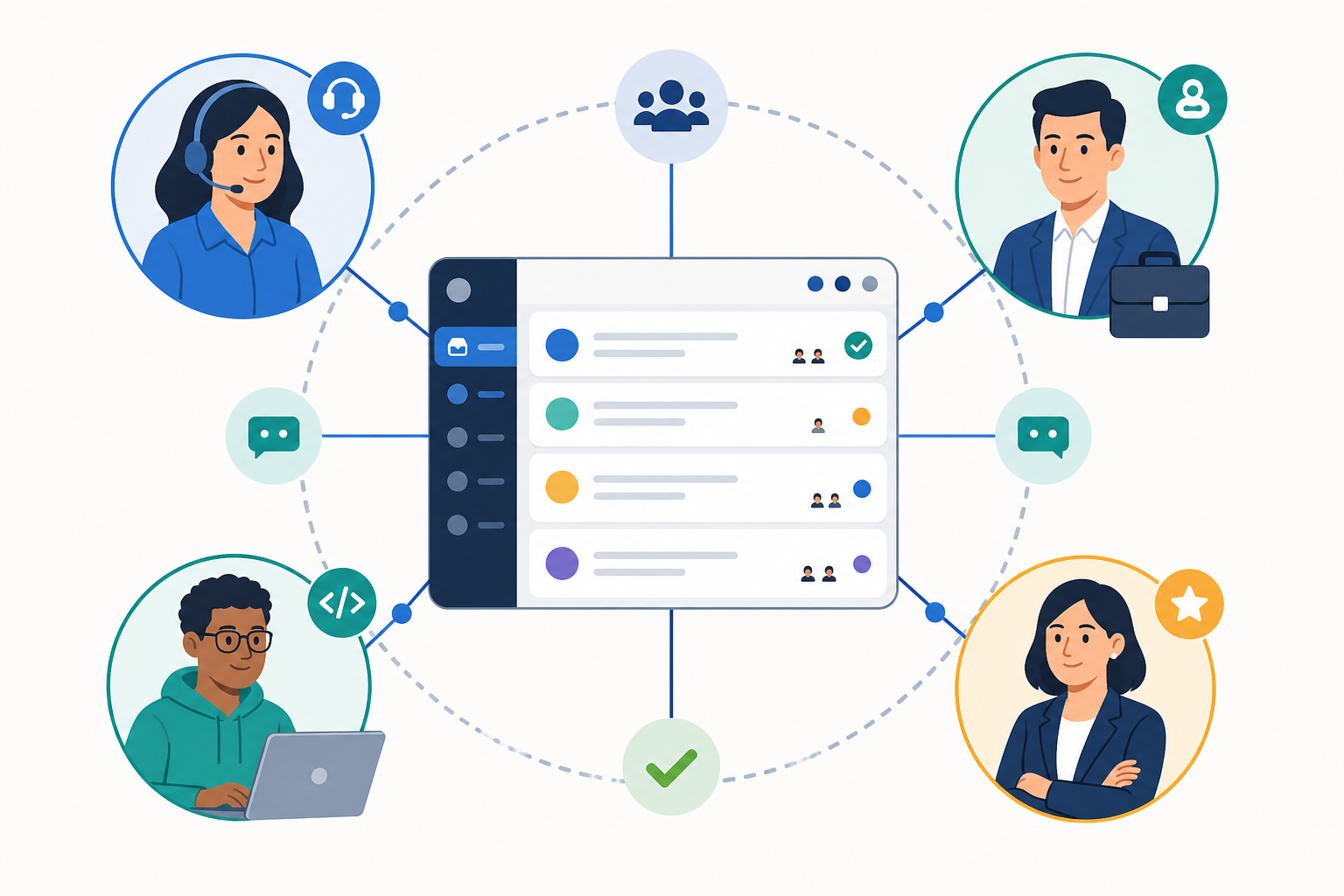
Think about an engineer who keeps hearing secondhand about a bug from the support team's Slack recap. Details get lost in the retelling. Now imagine that engineer has direct access to the shared inbox and can read the actual customer thread, firsthand, with all its specific frustration intact. They can ask a clarifying question through an internal note instead of waiting on a relayed summary. That's a better decision, made faster.
More access does raise a fair concern: won't more people create chaos? This is where permissions and structure matter as much as the price tag. A well-designed shared inbox lets you set role-based access so an engineer might only see and comment on bug-related tags, rather than having full reply rights across every customer conversation. Internal notes stay visible only to your team. Filtered views mean sales sees upgrade inquiries while engineering sees technical reports. Before rolling out broad access, it's worth confirming your tool supports view-only roles, restricts who can send external replies, and keeps an audit trail of who changed what. Unlimited seats solve the cost problem; permissions solve the chaos problem, and you need both.
How flat-rate pricing changes team collaboration and coverage
Once the cost barrier to adding agents disappears, team structure loosens up in useful ways. Picture a six-person support team heading into a product launch week. Under per-seat pricing, they might hesitate to pull in two extra people from sales to help field questions, since that's two more licences to justify. Under flat pricing, those two people get logins the same afternoon, work overlapping shifts with the core team, and nobody's solo-covering an eight-hour chat queue during the busiest week of the quarter.
- Overlapping shifts become realistic, so nobody's drowning during a lunch rush or ticket spike.
- Junior staff can rotate through live chat for training without a procurement conversation getting in the way first.
- Reporting becomes genuinely useful, since response-time and workload data reflects your actual team, not just whoever happened to get a paid seat.
- Coverage gets more resilient. If someone's out sick, you lean on colleagues who already have access rather than scrambling to reassign a login.
Questions to ask before switching to unlimited agents pricing
If you're evaluating a move to unlimited agents pricing, go in with a checklist rather than just comparing the headline price:
- Does the flat rate actually include email ticketing, live chat, and collaboration tools? Some providers advertise a low flat rate, then charge extra for what feels like core functionality.
- Are there hidden caps on conversation volume, storage, or automation? Ask directly whether a conversation ceiling or fair-use policy kicks in once you scale.
- What happens with advanced features, like an AI copilot? Find out whether these are bundled in or sold as an add-on, and what that costs.
- What permission and admin controls exist? Can you restrict agents to view-only access, limit who can send external replies, or set up role-based permissions? Is there an audit log showing who changed what?
- How is data handled? Where is customer data hosted, how long is it retained, and does the provider meet UK GDPR requirements for your business?
- What does migration and cancellation actually involve? Can you export your conversation history if you leave, and is there a contract tie-in or notice period?
- How long does setup realistically take? A lengthy onboarding process is a hidden cost in time, even if the price looks good. Check whether there's a free trial and whether it requires a card upfront.
On the “is there a catch” question specifically: it genuinely depends on the provider, so read the plan documentation rather than taking a headline claim at face value. Sonny's published terms list one flat price, unlimited agents and conversations, a 7-day free trial with no card required, and a 99.9% uptime SLA, but you should confirm these details against the current pricing and SLA pages before signing up, since terms can change.
What unlimited-agent pricing looks like in practice
Some teams use a shared inbox like Sonny's across their entire organisation rather than restricting it to a designated support crew, with support, sales, and engineering all working from the same conversation history. That's the practical payoff of flat-rate pricing: it changes who reasonably gets a seat at the table, not just what you pay on paper.
Setup is generally quick, often without a mandatory onboarding call, though “quick” depends on how much you're importing, how many integrations you need, and how your team structures permissions. Removing friction saves money, sure, but it also removes the excuses a team uses to delay giving someone access, whether that's cost, complexity, or both.
At the end of the day, unlimited agents pricing is more than a budget-friendly alternative to per-seat billing. It changes the default behaviour around who gets to see customer conversations, who gets to help, and how your team covers the workload together, provided the permissions, security, and fair-use terms behind the “unlimited” label hold up to scrutiny.
Unlimited agents pricing FAQ
Does unlimited agents mean unlimited features too?
Not necessarily. “Unlimited” typically covers seats and conversation volume, not every premium feature. Check whether things like AI copilots, advanced automation, or priority support are bundled in or sold separately, and confirm current terms on the provider's pricing page rather than relying on marketing copy alone.
Can I add non-support staff without paying more?
Under a genuine flat-rate model, yes: adding a sales rep, developer, or founder doesn't increase your bill. What it doesn't automatically solve is access control, so pair this with role-based permissions and view-only settings so broader access stays organised rather than chaotic.
Is there a catch to flat-rate unlimited-agent pricing?
It depends on the provider. Watch for conversation caps, storage limits, fair-use clauses on automation, or feature gates disguised as “unlimited.” Read the actual plan documentation and ask support directly rather than assuming the headline number tells the whole story.
How is unlimited-agent pricing different from sharing one login?
Shared logins create real problems: no accountability for who responded to what, muddled internal notes, and reporting that tracks a login rather than a person. Individual accounts under unlimited-agent pricing keep collaboration traceable without the per-seat cost.