
First Support Hire: A SaaS Founder's Guide to Handing Over Customer Support
Meta description: Not sure when to make your first support hire? Learn the signs you're ready, what to look for, which customer support software to choose and how to stay informed without micromanaging.
The best time to make your first support hire is when support keeps pulling you away from product and growth work and your response times are starting to slip. Look for someone with empathy and clear writing over deep technical knowledge. Give them a shared inbox with live chat and email ticketing from day one. Then use internal notes, tags and reporting to stay informed without hovering over their shoulder.
That's the short version. The longer version is what I want to walk through with you, because handing over support is awkward in a way that goes beyond logistics. It's emotional. 💛
Signs you're ready to hire your first support person
Picture it: it's 11pm, you're on the sofa with a laptop balanced on a cushion, replying to a customer who can't connect their account. You know their name. You know they run a three-person agency in Leeds. You remember they asked about a feature two months ago, and you quietly shipped it last week. You're about to tell them.
That's not a chore. That's the thing that got you your first 100 users.
So of course letting go feels personal. In the early days, the way you talk to customers is part of the product. Handing those conversations to someone else can feel like giving away a piece of your company's personality and, if I'm honest, a little like admitting the job has outgrown you.
Here's the reframe I'd like you to try: hiring support protects the relationship rather than giving it up. The alternative isn't you answering every message forever. It's slower replies, tired replies, and customers who gradually feel less looked after because you're stretched across everything else.
Here's what we'll cover: the signs you're ready, what to look for in a first support hire, the customer support software and processes that carry context, a simple day-one plan, how to stay informed, and where to go after your first hire.
When should a founder stop handling support personally?
There's no magic number of tickets that means it's time. What I see instead is a cluster of signals. If three or four of these feel familiar, you're probably already a little late (and that's okay, most of us are).
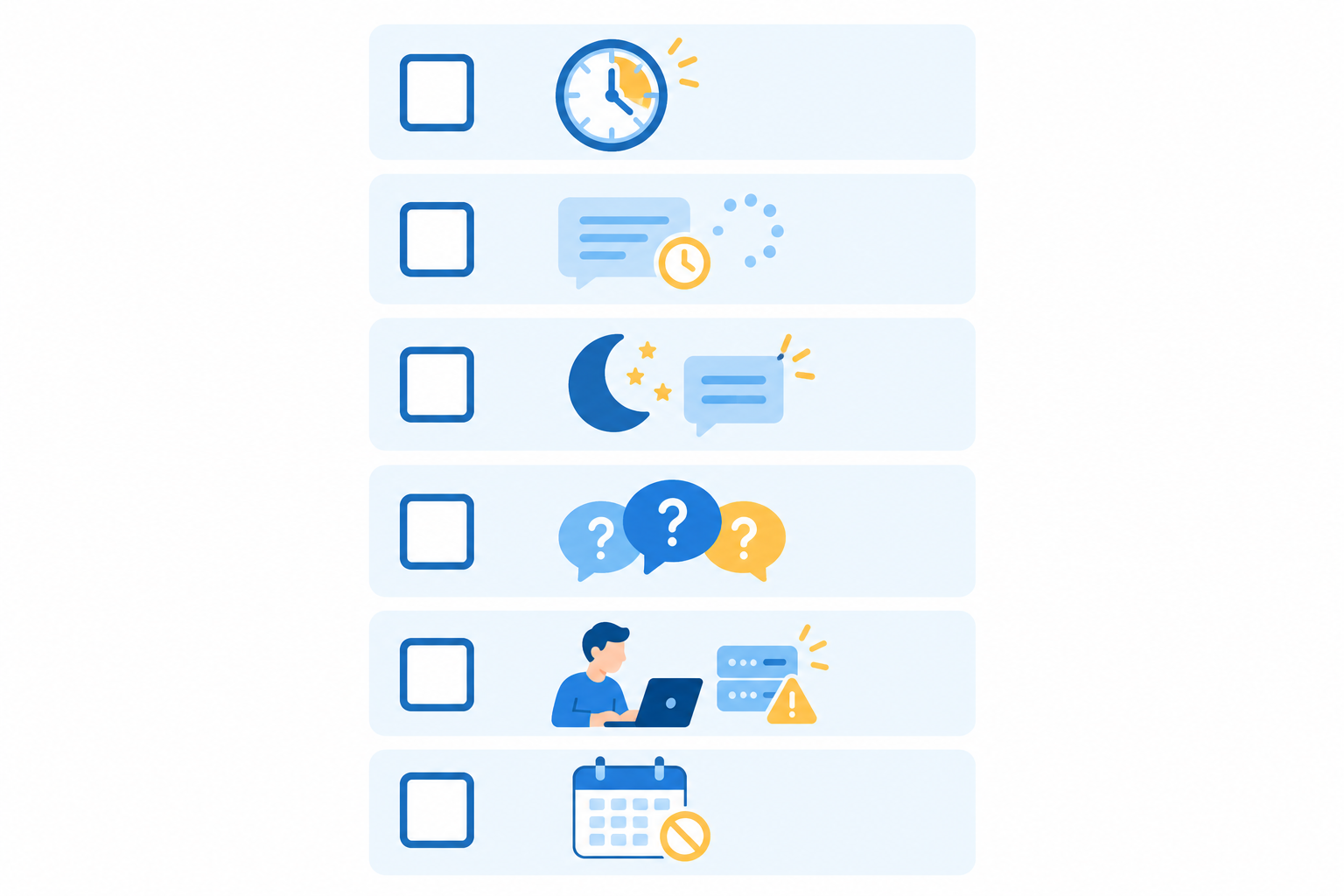
- Support is eating your week. As a rough personal rule of thumb, if a quarter to a third of your working week goes on support instead of product or sales, something has to give. It isn't a validated benchmark. Complexity, service promises and coverage needs matter as much as raw hours.
- Response times are creeping up, and you've noticed. One busy week doesn't count. A persistent queue or missed response commitments does.
- Customers keep asking the same questions. That's good news, because repeated questions can be documented and delegated.
- Conversations are happening after hours. Evenings, weekends, that holiday where you promised yourself you'd switch off.
- You're the single point of failure. If you're ill tomorrow, who answers?
- You haven't had a proper day off in ages. When did you last take a full day without opening the inbox?
My pragmatic answer: it's time when support stops being a source of insight and starts being a source of resentment or delay. That's a heuristic, not a rule. If conversations are still making your product better, keep a hand in. If they're mostly filling gaps in your calendar while customers wait, start the hiring process, even if that begins with part-time help.
Before you advertise anything, gather a small baseline. Even rough numbers help you scope the role:
- how many conversations arrive each week
- your typical first response time
- how long issues take to resolve
- which topics come up most often, and which need a developer
If your requests are scattered across a personal inbox, a chat tool and the odd DM, a shared inbox or help desk software can pull them into one queue. That shows you whether the real constraint is staffing, workflow or missing self-service content. Sometimes a few good help articles buy you months. Sometimes they just confirm you need a person.
Should your first support hire be part-time, freelance or full-time?
You don't have to jump straight to a full-time salary. A part-time hire, freelancer or virtual assistant covering set hours is a gentle way to test the role and build your processes.
If you're in the UK, there's some homework to do early. This is general information rather than legal or tax advice, and the list below isn't exhaustive:
- Contractor or employee? Employment status isn't whatever you agree in an email. It depends on how the person actually works, including control, set hours, substitution and equipment. Start with the government's employment status guidance and HMRC's Check Employment Status for Tax tool.
- Employment costs. Beyond salary, employers typically need to think about employer National Insurance, workplace pension contributions and statutory holiday. Rates and thresholds change, so check the current figures through the government's payroll guidance and its holiday entitlement page. An accountant or payroll provider can help you apply them to your situation.
- Cover. A single part-timer still leaves gaps, so decide who handles the inbox on their days off.
None of this is meant to scare you off. It's just nicer to know the shape of it before you shake hands.
What to look for in a first support hire
When you picture the ideal candidate, you might imagine someone who can debug your API at 2am. Resist that. Product knowledge can be taught. Warmth and judgement are much harder to teach.
Here's what I'd prioritise:
- Empathy and clear written communication. Most support happens in writing. Can they explain a fix simply, kindly and without jargon?
- Calm under pressure. Every support person eventually meets a very frustrated customer. You want someone who stays steady and doesn't take it personally.
- Curiosity and pattern-spotting. The best early hires notice that the fourth person this week asked about the same confusing setting, and say so.
- Comfort with limited structure. There's no existing playbook. They'll build it with you, so someone who panics without a manual may struggle.
- Good judgement about escalation. They should know when to solve something themselves and when to tap you in.
Being comfortable with customer support software is useful, but don't put too much weight on it. Familiarity with a particular tool is usually easy to train. Focus on transferable skills like triaging an inbox, writing a helpful reply, documenting a resolution and recognising when something needs escalating.
Interview ideas that actually tell you something
Two simple exercises go a long way:
- A short written reply exercise. Give them a mock customer complaint (make it a bit prickly) and ask for a reply. You'll learn more from 150 words of writing than from an hour of conversation.
- A 'what would you do?' question. Ask how they'd handle a question they don't know the answer to. You're listening for honesty, a sensible way to investigate and a plan to follow up. Bluffing is the red flag.
Be honest about the role
Tell candidates what this really is: early-stage, varied, a bit messy, and responsible for shaping the whole support function. The right person will find that exciting. The wrong person will find it stressful, and it's kinder for everyone to discover that at interview.
This person is also your best product feedback channel. They'll hear what customers love, what confuses them and what they're quietly working around. That's gold for a founder, and it's why I'd hire for curiosity as much as politeness.
Setting up your first support hire with the right tools
Tooling matters more for a first hire than you might think. When you're the only person answering, the context lives in your head. A new hire can't wander over and ask, 'Hang on, who is this customer?' So the system has to carry that context for you.
Customers notice when it doesn't. Zendesk's CX Trends 2024 report found that 70% of consumers expect anyone they interact with at a company to have the full context of their situation. It's a broad consumer survey rather than a study of SaaS founders, so read the original report for the sample details. Still, it matches what I see: when customers have to repeat themselves, the relationship starts to feel less personal.
What should a first support hire's toolkit include?
Keep it lean. At minimum, choose customer support software with:
- A shared inbox, so every conversation lives in one place with clear ownership
- A live chat widget for customers who want an answer now
- Email ticketing, so messages to your support address become trackable conversations
- Internal notes for private team collaboration the customer never sees
- Tagging and filtering to organise conversations and spot trends
- Basic reporting on response times and team performance
You don't need a sprawling suite of dashboards and workflows on day one. Start with lightweight rules for assignment, urgency and escalation, and only automate once you've seen your real request patterns.
Enterprise help desk software versus lightweight tools
A lot of help desk software is built for large teams, with layers of permissions, complex routing, long onboarding calls and a price to match. That's great if you have fifty agents and a dedicated operations person. For a small SaaS team it's often overkill, and the setup alone can eat the time you were trying to save. Lightweight customer support software does the essentials well and doesn't ask you to become a systems administrator.
Watch out for per-seat pricing
This is where early-stage budgets quietly get squeezed. Many tools charge per seat. Add your first hire, add yourself, add the developer who helps with technical questions now and then, and the monthly bill starts climbing. Worse, you start rationing access: 'Do we really need Priya in the inbox?' That's the opposite of the collaboration you want.
When you compare help desk software, check the pricing model as well as the feature list. Ask what happens to your bill when a developer, co-founder or part-timer needs access, and whether conversation volume is capped.

Illustration only: the chart uses a hypothetical per-seat plan to show how costs scale with team size. Real prices, billing periods, taxes and add-ons vary by vendor, so check current pricing pages before comparing.
A transparent note: I'm part of the team behind Sonny, so treat this as one example rather than a neutral market verdict. Sonny is a shared inbox that brings together live chat, email ticketing and internal notes. At the time of writing, its pricing is a flat $19.99 a month for unlimited agents, with a 7-day free trial. Please confirm current terms on the pricing page. It bills in US dollars, so UK founders should allow for exchange rates when budgeting.
Whichever tool you choose, trial it with your real inbox before your hire starts. That's the quickest way to find out whether it feels easy enough for someone new to pick up.
Protect sensitive customer information
Give your hire access to what they need for the job, and no more. Decide up front who approves access to billing and sensitive customer data. It's boring, but it's much easier to set rules now than untangle them later.
A simple day-one onboarding plan for your first support hire
You've found someone great and the tools are ready. Now what? You don't need a 40-page handbook, just a few well-chosen steps:
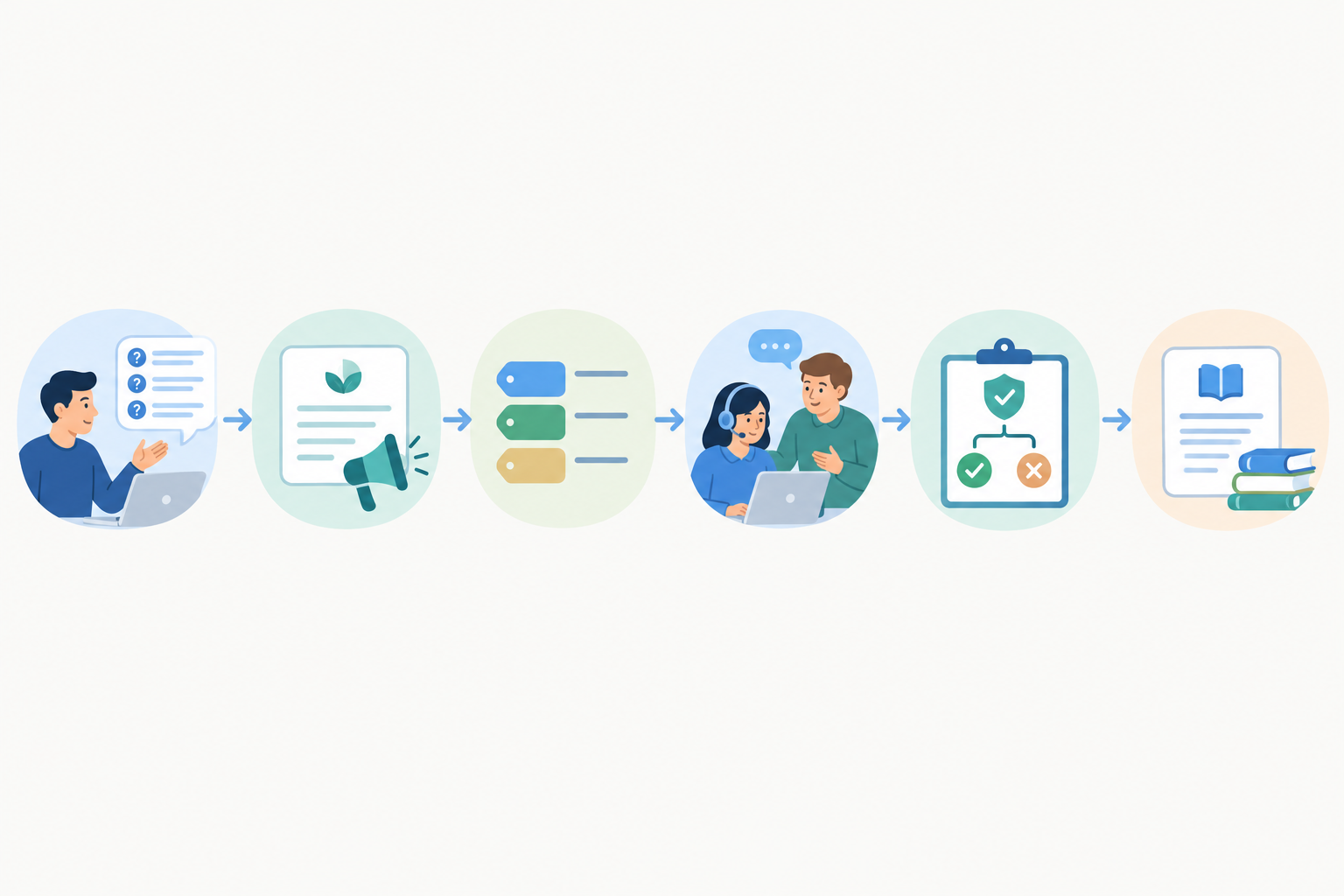
- Give them the full picture. Share your top 10 customer questions and how you usually answer them. This alone makes the first week much smoother.
- Share your tone of voice with real examples. Pull out a handful of replies you're genuinely proud of. Showing beats describing every time.
- Set up tags and filters together. Agree categories like bug, feature request, billing and how-to. Doing it together also gets their buy-in.
- Shadow, then flip. For a few days, let them watch your replies and use internal notes to ask questions. Then swap: they reply, and you review. The customer never sees any of it.
- Agree their decision limits. What can they decide alone (small fixes, goodwill gestures) and what needs your sign-off? Be specific, ideally with a pound amount for refunds.
- Document answers as you go. Every time they work out something new, it goes into a shared knowledge base. That's how you stop relying on founder-only tribal knowledge.
A quick tip on templates: give your hire a set of saved replies, but encourage them to personalise. Review early conversations together so templates keep replies consistent without making them feel robotic. Larger companies like GitLab publish their support processes in a public handbook. You can borrow the idea at tiny scale by writing down triage, escalation and ownership before your hire has to figure them out alone.
How to stay informed without micromanaging support
This is the part founders worry about most. 'If I'm not answering, how will I know what's going on?' You can stay genuinely informed without doing the work yourself.
- Use the shared inbox as your window. Browse when you're curious, not because you feel you must.
- Use internal notes for private guidance. Add a quick steer ('this customer is on our oldest plan, be generous') without the customer seeing it.
- Use tags to spot trends. Bugs, feature requests and billing issues become visible patterns. Review them weekly rather than daily.
- Let reports give you facts. Response-time and team performance reports replace that nagging feeling with numbers. Treat them as signals about workload and process, not targets that push your hire to rush replies.
- Define a clear 'tap me in' rule. For example: VIP customers, churn risks and refunds above a set amount. Everything else is theirs.

What should a 20-minute weekly support catch-up cover?
Here's a simple format you could try:
- Five minutes on numbers. Glance at first response time and volume. Did anything jump?
- Five minutes on tags. Which topic grew this week? If 'password reset' doubled, that might be a product fix or a help article.
- Five minutes on a tricky case. Pick one conversation that was hard and talk through what went well.
- Five minutes on what's needed. Ask what would make their week easier, whether that's a macro, a doc or a decision.
That gives you the insight, and your hire gets ownership. And a gentle reminder from one human to another: trust comes from clear expectations, not from reading every message. If you find yourself refreshing the inbox every ten minutes, the expectations probably need tightening. You don't need more surveillance. 🙂
Common mistakes founders make with a first support hire
I've seen these crop up again and again, and almost all come from good intentions.
- Hiring without documenting anything. 'They'll just figure it out' leads to inconsistent answers and an anxious new hire. Even a rough list of your top questions is miles better than nothing.
- Keeping the best customers to yourself. It's tempting to hold on to friendly, high-value accounts. But quietly stepping in undermines your hire's authority.
- Choosing tools priced per seat without checking the maths. When every extra login costs money, you become reluctant to give people access.
- Replying over the top of them. If you jump in constantly, customers get two answers and your hire gets confused. Use internal notes instead.
- Treating support as a cost centre. It's a source of product insight. Ask your hire what they're hearing, and act on it.
- Not setting expectations on hours and coverage. Be clear about when replies happen and who covers holidays, especially if customers are across time zones.
Scaling beyond your first support hire
One great hire will change how your company feels. Eventually you'll see signs it's time for a second: ticket volume keeps climbing, there are gaps in daily or weekly coverage, response times are lengthening again, or your first hire has become a bottleneck.
When that happens, build on what you've started. Refine your tags, grow your help centre and add support automation where it genuinely helps, such as AI-assisted first drafts that your people review and personalise. Add more structure only when you need it, like team leads, quality reviews and defined response targets. Don't build a big-company org chart for a three-person team.
Above all, keep the human touch. Here's a composite scenario, based on the kind of situation founders often describe. A customer is ready to cancel after a billing mix-up. A teammate sees the full history in the shared inbox, replies within minutes, apologises plainly, fixes it and follows up the next day. The customer stays. Nobody had to be a hero. Someone replied quickly and kindly, and the system made sure they had the full story.
That's the whole point of this hire. If you'd like to get your customer support software ready before your new teammate arrives, you can try Sonny free for 7 days, or trial a couple of alternatives side by side. Either way, have the inbox waiting for them on day one.
FAQ: Hiring your first support person
When should a founder stop handling support personally?
There's no perfect moment. Common signals are support taking a big chunk of your week, slipping response times and messages arriving outside working hours. If you can't take a day off without worrying about the inbox, start the hiring process, even if you begin with part-time help.
Should my first support hire be full-time, part-time or a freelancer?
It depends on volume and budget. Part-time or freelance support is a good way to test the role before committing to a salary. In the UK, check employment status through the government's guidance and factor in employer costs like pensions and holiday.
What should a first support hire's toolkit include?
At minimum: a shared inbox bringing together live chat and email, internal notes, tags and filters, and basic reporting on response times. Check how your customer support software pricing scales as you add teammates.
How can I stay informed about support without micromanaging?
Review tags and reports weekly instead of reading every message, agree clear escalation rules, use internal notes for private guidance and hold a short regular catch-up.
Is per-seat pricing a problem for small support teams?
It can be, because each new person adds to your monthly cost and may discourage you from giving developers or co-founders access. Compare how different help desk software handles extra users before you commit.