

AI Copilots in Customer Support Software: A Practical Guide for Small SaaS Teams
Meta description: See how document-trained AI copilots in customer support software help small SaaS teams draft replies, summarise threads and protect human judgement.
AI copilots in customer support software don't replace your team—they act like a well-briefed junior teammate who's read every document you've ever written. Trained on your help centre articles, macros and past tickets, a good copilot drafts reply suggestions, summarises long threads and surfaces answers instantly. That means even a two-person support team can respond like a company five times its size.
The catch? An AI copilot works best when it's built into a shared inbox your team uses every day, not bolted on as a separate app nobody remembers to check.
This practical guide explains what AI copilots do well, where they fall short and how small UK SaaS teams can test one properly—including the privacy questions most vendors would rather you didn't ask.
Why AI Copilots Matter for Small SaaS Teams
If you're running a small SaaS company, chances are you're not just the founder—you're also unofficially in charge of support, at least for now. Maybe you've got one hire helping out. Maybe it's still just you, answering billing questions between product meetings and sales calls. Either way, the real pain isn't just time—it's context switching.
Every interruption to answer a repetitive question pulls you out of deep work, and every handoff to a new hire means re-explaining the same edge cases you've already documented somewhere, if only you could find it. Good customer support software can bring those conversations, documents and internal discussions into one place, helping your team collaborate without losing context.
That's exactly why AI copilots have become such a hot topic in customer support software. Every vendor seems to be promising “fully automated support” or “AI that handles your customers for you”. It sounds appealing. It's also, mostly, not the full picture.
Here's the reality gap: a chatbot that talks directly to customers with no human oversight can go sideways fast, especially for a product with nuance, edge cases or a customer base that expects a personal touch. What actually works well for small teams is quieter and less flashy—an AI layer that sits behind the scenes, helping human agents move faster without pretending to be human itself.
This guide separates that useful, practical layer from the hype.
What Is an AI Copilot in Customer Support Software?
Let's define this clearly, because “AI copilot” gets thrown around loosely. An AI copilot for support is an assistant embedded directly inside your help desk or customer support software. It reads your existing documentation—help centre articles, saved macros and resolved tickets—and uses that material to help agents respond faster and more accurately.
The key distinction is that a copilot assists human agents. It doesn't replace the conversation. A chatbot, by contrast, talks to the customer directly and tries to resolve an issue without a human ever seeing the ticket. Some products blur this line, combining agent-assist drafting with limited customer-facing automation for simple queries.
The important question isn't which category a tool falls into. It's where the human approval boundary sits, and whether you're comfortable with where that line is drawn.
An AI copilot also needs to live where your team already works. If it's a separate app your agents have to open, check and copy from, it becomes friction instead of help—and friction is exactly what busy teams abandon first. The whole point is that it lives inside your shared inbox, alongside the ticket. This also supports team collaboration: internal notes, tags and copilot suggestions should sit in one place so handoffs between teammates don't lose context.
Here's what that looks like in practice: a customer emails asking about your refund policy. Before your agent even opens the ticket, the copilot has pulled up the relevant help centre article and drafted a suggested reply based on how your team has answered similar questions before. Your agent reads it, adjusts the tone and hits send. What might have taken five minutes of searching through old tickets and documents now takes thirty seconds of review.
It's worth seeing what a good draft versus a shaky one actually looks like, side by side:
Good draft (well-documented topic): Customer asks about your refund window. The copilot pulls the exact policy from a recently updated help centre article and drafts: “Thanks for reaching out! We offer full refunds within 14 days of purchase—since your order was placed 6 days ago, you're well within that window. I've started the refund now; you should see it in 3–5 business days.” The agent checks the dates and sends it as written. Genuinely useful.
Shaky draft (outdated or thin documentation): Customer asks about a newer pricing tier launched last month. The help centre hasn't been updated yet, so the copilot retrieves an old pricing article and confidently drafts a reply quoting the wrong price. It reads fluently and sounds authoritative—which is exactly the problem. The agent has to catch the error, correct it and ideally flag the documentation gap. This is the failure mode to watch for: confident, well-written and wrong.
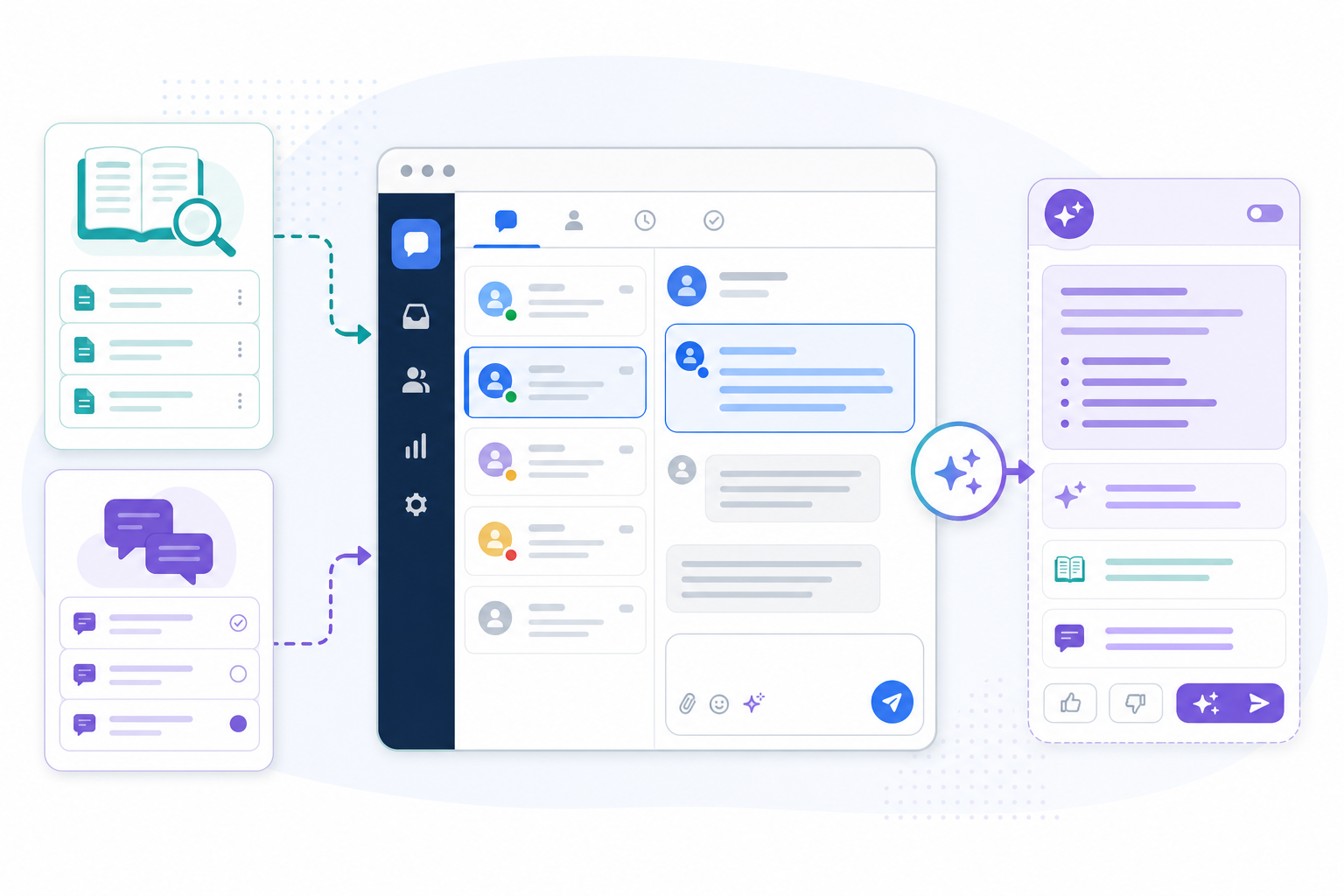
How AI Copilots Learn From Your Help Centre and Support Docs
This is where things get genuinely interesting, and a little technical—but it's worth understanding because it explains both the strengths and the real limits of these tools.
Most modern support copilots use something called retrieval-augmented generation, or RAG. Rather than answering purely from its general training, the AI retrieves relevant passages from your actual documentation at the moment you ask and grounds its draft in that specific content. This matters because the copilot isn't answering from vague memory—it’s pulling from material you've given it.
It's worth being precise here, because vendors describe this differently and the details vary by product:
- Connect your knowledge base. You link your help centre, upload PDFs or point the copilot at your existing macros and documentation. This becomes the material it can retrieve from.
- The copilot indexes past tickets and internal notes. It builds a searchable index of this content, including tone and phrasing patterns—not a general “understanding” of your business, but a retrievable record of how your team has answered questions before.
- It surfaces the most relevant material for each new ticket. This isn't generic AI guessing what a SaaS company “probably” does. It's retrieval grounded in your actual answers to your actual customers.
- Feedback loops vary by vendor. Some products use approved or edited drafts to improve future suggestions; others don't retrain on your edits at all and simply retrieve fresh content each time. Don't assume continuous learning happens automatically—ask your vendor directly how, and whether, editing a draft changes future suggestions.
The practical limit nobody likes to mention in the sales pitch is simple: poor documentation produces poor suggestions. If your help centre is outdated, contradictory or full of gaps, the copilot will confidently produce answers that sound right but aren't. It doesn't know the difference between accurate documentation and stale documentation—it simply retrieves what's there, as the pricing example above shows.
A smart way to start is narrow. Don't try to train it on everything at once. Pick a handful of high-volume, well-documented topics—password resets, billing explanations and basic setup questions—and let the copilot prove itself there first.
One practical pattern that works well is to connect 30 to 50 reviewed articles covering your most common questions, have agents approve or edit every draft for a couple of weeks, and hold a quick weekly review of anything the copilot got wrong. That review process is also a useful reason to update the documentation pages you've been meaning to fix.
Privacy, Permissions and Governance for UK SaaS Teams
This part doesn't get enough airtime, and it should, especially for UK teams. Past tickets often contain personal data—names, email addresses and sometimes payment details or account information mentioned in passing. Before connecting anything, check the following:
- UK GDPR and the Data Protection Act 2018. Does the vendor have a data processing agreement (DPA) available, and can they name their sub-processors?
- Data residency. Is your data stored in the UK or EU, or does it sit on servers elsewhere? This can matter for compliance depending on your customer base and transfer arrangements.
- Training exclusion. Is your ticket data used to train third-party foundation models, or is it kept isolated to your account's retrieval index? These are very different things, and vendors don't always make the distinction obvious.
- Retention and deletion. Can you delete indexed content, and what happens to it if you cancel?
- Role-based access. Can you control which agents see which customer data through the copilot, particularly for sensitive accounts?
None of this means you should avoid AI copilots. It means you should ask these questions before uploading real customer conversations, not after.
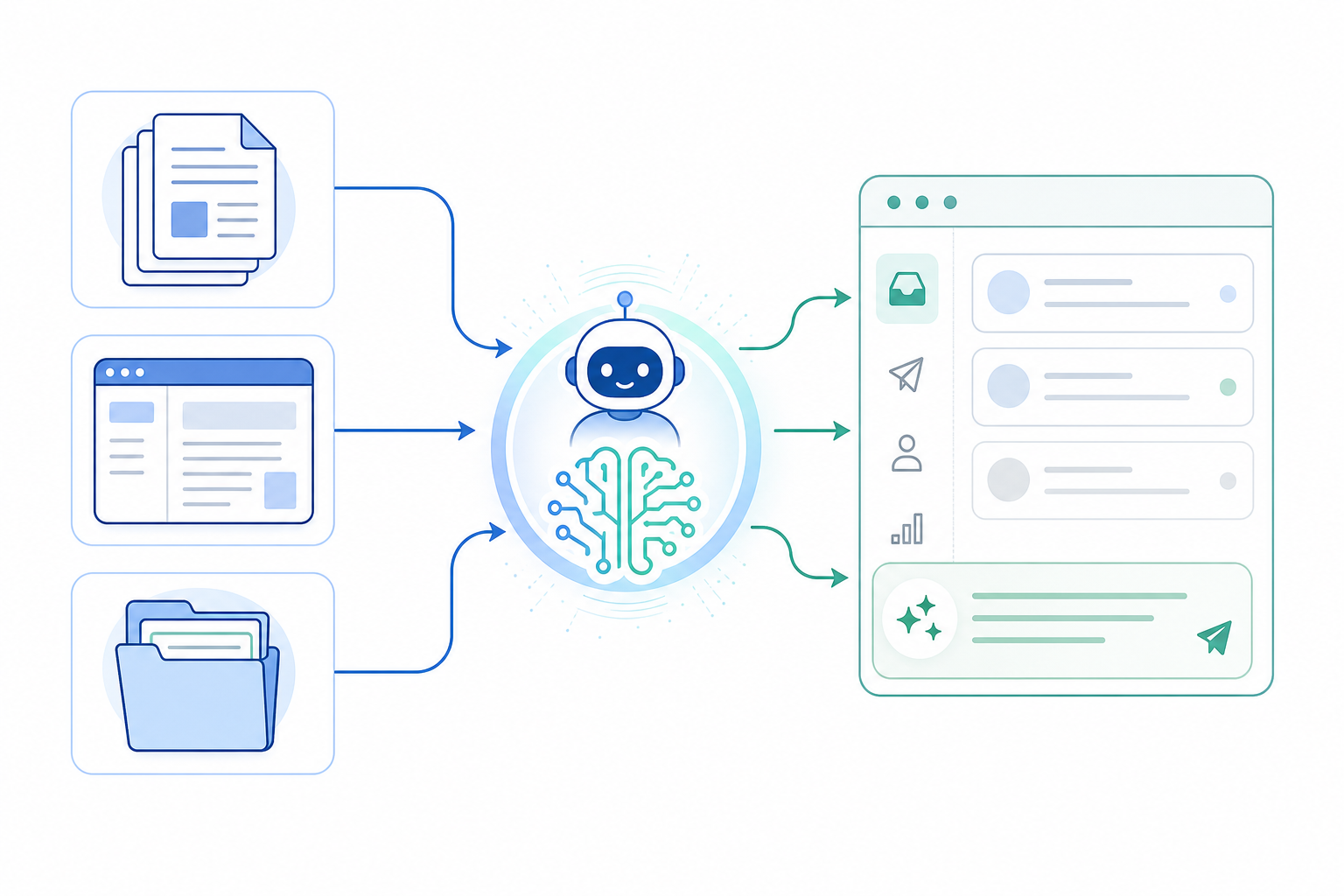
Practical AI Copilot Use Cases: Drafting Replies and Summarising Threads
Let's get concrete. Here's where a copilot can earn its keep in a small support team's day-to-day workflow:
- Drafting first-pass replies. For common, repetitive questions, the copilot writes a draft that an agent edits rather than composes from scratch. This alone can shave minutes off many routine tickets.
- Summarising long threads. Ever inherited a support conversation that's twelve emails deep and had to read the whole thing to catch up? A copilot can summarise the key points in seconds. That's a genuine help during handoffs between teammates or shift changes, and it keeps team collaboration from grinding to a halt whenever someone is off sick.
- Suggesting internal notes and tags. Based on the content of a ticket, it can recommend tags or flag internal notes. This speeds up filtering and makes reporting on response times and team performance more accurate.
- Surfacing similar past tickets. If someone on your team solved a nearly identical problem three weeks ago, the copilot can pull that up instead of making your agent reinvent the solution.
Here's a hypothetical worth walking through carefully because the maths matters. Picture a three-person support team at a growing SaaS company handling around 150 tickets a week between them, on top of other responsibilities. If a copilot saves roughly three minutes on half of those tickets—75 tickets—through faster drafting and less time spent searching old threads, that's 225 minutes back, or 3.75 hours a week.
That's nearly half a working day freed up without hiring anyone new, but it's important to be precise rather than round the number up. If your team handles a higher ticket volume, or saves more time per ticket, the hours recovered will scale accordingly. Measure your own numbers rather than borrowing someone else's.
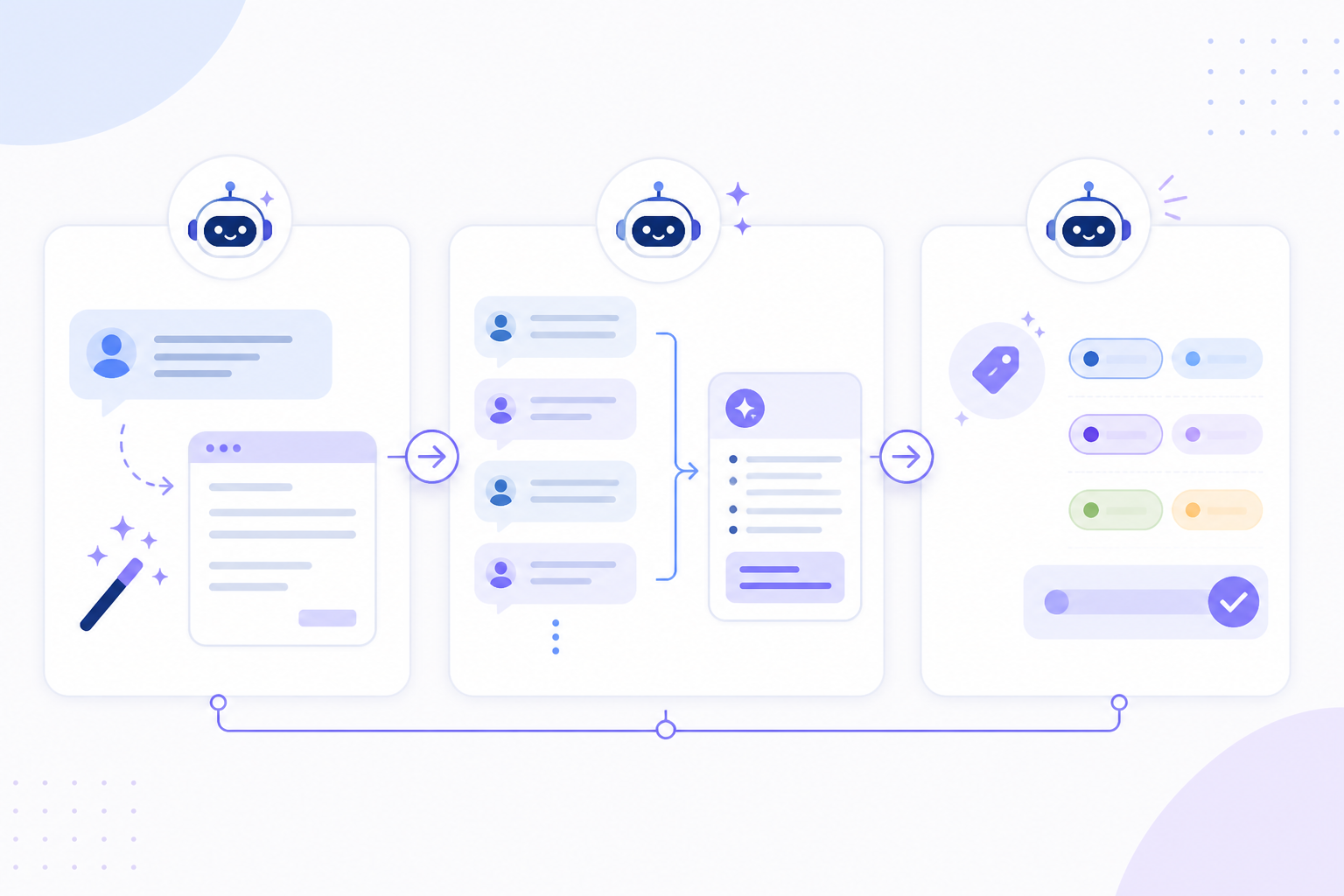
What AI Copilots Can't Replace in Customer Support
Now for the honest part. There are things AI copilots simply aren't built for, no matter how good the underlying model is. Some of these are risks to actively manage, not just gaps to accept.
- Judgement calls. Refund decisions, escalations and situations involving an upset customer require human discretion. A copilot can suggest a response, but it shouldn't decide how far to bend a policy.
- Genuine empathy. When a customer is frustrated or anxious—especially in the early days of your product, when every customer relationship still feels personal—a canned draft isn't going to cut it emotionally, even if it's factually correct.
- Relationship building. Early customers remember who took the time to actually talk to them. That human touch is part of what makes small SaaS companies feel different from faceless enterprise support.
- Edge cases outside your documentation. If it's not in your documents, the copilot has nothing reliable to retrieve. It doesn't create new product knowledge—it only works with what you've given it.
- Reliable source visibility. Some copilots show exactly which article a draft came from; others don't. Without that citation, it's much harder for an agent to spot-check accuracy before sending, so check this during a trial.
- Hallucination risk on thin topics. When documentation is sparse, some copilots still generate a confident-sounding answer rather than admitting uncertainty. Ask vendors how their tool behaves when it doesn't have a good match: does it say so, or does it guess?
- Genuine team collaboration. The back-and-forth that happens through internal notes, tagging and discussion between teammates is a human process. AI can support it by summarising or flagging issues, but it can't replace the actual conversation your team has about a tricky account.
Think of the copilot as a very capable research assistant, not a decision-maker. That framing keeps expectations realistic and helps ensure customers continue to receive the human judgement they expect.
How to Choose Customer Support Software With an AI Copilot
Pricing is an important part of the decision, particularly because per-seat pricing models can make AI features expensive to roll out across a growing team.
Many customer support software providers charge per seat, with AI features offered as a separate paid add-on on top of that per-agent cost. Once you want the whole team to have AI-assisted drafting, your bill can increase quickly—especially as you hire.
Flat-rate platforms avoid that scaling problem by including AI features as part of a single monthly price regardless of team size. However, check each provider's current pricing page directly, since plans and features change.
Before committing to a tool, work through this checklist:
| What to check | Why it matters |
|---|---|
| Setup time | A tool that takes weeks to configure delays the value you're paying for |
| AI training included? | Some platforms charge extra to connect your documents to the copilot |
| Source citations | Can agents see which document a draft came from and spot-check accuracy? |
| Edit and rework tracking | Can you measure how often agents rewrite drafts versus send them as written? |
| Data processing agreement | Essential for UK GDPR compliance if tickets contain personal data |
| Data residency | Confirm where your data is stored, especially for UK and EU customer bases |
| Uptime SLA | Support tools going down creates its own customer service problem |
| Integrations | Does it connect to your existing help centre, CRM and chat widget? |
| Free trial terms | A trial with no credit card required makes it easier to test the product properly |
My advice is simple: when trialling a tool, don't just play with the demo dataset the vendor provides. Upload a representative and appropriately permissioned sample of your real help centre content, macros and past tickets. That's the only way to find out whether the copilot will be useful for your product, rather than merely impressive in a sales demo.
A concrete example: Sonny is one flat-rate option that includes copilot access for unlimited agents rather than charging per seat or per AI feature. It may be worth considering if per-seat AI pricing is the specific problem you're trying to solve. As with any vendor, check current pricing and feature details directly before deciding, since these can change.
How to Get Started With an AI-Assisted Support Inbox
If you're ready to try an AI copilot rather than just read about one, follow this rollout path. It includes practical pass-or-fail thresholds, so you're not simply guessing whether the tool is working.
- Centralise first. Get your live chat widget and email ticketing into one shared inbox before worrying about AI. A copilot bolted onto scattered tools won't have a complete picture to work from.
- Connect your existing documents carefully. Upload your help centre articles and macros first. Hold off on connecting past tickets containing customer data until you've confirmed the vendor's data handling and DPA terms.
- Start with a test set. Pick 30–50 representative tickets covering your most common topics. Let the copilot draft replies, and have agents review every one before sending.
- Set a baseline and measure against it. Track edit rate—how often agents materially change a draft before sending—alongside first-response time, resolution time and any increase in escalations. If drafts require heavy rewriting more than half the time, the documentation or topic selection needs work before you expand.
- Expand gradually. Once edit rates drop and agents trust the drafts on your test topics, widen the scope to more ticket types.
- Keep measuring. Monitor response time, resolution time and customer satisfaction over the following weeks. This confirms whether the copilot is genuinely saving time rather than adding a feature nobody fully trusts.
You don't need a long evaluation process to find out whether an AI copilot fits your team. Look for a provider offering a short free trial with no credit card required. Connect a small, real sample of your documentation, watch several days of tickets flow through and measure the edit rate before deciding whether the tool earns a permanent place in your workflow.
Frequently Asked Questions About AI Copilots in Customer Support Software
What is an AI copilot in customer support software?
It's an AI assistant built directly into your help desk or shared inbox. It reads your existing documentation, macros and past tickets to suggest replies, summarise conversations and help your team respond faster. Unlike a customer-facing chatbot, it works behind the scenes to support human agents rather than talking to customers directly.
Can AI write support replies accurately?
It can produce a strong first draft, especially for common, well-documented questions, but accuracy depends on the quality of your documentation and how well the tool surfaces its sources. Think of it as a fast first pass that an agent edits and personalises—not a fully autonomous reply system you can trust blindly for nuanced or sensitive tickets. Source citations make it easier for agents to verify a draft before sending.
Do I need a large support team to benefit from an AI copilot?
Not at all. Small teams often benefit the most. A one- or two-person support team handling everything from onboarding questions to billing issues can gain valuable time when a copilot handles repetitive drafting and summarising work. That leaves people free to focus on conversations that genuinely need a human touch.
Does adding an AI copilot increase my customer support software bill?
It depends on the provider. Many per-seat pricing tools charge extra for AI add-ons on top of each agent's seat cost, which compounds as you hire. Flat-rate platforms include copilot features in a single monthly price regardless of team size, so your bill doesn't grow simply because you're using AI or adding teammates. Always confirm current pricing directly with the provider, since plans and features can change.
How does an AI copilot support team collaboration?
An AI copilot can summarise long conversations, surface similar tickets, suggest internal notes and keep relevant knowledge beside the customer conversation. When these features are built into shared customer support software, teammates can hand off tickets with less context switching and fewer repeated explanations. However, AI supports team collaboration—it doesn't replace human discussion or judgement.