
Onboarding New Support Agents in Days, Not Weeks: A Team Collaboration Guide for Startups
A practical guide to using shared inboxes, help desk software, sensible permissions, and internal notes to onboard growing support teams faster — without pretending tool setup and true readiness are the same thing.
Let's be precise about what actually speeds up, because "onboarding in minutes" is a nice headline but it isn't quite honest. What genuinely takes minutes is account setup: sending an invite, assigning a role, and getting someone logged into your shared inbox. What can happen within the first hour or two, with the right help desk software, is a new agent shadowing real conversations and sending their first supervised reply. What still takes days — sometimes a week or two, depending on your product — is independent, unsupervised handling of tickets. Conflating those three stages is where a lot of onboarding advice goes wrong, so we won't do that here.
I've spoken with founders who dread the moment a new support hire starts. Not because they don't want the extra hands — they desperately need them — but because they know what's coming: days of screen-share tutorials, a Notion document nobody reads, and a new agent who still feels lost by day five. It doesn't have to look like that for every team. Let's talk about how growing startups are rethinking support team collaboration to get new hires contributing faster, and what still needs to stay in place even when you're moving quickly.
Why Long Support Agent Onboarding Slows Down Growing Teams
Startup hiring rarely happens on a predictable schedule. You go from "we're fine" to "we need three more support agents yesterday" in about a week, usually right after a product launch or a marketing push that brought in more customers than expected. When that happens, a slow onboarding process becomes exactly the bottleneck you can't afford — and it's often less about the new hire's ability and more about how well your team collaborates around shared tools and shared context.
Traditional help desk software doesn't always help, though some of that complexity exists for legitimate reasons. Enterprise support tools are often built for large teams with dedicated training departments, compliance requirements, and complex approval chains. The problem is when a five-person startup support team inherits the same layers of settings and permission structures that a 500-person team needs — before an agent has even touched a real customer conversation.
Here's the real cost: every day your new hire isn't handling tickets is a day your existing team is stretched thinner, picking up the slack while also trying to train the newcomer. It's a double hit to productivity right when you needed relief the most. Picture a lean ecommerce team — something like a mid-sized online retailer scaling up after a big sale, or a small operations-heavy startup managing customer requests across multiple channels — where two support agents suddenly need to become four within a fortnight. The tool they hand new hires either helps that transition or actively works against it; there's rarely a neutral option.
The encouraging part is that this usually isn't the new agent's fault. Give someone a genuinely simple, well-organised shared inbox, and they'll figure out the basics quickly. The real culprits tend to be overcomplicated permission structures, clunky navigation, and software that assumes every team needs enterprise-level configuration regardless of size. Strip away the unnecessary complexity, and onboarding stops being a multi-week project — provided your team also has clear expectations about escalation, quality, and when to ask for help.
Inviting New Agents and Setting Help Desk Permissions
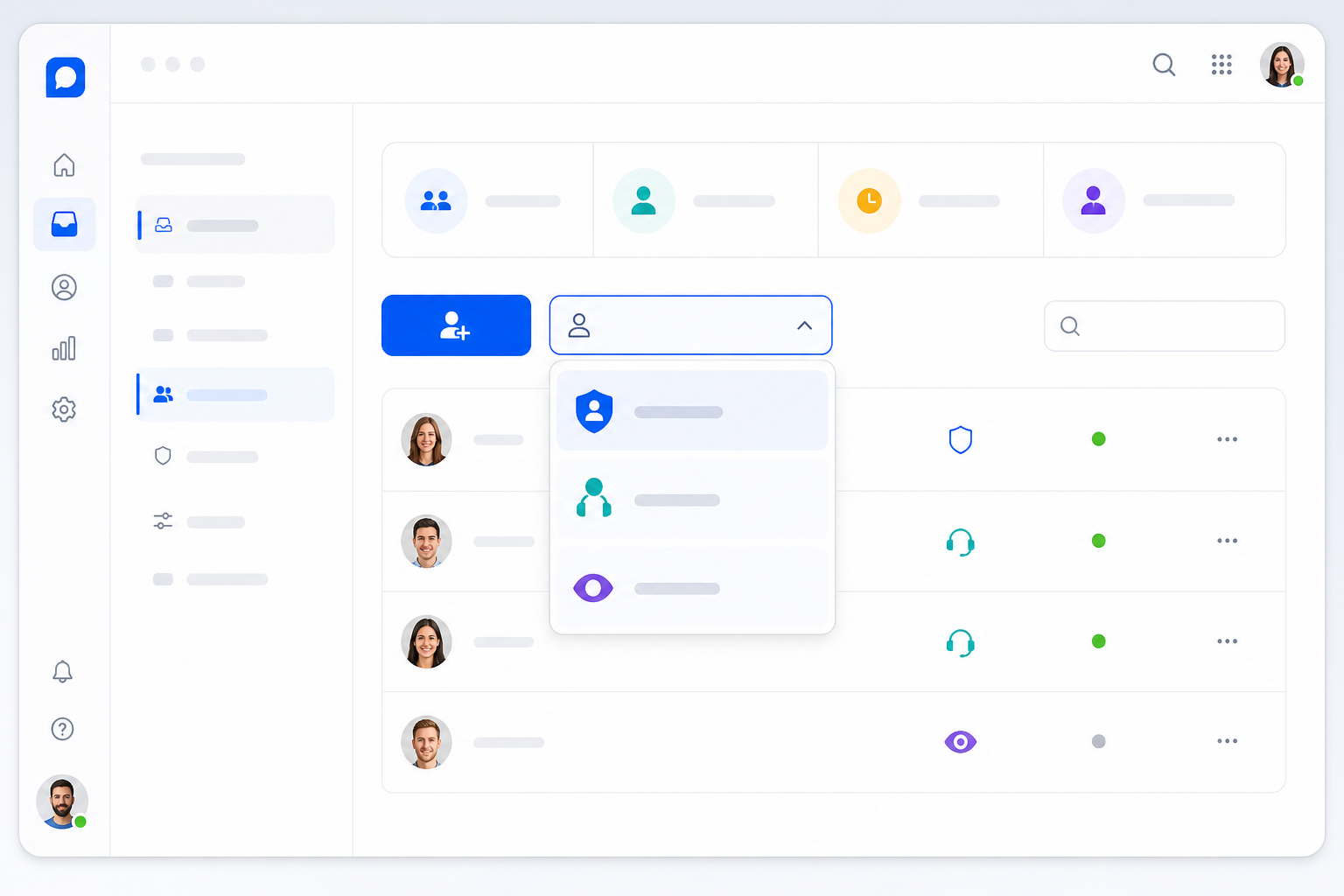
With a well-designed shared inbox, the technical setup comes down to a handful of quick steps — no IT tickets, no waiting on someone else's calendar. But speed here should still come with a bit of care around access.
- Send an email invite directly from your shared inbox. An admin sends an invite, the new hire clicks a link, and they're in. This part genuinely takes minutes with most modern shared inbox tools, including Sonny, though it's worth checking your specific provider's setup flow since interfaces vary.
- Assign role-based permissions with least privilege in mind. Rather than defaulting everyone to full agent access on day one, start new hires as viewers or with restricted permissions so they can shadow real conversations before replying to customers unsupervised. Upgrade access once they've shown they're ready.
- Review what a new agent can see, export, and change. Before their first shift, check whether their role allows access to billing details, refund controls, or customer data exports. For UK and EU teams, this matters beyond convenience — GDPR's data minimisation principle means new hires generally shouldn't have access to more personal data than their current role requires, and that's worth building into your permission defaults rather than fixing after the fact.
- Give new hires visibility into the same shared inbox as everyone else, with appropriate limits. Full visibility into team conversations helps new agents absorb context and tone quickly — but pair that with clear rules about which tickets they can act on independently versus which need a second pair of eyes, particularly anything involving refunds, account changes, or sensitive customer data.
On pricing: some shared inbox tools, Sonny among them, use flat-rate, unlimited-agent pricing rather than charging per seat, which can remove the awkward budget conversation that often accompanies adding headcount. That's a genuinely useful model to look for, but pricing structures and plan limits vary between providers and change over time, so check current documentation for whichever tool you're evaluating rather than taking any single figure as fixed.
A Practical First-Day Checklist for New Support Agents
Before diving into tags and filters, it helps to have a lightweight structure for day one itself, with a named owner and a clear point at which access expands:
- Invite the agent and confirm they can log in and see the shared inbox. (Owner: admin or team lead)
- Assign a limited, least-privilege role rather than full access to start.
- Walk through escalation rules: which tickets need a senior teammate's sign-off before a reply goes out.
- Review three or four real, resolved tickets together so they can see tone and structure in context.
- Have them shadow four or five live replies before sending their own.
- Require approval on anything involving refunds, cancellations, or account and billing changes for at least the first few days.
- End the day with a short check-in: what felt confusing, what clicked, what needs follow-up.
- Exit criterion: once a new agent has three or more approved replies and no unresolved escalation errors, consider widening their permissions — rather than upgrading access on a fixed timeline regardless of how the first few tickets went.
This isn't a substitute for good judgement on your part as a team lead, but it gives structure to what could otherwise be a vague, unstructured first day — while keeping things fast and collaborative rather than formal and slow.
Teaching Support Tags and Filters in 10 Minutes
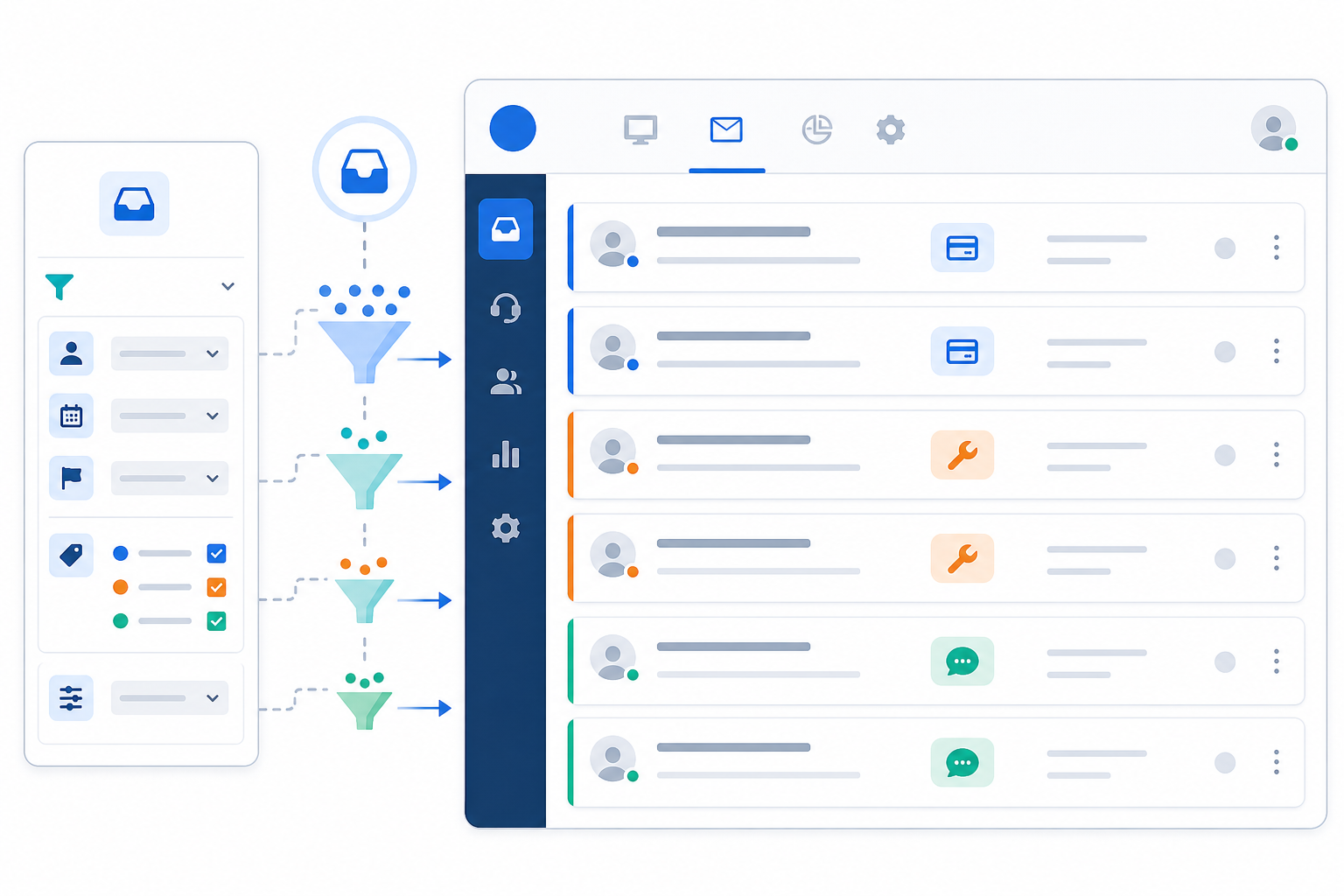
Once someone's in the system with sensible permissions, the next step is helping them find their way around. In reality, there are only a handful of concepts a new agent needs to grasp, and you can walk through them in roughly ten minutes:
- Minutes 0–2: Tags. Tags categorise conversations by issue type, product line, or priority — billing, technical, general, urgent is usually plenty. Show one example of each so the new agent sees what a "billing" ticket actually looks like versus a "technical" one. Assign one person ownership of the tag list so it doesn't sprawl over time.
- Minutes 2–5: Filters. Filters let agents narrow down what needs attention right now instead of scrolling through every conversation the company has ever had. Show them how to filter to "unassigned + urgent" and talk through why that combination matters.
- Minutes 5–8: Saved views. Set these up ahead of time as a team lead — something like "unassigned billing questions" or "new chats from the last hour" — so new agents get a curated queue on day one rather than the full inbox.
- Minutes 8–10: A supervised test. Have the new agent open their saved view, find one specific ticket you name, and tell you what tag and priority they'd assign it. This one small exercise tells you whether the previous eight minutes actually landed.
Building their own filters can usually wait until week two, once agents have handled enough tickets to recognise patterns and understand how the team's shared workflows function day to day.
This is the difference between a short, focused walkthrough and a two-day training course for straightforward products. You're not teaching someone every possible feature — you're teaching the handful of things they'll use constantly, and letting the rest come naturally through use. For more complex or regulated products, expect this to take longer, and that's fine; ten minutes is a reasonable target for a simple product, not a universal rule.
Using Internal Notes to Train New Hires on the Job
Here's my favourite part of this whole approach: internal notes. Instead of pulling a new hire aside for a separate training session, senior agents can coach them right inside a live ticket, in the flow of real work.
Imagine a new agent handling their first real customer conversation. They're not sure how to answer a tricky billing question, so instead of guessing or leaving the customer waiting, they drop an internal note tagging a teammate: "Hey, is this refund policy still accurate?" The customer never sees this exchange — it happens entirely behind the scenes. A senior teammate replies with guidance, the new agent applies it, and the conversation moves forward smoothly.
This turns tickets into small, collaborative training moments rather than isolated tasks. It's coaching that happens exactly when it's needed, on exactly the problem the agent is facing — which many teams find builds confidence faster than shadowing alone or reading a static document, even without a formal study to point to.
Over time, these internal notes accumulate into a searchable source of training signals — useful context showing how the team has approached similar issues before. But that's different from a reliable knowledge base, and it's worth being honest about the gap. Informal notes written quickly mid-ticket go out of date, policies change, and different agents sometimes give slightly different guidance on the same question. A simple fix: set aside twenty minutes every week to scan recurring notes and turn the genuinely useful, still-accurate ones into proper macros or a documented policy page. Treat internal notes as a great starting point for institutional knowledge, not a finished product you can rely on unreviewed.
Measuring How Fast New Support Agents Ramp Up
Once your new agent is up and running, track how quickly they're finding their footing — both to support them properly and to get an honest read on whether your onboarding approach is actually working. A useful way to think about this is in three stages, each with its own metric and review point:
- Stage 1 — Setup (day one): Can they log in, see the shared inbox, and correctly tag and filter a test ticket? Measured by direct observation, not a survey.
- Stage 2 — Supervised replies (days 1–5): Track time to first supervised reply, and have a senior teammate score a sample of their replies against a simple quality checklist. Reopen rate on their tickets is also worth watching from the start, even while someone's reviewing their work.
- Stage 3 — Reduced oversight (week 1–2, longer for complex products): Escalation accuracy (are they escalating the right things, not too much or too little), reopen rate compared to the team average, and customer satisfaction scores on their tickets specifically. If your team runs any quality assurance review, even a lightweight one, factor it in here.
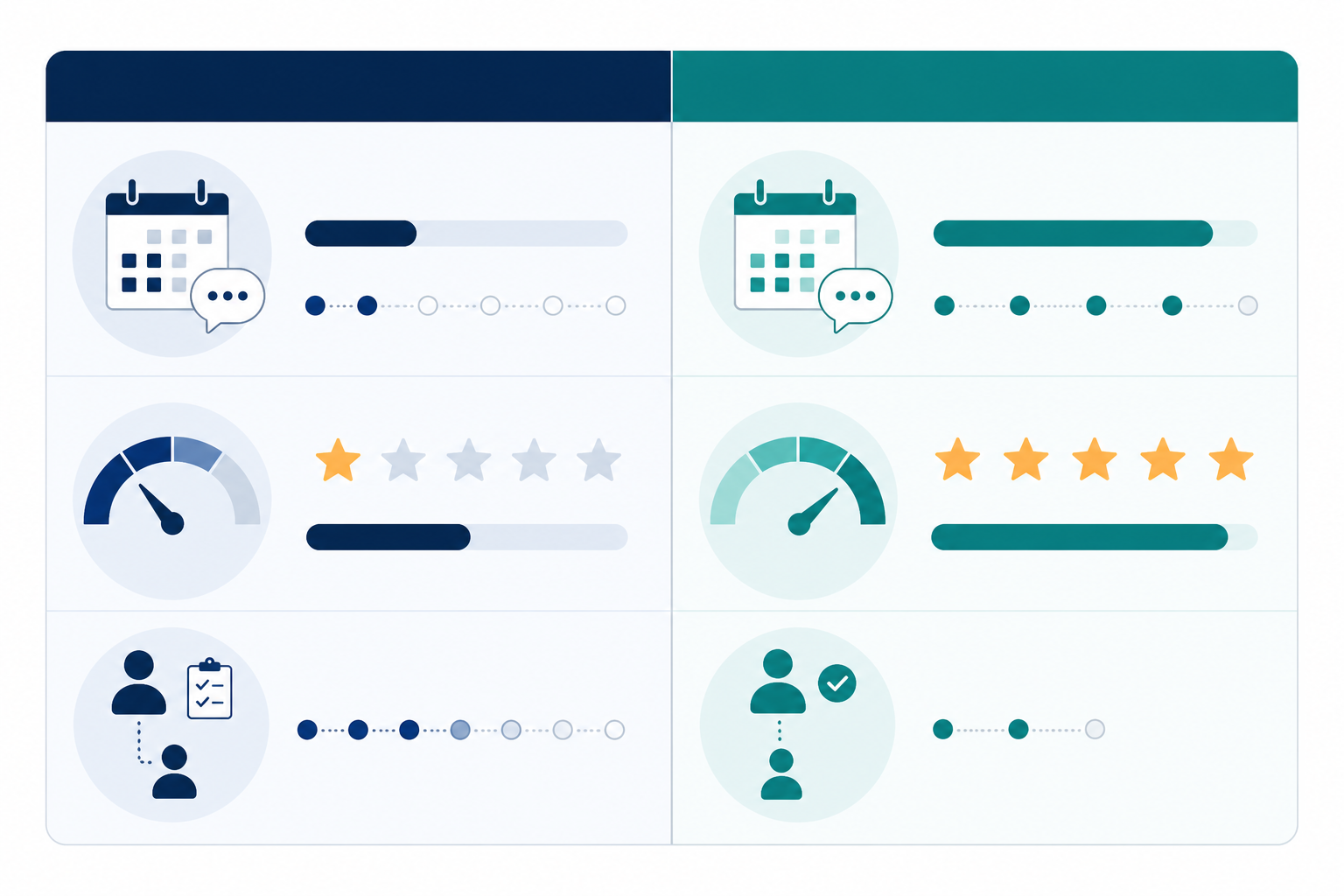
The table below is illustrative, not a guarantee — actual timelines depend heavily on your product's complexity, your documentation, and how much oversight your industry requires. Use it as a rough benchmark to sanity-check your own numbers, not a target to hit regardless of quality.
| Traditional Onboarding | Streamlined Shared Inbox Onboarding (illustrative) | |
|---|---|---|
| Time to first supervised reply | Typically after multi-day training | Often within the first day |
| Reopen rate in week one | Varies; frequently unmeasured | Should be tracked against team average from day one |
| Escalation accuracy | Assessed informally, if at all | Reviewed explicitly during supervised period |
| Days to reduced oversight | 1–2 weeks, often longer | A few days to two weeks, depending on complexity |
A reasonable goal for straightforward support products: agents shadowing and handling supervised tickets within their first day, and working with reduced — not zero — oversight within a week or two. For regulated products, complex technical support, or sensitive customer data, build in more time and more formal sign-off rather than rushing toward independence for its own sake.
What Fast, Collaborative Onboarding Means for Startups Scaling Support
I want to zoom out for a second, because fast, well-organised onboarding is easy to dismiss as a minor convenience when it's actually a meaningful advantage for a growing team. When you're scaling quickly, how well your team collaborates around a new hire — shared visibility, clear permissions, and in-the-moment coaching — directly affects how well you can keep up with customer demand without burning out your existing agents.
Tools like Sonny are one example of software built around this kind of collaboration-first approach, often with flat-rate pricing that removes the usual budget friction around adding another agent. That's genuinely useful, but evaluate any shared inbox or help desk software against your own team's needs rather than assuming one tool solves every onboarding challenge, and check current pricing and feature documentation directly rather than relying on secondhand claims — including this article's.
For UK and EU teams specifically, a simple decision rule is worth adopting: if a new hire's role involves regulated products, payment or account data, or anything covered by GDPR access-minimisation principles, formal documented training and a proper access review are mandatory regardless of how intuitive the software is. Tool simplicity earns you faster navigation training — it doesn't earn you an exemption from data-handling obligations or your own quality standards. Keep policies, retention rules, and processor agreements documented and reviewed, even while your day-to-day tool stays simple to learn.
The practical takeaway: choose collaboration tools that reduce unnecessary friction, but keep the safeguards that protect your customers and your team's reputation. Support capacity that grows steadily alongside your customer base, without sacrificing quality along the way, is one of the more genuinely useful wins available to a fast-growing support team.
Frequently Asked Questions About Support Agent Onboarding
How long should it take to onboard a new support agent?
Think in three stages rather than one number. Account setup takes minutes. With a well-designed, collaborative shared inbox, new agents can often start shadowing real conversations and sending their first supervised reply within an hour or two of getting access. Handling straightforward tickets with reduced oversight typically takes a few days to a week; for complex or regulated products, plan for one to two weeks before oversight drops significantly, with review points along the way rather than a fixed deadline.
What's the fastest way to train agents on a shared inbox?
Skip lengthy manuals where you can. Invite the new hire, walk them through tags, filters, and saved views in a focused ten-minute session, then let internal notes guide them through their first real tickets with a more experienced teammate coaching in real time. Pair this with clear escalation rules so they know when to ask before acting, not just how to use the tool.
Do new hires need formal training on help desk software?
Yes, for policies, escalation rules, and anything touching regulated or sensitive data — that part shouldn't be skipped, and for UK and EU teams it connects directly to GDPR obligations around data access. What can genuinely be shortened is basic tool navigation: if the software is intuitive, agents need far less formal instruction on where buttons are and more focused coaching on judgement calls. Don't confuse "the interface is easy to learn" with "no training is required."
How can startups scale support headcount quickly?
Choose help desk software with pricing that doesn't punish you for adding agents, and prioritise software built around genuine team collaboration — shared inboxes, sensible permissions, and internal notes for real-time coaching. Combine that with a lightweight first-day checklist, clear exit criteria for expanding access, and defined rules about oversight, and you can add support agents as needed without either a lengthy onboarding cycle or unnecessary risk slowing down your growth.