
What a 99.9% uptime SLA means for e-commerce support software
A 99.9% uptime SLA means your customer support software can be unavailable for about 8.7 hours per year. But during a flash sale, even 10 minutes of live chat downtime can mean hundreds of lost orders and frustrated customers venting on social media. If you're running an online shop, uptime affects your revenue and your reputation directly, not just your dev team's dashboard.
I've talked to enough e-commerce founders to know that most of us think about uptime the way we think about home insurance, necessary, but not exactly thrilling. Then something goes wrong, and suddenly it's the only thing that matters. So let's have a proper chat about what that little "99.9%" actually promises you, what happens when it doesn't hold up, and how you can protect your shop before you're the one refreshing a dead live chat widget during your biggest sale of the year.
What does a 99.9% uptime SLA actually mean?
Here's the thing about percentages: they sound impressively close to perfect, but the gap between "pretty good" and "actually reliable" is bigger than you'd think.
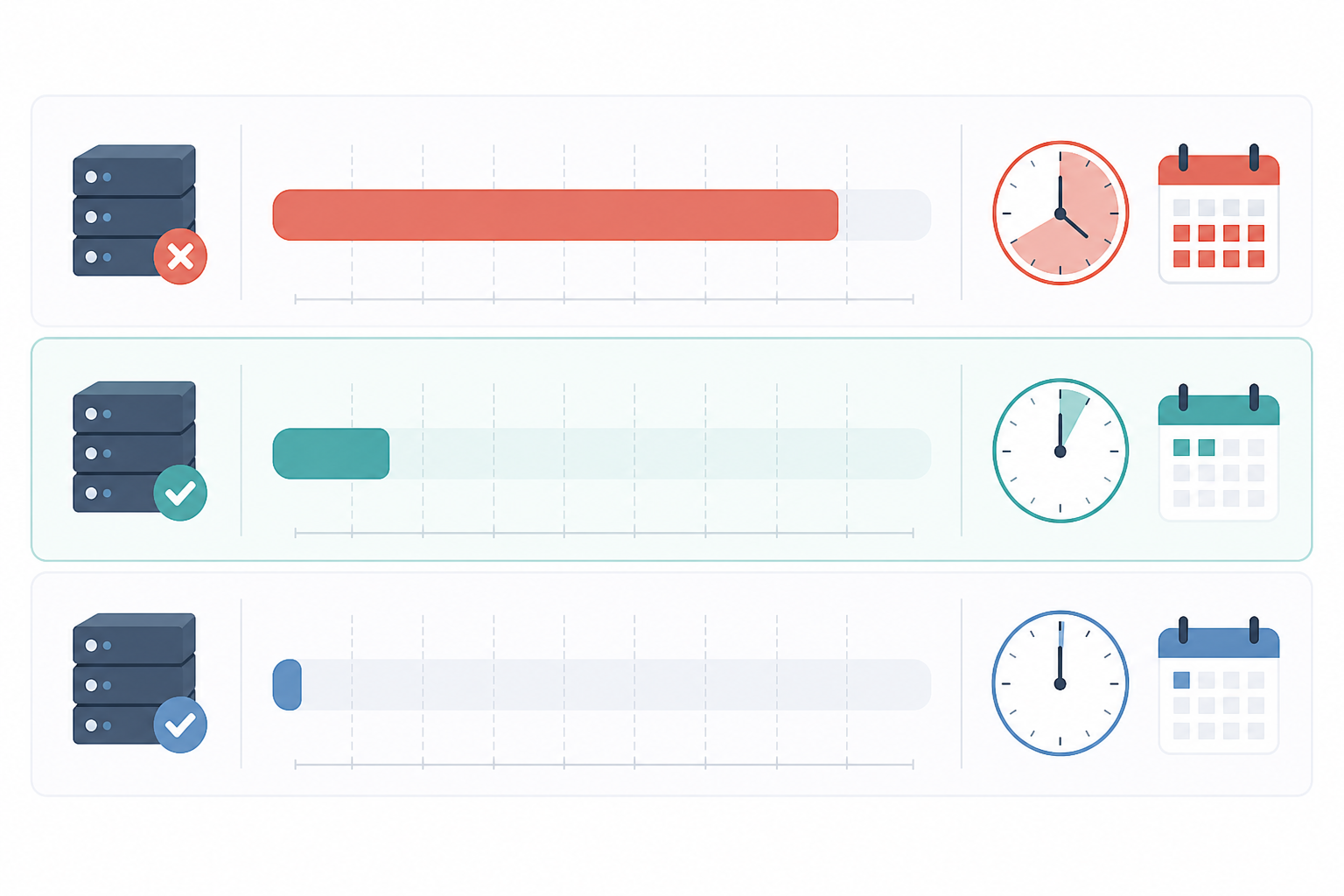
A 99.9% uptime SLA works out to roughly 8 hours, 45 minutes, and 36 seconds of permitted downtime per year. Break that down monthly, and you're looking at about 43 minutes and 49 seconds a month when your customer support software could legitimately be unavailable while the vendor is still technically meeting its promise.
Now compare the different uptime tiers, because the differences matter more than they look:
- 99% uptime = about 3.65 days of downtime per year (yes, days)
- 99.9% uptime = about 8.76 hours per year
- 99.99% uptime = about 52 minutes per year
That jump from 99% to 99.9% isn't a rounding error. It's the difference between losing nearly four full days of support access and losing less than a working day. Going from 99.9% to 99.99% cuts the permitted downtime down to under an hour. Every extra "9" gets exponentially harder, and pricier, for a vendor to deliver. That's exactly why you should raise an eyebrow at anyone promising 99.999% at bargain-bin prices.
One thing worth flagging: a proper uptime SLA should cover your whole help desk platform, not just the parts that are easiest to keep running. That means your live chat widget, email ticketing, team dashboard, and integrations should all be included, not just "core services" while the chat widget quietly sits in a grey area.
This is part of why we publish our 99.9% uptime SLA at Sonny rather than simply mentioning it on a sales call. If you're going to build your customer support around a tool, you deserve to know exactly what reliability you're buying, in writing, not just in a pitch deck.
The cost of customer support downtime during a sale
Let's paint the scenario, because I think it's the fastest way to make this real.
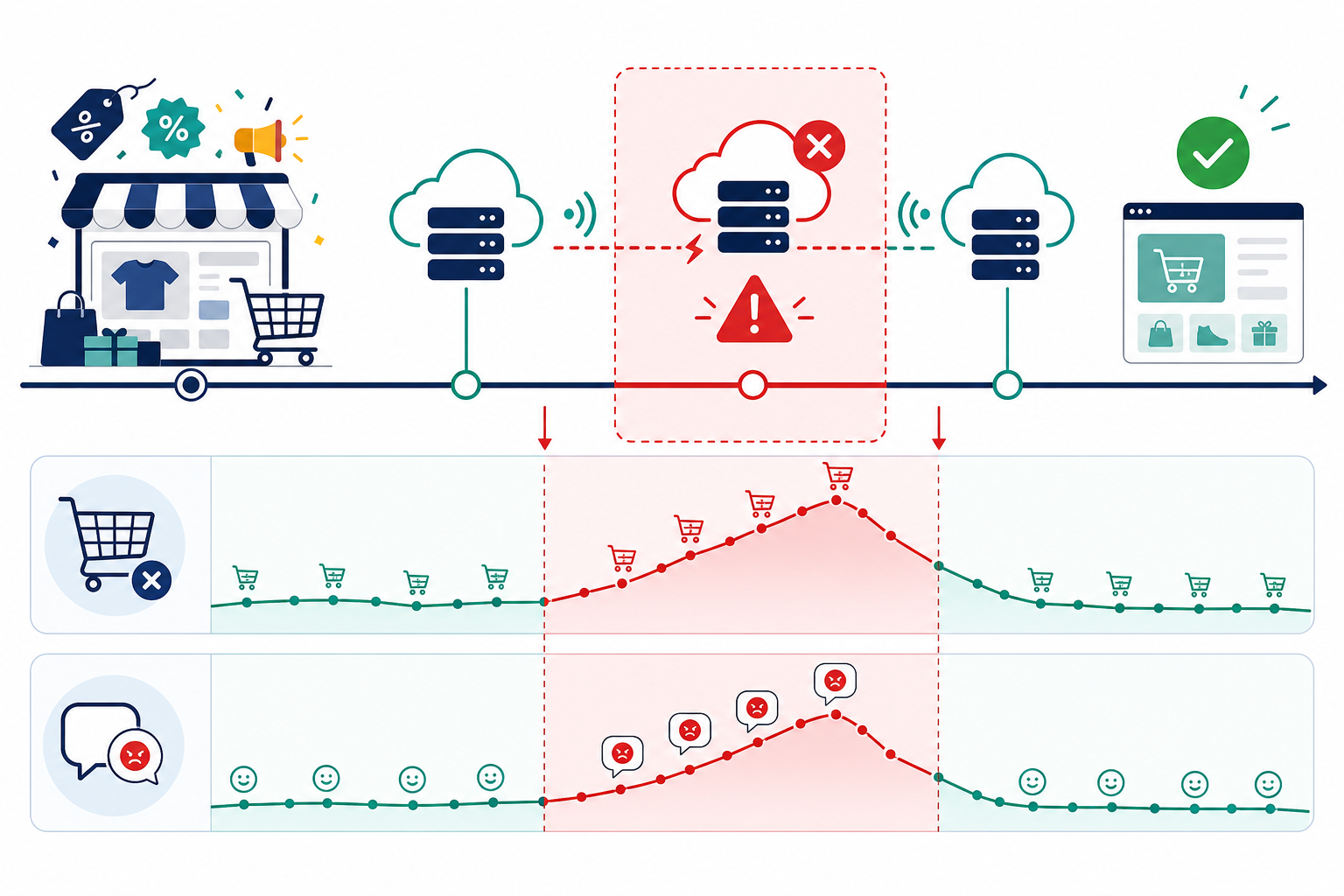
It's Black Friday. Your ad spend is at its peak, traffic is pouring in, and your live chat widget, the one that usually answers questions like "Does this run small?" or "Will this arrive before Christmas?", goes dark. No error message, no fallback, just a blank box where help used to be.
Here's what makes this worse than an outage on a random Tuesday: downtime during peak traffic doesn't cost you a flat percentage of conversations. It compounds. More visitors means more people hitting that dead chat widget at the exact moment they have a question standing between them and checkout.
The average documented cart abandonment rate already sits around 70%, according to Baymard Institute research pooling dozens of studies, and that's on a good day when customer support is working normally. Take away the ability to ask a quick question, and you're pushing hesitant shoppers towards "I'll just leave."
The ripple effects don't stop when the live chat widget comes back online, either:
- Abandoned carts that never convert because the shopper has already closed the tab
- Refund and return requests from customers who couldn't get pre-purchase reassurance and bought the wrong size or item
- Negative reviews and social posts, because a frustrated customer with a phone in hand doesn't wait long to vent
- A backlog crunch once chat comes back, with your team fielding delayed conversations alongside normal ticket volume
And here's the part that stings the most: customers don't distinguish between "the shop is down" and "the support tool is down." To them, it's all the same brand failing them at the worst possible moment. PwC research found that 32% of customers will walk away from a brand they love after just one bad experience. A blank chat widget during a sale you spent months planning is exactly the kind of moment that can create that one bad experience.
How to evaluate a customer support software vendor's reliability claims
So how do you avoid finding this out the hard way? Before you commit to any help desk software, put the vendor's reliability claims through a proper check:
- Is the uptime SLA documented publicly? If it's only mentioned verbally on a sales call, that's not a guarantee, it's a talking point.
- Does the vendor have a live status page? A real status page shows historical incidents, not just "all systems operational" forever. If they don't have one, ask why.
- How are SLA breaches handled? Look for specific information about service credits or refunds. A vendor with nothing to say here probably hasn't thought hard about its own reliability.
- Is redundancy built in? Ask whether the platform runs across multiple servers or regions, or whether one server fault takes the whole service down.
- What do real reviews say? Marketing pages will always say "reliable." Case studies and reviews that mention actual outages, or the lack of them, tell you much more.
This is the boring homework that pays off. It takes perhaps 20 minutes, and it can save you from discovering that your help desk software's "99.9% uptime" was aspirational rather than actual.
Questions to ask about an uptime SLA guarantee
When you're on that vendor call, don't just nod along when they mention their uptime SLA number, dig into the fine print. Here's what I'd ask:
- What exactly counts as downtime? A full outage is obvious, but does partial functionality loss, like chat working while tagging and reporting fail, count against the SLA too?
- How is uptime measured, and by whom? Independent, third-party monitoring is generally more trustworthy than a vendor grading its own homework.
- What happens if you miss the target? Ask directly about compensation, such as service credits or refunds.
- Do scheduled maintenance windows count against the percentage? Some vendors quietly exclude these, which can inflate the real-world figure.
- Can I see your uptime history for the last 12 months? If they hesitate, that tells you something on its own.
A proper uptime SLA should clearly define the measurement window, exclusions, covered services, severity levels, and how incidents are communicated to you. If a vendor can't answer these questions plainly, that's a red flag worth taking seriously.
Build a backup plan for live chat downtime
Here's the reality: even the best customer support software with the strongest uptime SLA can have a bad day. What separates smooth recoveries from full-blown crises is whether you've planned for it in advance.
- Set up an email-to-ticket fallback. If the live chat widget goes down, customer messages should still land somewhere, ideally auto-converted into tickets so nothing gets lost.
- Keep a status page or social channel ready. Transparent communication ("we're aware of the issue and working on it") does more for customer trust than silence ever will.
- Train your team on manual workflows. If automation hiccups, your team should know how to check a shared inbox manually without missing a beat.
- Choose tools with native apps. If your browser dashboard has an issue, agents with iPhone, Mac, or Android apps can still respond, no one's stuck waiting for a page to reload.
- Review incident history quarterly. Patterns show up before crises do. A vendor with three unexplained outages in six months is telling you something.
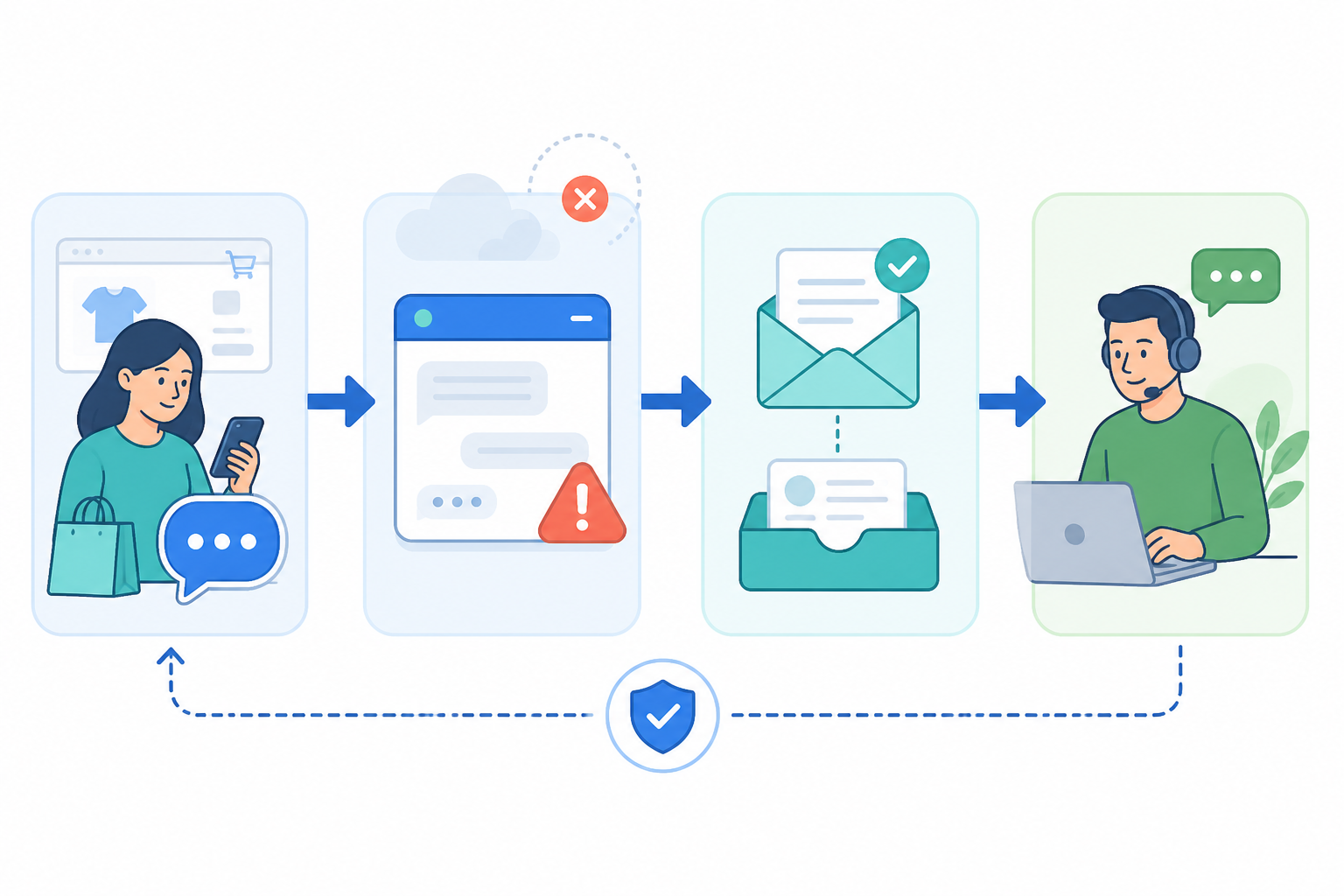
A good rule of thumb from site reliability practices used by much larger engineering teams is that redundant contact paths, a visible status page, and tested escalation procedures aren't overkill. They're the baseline for any customer support setup that expects real traffic.
Why flat-rate, unlimited-agent tools change the reliability equation
Here's something that doesn't get talked about enough: pricing models can quietly affect reliability too.
When customer support software charges per seat, teams naturally limit who gets access because every added login costs more money. That's fine on a normal Tuesday. But during an outage or traffic spike, you suddenly need more hands on deck, not fewer. If only three people have logins because that's all the budget allowed, you've built a single point of failure into your own team structure.
This is exactly why we built Sonny around flat-rate pricing: $19.99/month for unlimited agents and unlimited conversations. When a sale goes sideways or a support tool experiences an issue, you can bring in your entire team to help clear the backlog without anyone worrying about triggering another seat charge. A shared inbox with internal notes and tagging means whoever jumps in can immediately see where a conversation left off, instead of starting from scratch or duplicating replies.
Server uptime is only half of reliability. The other half is whether your team can actually respond fast when something breaks, and removing the per-seat penalty means more people can jump in exactly when you need them most.
Frequently asked questions about uptime SLAs
What does an uptime SLA mean for support software?
An uptime SLA, or Service Level Agreement, is a vendor's formal promise about how reliably its platform will be available. A 99.9% uptime SLA means the software is intended to be operational 99.9% of the time, leaving room for roughly 8.76 hours of downtime per year, ideally scheduled during low-traffic periods, not your biggest sale of the season.
How much downtime is acceptable for customer support tools?
For most e-commerce brands, anything below 99.9% uptime starts to feel risky, especially if you run frequent promotions or rely heavily on live chat for pre-purchase questions. The lower the percentage, the more downtime your vendor is permitted, and unpredictability is exactly what you don't want when shoppers are ready to buy.
What happens if my live chat widget goes down during a sale?
In the best case, a few customers receive delayed responses and you catch up through email tickets afterwards. In the worst case, shoppers with questions about sizing, shipping, or discount codes abandon their carts and buy from a competitor instead. That's why having a documented uptime SLA and a backup communication plan, such as email-to-ticket forwarding, matters so much during high-traffic events.
At the end of the day, uptime is one of those things you barely think about until it becomes the only thing you're thinking about. Do the homework upfront, ask the uncomfortable questions, and build a backup plan before you need one. Your future self (the one not frantically refreshing a dead chat widget on Black Friday) will thank you. 🙌