

How One Team Can Support Multiple Products with a Shared Inbox
Yes, one team can support multiple products well, as long as a few things are in place: a shared inbox where every conversation lands, a consistent way of labelling conversations by product, clear ownership, and a reliable route to specialist help when a question gets tricky. The shared inbox is the foundation, not a magic fix. Tags, assignment habits and good documentation are what turn it into a system that works.
Grab a cuppa and I'll walk you through how we'd set it up. 😊
The Challenge of Supporting Multiple Products
Picture Priya, a support agent at a small company with four brands. She has four browser tabs open and three different logins. A customer writes in, she's on autopilot, and she signs off with the wrong brand name. The customer is confused, Priya is mortified, and nobody did anything wrong except live inside a messy setup.
Customers expect expert answers on each product, but a small team can't hire a specialist for every brand. Separate tools make that harder in quiet ways:
- Every new inbox needs its own rules, saved replies and widgets, so you end up doing the same setup again and again.
- Someone who uses two of your products can look like two strangers, because their history is split across inboxes.
- The busy brand's queue gets attention while the quiet one gathers dust.
- Depending on how your vendor prices things, extra workspaces or agents can push costs up faster than your team grows.
Most of us have repeated our whole story to a second person at some point, and it never feels good. Separate inboxes make that more likely, especially when an issue crosses product boundaries and gets forwarded around.
A shared inbox cuts down that fragmentation by putting live chat and email in one place, so any agent can see what's happening. It won't solve everything on its own. How much of a customer's history you can see depends on your tool and on how customers are identified (usually by email address). You'll still need product context on each conversation, sensible permissions, and clear ownership. We'll cover all of that below.
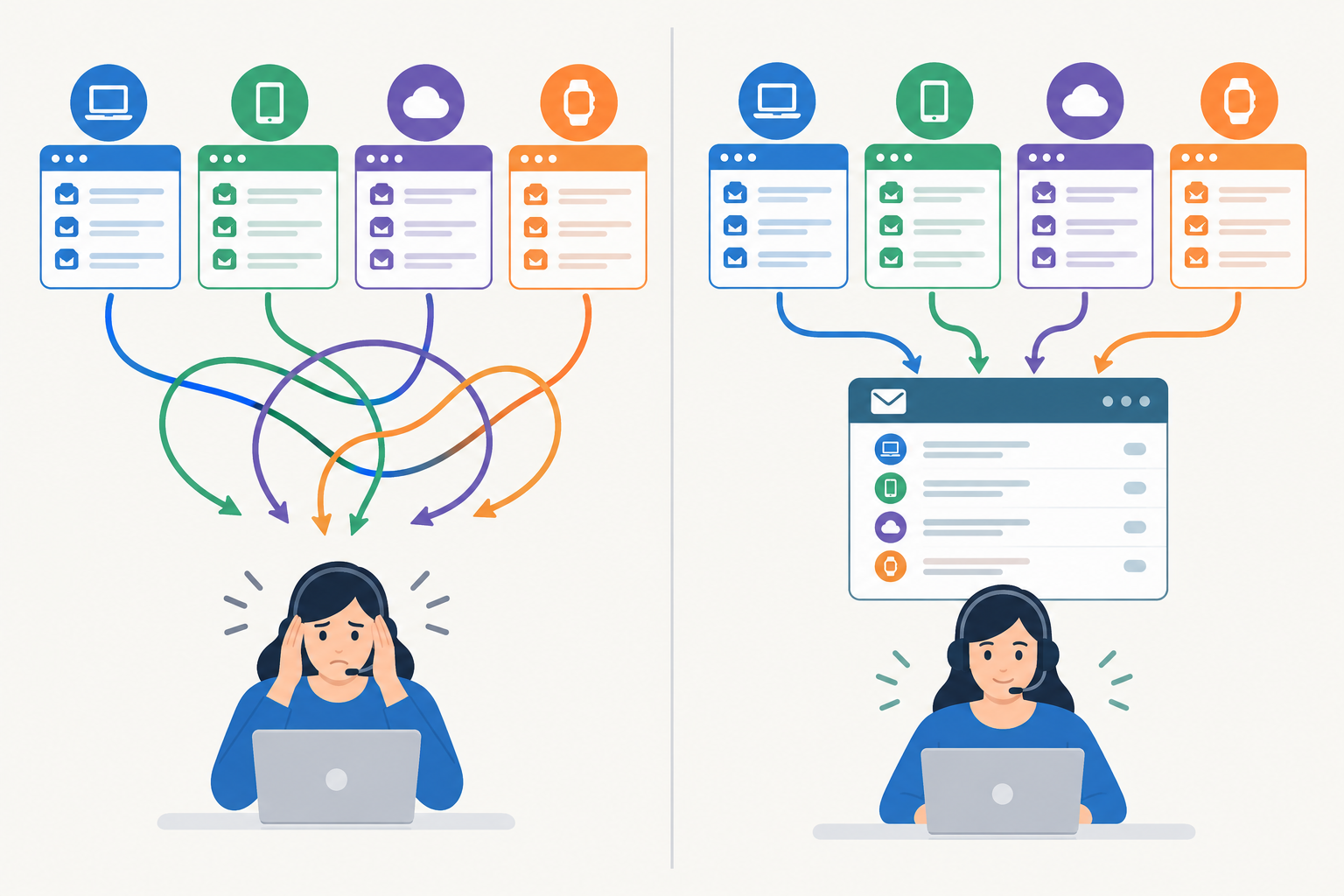
This approach suits SaaS portfolios, e-commerce brands under one umbrella, agencies, and any team that's grown through launches or acquisitions and ended up with a patchwork of tools.
Should Each Product Have Its Own Support Team?
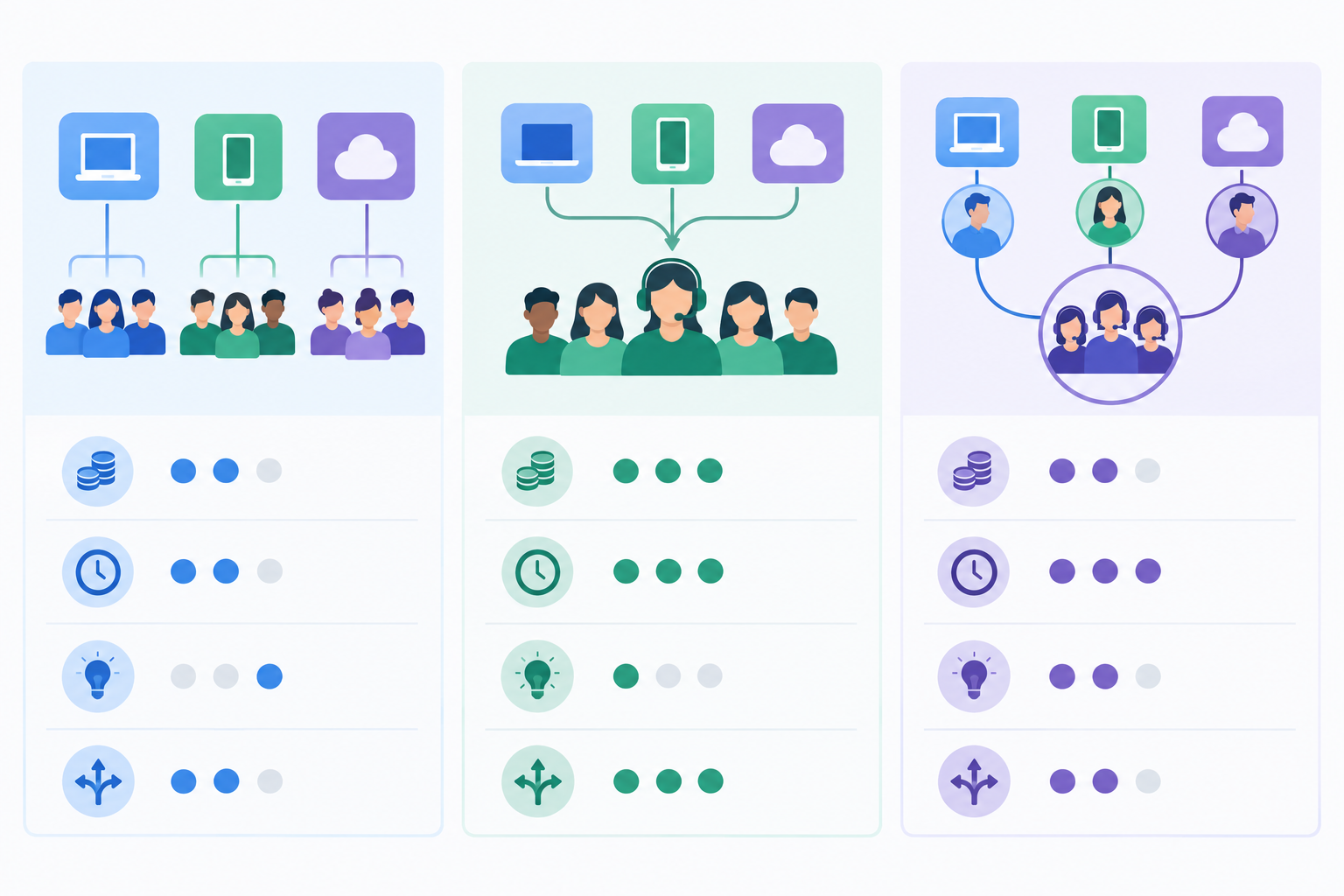
Not usually, at least not at first. There are three common models. The table below is a rule of thumb. Real speed and depth depend on your ticket volume, how many specialists you have, and how well your escalation path is designed.
| Separate teams per product | One fully pooled team | Hybrid: shared front line + specialists | |
|---|---|---|---|
| Cost | Highest, with duplicated staff and tools | Lowest | Moderate |
| Response speed | Fast when the right team is free, slow when it isn't | Consistent, but complex issues can stall | Fast on common questions, with a clear path for hard ones |
| Product depth | Excellent | Thin on technical topics | Strong where it matters |
| Flexibility in busy periods | Poor, because people can't cover each other | Excellent | Good |
| Onboarding | Narrow and simple per team | Broad and steep | Gradual: basics first, specialism later |
When to split, and when to stay together
Stay combined when your products share similar customers, workflows and support needs. Think about splitting when a product has:
- highly technical issues that need consistent, deep expertise
- regulatory or compliance requirements
- a very different customer base or different service hours
- enough sustained volume to keep a dedicated person busy
Don't decide on product count alone. Let volume, resolution time, backlog and escalation data guide you.
A worked example (hypothetical)
Imagine a team of six supporting three products. Over six weeks, Product C's end-of-day backlog creeps from around 5 conversations to around 20. Its median resolution time rises from 6 hours to 14, against an internal target of 8. Tags show that more than half of those conversations needed the same person's help.
What would we do? First, look for a fixable cause. Maybe one integration issue accounts for a big share of the contacts, and a better help article could take the pressure off. If the load stays high after that, give that specialist protected queue time, or consider a part-time specialist for Product C. There's no universal threshold here. Compare the trend against your own service targets and capacity, and don't wait for a crisis.
Cross-Training vs. Dedicated Product Specialists
The trick is being honest about which questions need an expert and which don't.
Cross-training works well for:
- billing and subscription questions
- account access and password resets
- order status and delivery queries
- basic troubleshooting that follows a repeatable script
Specialists are worth it for:
- complex technical problems
- integrations and API questions
- accounts where the stakes are genuinely higher, for example those with contractual response commitments, complex integrations or a defined escalation requirement
That last point matters. 'High-value' on its own is vague and leads to arbitrary routing, so define what makes an account high-risk for you and write it down.
Make generalists confident
Generalists answer confidently when they have good material to lean on. For each product, build a lightweight knowledge base and a set of saved replies covering the top ten questions. They don't need to be perfect. They need to exist and be easy to find.
Team collaboration in a shared inbox
This is where a shared inbox earns its keep. When something goes beyond a generalist's comfort zone, the agent adds an internal note and mentions a specialist, so the conversation stays in one place. The agent keeps the customer relationship, the specialist leaves a quick technical answer, and nothing gets handed off into a void. A few habits keep this smooth:
- Write handoff notes that stand alone. Summarise the issue, what's been tried and what the customer expects next.
- Keep the customer-facing owner visible. The person who owns the conversation sends the reply, even when the specialist wrote the answer.
- Close the loop. When a specialist helps, add the answer to your saved replies or knowledge base so the next generalist doesn't need to ask.
For rotation, try product-of-the-week shadowing (one generalist reads that product's recent conversations) and a fifteen-minute refresher after each release.
Where AI can help
If your help desk includes an AI assistant that works from your own documentation, it can help generalists draft first-pass answers. It's only as good as the docs behind it, so it suits well-documented, repeatable questions better than edge cases. A human should always review before anything is sent.
Using Tags and Assignment Rules to Route Tickets by Product Line
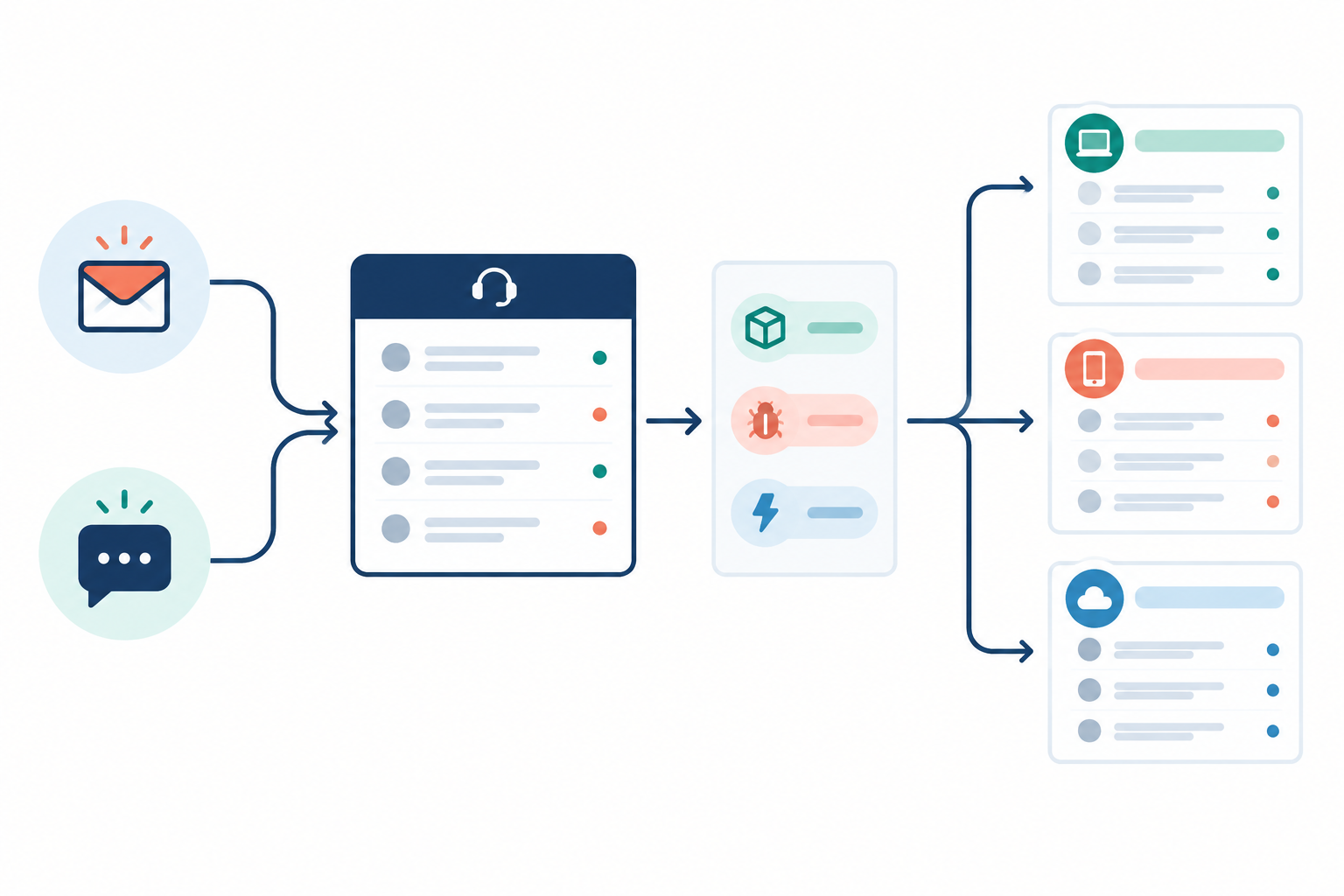
This is where many teams get tripped up. Tags and saved views classify and surface conversations. They tell you which product a conversation is about and make it easy to find. They don't, by themselves, decide who answers it or whether it's answered on time. For that you need assignment rules (who owns it) and escalation habits (what happens when they can't). Whether your tool automates any of this varies, so check what yours supports and fill the gaps with a written team agreement.
Each step below is marked as a tool setting or a team process, so you know where the work sits.
- Give each product its own inbound route (tool setting). Create a separate email forwarding address per brand (for example, help@ for one, support@ for another) and a chat widget per site. The route tells you which product the customer is asking about.
- Pick a consistent tag convention (team process). Something like
product:name,issue:typeandpriority:level, short enough that people will actually use it. - Tag the product automatically if you can (tool setting, where supported). If your setup tags by inbound route, use it. If not, make the product tag the first thing an agent adds. Issue and urgency tags are best added by hand, since they take judgement.
- Build saved filters for each product (tool setting). Specialists see their own queue, but everyone can still view the whole inbox.
- Set explicit assignment rules (tool setting or team process). For example: conversations with a given product tag go to that product's specialist first, and if untouched after an agreed time, anyone on the front line can pick them up.
- Name a backup owner for every specialist (team process). Write down what happens when someone is on holiday or off sick, and pin it somewhere visible.
- Agree response-time expectations and a daily check (team process). Say how quickly each product's queue should get a first reply, and who checks unassigned and ageing conversations each day.
- Review your tags quarterly (team process). Merge or retire anything that isn't earning its keep.
Common mistakes when routing support tickets
- Too many tags. If agents have to scroll to find the right one, they'll skip it.
- Vague tags like 'misc'. They become a dumping ground that tells you nothing.
- Untagged conversations. They skew your reporting and make one product look quieter than it is.
- Tags without owners. A neatly labelled conversation that nobody is assigned to is still an unanswered conversation.
Keeping Replies On-Brand When One Team Speaks for Many
Customers may not even realise two of your brands share a company. If the voice wobbles, trust takes a knock. A few habits help:
- Use per-brand signatures and saved replies, so customers always hear the right sign-off and wording.
- Keep a one-page tone cheat sheet per product covering formality, emoji use and phrases to avoid. Brand A might be playful while Brand B is calm and precise.
- Treat internal notes as a living record, such as 'prefers phone calls' or 'already tried resetting'. Keep them factual and professional, since customers can ask to see the personal data you hold about them under UK GDPR.
None of this is glamorous, but it's the difference between a team that feels like one company and a team that feels like a switchboard.
Shared Inbox Reporting to Spot Cross-Product Trends
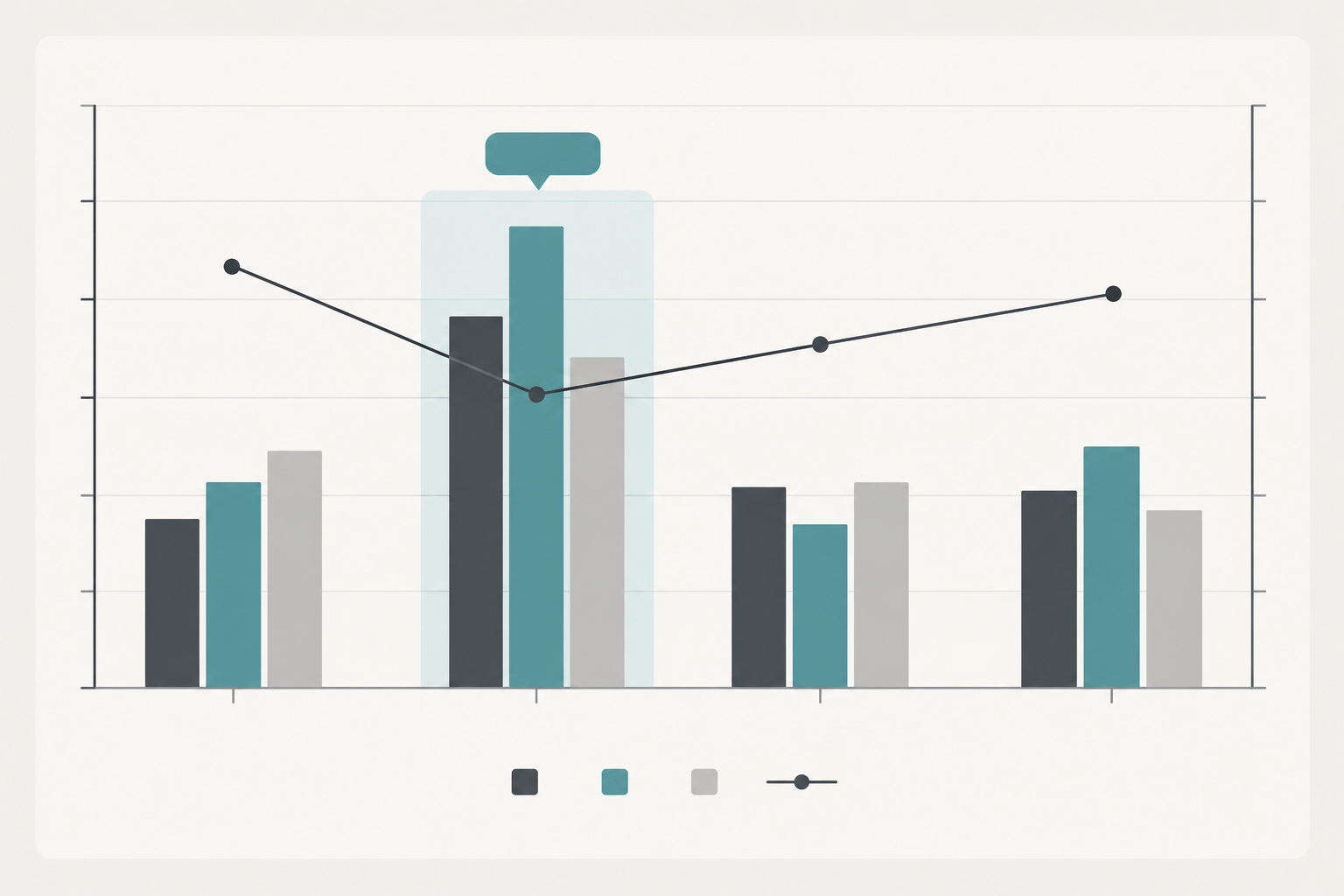
Once everything flows into one inbox and is tagged consistently, your reporting gets a lot more useful. Look at the whole team and at each product, because aggregate numbers can hide a queue that's consistently under-resourced. For each product, and in total, track first response time, resolution time, conversation volume and workload per agent. Which reports you can build will depend on your tool, so check that it can break these down by tag.
Then watch for patterns across products. Say billing confusion pops up in three brands in the same week, or logins start failing after a shared-platform update. In separate inboxes, each team would think it was a one-off. In a shared one, you can ask product, engineering and documentation to look at it together.
What to do when a number moves
Metrics only help if they lead to action. Here's a hypothetical example. Say first response time on Product B climbs from about 2 hours to 5 over two weeks. Filter by tag and time of day. If volume has spiked around one issue, fix it at the source with a help article or a saved reply. If volume is flat but replies are slow in the same afternoon slots, you likely have a coverage gap, so adjust the rota. Either way, you've turned a worrying number into a specific next step.
A few cautions:
- Look at rates, not just counts. A product with more customers will naturally get more contacts, so compare contacts per active customer where you can.
- Annotate releases, outages and policy changes so you remember why a spike happened.
- Set realistic targets per product. A B2B tool used in office hours may warrant a different target than a consumer shop during a sale.
A monthly review that takes under an hour
Block out 45 minutes. Check volume and response times by product, scan the top five tags, pick two recurring questions to fix at the source, and note any product where the queue is persistently heavy. Done.
The Cost Factor: Why Pricing Model Matters When You Add Products
Many help desk tools charge per seat, and adding products tends to mean adding people: a part-timer for the new brand, the founder who jumps in at busy times, the developer who knows the integration inside out. If each one adds a line to the bill, you end up rationing access, which is the opposite of what good team collaboration needs.
When comparing tools, look at total cost of ownership rather than the headline price. A simple formula:
Monthly cost = (agents × price per agent) + extra inboxes or workspaces + add-ons (AI, message volume, advanced reporting) + VAT
A made-up worked example
These numbers are invented purely to show the maths. They aren't real vendor prices. Say a plan costs £20 per agent per month, and your core team of 8 supports two products: that's £160. You launch a third product and bring in a part-timer, the founder and a developer, so you now need 11 seats: £220. That's £60 more a month, roughly 38% higher, for what feels like a small change. If a plan instead charges a flat rate regardless of agents, the same change costs nothing extra, though you'd still want to check its limits on conversations, channels and features.
Checking a specific vendor
If you're considering Sonny, please check the pricing page for current plan details, including whether agents and conversations are limited, which features each plan includes, the billing term, and whether prices are shown with or without VAT. I haven't quoted a figure here because plans change. Whichever tool you compare, make sure you're pricing equivalent features (shared inbox, live chat, email, tagging and reporting), not just the cheapest tier.
Practical notes for UK teams
- VAT and invoices: confirm whether quoted prices include VAT and how it appears on your invoice, especially if you reclaim it.
- Currency: many SaaS tools bill in USD, so allow for exchange-rate movement and card fees.
- Coverage hours: decide what 'open' means. If you cover UK business hours, say 9am to 5:30pm, tell customers clearly, and set an out-of-hours auto-reply that states when they'll hear back. Plan the rota around bank holidays too, since a Monday holiday can leave a busy queue waiting on Tuesday morning.
- Customers in other time zones: if you serve them, agree in advance who handles early or late contacts, even if the answer is 'we reply next working morning'.
Scaling Support as You Launch New Products
With a shared inbox, a launch is more of a checklist than a project:
- Add the new product's inbound channels (an email address and a chat widget) to your existing inbox.
- Create its product tag, saved filter and saved replies before launch day. Future you will be grateful.
- Assign an owner and a backup, and run a short internal briefing with a one-page FAQ.
- Expect a launch-week spike. Set a temporary all-hands rota with clear escalation notes.
- Review the first 30 days of tagged data to decide whether the product needs a dedicated specialist (see the worked example earlier).
Keep an eye out for signs that your model needs to change: a sustained backlog on one product, rising resolution times, or specialist burnout because one person has quietly become the answer to everything. If you spot any of those, it might be time to carve out a dedicated queue or a part-time specialist.
Getting Started: A Simple First-Week Plan
You don't need a grand migration. Here's a gentle week:
- Day 1: Audit your current tools, inboxes and brands, and list every channel customers use.
- Day 2: Set up a shared inbox with live chat and email for your first two products.
- Day 3: Define your tag structure and create product views.
- Day 4: Invite the whole team and agree on ownership, backup and escalation rules.
- Day 5: Import or write saved replies and brief the team on tone per brand.
- Days 6 to 7: Review the early data, tweak what isn't working, then add the rest of your products.
Start small, learn from the data, and let the setup grow with you. If you'd like to test it with a couple of brands first, Sonny offers a free trial. Trial length and sign-up requirements can change, so check the current terms on our site before you start.
FAQ
Should each product have its own support team?
Usually not at first. A hybrid of a shared front line and a few go-to specialists suits most small and mid-sized teams. Consider splitting when a product has a very different customer base, strict compliance needs, or enough sustained volume to keep a dedicated person busy.
How do I route tickets correctly across products?
Give each product its own entry point (a dedicated email address or chat widget) and apply a product tag. Then add what tags can't do: an assignment rule, a named backup owner and an agreed escalation point. Which parts your tool automates will vary.
Can one team support multiple products well?
Yes, with the right foundations: a shared inbox for context, internal notes so specialists can help without taking over, and documentation that keeps answers accurate. It also takes an honest view of which topics need an expert.
Will customers notice if one team handles several brands?
Only if replies feel inconsistent. Per-brand signatures, saved replies and a short tone guide keep each brand sounding like itself.
How does pricing work when I add more products and agents?
It depends on the tool. Per-seat plans usually rise with every person you add, and some vendors also charge for extra inboxes or usage. Use the cost formula above, compare equivalent features, and check current pricing, limits and VAT before deciding.