
Hidden Costs of Help Desk Software: What UK Teams Should Check Before They Buy
The price on a help desk pricing page is usually just the starting point. Per-seat charges, conversation caps, feature-gated tiers, paid onboarding and add-ons for AI or reporting can push your real help desk software cost far above the headline figure. The safest approach is to ask every vendor for a total cost at your team size and ticket volume, and to favour pricing where the billing unit, limits and exclusions are spelled out in writing.
That's the short version. Let's walk through the longer one, because spotting these costs before you sign is much easier than untangling them afterwards. ☕
A quick note on transparency: I'm part of the team at Sonny, a flat-rate help desk, so I've included it as one worked example later on. The rest of this guide is about how to test any vendor, including us. Vendor prices quoted below come from public pricing pages (linked where I use them) when this article was last reviewed. They change often, so please confirm current figures before you rely on them.
Why the sticker price rarely matches your real help desk software cost
Picture a five-person UK team, say a small e-commerce brand. They sign up for a help desk at £15 per agent per month and think, great, £75 a month. Easy to explain to the finance person.
Then reality shows up. Here's one hypothetical month-six bill, with every assumption on show (all figures ex-VAT):
| Step | What changes | Monthly cost |
|---|---|---|
| Budget | 5 agents × £15 | £75 |
| Add a sixth seat | The founder starts answering tricky tickets: 6 × £15 | £90 |
| Tier upgrade | Live chat and reporting sit on the next plan, assumed at £28 per agent: 6 × £28 | £168 |
| AI add-on | Assumed at £8 per agent: 6 × £8 | £48 |
| Month-six bill | £216 |
That's just under three times the original budget, and nobody can quite say when it happened. The prices are invented to show the shape of the problem, not to represent any specific vendor. But versions of this story are common.
So why does it happen? Headline pricing is built around the smallest use case: one agent, modest volume, basic features. Your real team doesn't look like that. A quote may price only the base agent seat, while automation, reporting, integrations, AI, extra channels and data retention can be limited to higher tiers or sold separately. You can see that pattern on the public pricing pages of well-known vendors such as Zendesk and Freshdesk.
UK buyers get two extra wrinkles. First, many vendors quote in US dollars, so you're dealing with currency conversion and a few percent of exchange-rate wobble. Second, prices are often shown excluding VAT. If you're VAT-registered, you can usually reclaim VAT on business software, so for you it affects cash flow more than the final cost. If you aren't registered, or you're a charity or similar organisation, it may be a real 20% on top. Either way, ask each vendor whether the quote includes VAT, and compare every option on the same basis.
The wider picture isn't rosy either. Zylo's 2024 SaaS Management Index (available from Zylo) put average SaaS spend at $4,830 per employee and estimated 14% of it was wasted. That's a broad benchmark rather than a help desk figure, but it shows how easily unused licences and redundant add-ons pile up.
Here's where we're headed: the five biggest red flags, how to compare quotes properly, the questions worth asking every vendor, and what transparent pricing looks like.
Red flag 1: Seat creep and light-user costs
Per-agent billing sounds fair in theory: you pay for the people who use it. In practice, it can quietly punish you for being collaborative.
Here's where seat creep tends to bite:
- The occasional helper. Think of a developer who answers one bug report a week, a founder who steps in on VIP customers, or a part-timer covering Fridays. Many vendors count anyone who can reply as a full seat.
- The light-user question. Some vendors do offer cheaper roles. Zendesk documents a Light Agent role with limited ticket access, and Atlassian separates paid agents from customers who simply submit requests. But what's included, capped or charged varies by plan and contract, so ask for it in writing.
- Shared logins. When seats are expensive, teams start sharing one login between three people. It saves money until you can't tell who said what to a customer, or someone leaves and still knows the password. That's a security and accountability headache.
- Seasonal peaks. Black Friday, a product launch, a Christmas rush. You need extra hands for six weeks, but you dread paying for extra seats (and possibly being stuck with them until renewal).
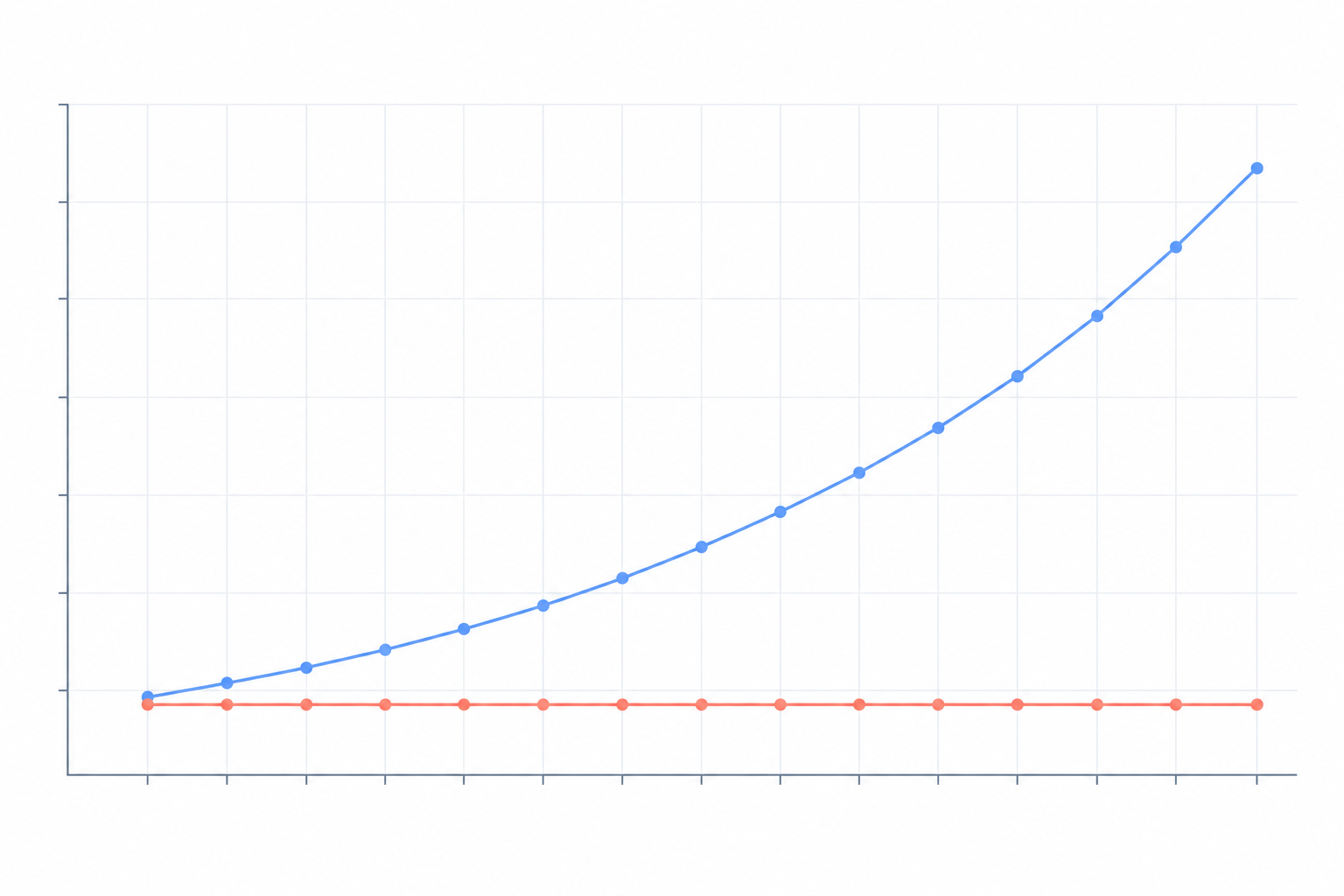
To see how this scales, here's a simple, illustrative comparison. The per-seat column uses a hypothetical £15 per agent per month. The flat-rate column uses Sonny's advertised price of $19.99 a month, converted at roughly £0.80 to the dollar. All figures are monthly, shown before any VAT, and compare headline price only, not features.
| Team size | Hypothetical per-seat at £15/agent | Flat-rate plan (Sonny's advertised price, approx.) |
|---|---|---|
| 3 agents | £45 | ~£16 |
| 6 agents | £90 | ~£16 |
| 10 agents | £150 | ~£16 |
The per-seat column would also grow with any higher tiers or add-ons you needed, so treat the gap as a pattern, not a prediction.
The real benefit of not counting seats is cultural. When adding a teammate costs nothing extra, support can stop being one person's job and become something everyone can pitch in on, with a shared inbox, internal notes and tags. That's hard to put a price on when every new login adds to the bill.
Before signing anywhere, ask for a role-by-role price list covering full agents, light users, admins and requesters. Also ask whether seats are counted by named account or by activity, and whether removing someone takes effect immediately or only at renewal.
Red flag 2: Conversation and usage caps
Seats are only half the story. The second line on your bill might be how much your customers talk to you.
Vendors define their units differently, and it matters. Tickets, conversations, sessions or resolutions can each be the billable unit. Does a reopened case count twice? What about a bot handoff, a duplicate contact or a test message from your own team? And are the caps per account, or per channel and workspace? Do unused allowances roll over?
Then there are overage fees. Usage-based charges can sit on top of per-seat subscriptions, so your invoice can change even when your headcount doesn't. One published example: Intercom lists its Fin AI Agent at $0.99 per resolution, separately from its per-seat plans. At that rate, 1,000 billable resolutions would be $990 in usage charges for the month, before any seat fees. That's simple arithmetic, not a quote, and rates and billing terms change, so confirm them with the vendor.
The bigger problem is emotional as much as financial. Usage-based billing makes budgeting unpredictable, and it can quietly discourage the open, friendly support you actually want. Imagine a founder whose ads are finally working. Orders are climbing, and instead of celebrating, they're doing mental sums about what the extra support conversations will add to the bill. (That's a composite of conversations I've had, not a single named customer.) It's a strange place to be when the business is doing well.
Questions to ask:
- What counts as a billable conversation, and where is that defined in the contract?
- What happens when I go over: a hard stop, an overage rate or a surprise invoice?
- Can I set spend limits and get alerts before I cross a threshold?
- What would my bill look like in a busy month, such as an outage or a launch?
Stress-test with your real history. Take your busiest month from the last year and run it through the vendor's pricing, not your average one.
Red flag 3: Feature-gated tiers and extra feature costs
This one is sneaky because the plan looks perfectly reasonable. 'Starter' sounds fine for a small team. Then on day two you need tagging, or a live chat widget, or a report on response times, and discover it lives on the plan above.
Watch for a few things. Basics like internal notes, filtering, tagging, a live chat widget and reporting are sometimes held back for higher plans. The 'good enough' plan may be missing the one feature your workflow depends on. And higher tiers often come with minimum seat counts, which compounds seat creep. A plan that needs five seats minimum is a very different proposition for a three-person team.
The fix is to write a must-have feature checklist before you open any pricing pages. Otherwise the pricing page decides what you need, rather than the other way round.
A sensible starting checklist for any shared inbox:
- Live chat widget for your site
- Email ticketing (forwarding support emails into tickets)
- Internal notes for team collaboration
- Tagging and filtering
- Reporting on response times and team performance
These shouldn't be luxuries, but on many plans some of them are. Check which tier includes each one, and don't assume.
Red flag 4: Paid onboarding, training and migration costs
Some of the biggest costs never appear on a pricing page. They show up at the quote stage: setup fees, a mandatory onboarding call package, premium support tiers, a consultant to configure workflows.
There's also the time cost, which is easy to forget because it doesn't show on an invoice. If configuring a tool takes weeks, that's weeks of someone's salary spent on admin. The same goes for data migration and custom integrations, which can mean extra fees or extra hours of your own team's time. A proper total-cost comparison should include implementation, training, internal administration and premium support, not just the monthly licence.
This is why simple software can be a genuine cost saver, not just a convenience. If you can be up and running in an afternoon without a kickoff call, you've dodged an entire category of cost. So during any trial, time yourself: how long does it take to forward your support email, add the chat widget and invite a colleague?
Red flag 5: Add-ons for AI, automation and reporting
AI is where a lot of bills are quietly growing at the moment. It can be genuinely useful, but how it's priced varies hugely.
Here's what to look for:
- Per-seat AI add-ons. Freshworks has listed its Freddy AI Copilot at $29 per agent per month when billed annually. For a 10-agent team, that would be an extra $290 a month before the core subscription. Check the current price, plan and billing term.
- Per-resolution AI. As above, Intercom's Fin AI Agent is listed at $0.99 per resolution. It's easy to start small and watch the bill climb as volume and adoption grow.
- Reporting as an upgrade. A low entry price may not include advanced reports, custom dashboards, data exports or historical reporting. Check that response-time and team-performance reports are in the plan you're actually buying.
- Automation limits. Ask what counts as an 'automation run' and how retries and escalations are treated.
Two questions to settle before you commit: Are the AI features optional? and What is the billable event, in writing? You should only pay for AI if you genuinely want it.
How to compare help desk software quotes fairly
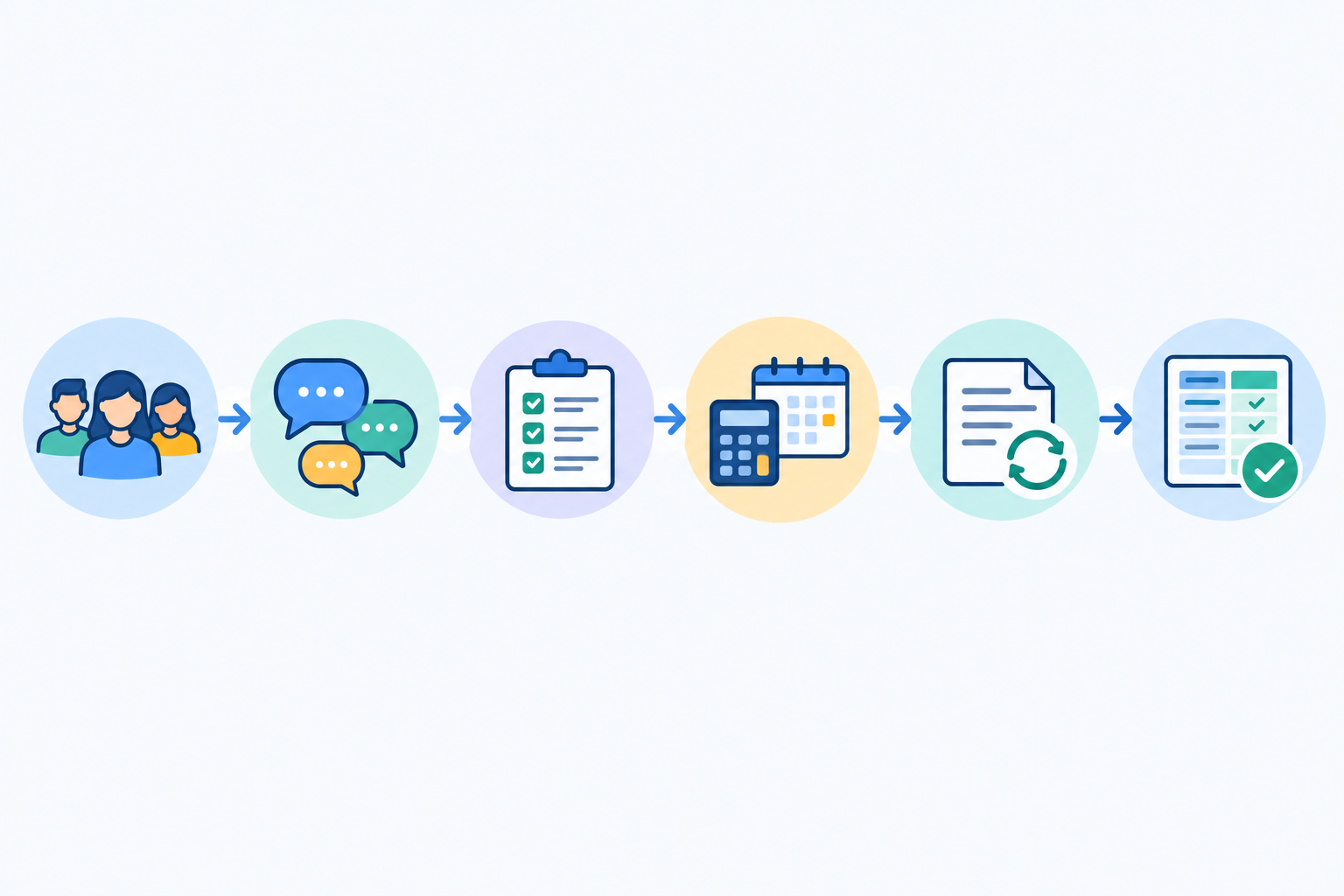
Once you've got two or three vendors on your shortlist, resist the urge to compare pricing pages. Headline prices rarely represent equivalent packages. Here's a process that keeps you honest:
- Write down your team size today and in 12 months. Include part-timers, founders and occasional helpers, not just the people with 'support' in their job title.
- Estimate monthly conversation volume, including your busiest month.
- List your must-have features and check which tier includes each one.
- Ask each vendor for a total annual cost in GBP, with add-ons and onboarding included. Ask them to itemise recurring, one-off and optional charges, and to state whether VAT is included.
- Ask about contract terms: renewal pricing, minimum seat commitments, annual prepayment, auto-renewal and cancellation rules.
- Put everything on one comparison sheet, using the same assumptions and the same tax basis for every vendor, so you're comparing like with like.
Here's a tidy, entirely hypothetical example. Imagine a team of eight agents handling around 1,000 conversations a month, with half resolved by AI. All figures are in GBP, ex-VAT, for the first 12 months.
| Per-agent model | Usage-based model | Flat-rate plan (Sonny's advertised price) | |
|---|---|---|---|
| Seats | 8 × £25 × 12 = £2,400 | 8 × £15 × 12 = £1,440 | ~£192 ($19.99 × 12, converted at ~£0.80), unlimited agents |
| AI | £160/month add-on = £1,920 | 500 resolutions × ~£0.78 × 12 = £4,680 | Not assumed: confirm what AI is included or charged for |
| Onboarding | £500 one-off | £0 | £0 advertised |
| Year-one total (ex-VAT) | £4,820 | £6,120 | ~£192 plus any AI cost |
| Invoice total if 20% VAT is charged | £5,784 | £7,344 | Confirm at checkout |
The first two columns are made up to show the shape of the problem, and don't represent any specific vendor. The flat-rate column shows an advertised price, so its AI line is deliberately left open rather than flattering the result. The point is that the AI and one-off lines often decide the winner, and you'd never see them on a pricing page. If you can reclaim VAT, compare the ex-VAT rows. If you can't, compare the invoice row.
It's also worth asking for a three-year view if you can. Renewal increases are where a good first-year price can turn sour.
Questions to ask every help desk vendor before you buy
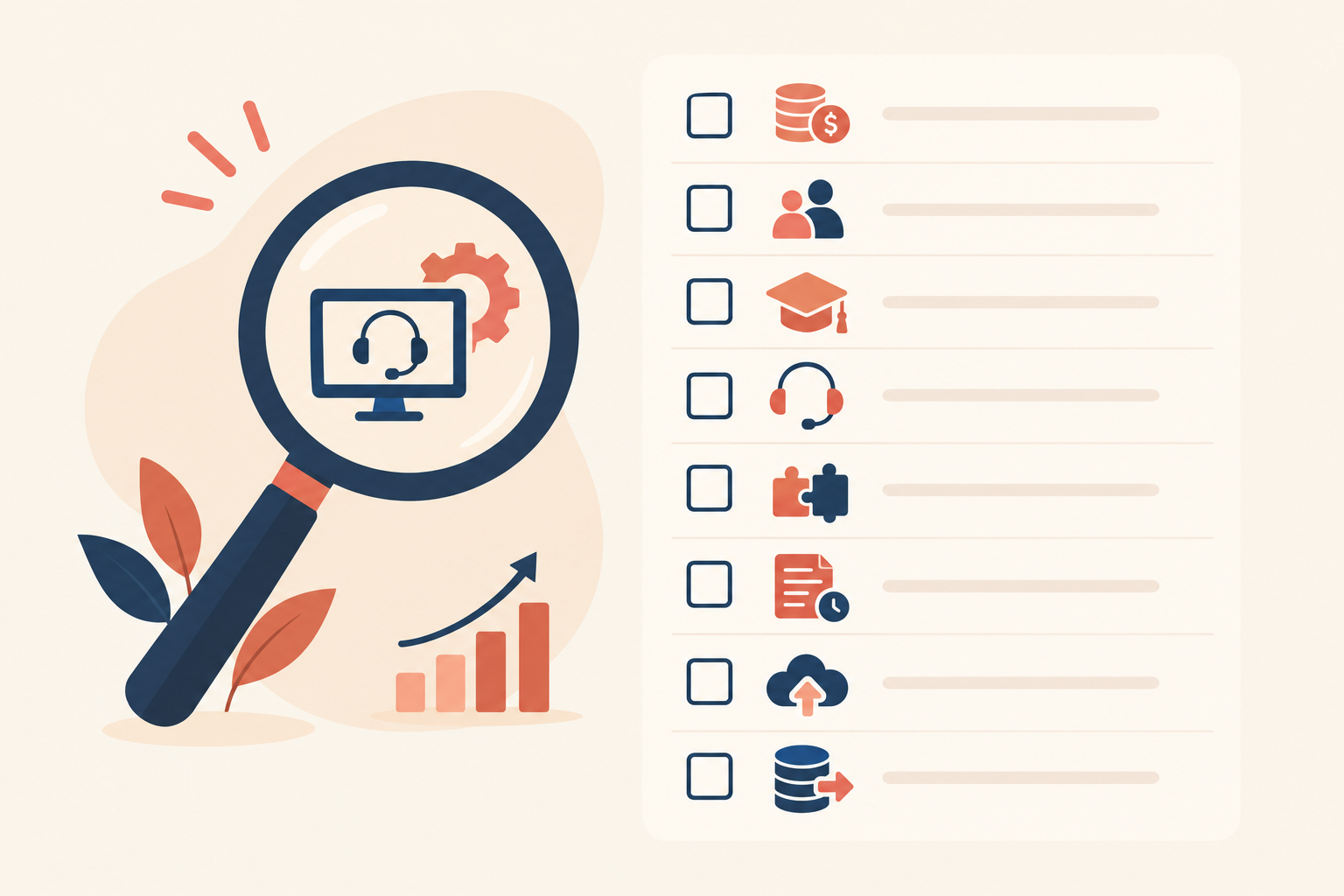
Print this list, paste it into an email, or keep it open on a call. Think of it as a quick lie detector for pricing pages.
- What fees do you not advertise on the pricing page?
- Do I pay for light users, observers or part-time agents?
- What counts as a billable conversation, and what happens if I exceed it?
- Which features sit behind higher tiers?
- Are onboarding, training, migration or priority support charged separately?
- How much will the price rise at renewal?
- What is your uptime commitment, and is it backed by an SLA?
- Can I try it properly before entering card details?
If a vendor gets cagey on any of these, that tells you something. Good answers are short and specific. Vague answers usually mean there's a catch in the small print.
What transparent help desk pricing looks like
So what's the alternative? Transparent pricing is simple to describe: one clear price, published openly, with no per-seat or per-conversation surprises. The billing unit, term, minimums and exclusions are obvious before you talk to anyone.
Here's how the three common models compare in general terms:
| Per-agent pricing | Usage-based pricing | Flat-rate pricing | |
|---|---|---|---|
| Predictability | Medium: changes whenever headcount does | Low: varies with volume | High, if the plan has no usage limits or paid extras |
| Scalability | Cost rises with each hire | Cost rises with each conversation | Cost can stay put as you grow, within the plan's terms |
| Light-user cost | Often a full seat | Depends on seat model | Usually no extra seat cost, but check |
| Budgeting ease | Moderate | Hard | Easier, though tax, currency and billing term still apply |
| Surprise fees | Add-ons, tier upgrades | Overages, AI resolutions | Possible if there are exclusions, so read the terms |
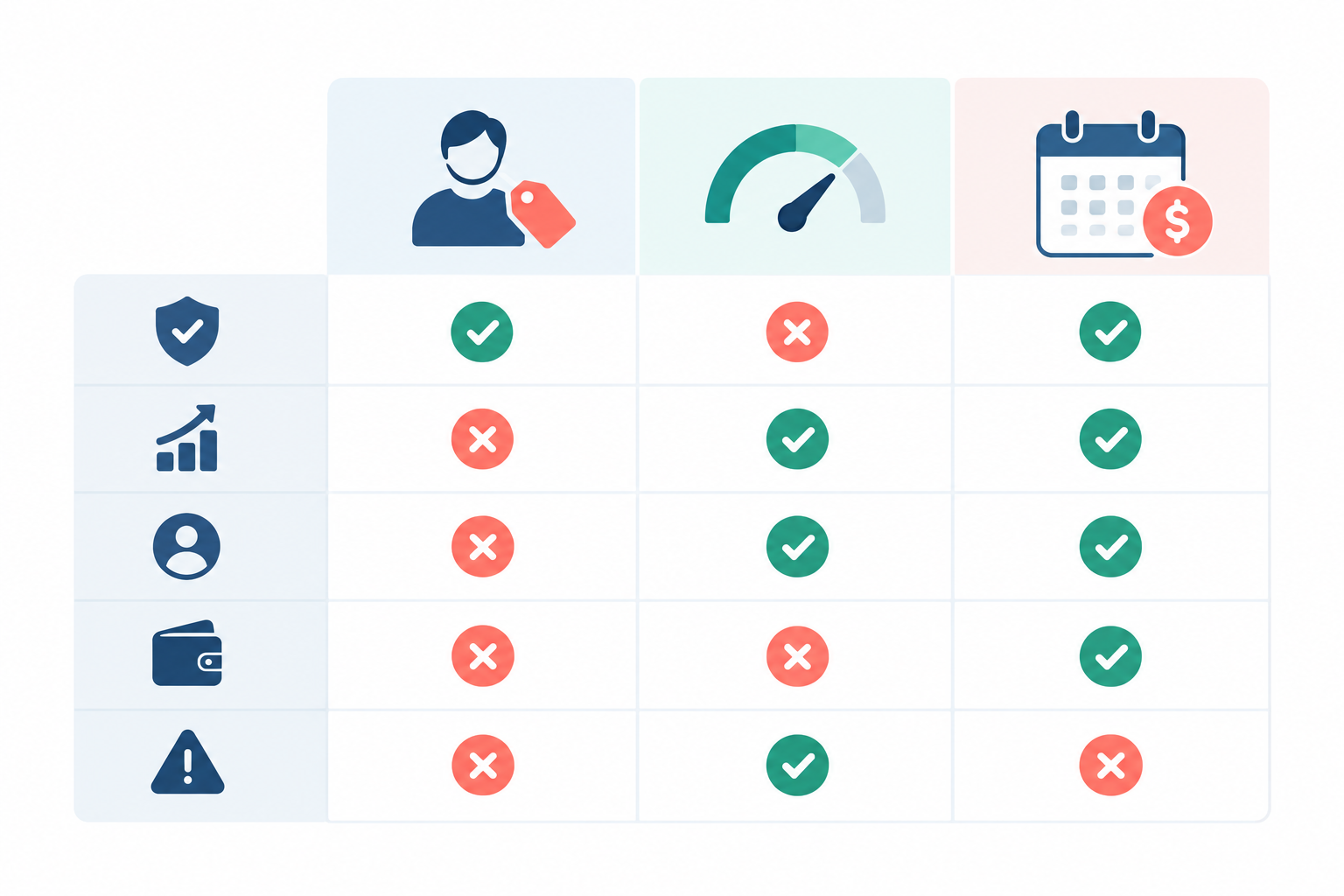
A word of caution: 'flat rate' isn't a regulated term, and a plan's name doesn't tell you what's in it. A genuine flat rate should spell out that it includes:
- Unlimited agents
- Unlimited conversations
- A live chat widget
- Email ticketing in a shared inbox
- Internal notes
- Tagging and filtering
- Reporting on response times and team performance
Sonny is one worked example, and I'd encourage you to check its terms as carefully as anyone else's. According to Sonny's own pricing page, it's one plan at $19.99 a month (roughly £16, depending on the exchange rate, and before any VAT that applies) for the whole team. That covers unlimited agents and unlimited conversations, a 99.9% uptime SLA, an optional AI copilot trained on your company docs, and native apps for iPhone, Mac and Android alongside browser access.
Being honest about the trade-offs
Flat-rate pricing isn't magic, and I'd rather tell you where it doesn't fit. A solo founder with a handful of conversations a month might do fine on a free or entry-level plan elsewhere. Very large enterprises with strict compliance requirements or complex, multi-layered workflows may need a heavyweight platform with custom contracts. Flat-rate pricing tends to suit small to mid-sized SaaS companies, e-commerce brands and software teams who want help desk software that's simple and open to the whole team.
Your next step: run a real-world help desk cost check
Let's recap the red flags: seat creep, usage caps, feature-gated tiers, paid onboarding, and AI or reporting add-ons. None of them is a scandal on its own. Together, they're how a £75 budget becomes a £216 reality.
Your next step is pleasantly practical. Take the comparison steps and question list above, pick two or three tools, and test them during their free trials with real conversations from your real team, including the part-timer and the founder. Then put the actual numbers side by side on one sheet, on the same VAT and currency basis, and verify the limits, exclusions and renewal terms in each contract.
If you'd like to include Sonny in that shortlist, its 7-day free trial needs no credit card, so you can set up the live chat widget, forward your support email and see how it feels. 💙
FAQ
What fees do help desk vendors not advertise?
The most common are extra seats for occasional users, overage charges, paid onboarding or migration, premium support, and add-ons for AI or advanced reporting. Also check whether a quote includes VAT and which currency it's in.
Do I pay for light users who only reply occasionally?
Often, yes, because anyone who can reply may count as a full seat. Some vendors offer a cheaper limited role, and some flat-rate plans don't charge per seat at all, but it depends on the plan's stated terms. Get the answer in writing before you sign.
How do I compare help desk software quotes fairly?
Use the six-step process above. In short, give every vendor the same team size, volume, feature list and tax basis, then compare annual totals on one sheet.
What is included in a flat-rate help desk plan?
It varies by vendor, so check the plan page rather than the label. Use the checklist in the flat-rate section to see whether agents, conversations, live chat, email ticketing and reporting are all genuinely covered.
Is flat-rate pricing always cheaper?
Not always. A solo user with very low volume may pay less on a free or entry-level plan. For growing teams or unpredictable ticket volume, flat-rate pricing can be easier to budget for, but compare the full annual cost rather than assuming.