

Per-agent help desk pricing looks cheap when it's just you or one other person. Then the bill climbs with every teammate you add, and the features you actually need often sit in a pricier tier. A flat-rate plan like Sonny's $19.99/month with unlimited agents and unlimited conversations usually becomes the cheaper option once your team passes about two seats. I'll give you a worksheet below so you can check that against your own numbers instead of taking my word for it. ☕
Why help desk pricing feels confusing (and what teams often miss)
Picture a founder, let's call her Priya, who runs a small e-commerce brand. She signs up for a help desk at £15 a seat, which feels very reasonable. Three months later there are four of them answering customers: Priya, a support hire, an ops person who handles delivery queries, and a developer who jumps in for bug reports. Then she needs reporting and automation rules, which turn out to live on the next tier up. The invoice is now several times what she expected, and she's not sure how that happened.
I hear some version of this story all the time. The headline price is rarely the price you actually pay. Seats multiply, tiers shift, and add-ons for live chat or AI quietly stack up.
So here's what we'll do. By the end of this guide you'll have a simple worksheet that compares total cost, not just sticker prices, across different team sizes. I'll be honest about where per-seat plans win, because they do in some situations, and about where a flat monthly rate pulls ahead.
One housekeeping note for UK readers: prices here are shown in USD, as vendors list them. Factor in currency conversion, and check whether quoted prices include VAT. Many US-based vendors list prices ex-tax, so 20% VAT can land on top.
Common help desk pricing structures, explained simply
Most help desk software uses one of four pricing models. Once you know which one you're looking at, every pricing page gets easier to read.
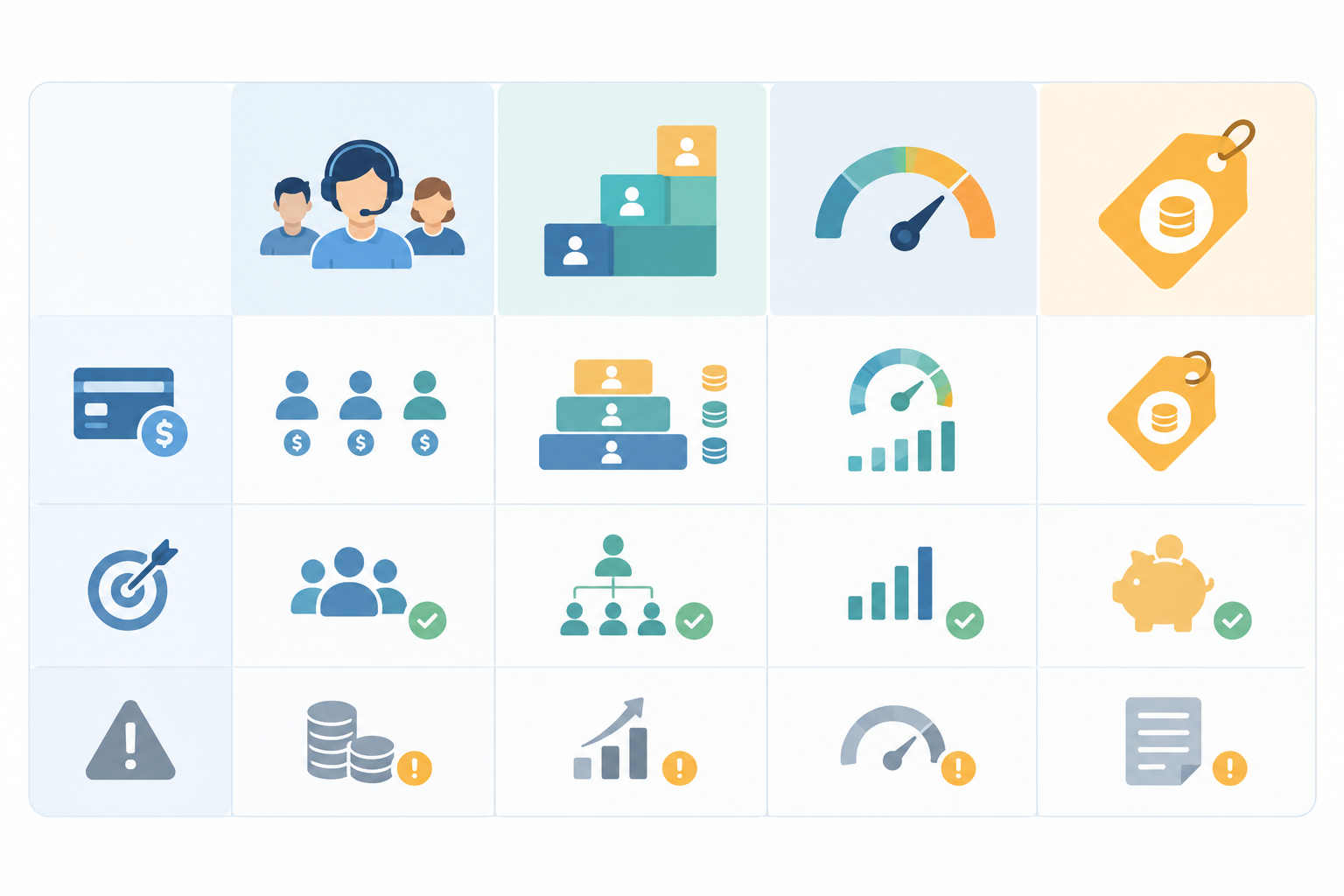
| Model | How you pay | Pros | Cons | Best fit |
|---|---|---|---|---|
| Per-agent (per-seat) | A fixed price for each person who logs in and replies | Predictable if your team is stable; cheap to start | Cost scales with every hire; occasional helpers usually need a seat | Solo founders and teams of one or two |
| Tiered per-agent | Price per seat rises as you unlock automation, reporting, SLAs | You only pay for what you need, in theory | The upgrade applies to every seat; the useful features are often a tier or two up | Teams with simple needs that won't change |
| Usage-based | Charges by ticket volume, resolutions, or AI interactions | Can be low in quiet months | Hard to forecast; busy seasons can spike the bill | Teams with steady, predictable volume |
| Flat-rate | One monthly price regardless of team size or conversation volume | Easy budgeting; whole team can join | You need to check what's included and any limits | Growing teams and anyone tired of counting seats |
Some vendors blend these models. Intercom, for example, describes pricing that can combine seats with usage-based charges, and Gorgias ties its plans partly to ticket volume. Zendesk and Freshdesk publish agent-based plans with several tiers. With any of them, you end up forecasting both your headcount and your workload.
What is typical help desk pricing?
As a rough guide, entry-level per-agent plans tend to run about $15 to $30 per agent per month. Mid and advanced tiers commonly climb to $50 to $100 or more per agent. Freshdesk's Growth plan has been listed at $15 per agent per month on annual billing, and Zoho Desk's Standard plan at $14 per user per month. Treat those as reference points only. Vendors change their prices and packaging often, so check each current pricing page.
Hidden help desk costs and extras to watch for
- Annual-only discounts. The price on the page may require a 12-month commitment.
- Live chat fees. It's sometimes a separate product or sits in a higher tier.
- AI charges. Some tools bill extra per resolution or per AI interaction.
- Minimum seat commitments. You may be asked to buy a block of seats even if you only need a few.
- Overages. These kick in when you pass contact, ticket, or automation limits.
How to count your real help desk users
The most common budgeting mistake I see is undercounting. Teams price the two people who do support all day and forget everyone else who touches a customer conversation. Let's fix that.
- List everyone who might touch a customer conversation. That means more than the support team: founders, developers, sales, ops, and whoever handles billing questions.
- Separate full-time agents from occasional helpers. Some people live in the inbox. Others jump in a few times a month for a bug, a refund, or a tricky account question. Put them in two columns.
- Plan 6 to 12 months ahead. Include seasonal hires, contractors, and the growth you're realistically expecting. A Black Friday temp is still a seat on most plans.
- Note your inboxes, channels, and integrations. If you need separate inboxes for support and sales, or live chat alongside email, write that down now, because it affects which tier you need.
Do occasional users count as help desk agents?
On most per-seat plans, yes. Anyone who needs a login to reply to customers generally needs a paid seat. Some vendors offer cheaper light-agent or collaborator roles, but those usually limit what the person can do. With unlimited agents, as on Sonny, the question goes away. Your developer can reply to a bug report without anyone approving a new line on the invoice.
💡 A gentle tip: if you undercount, people start sharing logins to save money. It's tempting, but it makes your reporting messy (who actually replied?) and creates real security risks. Better to count honestly now.
Help desk pricing worksheet: compare the total cost
Here's the formula the rest of this guide leans on:
(seats × price per seat × 12) + add-ons + AI or usage charges = annual cost
It looks simple, and that's the point. The trick is feeding it honest inputs.
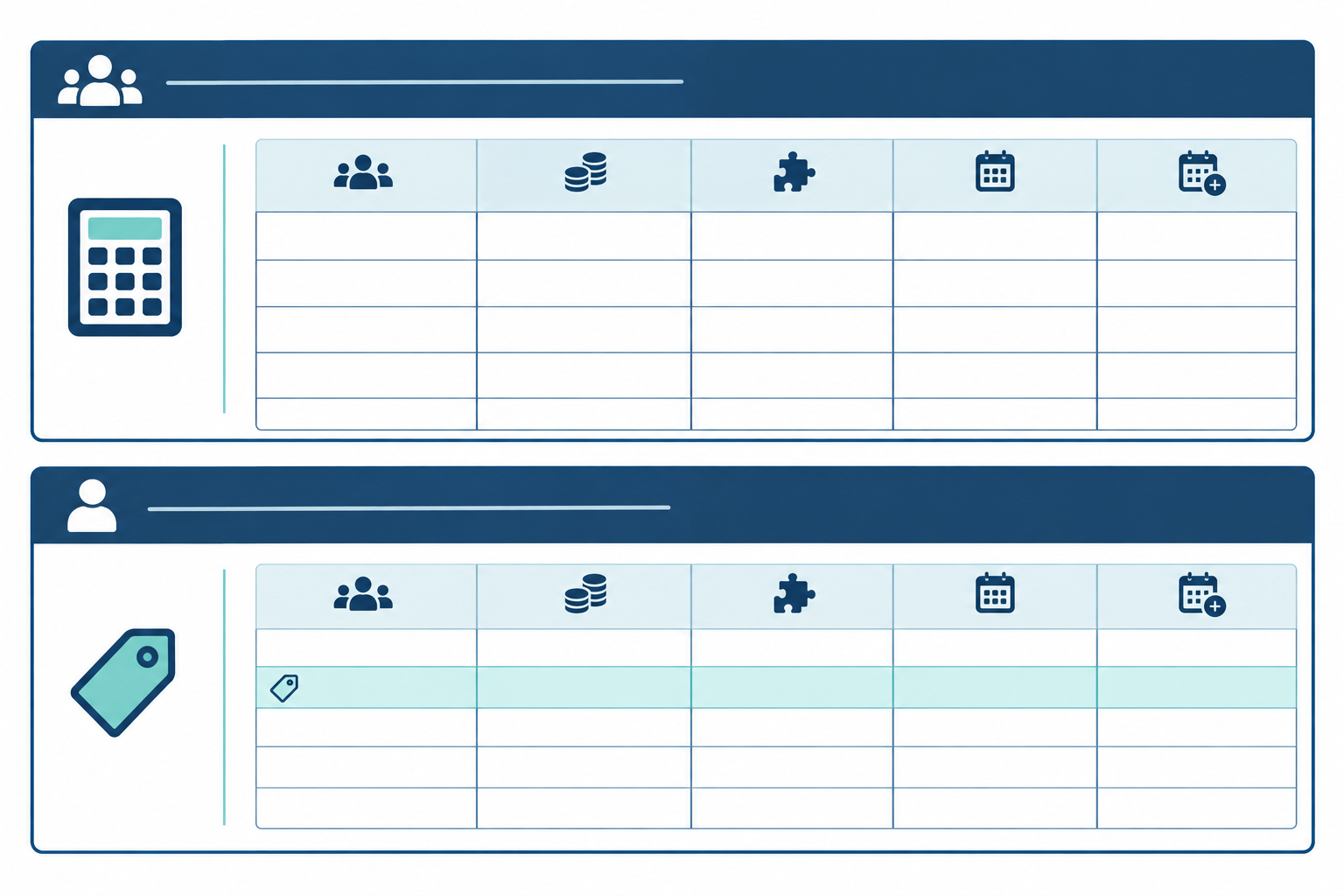
Copy-and-paste help desk pricing worksheet
Make one column per vendor you're considering.
| Vendor A | Vendor B | Vendor C | |
|---|---|---|---|
| Team size (seats needed, now) | |||
| Team size in 12 months | |||
| Tier needed (the one with your must-have features) | |||
| Price per seat per month | |||
| Add-ons (live chat, extra inboxes, AI) | |||
| Usage charges or overages (estimate) | |||
| VAT or currency adjustment | |||
| Monthly total | |||
| Annual total (monthly × 12) |
How to compare help desk costs fairly
- Start with today's seat count, then do a second pass with your 12-month number.
- Price the tier you actually need. If you need reporting, automation, or multiple inboxes, enter the tier that includes them, not the cheapest one on the page. This step is what keeps the comparison honest.
- Add the extras: live chat, AI, extra inboxes, and any usage charges you expect.
- Check the billing basics. Is the price monthly or annual-only? Does it include VAT? Is it billed in USD?
- Compare against the flat-rate line. For Sonny, that's $19.99 × 12 = $239.88 per year for the whole team, however many people you invite.
There's also a quick break-even shortcut: divide the flat monthly fee by the per-agent monthly price. At $15 a seat, $19.99 ÷ $15 is about 1.3, so from two seats onward the flat rate costs less on base subscription price alone. At a $9 seat price, the answer is about 2.2, so you'd break even at three. Recalculate with the full bill, since add-ons and higher tiers move the result.
Help desk pricing by team size: where flat-rate plans win
Let's run the numbers. These per-seat prices are illustrative, not live quotes. I've used $15 per seat per month as an entry tier, in line with the historically published entry plans mentioned earlier. I've used $55 per seat as a mid tier, roughly what many vendors charge for plans with automation and richer reporting. Please verify current vendor pricing before you decide.
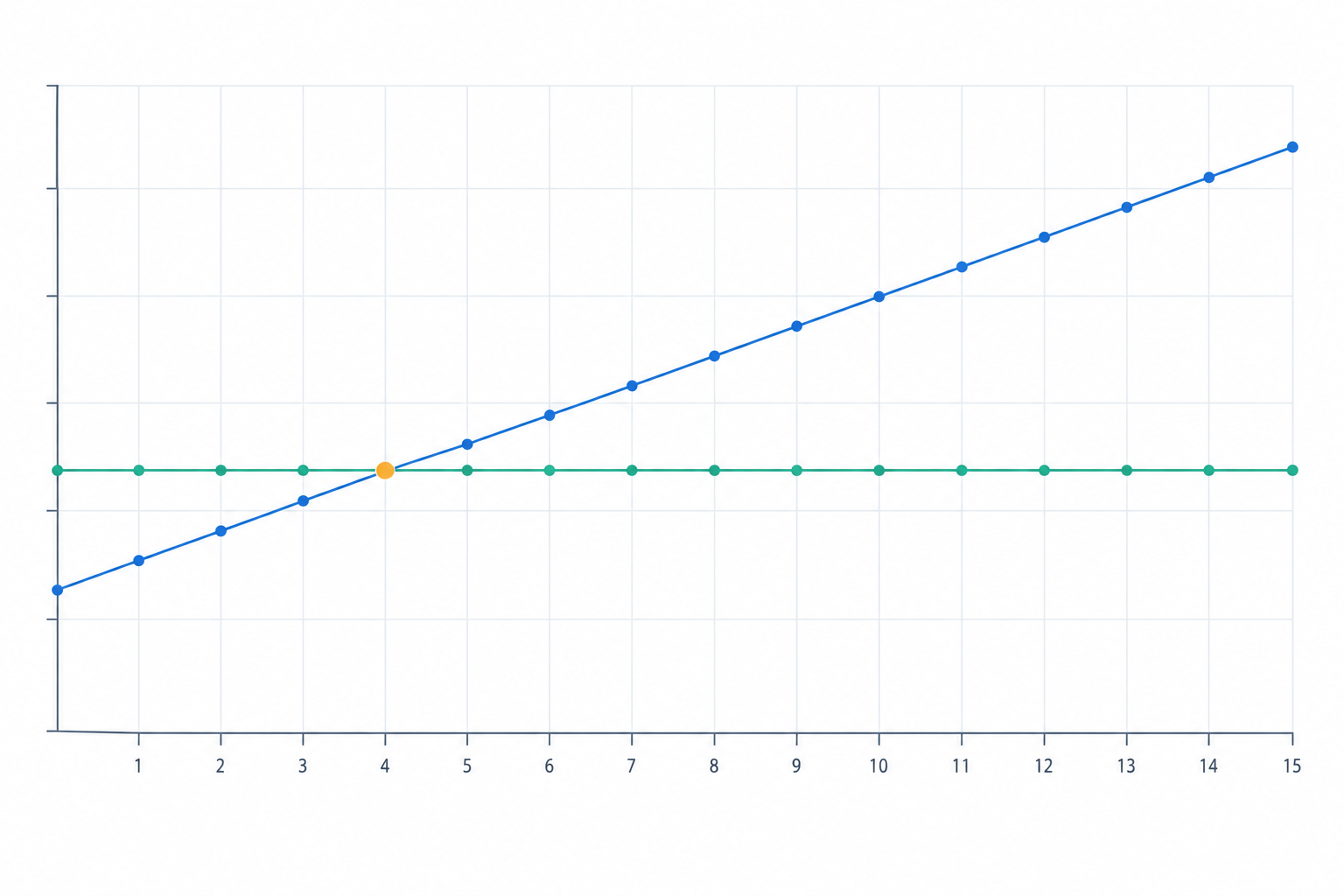
| Scenario | Entry tier ($15/seat) | Mid tier ($55/seat) | Sonny flat-rate |
|---|---|---|---|
| Solo founder (1 seat) | $15/mo, $180/yr | $55/mo, $660/yr | $19.99/mo, $239.88/yr |
| Two-person team | $30/mo, $360/yr | $110/mo, $1,320/yr | $19.99/mo, $239.88/yr |
| Growing team of 5 | $75/mo, $900/yr | $275/mo, $3,300/yr | $19.99/mo, $239.88/yr |
| Team of 12 | $180/mo, $2,160/yr | $660/mo, $7,920/yr | $19.99/mo, $239.88/yr |
Scenario 1: solo founder or a two-person team
I'll be straight with you: if it's just you and you only need the basics, a $15 per-seat plan or a free tier can genuinely be cheaper. At one seat you'd save around $60 a year. Once there are two of you, even the entry tier costs $30 a month against $19.99, and the flat rate has already pulled ahead. If you expect to hire soon, price for where you'll be, not where you are today.
Scenario 2: a growing team of 5
Think of an e-commerce brand with a support lead, a part-timer, an ops person, a developer, and a founder who helps out on busy days. At entry-tier pricing that's $75 a month, or $900 a year, which is already almost four times the flat rate. If they need the mid tier for automation and reporting, it becomes $275 a month, or $3,300 a year. Compared with $239.88, that's a gap of roughly $3,060 a year.
Scenario 3: a team of 12 or more
Now add developers and sales people who join conversations. At 12 seats, the entry tier costs $2,160 a year and the mid tier $7,920, against $239.88 flat. The gap grows with every seat while the flat rate stays put. This is where per-agent pricing gets painful for teams watching their budget.
When does a flat-rate help desk break even?
With entry plans in the $14 to $15 range, a $19.99 flat rate breaks even at about 1.3 seats, so it wins from seat two. With a cheaper $9 seat it's seat three. Either way, it happens early.
What flat-rate help desk pricing won't solve
A low price doesn't fix everything. If you need enterprise compliance certifications, deep custom workflows, or a big suite with built-in telephony and complex routing, a larger platform may suit you better, and its price may be justified. And whichever flat-rate vendor you're considering, check what 'unlimited' actually covers. Some plans cap channels, automation, or storage even when seats are unlimited.
How higher-tier help desk features change your real cost
This is the part that surprises people most. The same team can end up paying two to four times more once they need features that live in a higher tier, because the upgrade applies to every seat, not just the person who needs the feature.
Here's a quick example. Say a plan's next tier costs $20 more per agent per month, and 20 agents need the gated feature. That's an extra $400 a month, or $4,800 a year, before taxes and add-ons. Our five-person team above jumps from $75 to $275 a month when it moves from an entry to a mid tier. That's more than three and a half times the cost, for the same people.
Help desk features commonly gated behind higher tiers
- Reporting and response-time analytics. Basic stats may be included, but custom reports often aren't.
- Automation and rules. You may face limits on how many rules you can run, or no access at all.
- Multiple inboxes or departments. These come in handy once sales and support need separate queues.
- SLAs. Service-level management is frequently a higher-tier feature.
- Live chat. Sometimes it's a separate add-on, sometimes a higher tier.
- AI assistants. They may cost an extra monthly fee or be billed per resolution.
- Priority support. This is often reserved for the top plans.
Freshdesk and Zoho Desk both show this. They publish tiered plan comparisons rather than one uniform feature set, so the price you see first rarely reflects the tier most teams end up needing.
Questions to ask every help desk vendor
- Is live chat included on the plan I'm pricing, or is it an add-on?
- Are response-time and team reports on the base plan?
- Is AI an extra per-resolution or per-seat charge?
- Does upgrading a tier apply to every seat?
- Is the price I'm seeing monthly or annual-only?
- Are there limits on tickets, contacts, or channels that trigger overages?
If a cheap per-seat plan only becomes usable at the tier that includes your must-have features, that tier is your real price. Put it in the worksheet.
Flat-rate help desk pricing in practice: what you get with Sonny
Since I work on Sonny, I'll tell you plainly how it works, and where it fits and doesn't.
The model is simple: $19.99 a month, unlimited agents, unlimited conversations, no seat counting and no surprise tiers. Everything lives in one shared inbox:
- A live chat widget for your website
- Email ticketing, with email-to-ticket forwarding from your support address
- Internal notes, so your team can discuss a conversation without the customer seeing it
- Tagging and filtering to keep things organised
- Reporting on response times and team performance
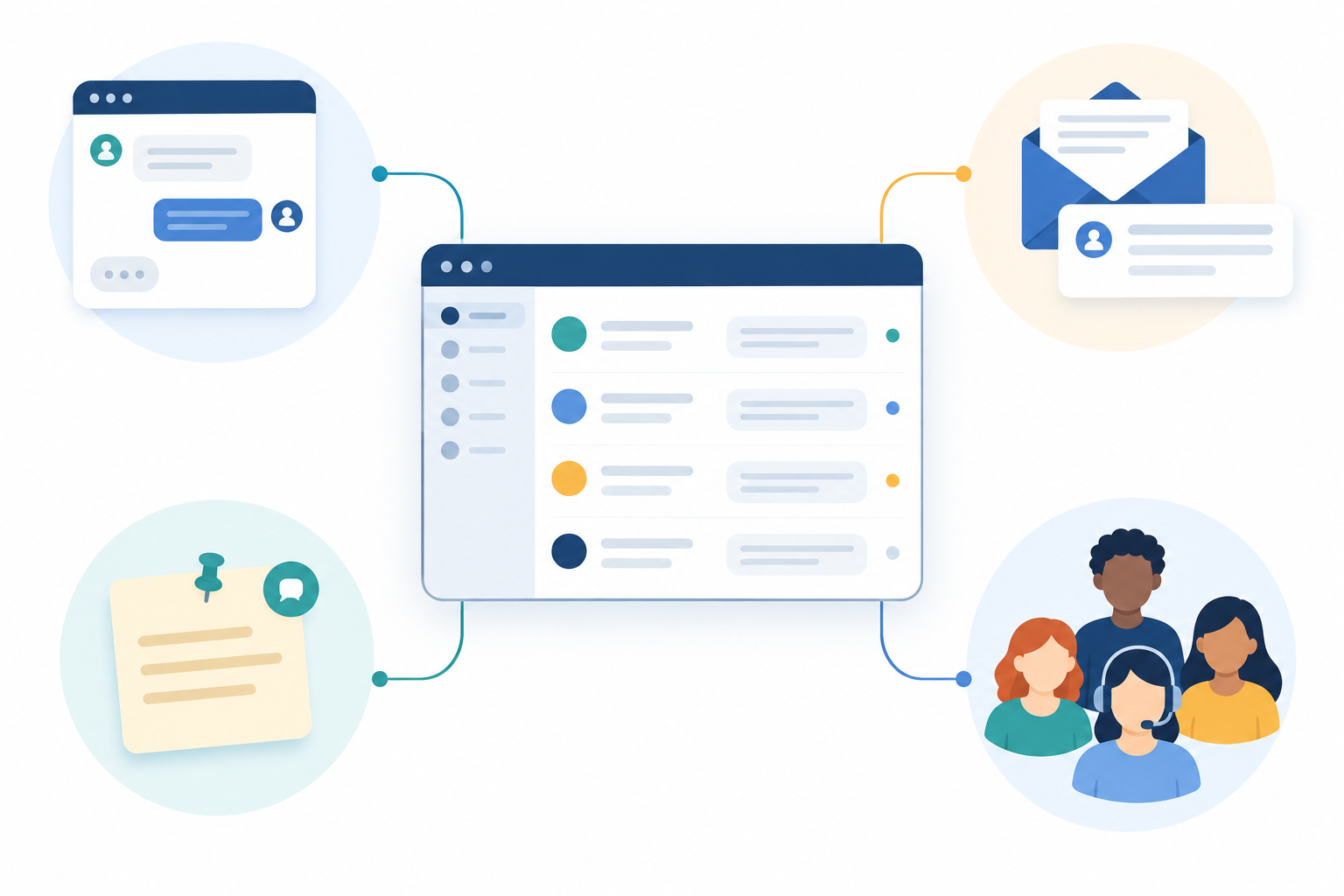
What I like most is how it helps a team work together. You can invite developers, founders, and part-time helpers without a budget conversation. When a customer reports a bug, the developer can answer directly instead of the support lead copying and pasting from Slack.
Setup takes under 5 minutes with no onboarding calls, and there are native apps for iPhone, Mac, and Android alongside browser access. There's a 99.9% uptime SLA, plus an optional AI-powered copilot trained on your company docs if you want some help drafting replies.
Shopstar, CleanMyList, LeadToSheet, BabaBloom, Otter, and Scribe use Sonny. The feedback we hear most is about simplicity, and about the relief of affordable access for the whole team.
Who Sonny is best for (and who it isn't)
Sonny suits small and mid-sized SaaS and e-commerce teams who want a simple, affordable help desk without a lot of ceremony. If you need heavyweight enterprise features, such as complex compliance requirements or extensive custom workflows across many departments, a larger suite may serve you better. That's fine. The aim is to pick the right tool, not to win every comparison.
Final help desk buying checklist
Before you commit to any help desk, run through these:
- ✅ Have I counted every person who will reply to customers, including occasional helpers?
- ✅ Have I priced the tier that includes the features I need, not just the entry tier?
- ✅ Have I checked for add-ons such as live chat, AI, extra inboxes, or usage overages?
- ✅ Have I checked VAT, currency, and annual versus monthly billing terms?
- ✅ What will the bill look like if my team doubles?
- ✅ Is there a free trial, and does it require a credit card?
- ✅ Can I get set up without a sales call or an onboarding fee?
Here's my suggestion: spend ten minutes with the worksheet above, then try Sonny's 7-day free trial, no credit card required, with your whole team. You'll see pretty quickly how it feels when nobody has to ask whether there's budget for another seat. 🙂
Help desk pricing FAQ
What is typical help desk pricing?
Most per-agent help desk software starts at roughly $15 to $30 per agent per month on entry plans and climbs to $50 to $100 or more per agent on advanced tiers, so a team of five can easily pay several hundred dollars a month. Prices change often, so check each vendor's current page. Flat-rate options like Sonny charge a single $19.99 per month regardless of team size.
Do occasional users count as agents?
On most per-agent plans, yes. Anyone who logs in to reply to customers usually needs a paid seat, though some vendors offer limited light-agent or collaborator roles. With Sonny's unlimited agents, occasional helpers such as developers or founders can join at no extra cost.
How do pricing tiers change the total cost?
Higher tiers often unlock features like advanced reporting, automation, multiple inboxes, and SLAs, and the price applies to every seat. Upgrading a five-person team from a basic to a mid-level tier can double or triple the monthly bill, so price the tier you actually need.
Is there a free trial?
Yes. Sonny offers a 7-day free trial with no credit card required, and setup takes under 5 minutes with no onboarding calls, so you can test it with your whole team straight away.
When is per-agent pricing the better deal?
If you're a solo founder or a team of one or two with simple needs, a low-cost per-seat plan or a free tier can be competitive. The balance shifts quickly as you add teammates or need higher-tier features.