
Flat-Rate Pricing vs Usage-Based Billing: Which Protects Your Budget as You Grow?
For teams that expect to add agents, channels, or conversation volume over the next year, flat-rate pricing is usually easier to budget for. It removes the guesswork: you pay one predictable price whether you have 3 agents or 30. Usage-based billing can look cheaper on day one, but it may charge you more precisely when you're growing, turning a £20 tool into a £200+ monthly line item without much warning. That said, the cheapest option always depends on your current usage, growth plans, and the specific vendor's terms—so treat this as a framework for checking your own numbers, not a universal rule.
I've watched this play out with more than a few support teams. Everyone starts excited about a shiny new tool with a tempting entry price, and six months later, someone in finance is squinting at an invoice wondering why it has tripled. So let's look at why this happens, what actually counts as usage-based versus per-seat pricing, and how to decide which pricing model protects your budget as your team scales.
Flat-Rate Pricing vs Usage-Based Billing: A Quick Comparison
Before we go further, it's worth untangling four terms that get used interchangeably but really aren't the same thing:
- Flat-rate pricing: One fixed price, regardless of seats or volume. Predictable by design.
- Per-seat pricing: You pay a fee for each agent or user, regardless of how much they use the tool. This is technically a form of usage-based billing—the “usage” being headcount—but it behaves differently from consumption-based billing because it scales with team size, not activity.
- Consumption-based or usage-based billing: You pay based on activity, such as conversations resolved, API calls, or automation runs. This is the model that can spike unpredictably.
- Hybrid pricing: A base fee plus per-seat charges and consumption charges layered on top. This is increasingly common in help desk software, and it's where bills can become genuinely hard to forecast because multiple variables are stacking up at once.
Most of the “usage-based” horror stories I hear about actually come from hybrid pricing: a per-seat base fee that grows as you hire, combined with a consumption meter that spikes when you're busy. Both pressures hit your invoice at the same time, and that's exactly when a growing team can least afford a surprise.
How Usage-Based Billing Works for Growing Teams
Usage-based billing sounds fair in theory: you only pay for what you use. In practice, it charges you according to some measurable unit of consumption—per seat, per conversation, per resolved ticket, per API call, or per automation run—often multiplied by a unit price and layered on top of a base fee.
Most usage-based systems work through four steps behind the scenes: they define a billable event, such as a resolved conversation; track it through a usage meter; add it all up over your billing cycle; and then apply pricing rules, including tiers, included allowances, overage rates, or minimums. It's tidy on the vendor's spreadsheet. It's a lot messier on yours.
Here's the thing that catches people out: usage-based pricing works well when your usage metric closely tracks the value you're getting. Twilio charging per SMS segment makes sense—you know exactly what you're paying for and why. But for customer support software, the metric often becomes a moving target. Extra seats, extra automations, and extra conversations beyond your tier all stack up, making costs hard to forecast three months out, let alone a year.
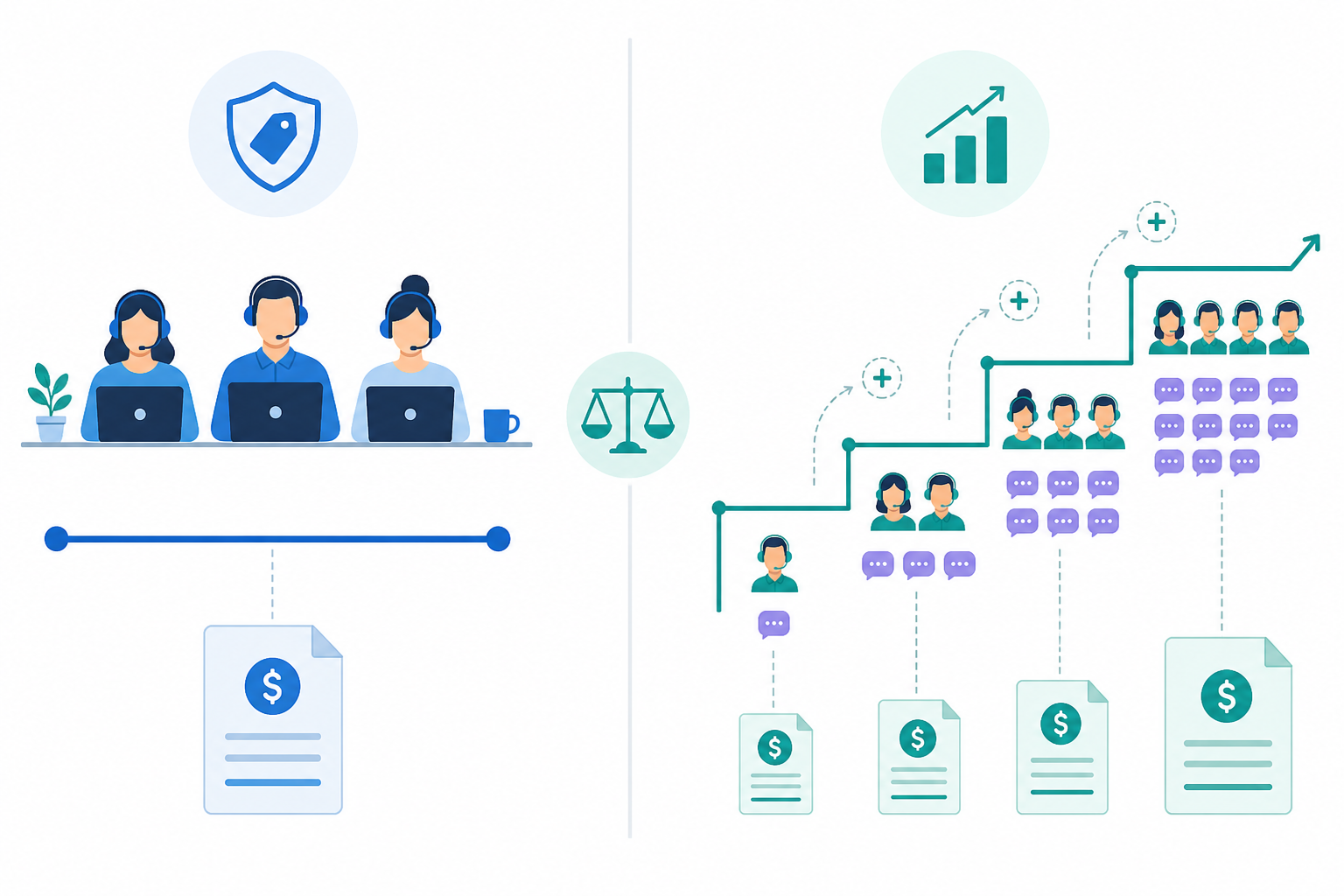
A real-world scenario, with the actual maths: Picture a 10-person support team on a hybrid help desk plan: £15 per seat, plus a monthly allowance of 1,500 included conversations, plus £0.40 per conversation over that allowance. In a normal month, they're comfortably within their allowance—seats cost £150, usage costs £0, and the total bill is £150.
Then a product launch, seasonal sale, or bug rollout floods the inbox. Conversation volume jumps to 2,500 in a single month. That's 1,000 conversations over the allowance, at £0.40 each—an extra £400. Their £150 bill has just become £550, a 267% jump, and nobody budgeted for it because nobody could have predicted the exact size of the spike. That's the trap: usage-based billing feels reasonable when things are calm and expensive precisely when things get busy—which, ironically, is when you need your support tool the most.
How Flat-Rate Pricing Works for Unlimited Agents
Flat-rate pricing is refreshingly simple: one price, with unlimited usage within the plan's fair-use terms. No meters, tiers, or overage fees creep onto your invoice. You know roughly what you'll pay this month, next month, and the month after that—regardless of whether your team doubles or your ticket volume spikes over a bank holiday weekend.
This is how Sonny is currently priced: £19.99 a month (excluding VAT), with unlimited agents and unlimited conversations, subject to Sonny's standard fair-use policy. Whether you've got 3 people answering emails or 30 people running a full shared inbox with live chat, email ticketing, and internal notes flying between teammates, the headline price doesn't move with headcount or conversation volume. As with any vendor, it's worth checking the current pricing and terms pages before you commit, since plans and fair-use limits can change.
For finance teams, this kind of predictability is genuinely a relief. Budgeting for software costs becomes a much shorter task instead of a monthly guessing game. You don't need to model growth scenarios against a pricing calculator or renegotiate a contract every time headcount changes. One line item, roughly the same number, most months.
Of course, it's worth being clear-eyed about what a flat-rate plan usually does and doesn't include. Sonny's plan, for example, bundles the shared inbox, live chat widget, email-to-ticket forwarding, tagging, filtering, response-time reporting, and team collaboration tools, along with a published 99.9% uptime SLA at the time of writing. What it typically won't include, on most flat-rate SaaS plans generally, is premium onboarding, custom integrations, or dedicated priority support—those are worth confirming separately if they matter to you. The core promise of flat-rate pricing isn't that everything is free forever; it's that the number on your invoice doesn't move just because your team grew or your customers had a busy week.
Comparing Flat-Rate and Usage-Based Costs at 3 Growth Stages
Talking about pricing philosophy is one thing. Seeing the actual numbers is another. To keep this concrete and auditable, I built one illustrative hybrid pricing model with clearly stated assumptions below—it isn't pulled from any single named competitor's live pricing page, and real vendor pricing varies by plan, contract length, and region. Use this as a method for checking your own invoice, not as a direct quote from any specific tool.
Assumptions used in this model:
- Per-seat fee: £15/agent/month
- Included conversation allowance: roughly 150 conversations per seat, per month
- Overage rate: £0.40 per conversation above the included allowance
- All figures exclude VAT, onboarding fees, and premium add-ons
- Sonny's flat rate is shown at its current published price of £19.99/month
Stage 1: Small team (3 agents, ~300 conversations/month)
Allowance at 3 seats is roughly 450 conversations, so 300 conversations stays within it.
- Seats: 3 × £15 = £45
- Usage: £0 (within allowance)
- Total: £45/month vs Sonny's £19.99/month
This is the one scenario where a usage-based or per-seat model can genuinely hold its own, especially if a vendor's per-seat fee is lower than £15 or the allowance is generous.
Stage 2: Growing team (10 agents, seasonal spike to 2,500 conversations)
Allowance at 10 seats is roughly 1,500 conversations; a sale period pushes volume to 2,500, which is 1,000 over.
- Seats: 10 × £15 = £150
- Overage: 1,000 × £0.40 = £400
- Total: £550/month vs Sonny's £19.99/month
Stage 3: Scaling team (25 agents, high volume across live chat, email, and social)
Allowance at 25 seats is roughly 3,750 conversations; multi-channel volume pushes actual usage to 7,000, which is 3,250 over.
- Seats: 25 × £15 = £375
- Overage: 3,250 × £0.40 = £1,300
- Total: £1,675/month vs Sonny's £19.99/month
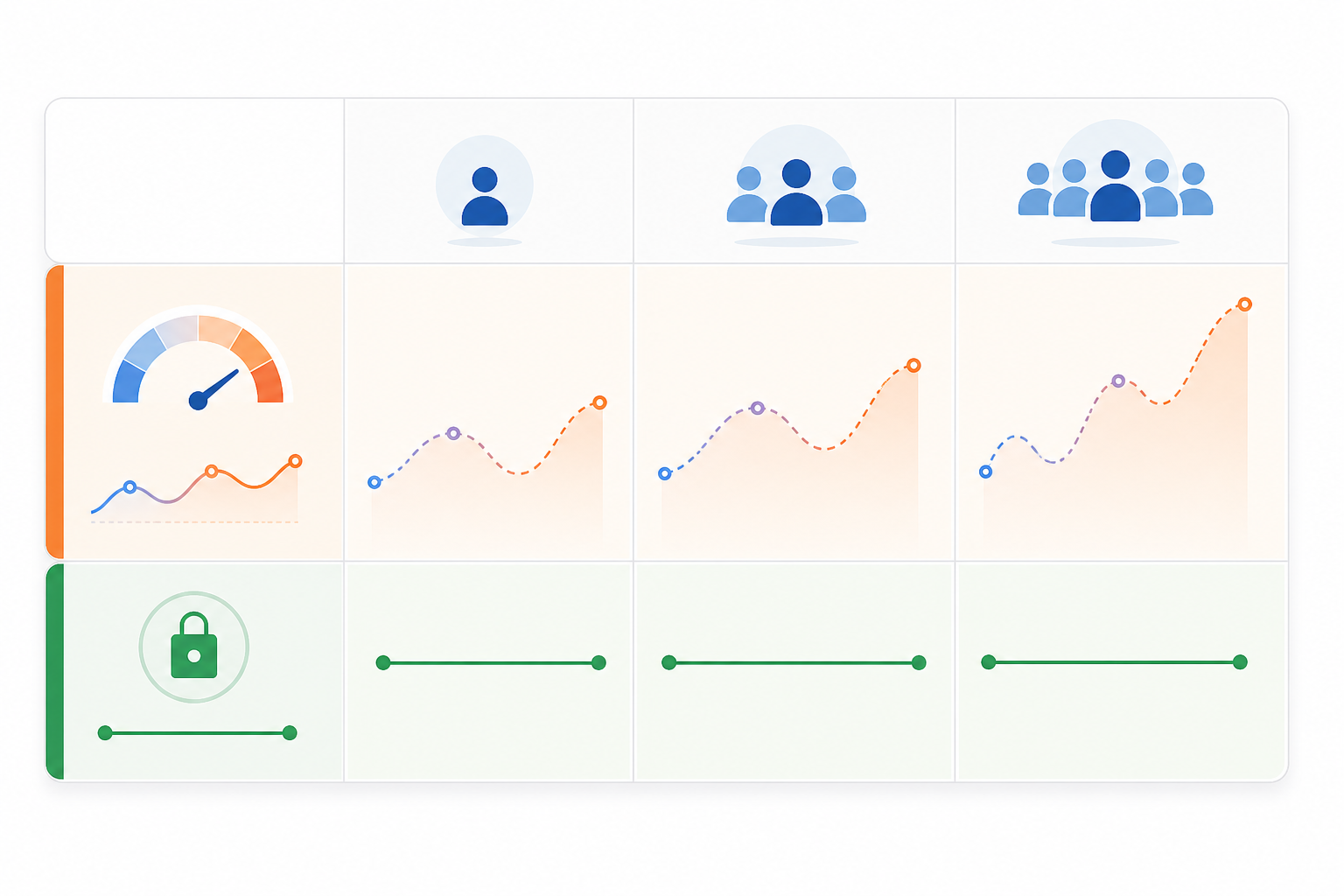
| Growth Stage | Illustrative Hybrid Model | Sonny (Flat-Rate) |
|---|---|---|
| Stage 1: 3 agents, ~300 conversations | £45/month | £19.99/month |
| Stage 2: 10 agents, spike to 2,500 conversations | £550/month | £19.99/month |
| Stage 3: 25 agents, 7,000 conversations, multi-channel | £1,675/month | £19.99/month |
A formula you can apply to your own invoice:
Total cost = (seats × per-seat fee) + (max(0, actual conversations − included allowance) × overage rate) + any base fee
Run your own numbers through that formula using your vendor's actual seat price, allowance, and overage rate, and you'll get a much more honest picture than any generic comparison table can offer—including this one.
In this particular model, the crossover point—where the hybrid model overtakes Sonny's flat rate—happens somewhere around 4–5 agents even without a spike, and much sooner once seasonal volume kicks in. That crossover point will land differently depending on each vendor's actual per-seat price and included allowance; some generous plans push it later, and stingier ones pull it earlier. The point isn't the exact number—it's that the crossover tends to arrive faster than teams expect, and every additional agent or busy week widens the gap further once you're past it.
Flat-Rate Pricing vs Usage-Based Billing: Pros and Cons
Neither model is universally right or wrong—it depends on your situation, your growth trajectory, and how much volatility your finance team can tolerate. Here's the honest breakdown, including some of the operational trade-offs that don't always make it into vendor comparison pages.
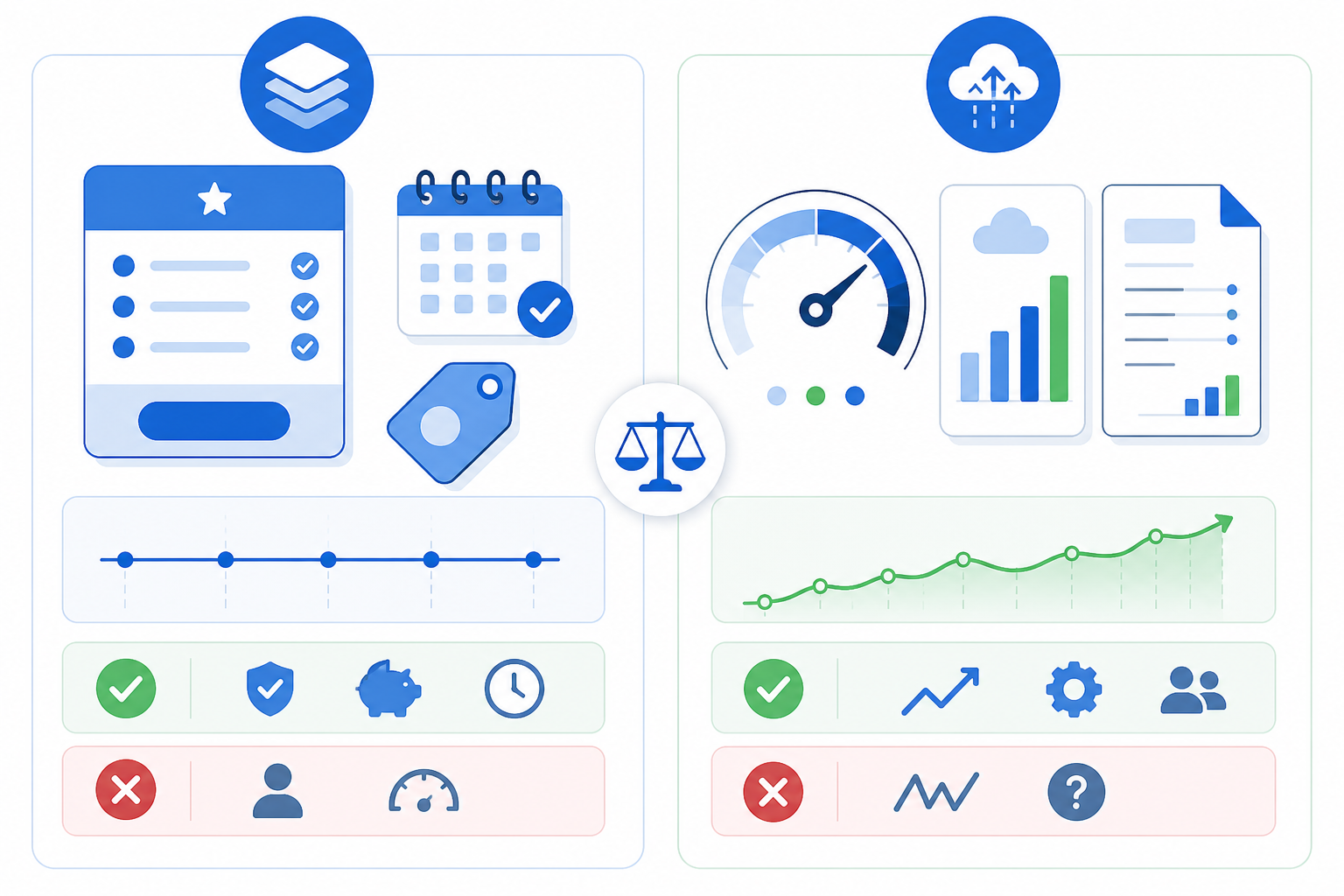
Usage-based billing
✅ Pros:
- Can be genuinely cheaper for very small or highly consistent usage
- Pay-as-you-go flexibility suits teams that aren't sure how much they'll use the tool yet
- Aligns cost with consumption, which feels fair in theory and can work well for metered services such as SMS or API calls
❌ Cons:
- Bills become unpredictable, especially during busy periods or launches
- Can quietly discourage adding agents or opening new channels because every addition raises cost
- Tends to spike exactly when growth or seasonal demand is already straining your team
- Requires ongoing monitoring, usage alerts, and spreadsheet modelling just to avoid surprises
- Adds procurement complexity, since finance has to re-approve costs whenever usage patterns shift
Flat-rate pricing
✅ Pros:
- Predictable budgeting—finance teams can plan months or even years ahead with one number
- Unlimited agents, within fair-use terms, encourages team collaboration instead of gatekeeping access to save money
- No penalty for growth, seasonal spikes, or busy launch weeks
- Simpler to compare and forecast against other software costs in your stack
- Lower administrative overhead—no usage dashboards to babysit
❌ Cons:
- Can feel like paying for capacity you're not using if your team is very small and genuinely static
- Less compelling if you're confident you'll never grow headcount or conversation volume
- Fair-use limits, while generous, still exist—it's worth checking what they are before assuming truly unlimited usage
Which Pricing Model Fits Your Team's Growth Pattern?
So how do you actually decide? Here's a quick way to think it through, followed by a short self-check you can run right now.
Choose flat-rate pricing if:
- You're actively hiring, or expect to add agents within the next 12 months
- You're adding support channels, such as live chat, email, or social, that will increase conversation volume
- Your business has seasonal spikes, including sales events, product launches, or holiday periods
- You want finance to stop asking “why did this bill jump again?” every quarter
- Predictability matters more to you than shaving a few pounds off an unusually quiet month
Choose usage-based billing if:
- Your team size and conversation volume are genuinely stable and unlikely to change soon
- You're piloting a new support channel and want to pay lightly while you validate demand
- Your ticket volume has a hard, well-understood ceiling—for example, a niche B2B product with a small, fixed customer base
- You're comfortable monitoring usage monthly and can absorb occasional bill volatility without it disrupting your budget
A five-question self-check:
- Will your headcount change in the next 12 months?
- Do you experience seasonal spikes, such as sales, launches, or holiday periods?
- Are you adding channels, such as chat, social, or email, that will increase conversation volume?
- Does your finance team need cost certainty for budgeting and forecasting?
- Would a sudden 2–3x cost increase in one busy month cause a real problem for your business?
If you answered yes to two or more of these, flat-rate pricing is probably the safer bet for your team. If you answered no to nearly all of them, a usage-based or per-seat plan might genuinely save you money—at least until something changes.
The honest rule of thumb: if your team is small, stable, and unlikely to grow in the next year, usage-based or per-seat pricing can be perfectly reasonable, sometimes even cheaper. But the moment growth, seasonality, or multi-channel support enters the picture—which is true for most teams that are, well, growing—flat-rate pricing tends to protect your budget from the exact scenarios that usage-based billing struggles with.
If that sounds like where your team is headed, it's worth taking a look at Sonny's current plan and running the formula above against your own numbers before you decide either way. 🙂
Frequently Asked Questions About Flat-Rate Pricing and Usage-Based Billing
What's the difference between flat-rate and usage-based pricing?
Flat-rate pricing charges one fixed amount regardless of how many agents you have or how many conversations you handle, within the plan's fair-use terms. Usage-based pricing charges according to a measurable unit of consumption—seats, conversations, resolutions, or API calls—so your bill moves up and down with your activity. Per-seat pricing is technically a form of usage-based billing, since it scales with headcount, but it behaves differently from consumption-based billing, which scales with activity and tends to be harder to predict.
Which pricing model is cheaper for growing teams?
It depends on your starting point, but in the model above, flat-rate pricing became cheaper somewhere around 4–5 agents, and the gap widened significantly once seasonal spikes were added. For teams that expect to add headcount, channels, or volume over the next year, flat-rate pricing is usually cheaper in the medium term, even if a usage-based plan looks slightly cheaper in month one. Run the formula in this article against your own numbers to check your specific situation rather than relying on general claims.
How do I predict SaaS costs as my team scales?
Start by identifying your vendor's billable unit, such as seats or conversations, their included allowance, and their overage rate. Then model your costs at your current size, at a moderate growth stage, and at a seasonal peak, using the formula: total cost = (seats × per-seat fee) + (usage above allowance × overage rate) + any base fee. Comparing that projection against a flat-rate alternative gives you a much clearer picture than looking at the entry-level price alone.
Does flat-rate pricing ever cost more than usage-based billing?
Yes—if your team is small, stable, and unlikely to grow, and your usage consistently stays within a competitor's included allowance, a usage-based or per-seat plan can end up cheaper. Flat-rate pricing is essentially insurance against volatility: you may pay slightly more in a very quiet month in exchange for never being surprised in a busy one. Whether that trade-off is worth it depends on how confident you are that your team and volume will stay flat.