
Black Friday Support Checklist: Keep Your Team and Inbox Sane
Meta description: A UK-focused Black Friday support checklist covering pre-sale risk checks, canned responses, temporary agents, help desk software, and live chat monitoring — for teams that want to handle the sale, not just survive it.
Here's the short version: a calm Black Friday comes down to good preparation, done at the right time, on a simple timeline. Before the sale, check the things that break regardless of staffing: stock sync, payment status, and courier dates. Two weeks out, stock up on canned responses. About a week before, bring in temporary agents to cover the surge. On the day, monitor your live chat widget in real time and act before a queue spirals rather than after. Get that sequence right, and you'll get through Black Friday (and Cyber Monday right behind it) without your inbox turning into chaos.
I've watched enough support teams go through this, and put out enough of my own small fires, to know that the shops that handle it well aren't doing anything fancy. They're doing the basics, on time, without skipping steps because things got busy. So let's walk through the full Black Friday support timeline, with real numbers you can adapt to your own team.
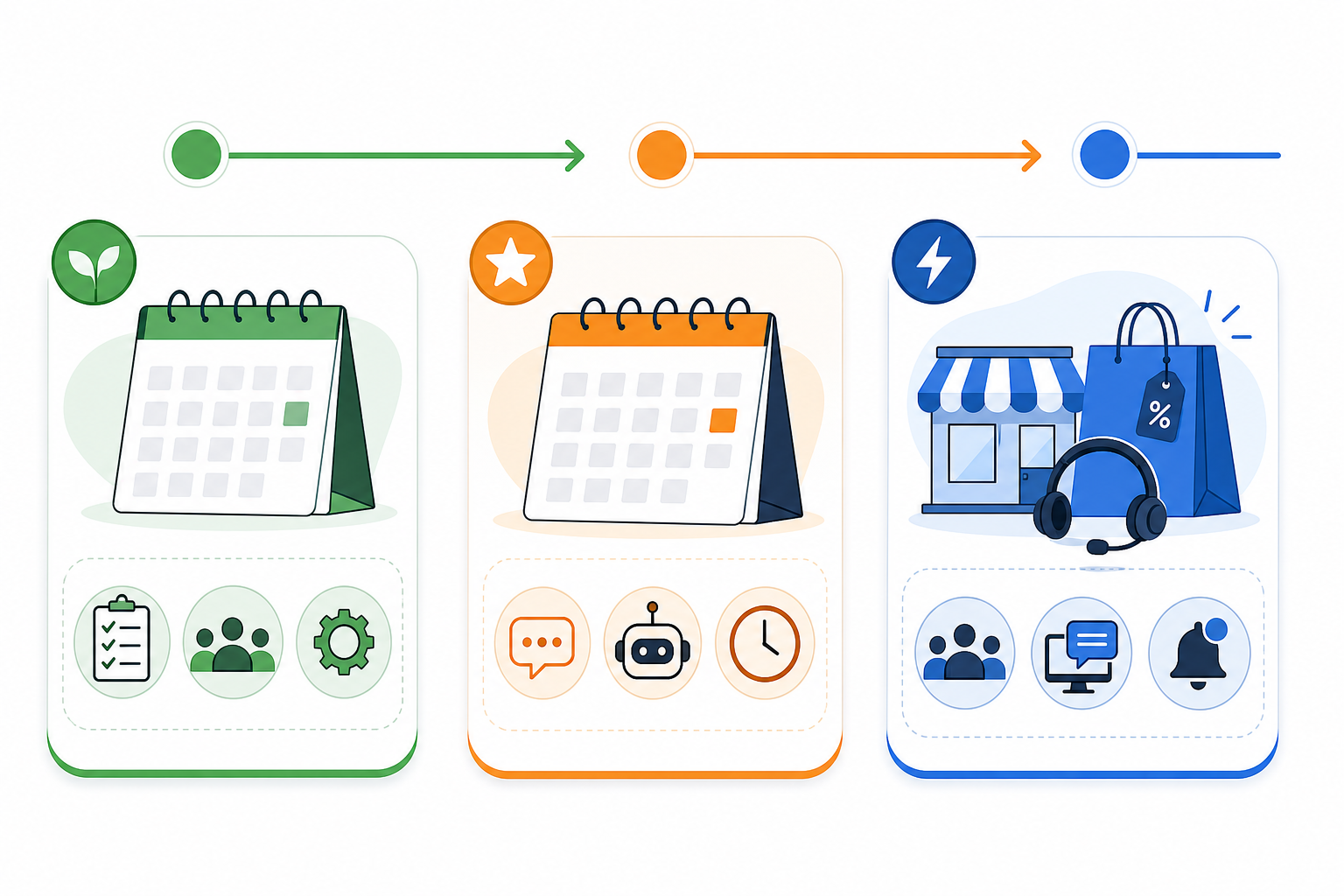
Before you start: a Black Friday support pre-flight check
Before you touch canned responses or staffing rotas, run through the things that cause the biggest Black Friday support fires. Not because they happen often, but because no amount of extra staff fixes them once they do.
- Test your promotion configuration with a real order. Stacked offers and automatic discounts break in ways nobody notices until a customer emails asking why their code didn't apply.
- Check stock and inventory sync. Know in advance who can manually pull a listing if something oversells.
- Monitor your payment provider's status page, not just your own site. Some "is your site broken?" tickets are actually a card processor having a bad afternoon.
- Confirm order confirmation emails fire correctly under load. A working checkout with a broken confirmation email creates a wave of anxious "did my order go through?" messages.
- Get this year's courier cut-off dates directly from Royal Mail or your courier. Don't reuse last year's dates.
- Decide who owns a site-wide incident, before it happens, not during it.
This is the difference between a busy day and a genuinely bad one. Get this right, and it sets up everything else on the timeline.
Why Black Friday breaks unprepared support teams
Black Friday doesn't just bring more customers. It brings more confused customers and less patience, all hitting your inbox and live chat at once. Many retailers see support volume jump several times over normal levels during peak hours, but the exact multiple depends entirely on your usual traffic, your promotions, and how many lapsed customers a sale reactivates. Your own historical numbers are a far better guide than any generic benchmark.
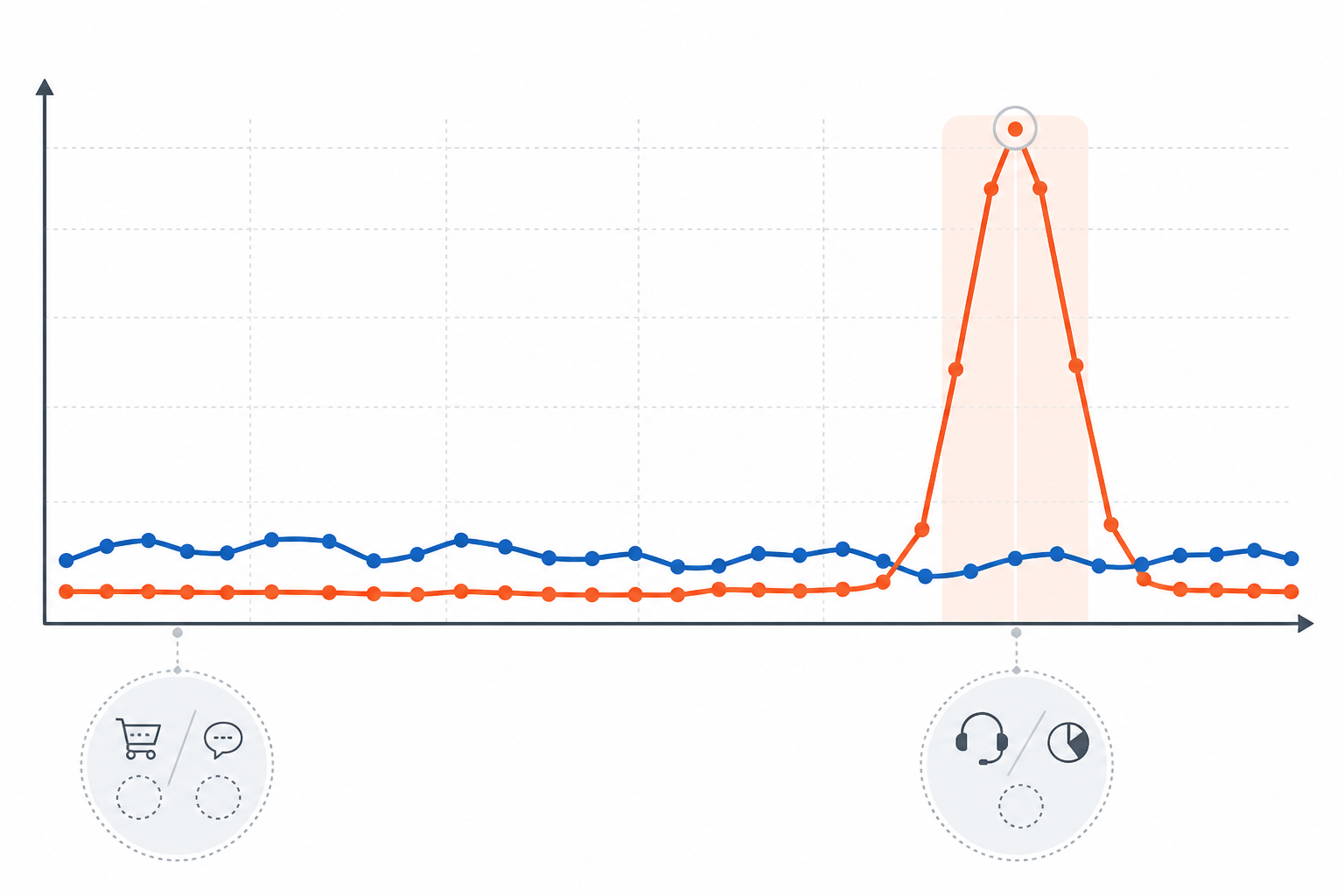
Here's a useful exercise. Pull last year's orders for the Black Friday to Cyber Monday window, work out roughly how many support conversations you generated per order, then check what share landed in your single busiest hour. Say you took 800 orders and generated one conversation per four orders. If a third of that hit your peak hour, that's roughly 65 conversations in a single hour. Compare that to your average handling time, and you'll quickly see whether your normal team can cope.
Slow responses cost you money directly that weekend. Not because of some universal rule about patience, but because there's a lot competing for a shopper's attention: other browser tabs, near-identical deals from a competitor, a partner asking if dinner's ready. The cost of a slow reply is highest exactly when your traffic is highest.
Here's a composite scenario, built from patterns I've heard about repeatedly from independent UK shops running a Black Friday sale. It's not one specific business, just a shape of problem worth planning around. A team had live chat on, but only two people watching it, both also clearing the email queue. Within an hour, the chat queue was 40 deep. Customers asked simple things: "does the code stack with the bundle?", "will this arrive before Christmas?", "my card was declined, is the site down?" Questions that take fifteen seconds to answer if you're not already drowning. Response times stretched past fifteen minutes. Some shoppers left mid-checkout; a few left public reviews about being ignored. The lesson isn't that Black Friday is unmanageable. Two people simply can't run both channels at peak volume without a plan for what happens once the queue crosses a threshold.
Two weeks out: prepare your Black Friday canned responses
Two weeks before the sale, sit down with last year's tickets (or your regular support history if this is your first Black Friday) and pull out the questions that come up again and again:
- Does this discount code work with items already reduced, or with bundles?
- What's the last order date for Christmas delivery? (Confirm against your courier's current-year cut-off.)
- Do prices include VAT, and will anything extra appear at checkout?
- My payment was declined or is pending — what do I do?
- Can I return a sale item, and does that differ from your normal policy?
- Is there a courier or Royal Mail delay during the Black Friday period?
- Why hasn't my order confirmation email arrived?
- Can I combine this offer with student discount, loyalty points, or a gift card?
- I ordered the wrong size or colour — can I amend it before it ships?
- Where's my order, and how do I track it?
A quick note on returns: sale pricing doesn't remove a UK customer's statutory rights. Most online shoppers still get a 14-day cooling-off period under the Consumer Contracts Regulations, and a separate right to return faulty or misdescribed goods under the Consumer Rights Act, regardless of any discount, though there are exceptions worth knowing. If your sale-item returns policy differs from your standard one, get the wording checked by someone qualified before it goes live. This is a summary, not legal advice, and it's not a place to guess.
Draft each response so it reads like a helpful colleague wrote it quickly: warmth, the answer up front, a next step, and space for order-specific details rather than a generic block. Tag each one clearly by topic so temporary agents can find the right answer in seconds. While you're at it, confirm your email-to-ticket forwarding works and test your live chat widget on mobile as well as desktop. A meaningful share of Black Friday browsing happens on phones, and a broken canned response on a small screen is nearly as bad as no response.
Pro tip: Keep a shared "tricky questions" document alongside your canned responses for the odd query that doesn't fit a template. Your temporary agents will thank you for it.
One week out: add temporary support agents
About a week before the sale, bring in your temporary support. This isn't the moment for a full recruitment process. You need people who can follow a process without much hand-holding. Former seasonal staff, a reliable freelancer, or a trusted, well-briefed contact all work well here.
- Give access early. Set them up in your help desk software three or four days before the sale, not the morning of, so login issues don't eat into your busiest hours.
- Set up individual logins with two-factor authentication (never a shared password) and restrict access to only what the role needs. Payment details and larger refunds should stay with permanent staff.
- Run a proper 15-minute onboarding: canned responses, tagging, and who to escalate to.
- Assign clear channel ownership: one person on email, one or two on chat, with a named backup for breaks.
- Do a dry run a day or two before, with test tickets and chats, to check the process holds under a bit of pressure.
- Put an access end-date in the calendar now. Switch off temporary logins within a day or two of the sale ending. A forgotten account is a data-protection risk nobody needs.
One real constraint here: if your help desk software charges per seat, adding three temporary agents for a week can mean a noticeably bigger bill, and some teams quietly under-staff instead, then pay for it in refunds, bad reviews, and abandoned baskets. Options worth comparing before the sale, not during it, include a temporary seat upgrade on your existing plan, supervised access for non-support staff, or help desk software with unlimited agents built in. The right call depends on your contract and how often you scale up.
Black Friday day-of: monitor live chat volume in real time

On the day, someone needs to watch your live chat queue the way a duty manager watches a busy restaurant floor: not answering every chat themselves, but stepping in before it tips over.
There's no universal threshold for "pull someone off email." It depends on concurrency, conversation complexity, and how long each chat takes. As a rough illustration: if one agent can competently run four concurrent chats at ten minutes each, that's about 24 chats of capacity per hour. At 40 incoming chats an hour, you need two agents just to hold the queue steady, and a third to shrink it. Do this maths for your own team beforehand, and adjust for breaks, fatigue, and how often chats get more complicated than expected.
- If the queue passes roughly 10–15 waiting conversations for your team's typical capacity, pull an agent off email onto chat immediately.
- If average response time creeps past five minutes, post a short "we're experiencing high volume, thanks for your patience" message. Customers are more forgiving of a wait once it's acknowledged.
- Treat payment failures and site errors as immediate escalations, since they block a sale and often affect several customers at once.
- Build in a proper break rota. Ten hours of flat-out chat leads to short replies exactly when patience is thinnest.
- Have a fallback ready: a clear "leave your email and we'll respond within X hours" option beats a chat window a shopper eventually abandons.
The goal isn't a zero-wait queue. That's not realistic for most small and mid-sized UK shops on Black Friday. The goal is a queue that's actively managed, with someone making decisions as it moves.
After the rush: review your Black Friday support performance
Once the dust settles, usually by the Tuesday after Cyber Monday, take an hour to review while it's fresh. Pull ticket and chat volume by hour and note the real pressure points; you'll likely find one or two windows, often Friday evening and Monday morning, that accounted for a disproportionate share of traffic.
Ask your temporary agents for honest feedback. They often spot gaps in your canned responses or process that you'd miss from the inside. Was any of them good enough to want back for Christmas or January sales? If so, reach out before your competitors do.
Finally, archive the good stuff: the canned responses that worked, the staffing numbers, the thresholds that helped you manage the queue. Next Black Friday, you're refining a system that's already been tested, not starting from a blank page.
FAQ: Black Friday support questions
How do I prepare my support team for Black Friday?
Start with a pre-flight check: test promotion codes, confirm stock sync, verify courier cut-off dates, and decide who owns a site-wide incident. Two weeks out, build canned responses for delivery cut-offs, VAT, returns, and payment issues. About a week before, bring in temporary agents with proper access controls and a short onboarding. On the day, monitor your live chat queue against your team's actual capacity, not a generic number.
Should I add temporary agents for the holiday shopping season?
For most teams, yes. If your peak-hour volume estimate outstrips what your normal team can handle at a reasonable response time, a couple of temporary agents for the Black Friday to Cyber Monday window is usually worth it. Work it out from expected volume, your team's peak-hour capacity, and how much onboarding time you have. Weigh that against the cost of extra seats or a temporary plan upgrade. If your help desk software offers unlimited agents, that removes the seat-cost trade-off, but it's one option among several, not the only fix.
What canned responses help during high-volume sales events?
The most useful ones answer questions customers are already typing: discount code stacking, Christmas delivery cut-offs (checked against your actual courier), VAT-inclusive pricing, payment failures, and your returns policy on sale items, worded correctly against UK consumer rights. Write them so they sound like a person, not a policy document, and tag them clearly so temporary agents can find the right one fast.
How do I give temporary agents access safely?
Set up individual logins with two-factor authentication, restrict access to what the role needs, keep payment details and larger refund approvals with permanent staff, and set a reminder to revoke access within a day or two of the sale ending. A shared login might feel quicker, but it's a data-protection risk that isn't worth the shortcut.
Black Friday support isn't about the fanciest tools or the biggest team. It comes down to closing the operational gaps before the sale starts, building your canned responses and staffing on time, and watching the queue on the day with numbers you actually understand. This week, pull your own order and ticket numbers, run the pre-flight checklist above, and assign one person to own each stage of the timeline. Do that, and this Black Friday can be the one you watch unfold with a coffee in hand. ☕