
No Onboarding Calls: Why Self-Serve Customer Support Software Is Better
Onboarding calls exist mostly to serve the vendor's sales process, not your timeline. If a tool is genuinely well-built, you should be able to set it up yourself in minutes, not book a meeting three days out just to start using something you're already paying for.
I've watched enough startups try to get up and running with new software to notice a pattern: the tools that make you schedule a call before you can even log in properly are rarely doing it for your benefit. They're doing it for theirs. And if you're a founder or early team member trying to move fast, that's a problem worth naming.
Let's talk about why no onboarding calls should be a feature you actively look for, not a red flag you overlook.
Why mandatory onboarding calls are a problem
Here's a scenario I bet sounds familiar. You sign up for a piece of customer support software on a Tuesday, excited to finally get your team out of a shared email inbox and into something built for the job. Then you hit a wall: "Book your onboarding call to get started." The next available slot? Thursday. Next week if you're unlucky with time zones.
That's not support software onboarding. That's a queue.
And here's the thing: most of these calls aren't really about helping you succeed. They're thinly veiled sales conversations dressed up as setup help. Someone walks you through features you could've discovered yourself in a well-designed interface, while gently probing about team size, budget, and "what other tools you're evaluating." It's a qualification call wearing a support hoodie.
There's also a quieter signal buried in all this: if a tool needs someone to walk you through it before you're allowed to use it, that's often a sign the product itself is more complicated than it should be. Good software explains itself. When a vendor insists you need a human guide just to get started, ask yourself why the interface can't do that job on its own.
And practically speaking, most startups don't have the luxury of an operations person whose job is to sit through a 45-minute walkthrough of basic software. You're wearing five hats already. The last thing you need is a calendar invite standing between you and replying to a customer.
How self-serve setup saves time and reduces friction
Let's put some numbers next to the feeling. A self-serve signup for solid customer support software should take about five minutes: create an account, connect your inbox, add a live chat widget, and invite your team. Compare that with the typical sales-call onboarding funnel: book a slot, wait two to five days, sit through a call, then actually start setting things up afterwards.
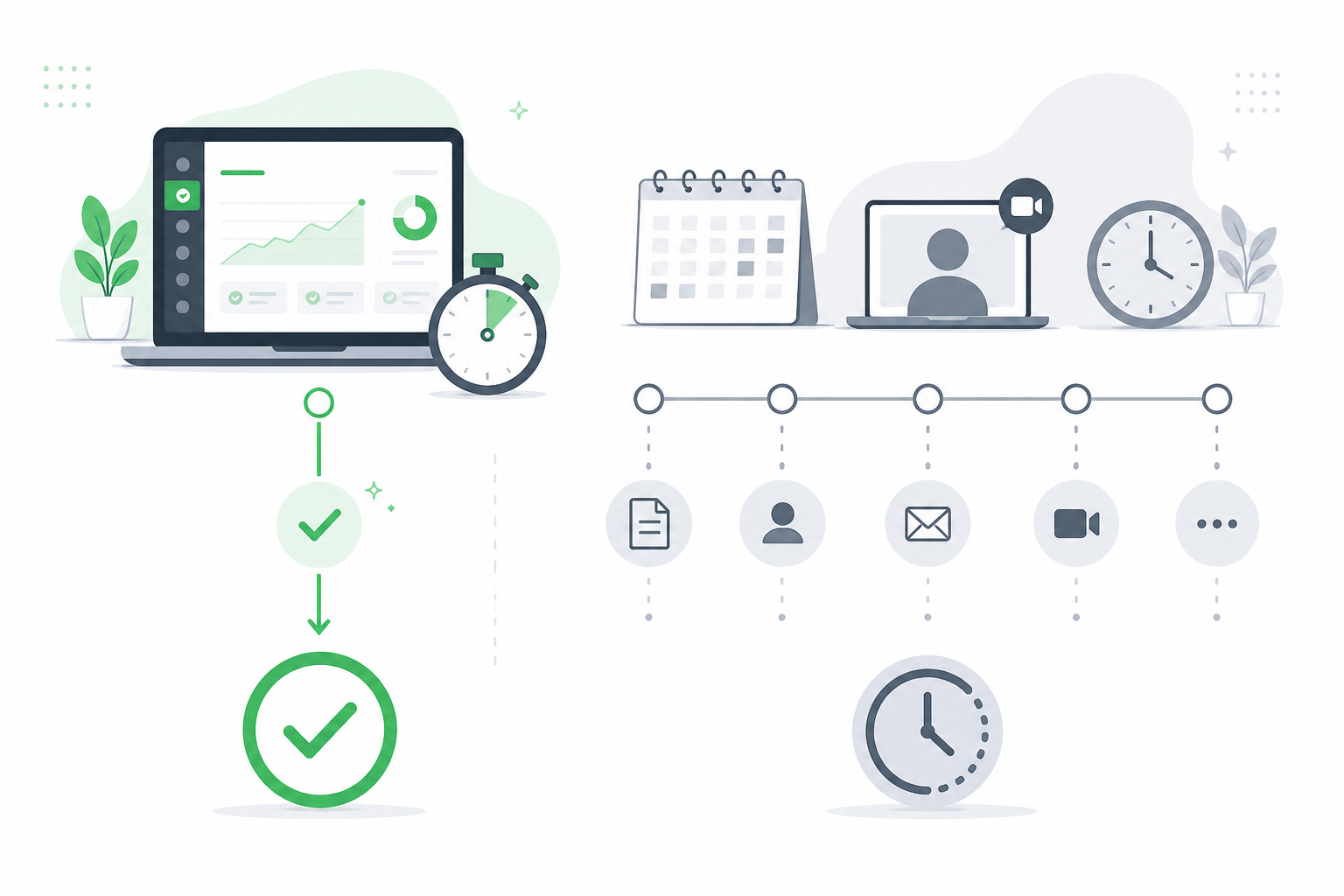
This is where "time to value" becomes a genuinely useful metric, even if it sounds like consultant jargon at first glance. Time to value simply means: how long from signing up until the tool is actually solving your problem? For shared inbox or help desk software, that problem is usually "a customer emailed us and we haven't replied yet." If it takes three days of scheduling before you can even respond to that email inside the new tool, the software has already failed the one job it was hired to do.
Here's a real-world version of this. Imagine you're launching a live chat widget on your site because customers keep asking pre-sales questions and you're losing them to slow email replies. With a self-serve setup, you could have that widget live before lunch, the same day you decided you needed it. With a mandatory onboarding call, you're explaining your use case to a sales representative on Thursday, watching a screen share, and maybe going live by the following Monday. That's a lost week of conversations you'll never get back.
Flat-rate pricing plays an interesting role here too. When a company charges per seat, there's a built-in incentive to control how and when you onboard: more touchpoints mean more chances to upsell additional seats or premium tiers. But when pricing is flat, like Sonny's £19.99/month for unlimited agents and unlimited conversations, there's no financial reason to gatekeep your setup behind a sales call. The business model itself removes the incentive to slow you down. You're not paying more as your team grows, so there's nothing to "unlock" via a call, just software that works from minute one.
What does good support software onboarding look like?
So what should you actually expect from support software onboarding when it's done well? Here's the sequence I think every growing team should be able to experience:
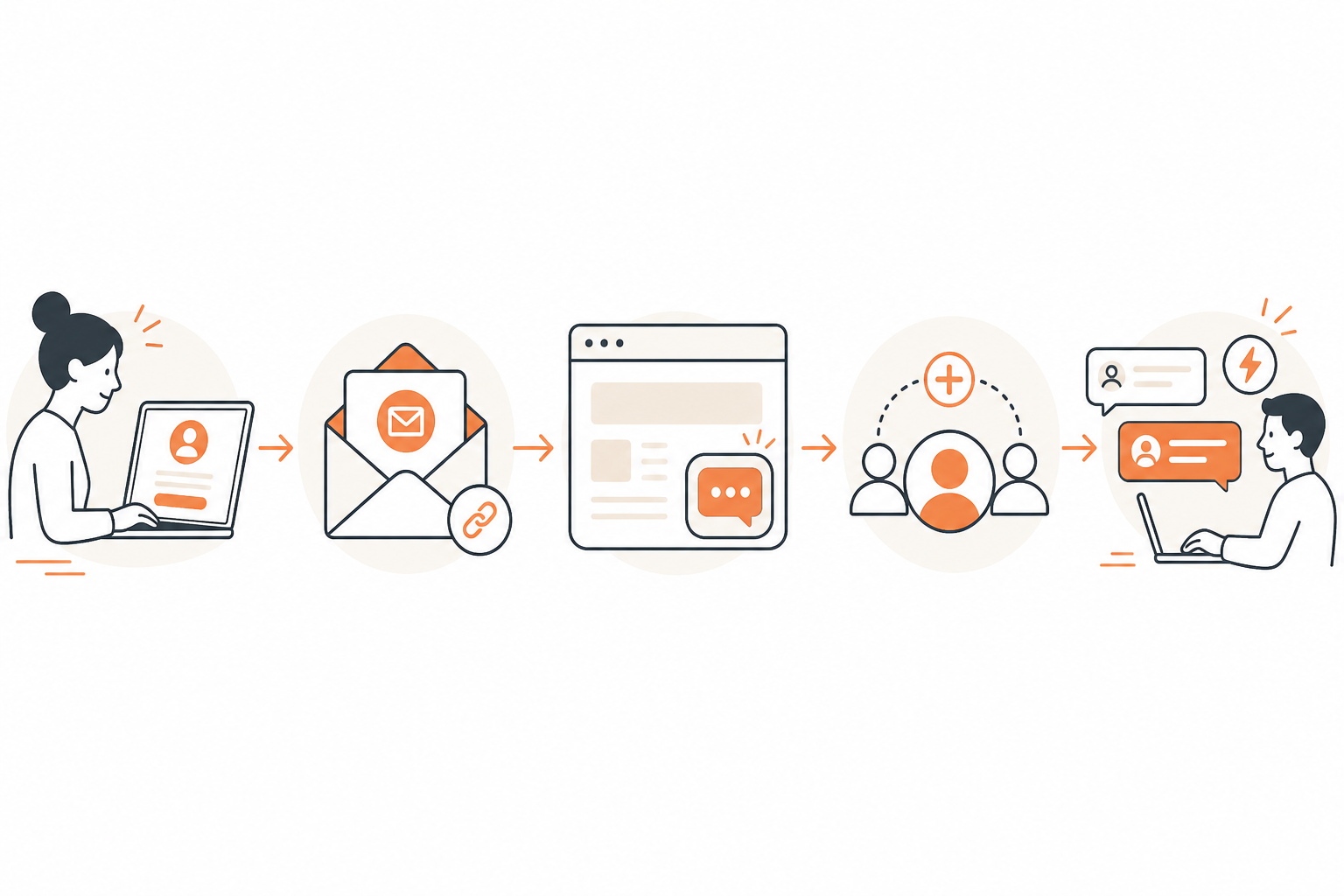
A guided setup wizard that doesn't need a manual. You shouldn't have to open a separate help document to figure out what button does what. The interface itself should walk you through connecting your inbox, adding tags, and setting up basic filtering.
Instant access to core features. Shared inbox, email-to-ticket forwarding, internal notes, and tagging shouldn't sit behind an "activation" step that requires someone on the vendor's side to flip a switch. You sign up, you get in.
A free trial with no credit card required. This one matters more than it seems. A trial that demands payment details upfront is a trial designed to catch you in a billing cycle, not one designed to let you genuinely test the workflow. Seven days with no card on file means you can actually kick the tyres: set up your live chat widget, route a few test emails, and see how tagging and reporting feel before deciding anything.
Native apps that work out of the box. If you're managing conversations from your phone between meetings, you shouldn't need a separate setup call just to get the iPhone or Android app talking to your account. Mac, browser, and mobile: it should all just sync.
In-app help or an AI copilot, not a booked meeting. This is where a lot of newer support automation is actually useful. An AI copilot trained on your own documents can answer "how do I set up tagging rules?" instantly, right inside the product, without you waiting for a human to have availability.
When all five of these are true, you don't need someone holding your hand. You need software that respects your time enough to explain itself.
When might you still want human onboarding support?
Now, I want to be fair here, because "no onboarding calls, ever" isn't a universal rule. It's a preference for the right situations. There are genuine cases where talking to a human makes sense:
- Complex migrations. If you're moving years of historical tickets out of legacy help desk software, that's not a five-minute job, and getting it wrong could mean losing customer history you actually need.
- Custom integrations. If your workflow depends on connecting your support tool to five other systems with specific business logic, a conversation can save you from building something fragile.
- Enterprise rollouts. When you're deploying across multiple departments and alignment matters as much as speed, a coordinated rollout with some human guidance genuinely helps avoid chaos.
The key distinction isn't "calls are always bad." It's the difference between optional human support you can request when your situation calls for it, versus mandatory calls you're forced through before you're even allowed to start using the thing you're paying for. One respects that most setups are simple and most teams are capable. The other assumes you need permission to begin.
Evaluate customer support software by time to value
When you're comparing customer support software, it's tempting to build a spreadsheet of features and tick boxes. I'd argue there's a shorter, more useful set of questions to ask before you even get to features:
- Can I try this without talking to sales first?
- How long until I'm actually using it for real conversations?
- Is the pricing per seat, or flat rate regardless of team size?
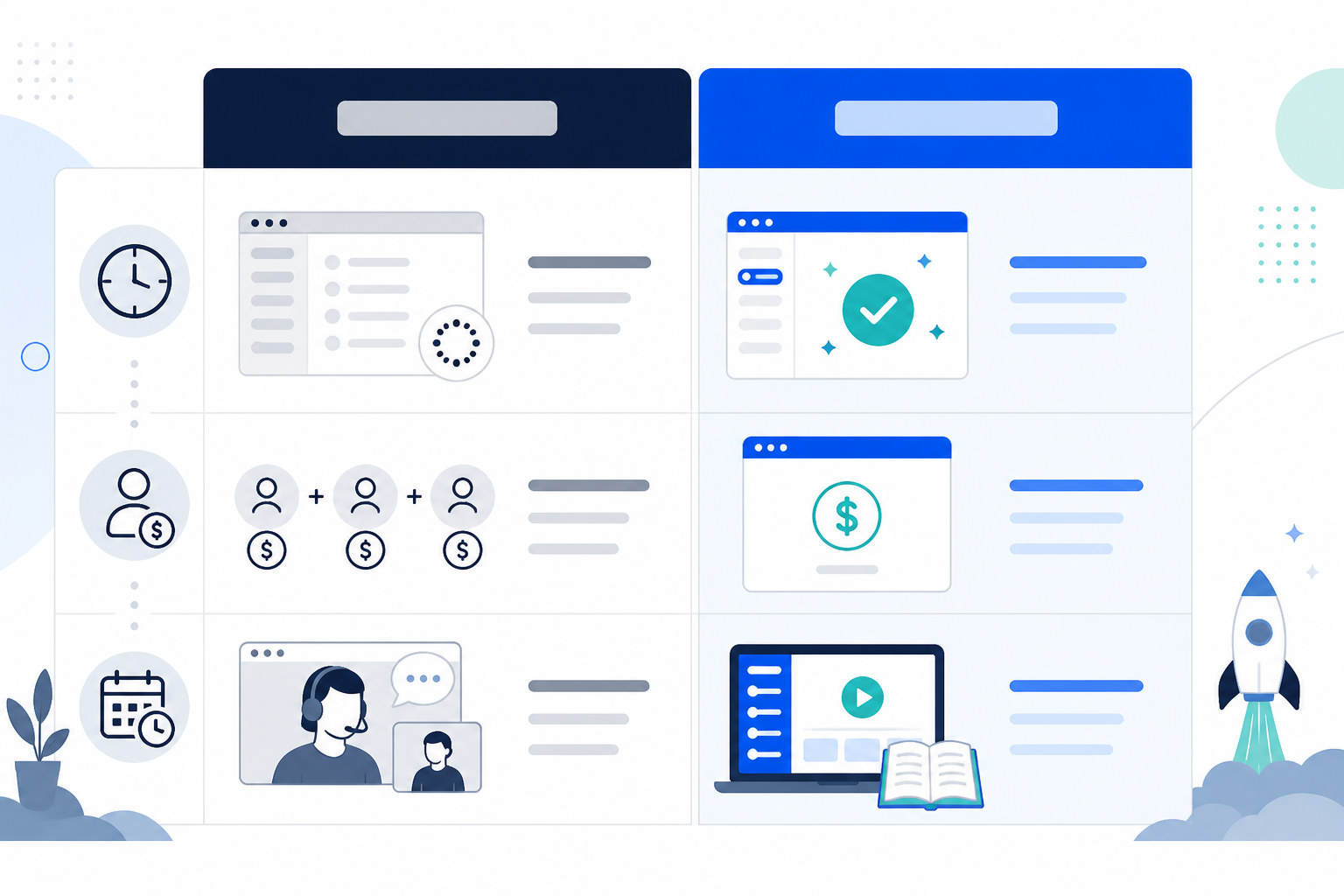
Most traditional, per-seat SaaS support tools require a demo before you can even see pricing clearly, then a follow-up call to "finalise implementation," followed by a slow ramp as you add agents one paid seat at a time. Flat-rate, self-serve platforms flip that entirely: sign up, connect your tools, and invite your whole team at once because unlimited agents means you're not metering who gets access. That single change, unlimited agents and unlimited conversations at one flat rate, changes the maths for growing teams. You're not calculating whether adding your fifth support agent is worth the extra £15 a month. You just add them.
Here's the simple framework I'd leave you with: if setting up your support software takes longer than the customer email that prompted you to look for it in the first place, the tool has already failed its first test. Software's whole job is to remove friction. If getting started is the friction, something's backwards.
Frequently asked questions about no onboarding calls
Why do some SaaS tools require onboarding calls?
Often it's less about your success and more about theirs. Onboarding calls double as sales qualification, upsell opportunities, or a way to justify per-seat pricing by making the tool feel more "premium" or complex than it needs to be.
Can I set up support software without talking to sales?
Yes, and increasingly you should expect this. Tools like Sonny let you sign up, connect your inbox, and add your live chat widget in under five minutes with no credit card and no sales call required.
How much time do onboarding calls typically add to setup?
Between scheduling delays, time zone mismatches, and the call itself, most startups lose anywhere from two to five business days just getting started, time that could be spent actually helping customers.
The best compliment you can give a piece of software is that it got out of your way. No onboarding calls, no waiting for someone else's calendar to open up, no sales pitch disguised as setup help. Just a shared inbox, a live chat widget, and your team replying to customers within the hour. That's not a lesser version of onboarding. That's what onboarding was always supposed to be.