
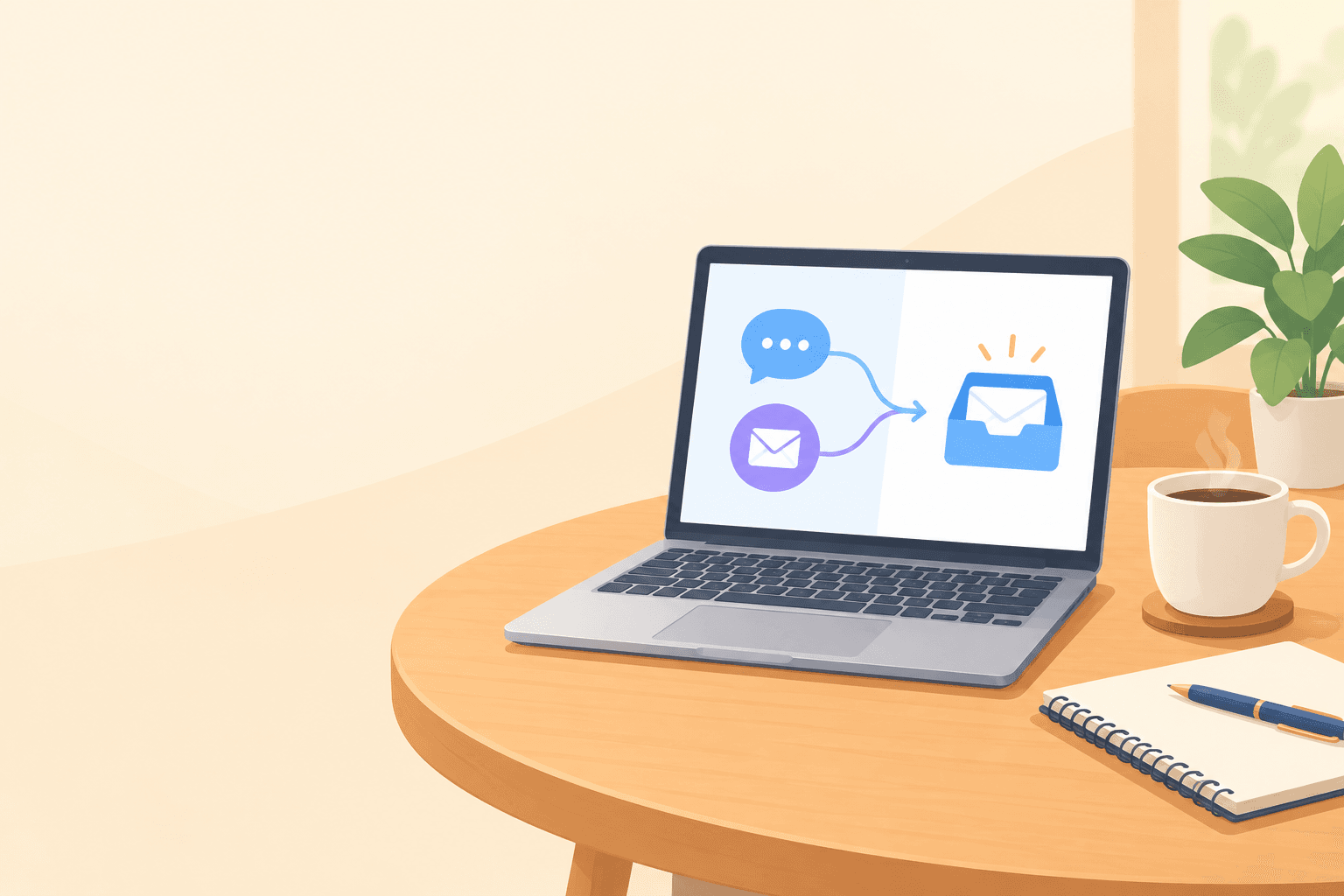
Here's the short answer on live chat vs. email support. Use live chat for quick, urgent, in-the-moment questions where a fast reply keeps someone moving. Use email for detailed, complex or sensitive issues that need some thought and a written record. For most early-stage SaaS teams, the best answer is both, run from one shared inbox so conversations never get split across tools.
The rest of this guide is about making that work when your team is two founders, a developer and maybe a part-timer, and nobody has time to build a support department. Let's get into it. ☕
Live chat vs. email support: why it isn't really either/or
Picture this. It's 11pm and you're answering a customer question. One tab has a chat widget from a free tool, another is your Gmail with a half-written reply, and the third is a spreadsheet where you've been logging bugs. The customer who emailed you at 9pm is the same person who chatted with you at 3pm, but nothing connects the two. You're about to ask them a question they already answered.
I've seen versions of this scene in plenty of young SaaS companies, and it usually leads founders to ask the wrong question: 'Should we have live chat or email?' The better question is which customer support channel fits which situation? The two solve different problems, and treating them as rivals is how messy setups happen.
In this guide we'll use a simple decision framework with three parts:
- Question type: is it a quick 'how do I' or a deep investigation?
- Urgency: is someone waiting, mid-task, right now?
- Team capacity: what can you realistically staff without burning out?
By the end, you'll have a practical way to start small without doubling your workload.
Where live chat for SaaS really shines
Live chat works best when the customer is actively doing something and needs a nudge to keep going. Help desk vendors such as Zendesk and Intercom give broadly the same guidance: chat suits short, time-sensitive exchanges, while email suits issues that need investigation or follow-up over time. (These companies sell support tools, so read their advice with that in mind.)
Here's where chat earns its place:
- Pre-sales questions on pricing or trial pages. A visitor wondering 'Do you charge per user?' is probably comparing a few tabs. A quick reply can be the difference between a sign-up and a lost visitor.
- Onboarding friction. 'Where do I find the integration settings?' is a perfect chat question. The user is still inside your product, and a link or a one-line answer gets them back on track.
- Quick troubleshooting and yes/no questions. If it takes 30 seconds to resolve, it doesn't need a ticket thread.
- Reassurance during a trial. If your trial is short (say, 7 days), every hour matters. A new user who hits a snag on day two might never come back on day three.
A live chat example for a SaaS trial user
Imagine a founder who spots a trial user lingering on the integration page for several minutes. She pops up a friendly 'Need a hand connecting your tools?' message. The user replies, 'Yes, I can't find where to paste my API key.' Thirty seconds later they're connected and carrying on. Without that nudge, you might have lost them and never known why.
What the live chat statistics say (with a pinch of salt)
Two data points are worth knowing, and both come with limits.
- Zendesk, Customer Experience Trends 2023: 72% of customers said they expect immediate service. That measures expectation, not whether chat improves conversion or retention for a company like yours. It's a reason to have a real-time option for urgent questions, not to push every issue into chat.
- Kayako customer service survey (2018): 41% of respondents preferred live chat, 32% phone and 23% email. It's several years old and isn't a UK-specific or SaaS-specific benchmark, so treat it as a directional signal. It measures preference, and it doesn't say email is bad. People like a quick answer when they need one.
There's a distinction hiding here. What customers prefer and what your team can sustain well aren't always the same thing. A customer may say they'd like chat, but a chat widget that sits unanswered for hours is worse than a clear email promise. Start from what you can deliver reliably, then add channels as your capacity grows.
And measure quality, not just speed. A fast reply that doesn't solve the problem isn't a win. Track resolution time, and whether the customer managed to do what they were trying to do.
When email support is the better choice
If live chat is a quick word over the counter, email is a considered letter. Sometimes a letter is exactly what's needed.
Email is the better fit for:
- Complex bug reports. These need screenshots, logs and investigation time. Nobody wants to paste a stack trace into a narrow chat window while someone waits.
- Billing and account issues. A written record matters here, for you and for the customer (more on the security side below).
- Feedback and feature requests. Someone who took the time to describe an idea deserves a considered reply, not a rushed one-liner.
- Customers in other time zones. If your customer is in Sydney and you're in Manchester, they aren't expecting an instant answer. A clear reply waiting when they wake up is plenty.
- Follow-ups that need other people. If a developer has to check something, email gives you space to do it properly and loop the right person in.
A gentle reminder: slower isn't worse. Atlassian's customer service guidance makes a similar point. Email suits detailed troubleshooting involving logs, screenshots or documented steps, and templates can handle recurring questions while leaving room for tailored investigation. Templates for the routine and real care for the unusual is a good model for a small team.
How to choose a customer support channel by question type and urgency
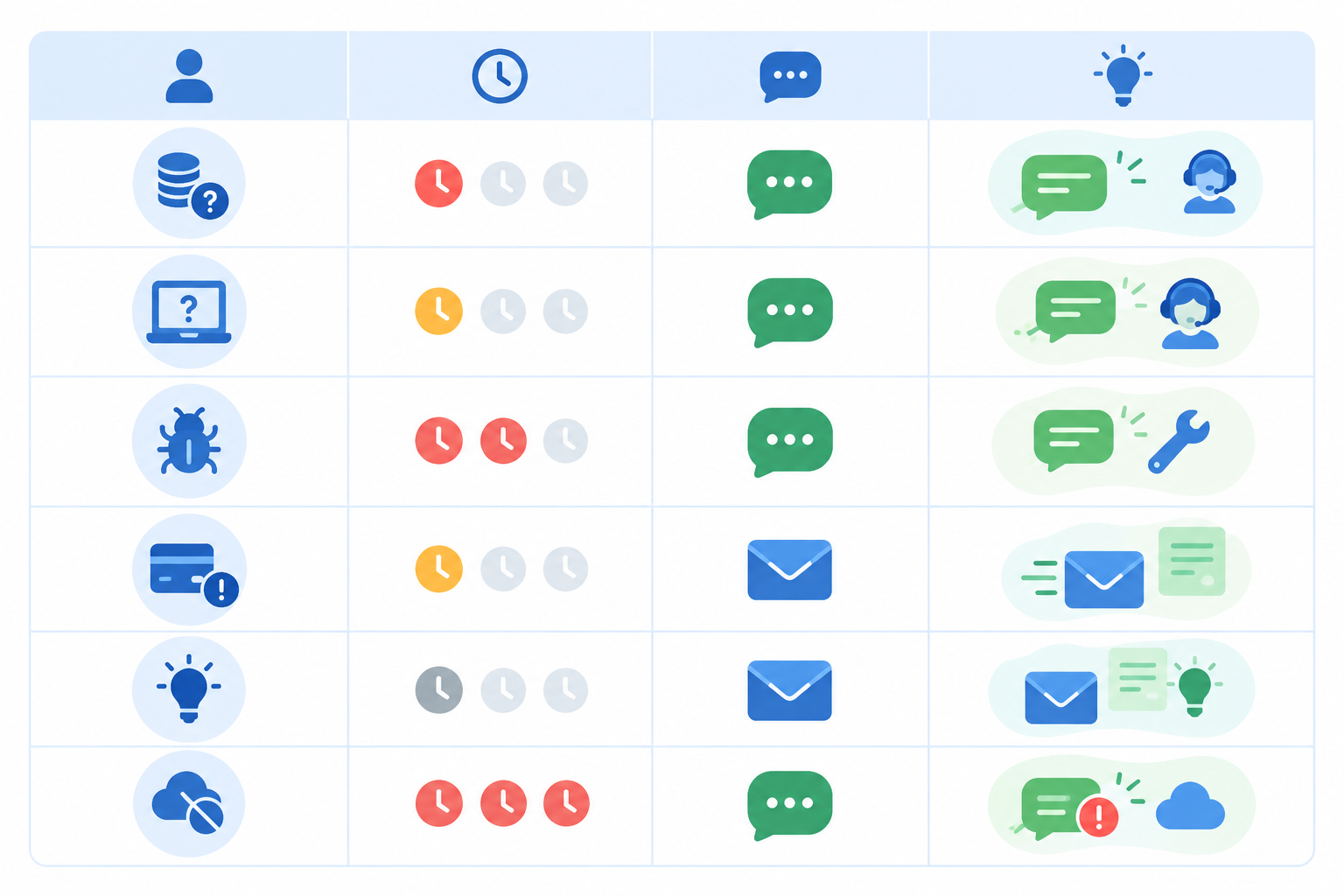
So how do you decide in the moment? Here's a simple table you can pin above your desk. Think of it as a starting point rather than a rulebook, because your product and customers will bend it.
| Question type | Urgency | Usual best channel | Why, and the caveat |
|---|---|---|---|
| Pricing question | High (visitor is deciding now) | Live chat | A fast answer can save a sign-up |
| 'How do I...?' question | Medium to high | Live chat | Short answer, user is mid-task |
| Bug report | Medium | Needs screenshots, logs and investigation; start in chat if the user is blocked | |
| Billing question | Medium | Email or secure ticket | Needs a written record; verify identity safely and never take card details in chat or email |
| Feature request | Low | Deserves a thoughtful reply | |
| Widespread outage | Very high | Status page first, then email updates | Chat can handle individual escalations, but one public update beats answering the same question fifty times |
| Cancellation request | Medium | Whichever channel they used, confirmed in writing | Sensitive; a quick chat reply is fine, as long as a written confirmation follows |
A simple rule for choosing between live chat and email
If the answer fits in two sentences and the customer is waiting, use chat. If it needs investigation or documentation, use email. If it involves personal or payment data, use whichever channel lets you verify the person properly and keep a sensible record.
What to do when a support conversation starts in the wrong channel
This happens constantly. Someone opens a chat with 'my export is broken', and ten minutes later you realise you need their file, their browser version and probably a developer. Don't drag it out in chat. Say something like: 'This one needs a proper look. I'll email you a summary now and follow up as soon as I know more.' The customer feels looked after, and you get room to work.
The reverse works too. If an email thread has turned into quick back-and-forth, offer a chat or a short call.
Use support tags to spot customer questions and channel patterns
Tag every conversation by type ('pricing', 'bug', 'billing') and after a few weeks you'll start to see patterns. Maybe most chats are onboarding questions, which suggests your setup guide needs work. Maybe bug reports keep arriving by chat when email would suit them better. Either way, you'll be deciding from evidence rather than gut feel.
A word on sensitive data and UK GDPR
If you serve UK customers, you're handling personal data under UK GDPR, and your support channels are part of that. I'm not a lawyer, so check the Information Commissioner's Office (ICO) guidance or take proper advice. That said, a few habits make sense for any small team:
- Don't ask for passwords or full card numbers in chat or email. Point people to a secure page or your payment provider instead.
- Verify identity before discussing account or billing details, for example by confirming details against the account rather than trusting a name in a chat window.
- Know where transcripts and emails are stored and who can see them. Your support tool is a data processor, so check its terms and where it holds data.
- Delete what you no longer need. Decide how long you keep conversation history and stick to it.
These points apply to both channels. Neither is automatically 'safer'. Email's written record and chat's informality each need a little care.
What live chat and email support demand from a small team
Let's answer the question most founders are really asking: is live chat too demanding for a small team?
Honestly? It can be, if you treat it like a 24/7 hotline. It doesn't have to be.
Live chat is synchronous. Intercom's guidance suggests customers generally expect someone to be there during the conversation, so small teams need to plan for coverage windows, queue monitoring, handoffs and a clear fallback when nobody is free. The hidden cost isn't the typing. It's being available, juggling a couple of conversations at once, and refocusing after each interruption.
Email is asynchronous, which makes life easier. You can batch replies, work across time zones and avoid watching a queue all day. The trade-off is that you need a response-time target and a reliable way to assign and track messages, otherwise things slip. A 2018 SuperOffice benchmark that tested 1,000 companies found the average reply to a customer service email took 12 hours and 10 minutes, and 62% of companies didn't reply to the test email at all. It's dated and not UK-specific, so don't treat it as a current benchmark. It does show how easily email falls through the cracks when nobody owns it.
Set realistic live chat and email response-time expectations
Response-time promises are easy to make and painful to break. Before you publish 'We reply within an hour', look back over your last month of conversations and see what you actually achieved. Then promise slightly less than that. Customers are remarkably forgiving when expectations are honest, and not at all forgiving when they aren't.
A realistic starting point might be:
- Live chat: minutes, during published hours.
- Email: within one working day, faster where you can.
Set live chat office hours and show them clearly
You don't need to be online all day. If you're a UK-based team, you might staff chat from 9am to 5pm GMT/BST, or even just 10am to 4pm, and show that on the chat widget. If you have customers in the US or Australia, be upfront that replies outside those hours arrive by email.
Share customer support across the team
The other trick is not relying on one person. Founders, developers and part-time helpers can each cover a slot. Many help desk tools charge per seat, which tempts teams to ration logins, and that's a daft reason for a developer not to answer a question they know best. When you compare tools, look at how seat pricing will behave as your team grows. Support works best as a team habit, not one person's burden.
A good small-team pattern is to use chat for time-sensitive questions during stated hours and route anything unanswered or complex into a trackable email ticket.
How to handle live chats after hours
What happens when someone messages at 8pm and you've gone to the pub (or bed)? You need a plan, and it's simpler than you'd think.
- Set clear online and offline hours on the chat widget. Honest expectations are half the battle.
- Switch the widget to an offline message that captures the visitor's email address. Something like: 'We're offline right now, but leave your question and email and we'll reply first thing.'
- Turn missed chats into email tickets. Nothing should disappear overnight. In a shared inbox, the message lands as a ticket waiting for the morning.
- If you like, use an AI assistant trained on your docs for common questions, like 'Do you have an iPhone app?'. Keep a human check on anything tricky or sensitive, and make it easy to reach a person.
- Deal with the morning queue in order of urgency. Urgent issues and trial users first, then everything else.
- Keep a short saved reply ready. Something like 'Thanks, we've got your message and will reply by 11am' takes the anxiety out of waiting.
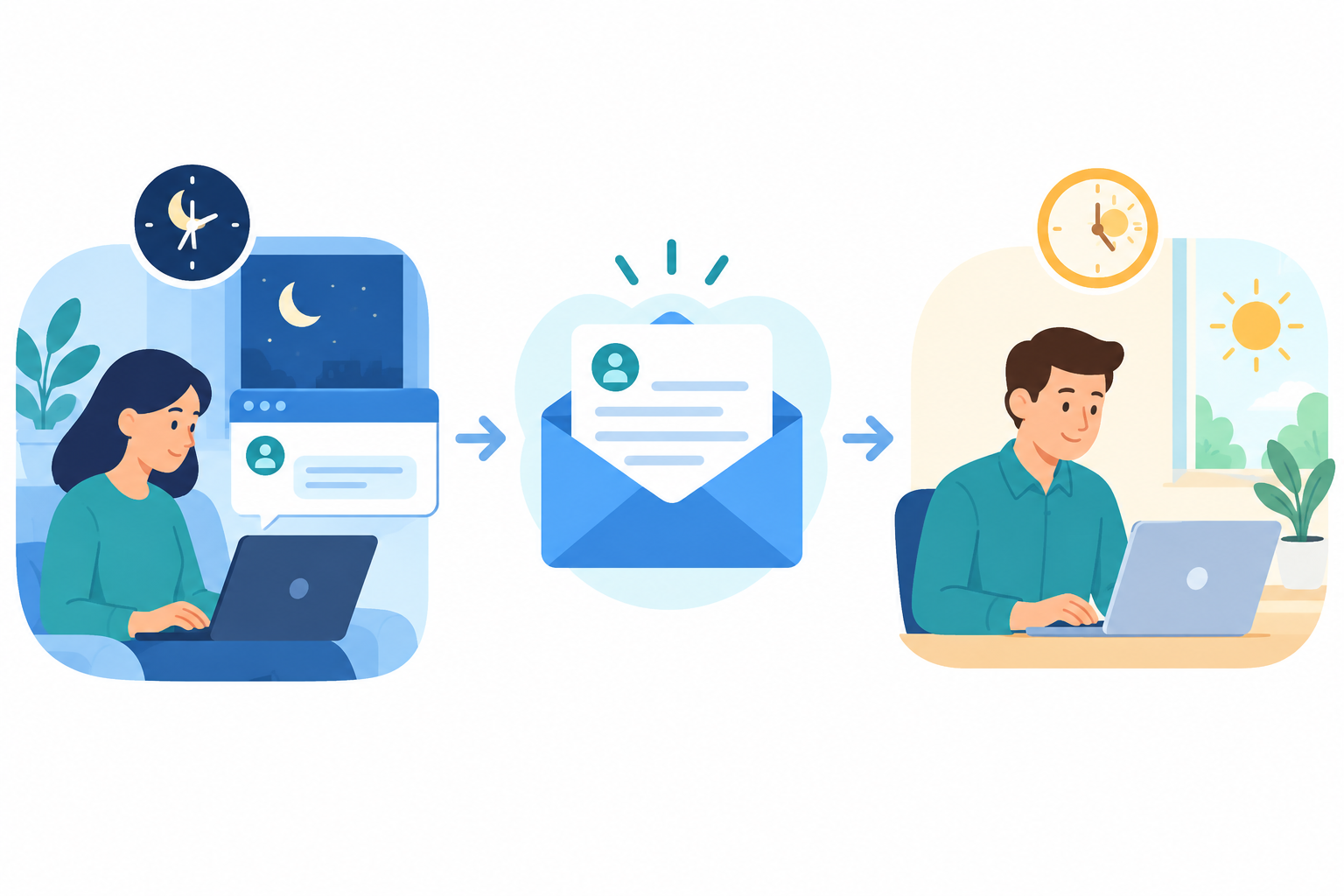
Zendesk's guidance makes a related point: don't present chat as instant if you can't staff it reliably, and always offer an email or ticket option outside staffed hours. A promise of real-time help that goes unanswered is worse than no chat at all.
Why run live chat and email support from one shared inbox?
Here's where it all comes together.
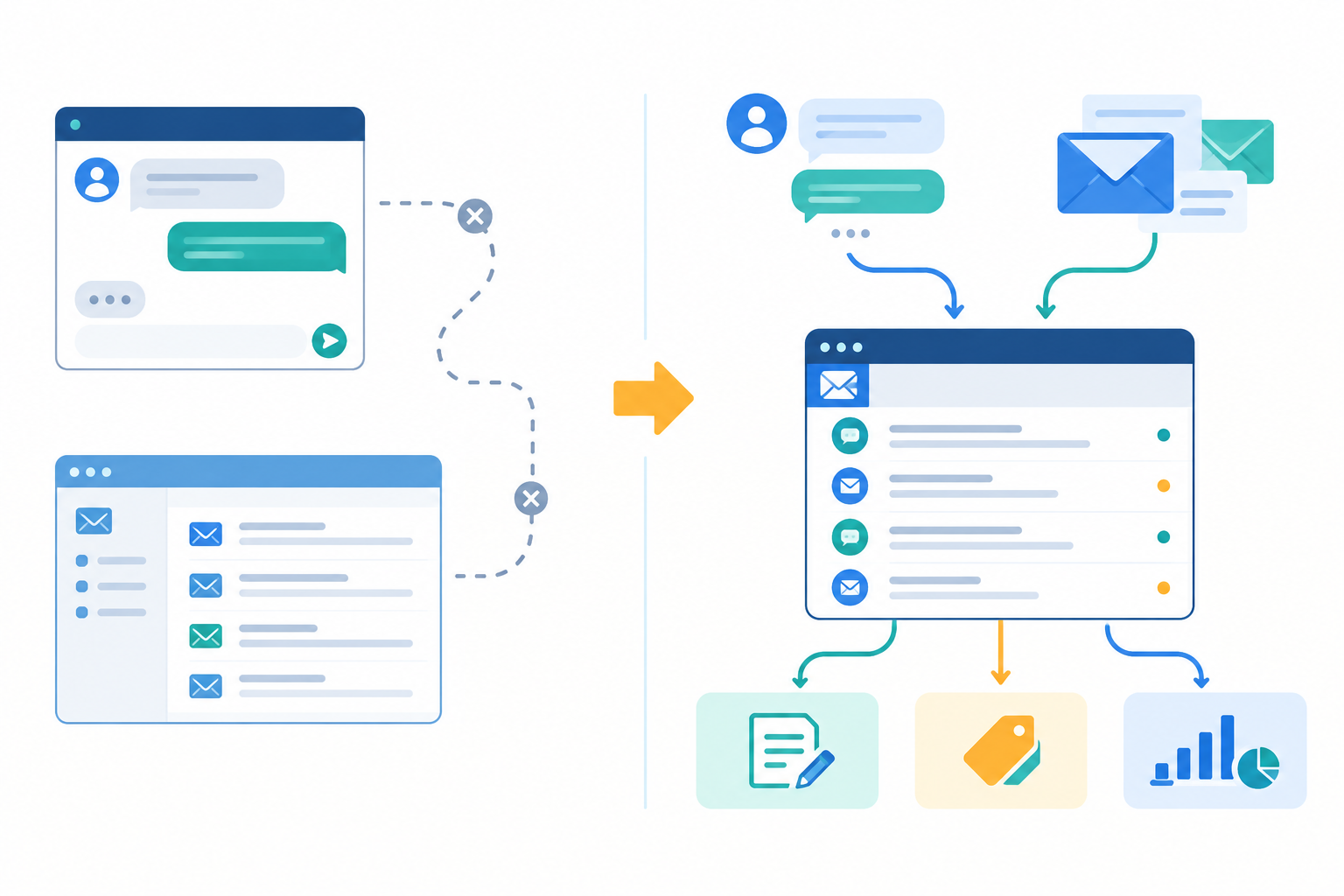
Think about what happens when context gets split. A customer chats with you in the afternoon about a failed import, and you say you'll look into it. That evening, they email for an update. If chat lives in one tool and email in another, the person replying has no idea about the afternoon chat. The customer has to explain everything twice, and that's when a small hiccup starts to feel like a bigger problem.
A shared inbox fixes this by putting live chat and email in one conversation history. Whoever picks up the thread can see what was said, by whom, and when.
What a shared inbox gives your support team
- One history per customer. Chats and emails sit together, so nobody asks the same question twice.
- Internal notes. Your developer can leave a note like 'Reproduced this, fix going out Thursday' and your support lead can read it, all without the customer seeing a thing.
- Tagging and filtering. Sort by bug, billing, trial user or anything else that matters to you.
- Response-time reporting. You can see where support is slipping, for example if email replies are creeping past a day or one person is carrying most of the chats.
What to look for in a shared inbox or help desk
Whichever shared inbox or help desk you pick, these are the questions I'd ask:
- Can a chat continue as an email thread, with the history kept together?
- How does pricing change as you add teammates, conversations or channels?
- Does it support offline chat capture, internal notes, tagging and basic reporting?
- Where is data stored, and what are the retention and export options?
- Can you try it on real conversations before committing?
One tool built around this idea is Sonny, which I work on. It combines a live chat widget, email-to-ticket forwarding, internal notes, tagging, filtering and reporting in one shared inbox. At the time of writing it's a flat $19.99/month with unlimited agents and conversations, and it has an optional AI copilot trained on your docs. Pricing, trial terms and features change and vary between products, so check each vendor's current page and compare a few options against the list above. A per-seat tool can still be the right choice for some teams. The principle matters more than the product: one inbox, one history, whole team.
How to start with one customer support channel and add another later
You don't have to launch everything on day one. Here's a gentle way to build up.
- Start with email if you're pre-launch or have very few users. It's the lowest-pressure channel. You can reply when you're ready, and you'll learn what people actually ask.
- Add live chat when the signals appear. Typical ones are people dropping off at the pricing page, or the same onboarding questions turning up again and again.
- Pick a few metrics. First response time, resolution time and volume by channel are plenty to begin with.
- Review after 30 days. Adjust your chat hours, refine saved replies and tidy your tags based on what you've seen.
- Test on real traffic. Use a free trial from whichever tool you're considering to run chat and email through one inbox with actual customers, rather than guessing.
The point is to learn from your own conversations. After a month, you'll know far more about what your customers need than any blog post can tell you (even this one 😉).
Live chat vs. email support: a decision checklist for your team
Still unsure? Run through these questions with your team over a cuppa:
- Do most of your questions need a quick answer or a considered one?
- Can your team commit to set chat hours?
- Do customers need a written record for billing or compliance?
- Are you losing sign-ups because visitors can't get a fast answer?
- Would a single inbox save you from switching between tools?
If you answered 'quick' and 'yes' to the sign-up question, chat is probably worth adding soon. If you answered 'considered' and 'written record', lean on email and make it excellent. If you gave a mix (and most of us do), run both from one place.
And please remember that good support isn't about being everywhere at once. It's about being reachable and consistent. Tell people when you're there, reply when you say you will, and keep the thread together. That's what customers remember. 💛
FAQ: live chat vs. email support
Do I need live chat if I already have email support?
Not necessarily. If customers are happy with your email response times and you get few pre-sales questions, email alone can work well early on. Consider adding chat once you see the signals in the 'start with one channel' section above.
Is live chat too demanding for a small team?
It is if you promise constant availability. Limited, clearly published hours with an email fallback are much more manageable. See 'What live chat and email support demand from a small team' for how to set that up.
How do I handle chats after hours?
Capture the visitor's email, turn the message into a ticket and reply the next working day. The six steps are in the after-hours section. One addition: make sure your offline message states a realistic reply time.
Can I move a chat into email?
Yes, and you often should for complex or sensitive issues. How easy it is depends on your tool, so make it one of the questions you ask when comparing shared inboxes.
Which customer support channel is cheaper to run?
Email is usually cheaper in staff time because you can batch replies, while chat needs real-time attention. Tool costs vary widely, particularly between per-seat and flat-rate pricing, so model your costs for the team size you expect in a year, not just today.
Sources and notes
- Zendesk, Customer Experience Trends Report 2023: measures customer expectations of immediate service.
- Kayako customer service channel survey (2018): measures stated channel preferences; not UK- or SaaS-specific.
- SuperOffice customer service benchmark (2018): measures email response times across 1,000 companies.
- Intercom, Zendesk and Atlassian customer service guidance: vendor best-practice articles on live chat, email and ticketing, and not independent research.
- ICO guidance on UK GDPR: the place to check your data protection obligations.
Statistics here are older or vendor-sourced, so please check the original reports before quoting them in your own work.