
How to Build Consistent Remote Customer Support with a Shared Inbox
Here's the thing nobody tells you when you go fully remote: your support quality doesn't slip because your team cares less. It slips because nobody can see what anyone else is doing.
The secret to great remote customer support isn't hiring more people. It's building shared visibility. A shared inbox gives your whole team one source of truth for every customer conversation, so response quality stays consistent no matter who's online, in which time zone, or how new they are. Pair that with clear internal documentation habits and smart asynchronous workflows, and you've got a support culture that scales with you, instead of quietly falling apart every time someone goes on holiday.
I've watched this play out with dozens of small teams, and the pattern is always the same. Things feel fine when you're three people in a Slack channel. Then you hire your fourth, fifth or sixth person, and suddenly customers are getting duplicate replies, or worse, no reply at all because everyone assumed someone else had it covered. Let's talk about why that happens and how to fix it before it becomes a habit.
Why Remote Support Teams Struggle With Consistency
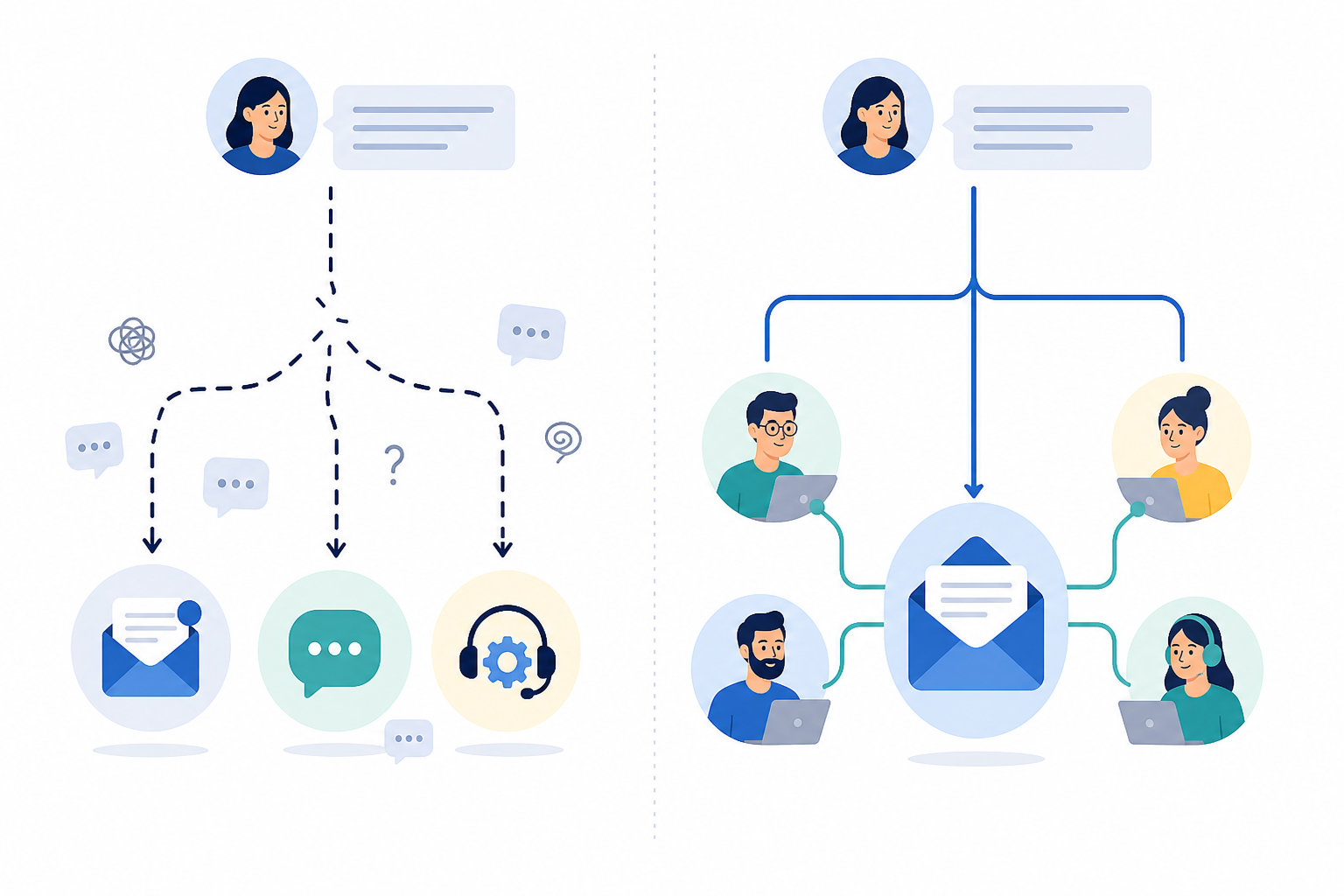
When support lives in personal inboxes or scattered Slack DMs, you get what I call the "who said what to whom" problem. Sarah replies to a customer from her own email. Dev handles the follow-up in a DM because Sarah's offline. Three days later, nobody remembers what was actually promised, including Sarah and Dev.
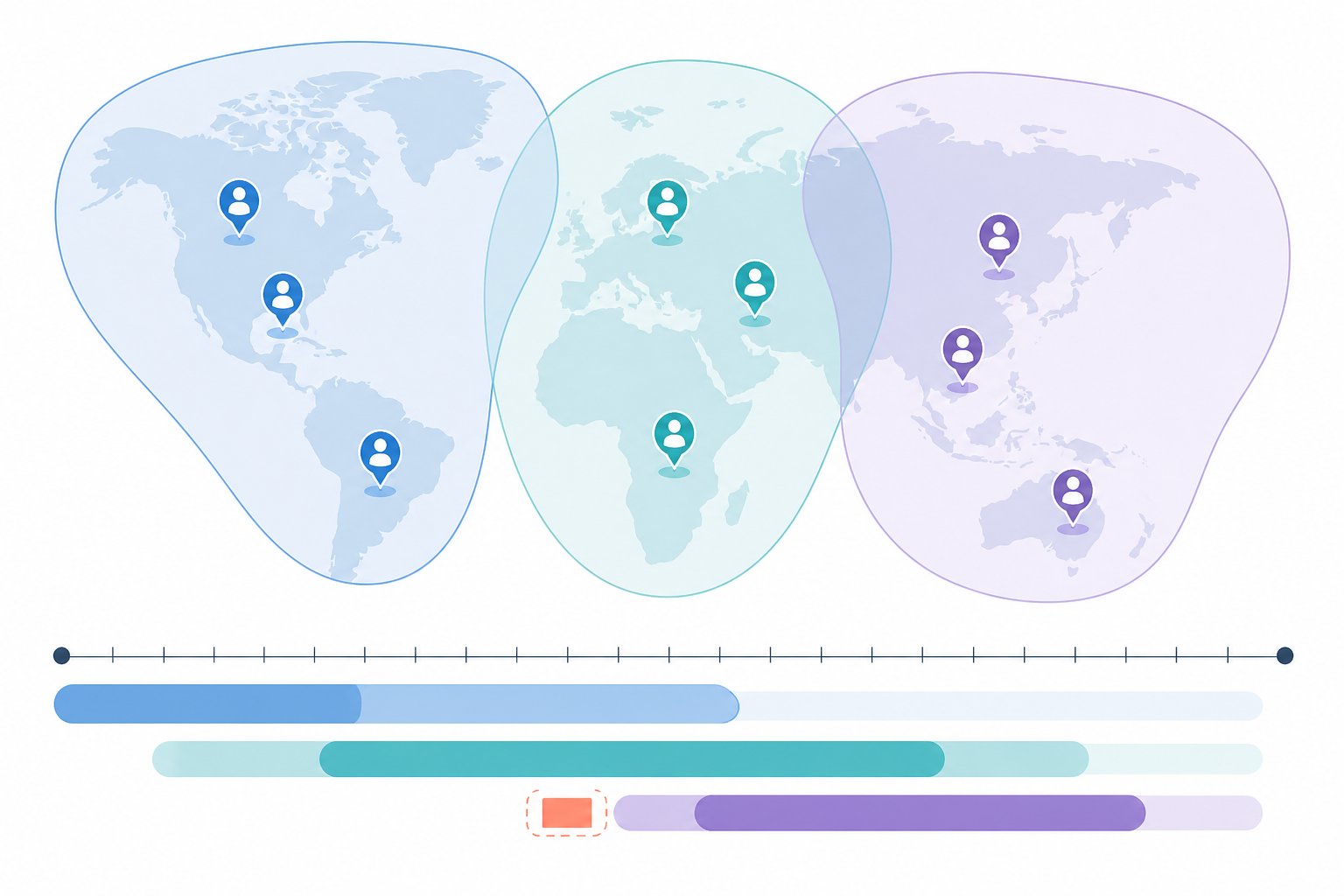
Time zones make this worse, not better. Picture a customer in London messaging at 5pm, right as your US-based teammate logs off for the night. The answer to their question already exists somewhere, buried in an old email thread, or in someone's head, but nobody currently online knows that. So the customer waits. Silently. Overnight. And when they finally get a reply the next morning, it's often from someone who has to ask, "wait, has anyone answered this already?"
Then there's the onboarding problem. New hires inherit what I like to call tribal knowledge: all the little rules and exceptions that got made up on the fly and never written down anywhere. "Oh, we always give that customer a discount because of the outage last spring." Nobody told the new agent that. How could they know?
And here's the uncomfortable one: founders often become the accidental bottleneck. You're the only one who remembers every edge case, every VIP customer and every unusual pricing exception you made in year one. That's not a support system. That's a single point of failure with a job title.
How a Shared Inbox Creates a Single Source of Truth
This is where a shared inbox earns its keep. Instead of customer conversations scattered across five different tools and three people's personal inboxes, everything lands in one place that your whole team can see.
Here's what a shared inbox and the right customer support software can solve:
- No more duplicate replies. When everyone can see the conversation history in real time, you stop getting two people answering the same email an hour apart.
- No more "I thought Sarah had this one." Ownership becomes visible instead of assumed. If a ticket is sitting unassigned, everyone can see it, nobody has to guess.
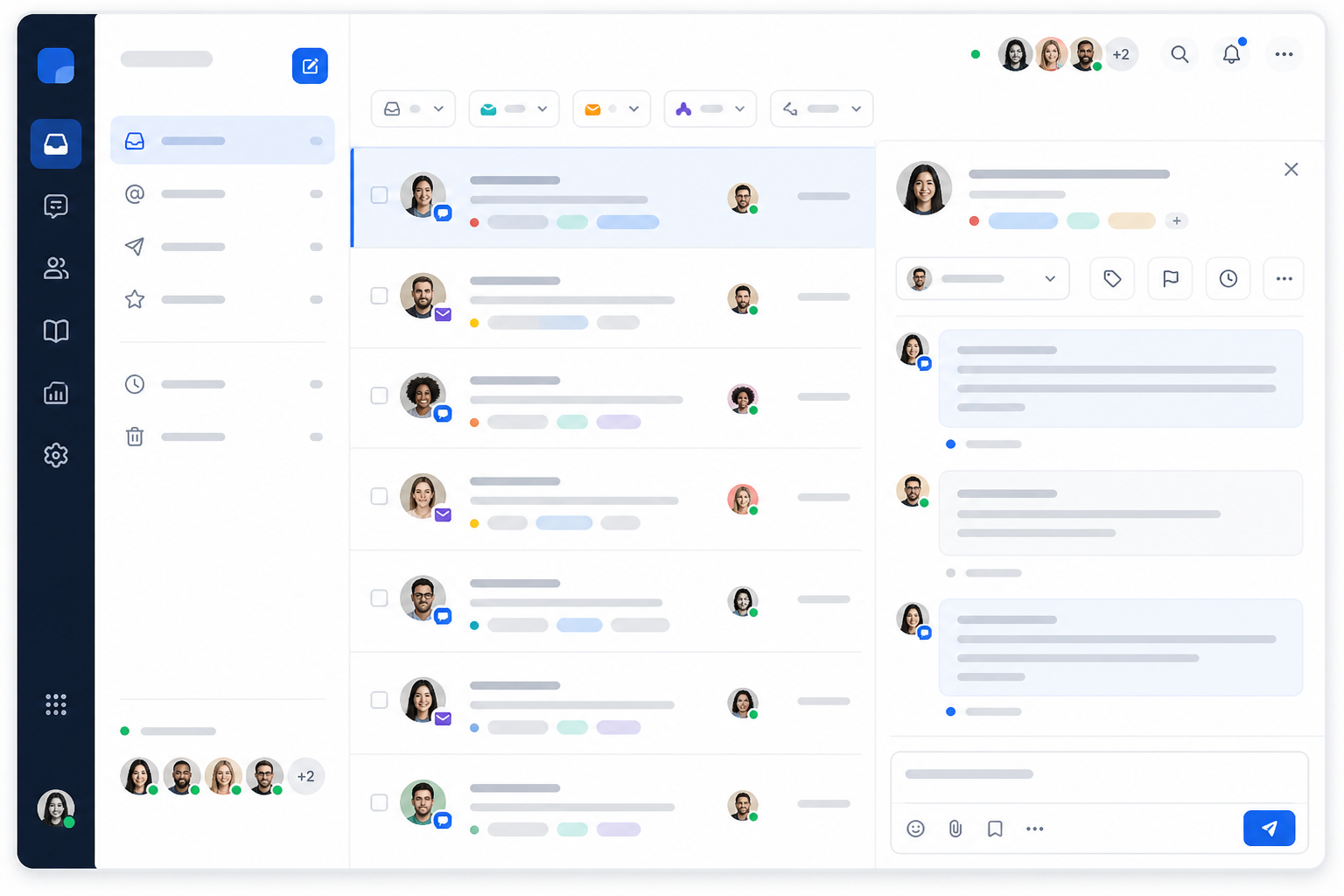
- Email and chat live together. With email-to-ticket forwarding and a live chat widget both feeding into the same inbox, you're not toggling between four browser tabs just to get a full picture of a customer relationship.
- Tagging and filtering add lightweight structure. You don't need a complicated workflow builder with fifteen automation rules to feel organised. A few smart tags, like "billing," "bug report," "VIP," go a long way, and filtering lets agents focus on what matters most in the moment.
Honestly, this matters more for remote teams than co-located ones, and I think that's underappreciated. In an office, you overhear things. You catch a colleague mentioning a tricky customer while you're both refilling your coffee. Remote teams don't get that hallway context for free, so the tool has to create it deliberately.
This is also part of why flat-rate pricing changes the way teams actually behave. When customer support software charges per seat, there's a quiet incentive to keep the inbox locked down to just a couple of "official" support people, because adding more seats costs more money. With Sonny's flat-rate pricing, $19.99/month for unlimited agents, that incentive disappears entirely. Your product person, your founder or your part-time contractor, anyone who touches a customer conversation can see the full picture, without anyone doing mental maths about what another login costs.
Using Internal Notes to Replace Hallway Conversations
Remote teams lose something real when they lose the office: the informal, low-stakes context-sharing that happens just by being physically near each other. You can't lean over to a teammate's desk and say "heads up, this customer's had a rough week" when your teammate is in a different country, possibly asleep.
Internal notes are the closest thing you've got to replicating that. A quick note attached to a ticket, something like "this customer is upset about the pricing change, be gentle" or "we already offered them a refund, don't offer another one," turns a private thought into shared knowledge instantly. It costs ten seconds to write and can save an entire relationship from going sideways.
The habit worth building here is narrating decisions, not just making them. It's easy to quietly resolve a tricky ticket and move on. But if you don't leave a breadcrumb explaining why you handled it the way you did, the next person who touches that account is working blind. Over time, this becomes a real culture question: are decisions visible to the team, or do they live only in one person's head until someone asks?
Here's the honest truth: small teams often skip this until something goes wrong. A customer gets double-refunded, or someone accidentally reopens a sensitive conversation the wrong way, and then everyone suddenly agrees internal notes are important. My advice? Get ahead of it. Build the habit while the stakes are still low, so it's second nature by the time your team (and your customer base) has grown.
How to Set Response Time Expectations Across Time Zones
Once you've got a shared inbox and a note-taking habit, the next piece is being honest about when customers can expect to hear back, especially when your team is spread across time zones. This doesn't need to be complicated, but it does need to be intentional.
- Map your team's actual working hours against your customer base's time zones. Not your ideal hours, your real ones. If most of your team is in the UK and Europe but a portion of your customers are in the US, there's a real gap there worth acknowledging.
- Set realistic first-response SLAs and say them out loud. Even a simple line on your help page, something like "we typically respond within 4 business hours," builds trust. Customers aren't upset by waiting; they're upset by not knowing whether they should be waiting.
- Use response-time reporting to catch gaps before customers complain. This is one of the most underused features in most help desk software. If your reports show response times spiking every day between 6pm and 9am UK time, you've found your coverage gap before it becomes a pattern of angry reviews.
- Build in a lightweight "follow the sun" handoff note at shift changes. Even fully asynchronous teams benefit from a two-line summary: what's outstanding, what's urgent and what to watch for. It takes two minutes and prevents the overnight silent-handoff problem entirely.
- Resist the urge to promise 24/7 support you can't actually deliver. When you're small, clarity beats speed. A clearly communicated four-hour window that you consistently hit builds more trust than a vague "we're always here" that quietly isn't true.
How to Onboard New Remote Support Agents Quickly
Here's a pattern I see constantly with growing remote teams: they treat onboarding like it needs to be a whole production. Multi-day training schedules, endless onboarding calls and a stack of documents nobody reads cover to cover. For a team that needs to move fast, that's a genuine liability. Every day a new hire spends "getting set up" instead of actually helping customers is a day you're still short-staffed.
The better approach is setup that takes minutes, not weeks. A new support agent should be able to log in and start answering real tickets on day one, not day ten. That's part of why fast setup matters so much for growing teams. If your support automation and tools require a whole onboarding call just to get started, you've already lost momentum before you've gained anything.
An AI copilot trained on your own docs makes a huge difference here too. Instead of a new hire guessing at answers or pinging a teammate every five minutes, they get suggested responses pulled straight from your existing help content. The point isn't to replace human judgement. It's to give new agents a confident starting point instead of a blank page.
Native mobile apps matter more than people expect, too. If a new hire can respond to tickets from their phone before their work laptop even arrives, that's one less excuse for a slow start. Companies like Otter and Scribe have leaned into exactly this pattern: get people into real conversations fast, support them with good internal tools and AI-assisted suggestions, and skip the multi-week ramp-up entirely.
The goal isn't to throw new agents in the deep end unprepared. It's to give them a system, a shared inbox, visible history, internal notes and smart suggestions, good enough that they don't need weeks of hand-holding to be useful.
The Bigger Picture: Build a Remote Support Culture That Scales
Building a support culture in a remote-first startup isn't about finding the perfect tool or writing the perfect handbook. It's about making sure knowledge, context and ownership live somewhere everyone can see, not in someone's inbox, someone's head or someone's DMs. Get that right, and you can grow your team without losing the thing that made your early support so good in the first place: everyone genuinely knowing what's going on.
Frequently Asked Questions About Remote Customer Support
How do remote teams stay consistent in customer support without daily stand-ups?
Consistency comes from shared visibility, not meetings. When your whole team works from one shared inbox with tagging, internal notes and reporting, everyone can see conversation history and tone without needing a sync call to catch up.
What tools help distributed support teams collaborate effectively?
Look for customer support software that combines live chat, email ticketing and internal collaboration in one place. Juggling separate tools for chat, email and team chat creates the exact gaps that cause remote teams to drop context between shifts.
How do I onboard a new remote support agent quickly?
Skip lengthy onboarding calls and complex training documents. Give new agents access to a shared inbox with historical context, pair it with an AI copilot trained on your existing help docs, and let them start answering real, low-stakes tickets within their first day.
Do we need a formal SLA if we're a small remote team?
You don't need anything complicated, but you do need clarity. Even a simple stated response window, such as "we typically reply within 4 business hours", sets expectations and reduces the anxious follow-up emails that clog your queue.