


You don't need 24/7 staffing to offer good after-hours customer support. Set honest expectations with away messages and auto-replies, tag overnight tickets by urgency, and share a lightweight on-call rotation across the whole team. A shared inbox for your support team, with internal notes, keeps handoffs clean.
That's the short version. The rest of this post is the practical version: what to decide, what to write, and how to plan coverage for a small team of 3, 8 or 15 without anyone quietly burning out on Sunday evenings. 💛
Do you need 24/7 customer support? How to decide
Picture this. It's Sunday night, 9:40pm. A customer can't get into their account and has a client demo first thing Monday. They send a message. Nobody sees it until 9:05am. By then they've already told their client the tool is flaky, and your 'Hi! Happy to help' lands a bit flat.
That's what an unanswered message can do to trust. But the fix isn't automatically 'staff every hour of the day'. Zendesk's 2023 CX Trends research reported that 72% of customers said they want immediate service, so speed clearly matters. It doesn't tell us your customers need a live human at 3am. That depends on your own data.
Check your after-hours support data first
Pull a month of chats and emails and look at when they arrive. Then work out two simple figures:
- Out-of-hours share: messages received outside 9-5 UK time, divided by total messages.
- Urgent share: of those out-of-hours messages, how many were genuinely urgent (access blocked, payment failed, outage) rather than things that could wait until morning?
If, say, 15% of your messages arrive out of hours but only a handful were truly urgent, a narrow on-call window will probably do. If the urgent share is high, or it's climbing, that's your cue to widen cover. Ten minutes with your reporting will tell you more than any industry survey.
Signs you need wider coverage:
- Customers in other time zones
- Payment or access problems that block people from using what they paid for
- E-commerce peaks at weekends or around sales
- A SaaS product where outages hit people outside office hours
Signs your team can stay lean:
- Low out-of-hours volume
- Mostly how-to questions and non-urgent requests
- B2B customers who expect a next-business-day reply
Choose an after-hours coverage tier
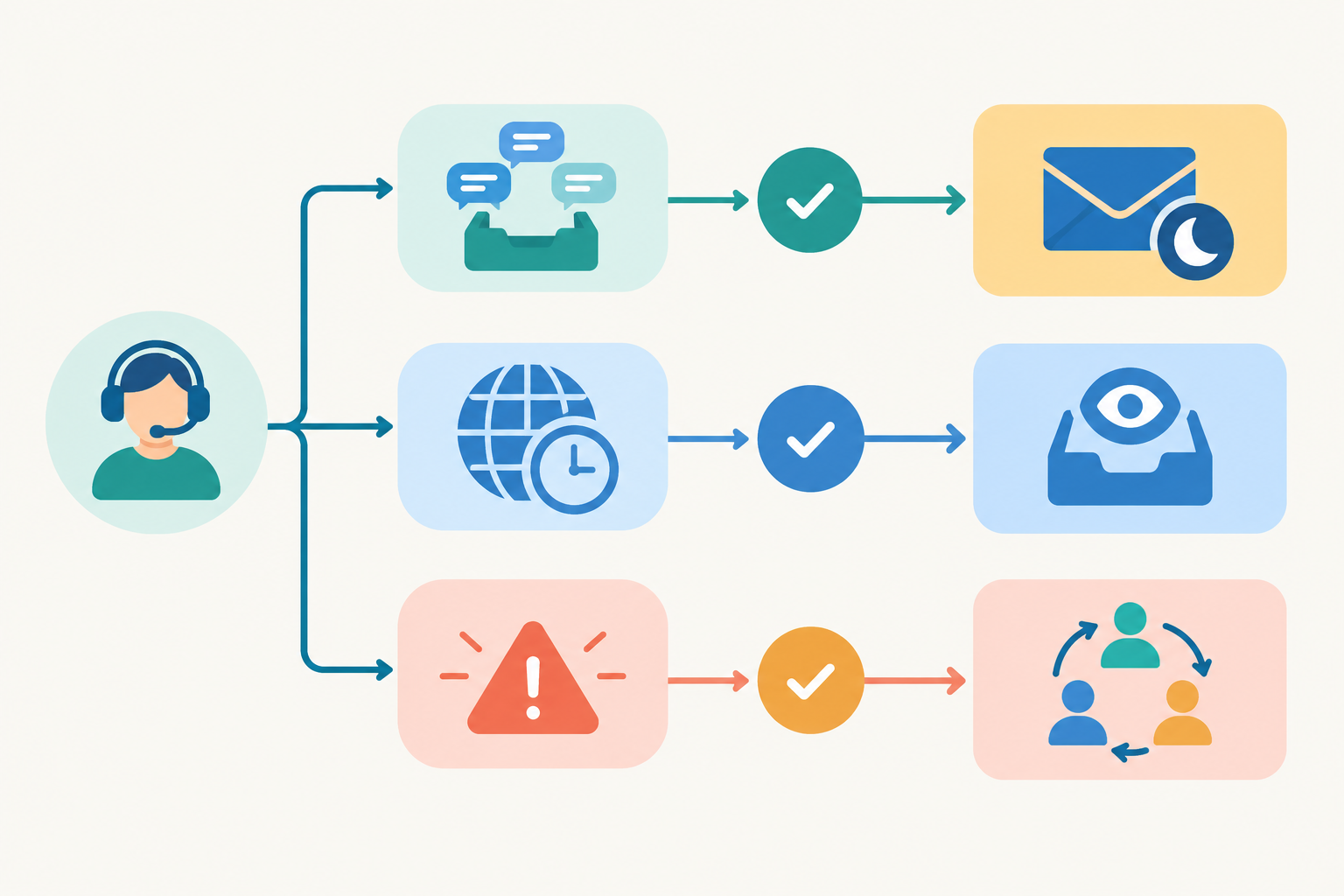
It's not all-or-nothing. I think of it as three tiers:
- None: an honest away message, and everything waits for the next working day.
- Monitored: someone glances at the inbox at set times and handles only urgent items.
- On-call: a named person is responsible for urgent issues in a defined window and acknowledges them within an agreed time.
Most small teams land on a mix, perhaps monitored on weekday evenings and on-call for a short Saturday window. And here's the reassuring bit: 'good enough and honest' beats 'always on and burnt out' every time.
Set expectations with live chat away messages and email auto-replies
In my experience, setting expectations does more than raw speed. Customers tend to forgive waiting when they know what's happening. What they don't forgive is silence, or a vague 'we'll be in touch'.
What should a live chat away message say?
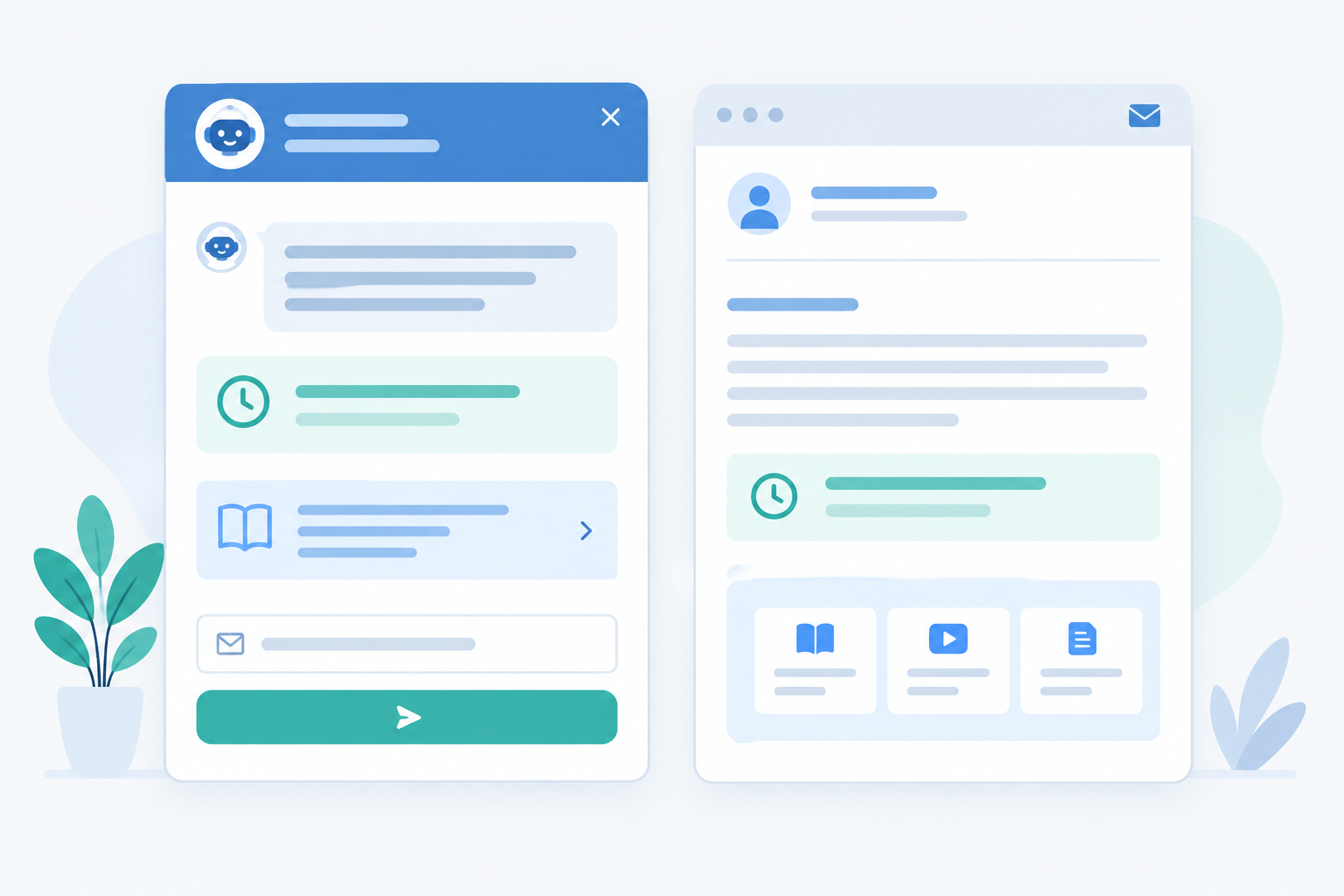
Your live chat widget is often the first thing a customer sees, so the away message matters. Cover four things:
- When you're back, with a specific time
- What happens to their message (it's saved, and someone will reply by email)
- A self-serve link to your help centre or FAQs
- An option to leave their email so you can follow up
Sample after-hours away messages
The golden rule: only promise what your rota will actually deliver. The first example assumes a short Saturday on-call window. If you have no weekend cover, use the second version instead.
Weekend (with Saturday on-call, 9am-1pm):
Hi there! 👋 We're offline for the weekend and back Monday at 9am UK time. Leave your message and email below and we'll reply first thing. In the meantime, our help centre might have a quick answer: [link]. If your account is locked or a payment has failed, mark your message 'urgent' and we'll check urgent messages on Saturday between 9am and 1pm UK time.
Weekend (no weekend cover):
Hi there! 👋 We're offline for the weekend and back Monday at 9am UK time. Leave your message and email below and we'll reply first thing. Quick answers here: [link].
Overnight:
Thanks for getting in touch! We're away until 9am UK time. Pop your question and email address below and it'll be waiting for us in the morning. Quick answers here: [link].
Bank holiday:
It's a bank holiday, so we're taking a breather. We'll be back on [day] at 9am UK time. Your message is safe with us, and we'll reply by email as soon as we're in. [link to help centre]
If you do have a bank-holiday on-call window, add it the same way as the Saturday example: state the exact hours, and don't imply that everything urgent will be seen outside them.
What to include in an email auto-reply
Your auto-reply should confirm receipt, give a realistic response window, and tell people how to flag something urgent. Use specific UK times, not 'as soon as possible'. A line like 'We reply to all emails by 11am on the next working day' is worth ten of those.
One tip: sound like a person. 'Your message has arrived safely' beats 'Your request has been logged'.
Keep response promises consistent across channels
If chat says 9am and email says 'within 24 hours', customers notice. Whatever tools you use, set the promise once and make sure every channel repeats it. Having live chat and email land in one shared inbox makes that far easier, because you can see everything in one place and check that the wording matches.
Build a weekend customer support rotation your team can live with
Let's talk about the part people worry about most: who actually does this? Google's Site Reliability Engineering guidance on being on-call treats on-call as a shared responsibility, designed around a sustainable workload. That works for a small team too, and it applies just as well to weekend customer support. Here's how I'd do it.
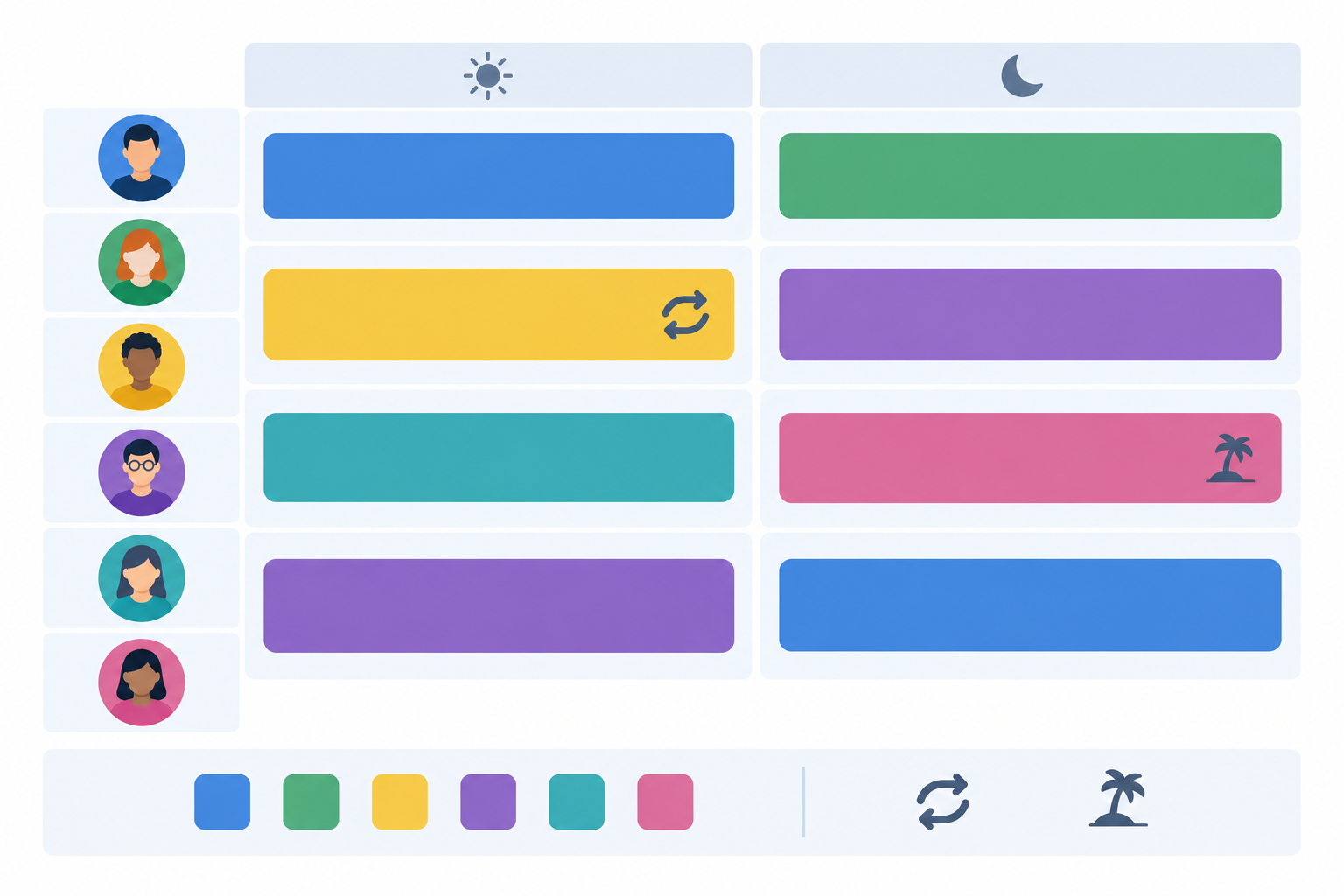
- Decide the hours you're actually covering. Not 'everything'. Maybe Saturday 9am-1pm and weekday evenings until 8pm. Narrow and reliable beats broad and shaky.
- List who can join. Include everyone who can reasonably help, not just the support lead. Founders and developers are often brilliant at the urgent stuff, like outages and access problems.
- Pick a rotation length that feels fair. A week at a time or a weekend at a time works better than changing owners daily. Publish the schedule in advance, and name a primary and a backup for each block.
- Define what on-call means. Check the inbox at set intervals, respond to urgent-tagged conversations, and don't expect to resolve everything. Write down what counts as urgent and how quickly you'll acknowledge it.
- Protect people. Offer time off in lieu, make swaps easy (with an explicit replacement), cap consecutive weekends, and give a clear opt-out for emergencies or life events.
- Review after a month and adjust. Was it too much? Too little? Did anyone dread it? Tweak and go again.
Make after-hours support sustainable and prevent burnout
On-call can quietly wear people down, especially in a small team where everyone is already stretched. The American Psychological Association's 2023 Work in America survey found that 77% of US workers had experienced work-related stress in the month before the survey. It's US data and not specific to support, but it's a fair reminder that after-hours cover is a wellbeing problem as much as a scheduling one. If someone says a rotation is too heavy, that's useful information, not a complaint.
UK working-time considerations for on-call support
Before you assign after-hours duties, agree the arrangements clearly and in writing with your team. Some questions worth checking:
- Does the arrangement respect minimum rest breaks and daily or weekly rest?
- Do you stay within the maximum weekly working hours, or have people agreed in writing to opt out?
- How restricted is someone while on call (do they have to stay near a laptop, or can they go about their day)? That can affect whether the time counts as working time and how it should be paid.
- Does anyone's contract say anything about on-call or overtime?
Acas also has practical guidance for employers and employees. I'm not a lawyer, so treat this as a checklist of things to confirm rather than the final word, and get proper HR advice for your own circumstances.
Cover multiple time zones with a 'follow the sun-lite' approach
If your team is spread across locations, let people take the shifts that suit their local time rather than hiring more agents. Someone in Lisbon or Lagos may happily cover your UK evening. You don't need a formal global operation, just a bit of sensible swapping.
Triage overnight customer support tickets with tags and filters
When messages arrive overnight, the on-call person shouldn't have to read everything to find what matters. A simple three-level tag system does most of the work.
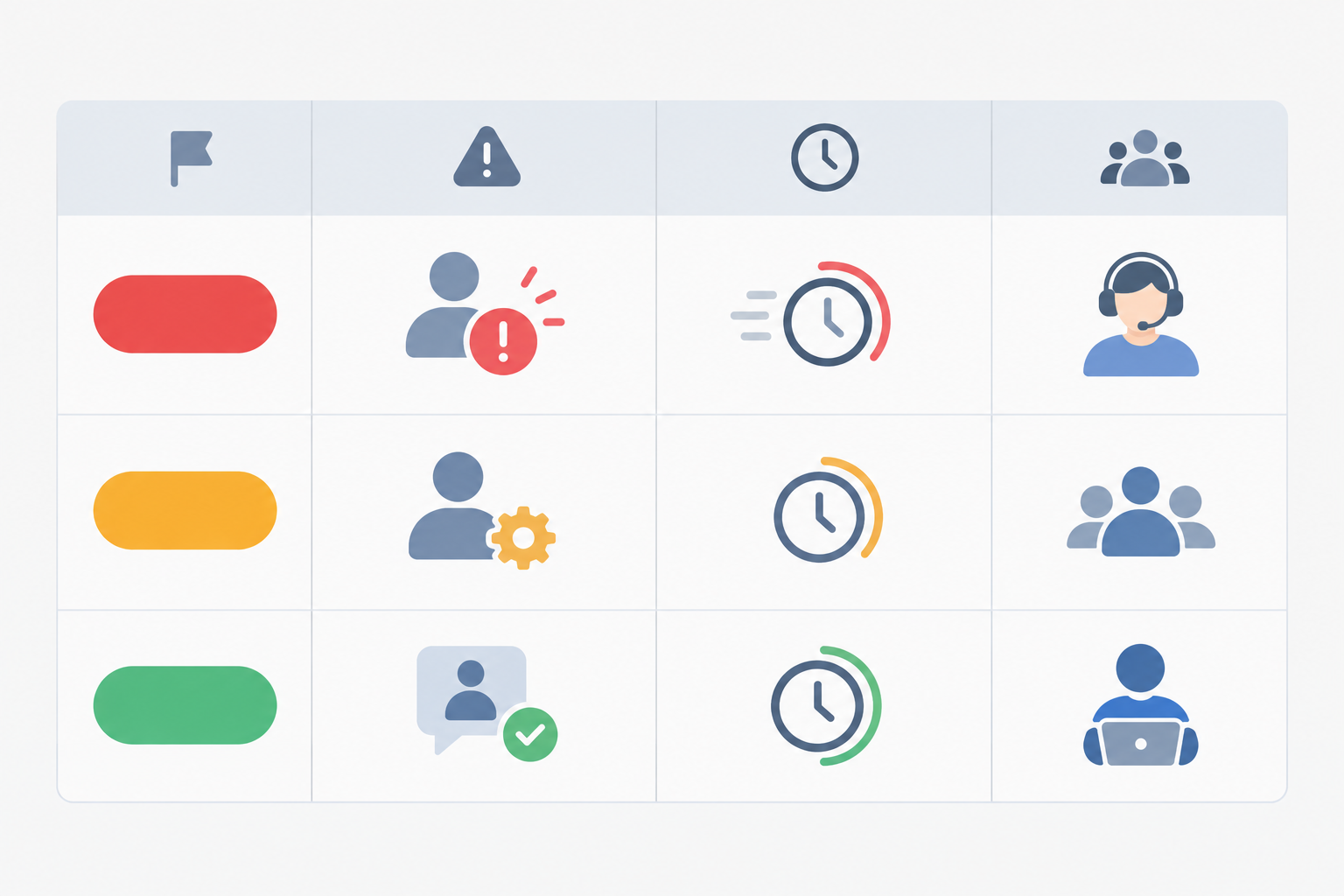
| Tag | Example issues | Target response | Who handles it |
|---|---|---|---|
| Urgent | Can't log in, payment failed, outage | Acknowledge within 1-2 hours in covered windows | On-call person |
| Next-Business-Day | How-to questions, bugs with workarounds | By late morning next working day | Day team |
| Low | Feedback, feature requests | Within a few working days | Day team |
Those response times are examples, so set ones you can genuinely keep.
How to spot urgent overnight support tickets
Look for keywords like 'locked out', 'charged twice' or 'down'. Check the customer's plan, their order status, and whether they've contacted you more than once. A third message in an hour is often a sign that something's properly wrong.
Create an 'Urgent overnight' inbox view
Use filters to create a saved view showing only urgent-tagged, unassigned or open conversations. The on-call person opens one list and sees only what matters. Everything else can wait without anyone feeling guilty about it.
Start the day with a morning ticket sweep
First thing, someone on the day team runs through overnight arrivals: tag what's untagged, assign owners, and flag anything that's become urgent. Ten minutes is a reasonable starting point for a small team. If your overnight volume is higher, give it longer, or split it between two people.
Automate simple after-hours support tasks
Automation can help a bit. Auto-tag by keyword or channel (anything mentioning 'payment' gets flagged for a look), and use suggested replies for common questions, with a person checking before anything goes out. Keep the tag list short, though. In my experience a handful of clearly defined tags gets used, while a long list quietly gets ignored.
Use internal notes for clean customer support handoffs
Here's a hypothetical, but one that will feel familiar. A customer writes in on Saturday about a duplicate charge. The on-call person promises to check on a refund, makes a note in a private DM, and goes off shift. On Monday, the day agent asks the customer to explain everything again. The customer, understandably, is not thrilled. One internal note would have saved the whole mess.
That's the pain point: customers repeating themselves because the next person has no context. A shared inbox for your support team helps here when you use internal notes properly. They keep the conversation about the customer in one place rather than scattered across chat threads and DMs.
What to include in a support handoff note
- What the customer asked
- What's been tried
- What's been promised
- What happens next
- Any deadline
A customer support handoff template you can copy
Asked: Customer can't access their account after a password reset. Tried: Sent a new reset link; checked the account is active. Promised: We'd update them by 10am Monday. Next: Check with dev whether the account is flagged; reply to customer. Deadline: 10am Monday.
Assign every open conversation before signing off
Before ending a shift, assign every open conversation to a named person. Unowned conversations have a way of floating until someone complains. A shared inbox only works if people actually use ownership.
Run a short morning handover
The day team reads the overnight notes, claims the open conversations, and clears the queue. A few minutes of talking beats an hour of untangling.
Answer urgent customer support messages from iPhone, Mac or Android
On-call shouldn't mean being chained to a laptop. If you're covering a Saturday window, you'd rather be at the park, on the sofa or on a train than glued to a desk. Mobile access makes that realistic, as long as your help desk has a decent mobile app or mobile-friendly web access for iPhone, Mac and Android.
The trick is to avoid alert fatigue. Set push notifications for urgent-tagged conversations only. If every 'thanks!' pings your phone, you'll mute it within a week, and then you'll miss the one that matters.
A few guidelines for replying on mobile: keep answers short and clear, escalate when something needs a laptop (a developer fix, say), and add an internal note afterwards so the next person has the full picture. It's also worth setting separate notification schedules so people who are off duty don't get pinged. Boundaries are part of the system, not an afterthought. 🌙
Make wider customer support coverage affordable with flat-rate pricing
Here's a quiet problem with many help desk tools: they charge per seat. That's fine when you've got three full-time agents. It's painful when you want ten people, including developers, founders and part-timers, to share an on-call rotation. Every extra person costs extra money, so teams leave people out and the load falls on a few.

An illustrative customer support pricing comparison
These figures are purely illustrative. The per-seat price is a made-up example, not a quote from any real provider, and the table ignores differences in features, usage limits and add-ons.
| Per-seat model (illustrative $25/seat) | Flat-rate, unlimited agents ($19.99) | |
|---|---|---|
| 3 core agents | $75/month | $19.99/month |
| 10-person rotation | $250/month | $19.99/month |
| Adding a developer for an outage weekend | +$25/month | $0 extra |
Always compare what each plan includes, not just the headline fee. Still, the principle holds: if your plan allows unlimited agents, widening the rotation doesn't cost extra.
How a wider rotation can help prevent burnout
More people in the rotation means lighter shifts for everyone. A team of three covering every weekend is a very different thing from a team of ten covering one weekend in ten. Pricing shouldn't decide who gets a break.
A note on Sonny: Sonny's plan is a flat $19.99 a month with unlimited agents and conversations, and it includes a 7-day free trial with no credit card required. Prices are in US dollars, so UK readers should check the converted amount and whether VAT applies. Plan details can change, so please confirm the current terms on Sonny's pricing page before you decide.
Measure whether your after-hours support plan is working
A plan you never review is just a hope. A fast first reply can hide slow resolutions or poor answers, so it helps to track a small balanced set of numbers rather than one. Compare them by time window, channel and urgency rather than as a single weekly average.

- First response time outside business hours, compared to your target for each tag
- Time to resolution for urgent overnight tickets
- After-hours volume and how it trends month to month
- Customer satisfaction, even simple thumbs-up ratings on after-hours conversations
- Repeat contact rate, which is a sign handoffs are failing
Alongside those five, keep an eye on team health: swap requests, opt-outs and on-call load per person. These won't appear on a customer dashboard, but they tell you whether the plan is sustainable.
Most help desks offer reporting on response times and team performance, so use yours for a monthly review. Write down your coverage schedule and any changes so you can read the results fairly.
What does successful after-hours customer support look like?
Fewer Monday-morning escalations. Fewer churn-risk conversations. More issues resolved first time. And a team that still likes working there. 🙂
When to expand or reduce after-hours coverage
If urgent after-hours volume keeps growing and you're meeting targets comfortably, consider widening the window. If volume is low, swap requests are piling up or people are dreading their shifts, narrow it. Neither is failure. You're just adjusting to reality.
FAQ: after-hours customer support for small teams
Do small teams really need to offer support outside business hours?
Not always, and it's worth checking your data before you commit. If a meaningful share of your messages arrive in the evenings or at weekends, or your customers depend on your product for time-sensitive things like orders or payments, some coverage is worth it. Even then, it can be as simple as clear expectations plus a light on-call check for urgent issues.
What should a live chat away message say?
Tell people when you'll be back (in UK time), what happens to their message, and where to find quick answers in the meantime. Give them an option to leave their email so you can follow up. Keep it warm and specific, and avoid vague promises like 'as soon as possible'.
How do we split weekend customer support without burning out our team?
Keep the hours narrow, include everyone who can reasonably help, and rotate fairly. Define on-call as checking for urgent issues at set times, not resolving everything. Offer time off in lieu and easy shift swaps, and review how it's going after a month.
How can we tell which overnight support tickets are urgent?
Agree a short list of urgent triggers in advance, such as payment failures, login lockouts or outages, and tag conversations accordingly. Filtered views then show the on-call person only those tickets, while everything else waits for the next working day.
Can we cover multiple time zones without hiring more agents?
Often, yes. If your team is spread across locations, let people take the shifts that fall in their daytime or early evening. If not, combine honest response windows with a narrow on-call rotation for urgent issues.
How do we hand off conversations between agents without losing context?
Use internal notes inside the conversation to record what was asked, what's been tried, what you've promised and what happens next. Assign the conversation to a named person before you sign off so nothing is left unowned.
What metrics show that after-hours support is paying off?
Look at first response time outside business hours, resolution time for urgent tickets, repeat contact rate and customer satisfaction. Pair these with team health signals like swap requests and on-call load so you know the plan is sustainable.
Start small: your first-week after-hours support plan
You don't need a night shift to look after your customers well. You need honest messages, a handful of tags, a fair rotation, and notes that make handoffs painless. Here's how I'd spend your first week:
- Review message timing. Work out your out-of-hours and urgent shares from the last month.
- Choose a coverage tier. None, monitored or on-call, whichever fits what you found.
- Publish your expectations. Write your away message and auto-reply with specific UK times, and make sure they match.
- Set up tags and notes. Agree your urgent triggers and a handoff template.
- Run one weekend, then review. Check in with the team after a month and adjust.
If you'd like a shared inbox that brings live chat and email together, with unlimited agents so the whole team can join the rotation, you can try Sonny free for 7 days with no credit card. Setup is quick, so you could have your first away message live before the kettle's boiled. ☕