
Help Desk Software for Multi-Brand Teams: A UK Buyer's Guide
Meta title: Help Desk Software for Multi-Brand Teams | UK Guide
Meta description: Compare help desk software for multi-brand teams. Learn which shared inbox features, pricing models, integrations and trial questions matter most for UK buyers.
If you're running support for more than one brand, you already know the headache: four inboxes, three different tools, and a Slack channel just to keep track of who replied to what. Here's what actually matters before you buy help desk software for a multi-brand team.
The best help desk software for multi-brand teams gives you one shared inbox with brand-level tagging and routing, pricing that doesn't punish you for adding agents or brands, and reporting that breaks performance down by brand. Flat-rate pricing tends to suit growing multi-brand teams particularly well, but it isn't automatically the right answer for everyone — a very small team with one or two agents and low ticket volume might still do fine on a modest per-seat plan. The goal of this guide is to help you work out which model and which features actually fit your situation, not to tell you there's only one correct answer.
We'll walk through how to define your requirements, the features that genuinely matter for multi-brand workflows, how different pricing models stack up in real numbers, what to ask vendors during a trial, and the red flags that tend to show up in tools that weren't built with multiple brands in mind.
Why Multi-Brand Support Is Trickier Than It Looks
Here's a simple example to make this concrete. Picture a small team running three online stores under different brand names, each with its own support address — hello@brandone.co.uk, support@brandtwo.co.uk, and help@brandthree.co.uk. If those three inboxes each get even 15 emails a day, that's 45 messages a day split across three separate logins, three different reply templates, and three sets of brand voice guidelines to keep straight. Multiply that by a team of two or three people, and you can see how fast context-switching eats into actual support time.
That's not a support system. That's a juggling act.
When you run separate inboxes per brand, a few things tend to happen: you pay for the same tool multiple times, your team loses time switching context all day, and tickets occasionally fall through the cracks between systems because nobody has one view of what's happening across brands. Response times get inconsistent as a result. For small teams covering multiple brands with the same two or three people, this problem compounds quickly, because there's no slack in the system to absorb the extra friction.
Multi-brand teams also work differently day-to-day compared to single-brand teams. A single-brand team can build deep expertise in one product, one tone of voice, one set of FAQs. A multi-brand team needs to context-switch constantly, which means the software itself needs to shoulder more of the organisational work — brand identity should be baked into the workflow, not something an agent has to remember manually every time they open a ticket.
This is why generic single-inbox tools, or running several separate apps side by side, tend to break down as you add brands. You need help desk software built to handle multiple identities cleanly, with the shared inbox, routing and reporting to match.
Define Your Multi-Brand Support Requirements
Before comparing help desk software, it's worth sitting down and mapping out what you actually need. This ten-minute exercise can save you from buying something that looks impressive in a demo but doesn't fit how your team actually works.
Ask yourself:
- How many brands or domains need to funnel into one shared inbox? Two brands is a very different setup than eight, both operationally and in terms of pricing tiers.
- Do you need separate email addresses or live chat widgets per brand? Most multi-brand teams do, since customers expect to email support@yourbrand.com, not a generic address that doesn't match the site they're on.
- Do agents need different permissions per brand? If certain agents should only see or reply to tickets for specific brands, you need role-based access, not just tagging.
- Do you need brand-specific macros, canned responses, or signatures? A reply that's perfectly on-brand for one company can look jarring if the same template gets used across all of them.
- What's your team size now, and where do you expect to be in 12 months? This matters more than people think, especially with pricing models that charge per agent.
- Do you need reporting broken out by brand? If you're managing multiple brands for clients or stakeholders, being able to show “Brand A resolved 94% of tickets within 2 hours” separately from Brand B's numbers is often a requirement, not a nice-to-have.
- Do you need this to integrate with your existing tools? Think about your CRM, e-commerce platform (Shopify, WooCommerce), or order management system, and whether you need data flowing between them automatically.
- What are your data residency and retention needs? For UK and EU customers, this means understanding where your data is hosted, how long it's retained, and whether the vendor's data processing terms are GDPR-compliant.
Writing these answers down gives you a checklist to hold every vendor against, rather than getting swept up in whichever demo has the shiniest dashboard.
Must-Have Help Desk Software Features for Multi-Brand Teams
Once you know your requirements, here's what to look for in the software itself — and, importantly, how to actually test each one during a trial rather than taking a features list at face value.
| Feature | Why It Matters | How to Test It During a Trial |
|---|---|---|
| Smart routing | Tickets should land with the right agent or team automatically based on which brand or domain the message came through, so nobody manually sorts email by hand. | Send test emails from all your connected addresses and confirm each one routes to the correct queue or agent group without manual tagging. |
| Tagging and filtering | You need to organise conversations by brand, status, or topic without drowning in folders. | Filter your test inbox down to “just Brand C, open tickets” and time how many clicks it takes. |
| Sender identity and reply-from address | Replies need to go out from the correct brand address, not a generic one, or customers will notice immediately. | Reply to a test ticket and check the “from” address and signature match the brand the ticket came in through. |
| Brand-specific macros and signatures | Canned replies and signatures should switch automatically based on brand, not require agents to remember which template to use. | Set up a macro for two different brands and confirm the correct one applies automatically based on the ticket's brand tag. |
| Internal notes | Team collaboration matters even more across brands, since someone might need to loop in a colleague who knows that brand's specific policy. | Add an internal note and confirm it's visible only to your team, not the customer, and doesn't require leaving the ticket view. |
| Email-to-ticket forwarding that preserves brand context | When an email becomes a ticket, the system needs to remember which brand it belongs to — a surprising number of tools lose this. | Forward a test email from each brand's domain and confirm the resulting ticket is tagged correctly, not dumped into a generic queue. |
| Reporting segmented by brand | Response times, resolution rates, and team performance should all be filterable by brand. | Pull a sample report and confirm you can break it down by brand, not just by agent or team. |
| Customisable live chat widgets per brand | If you run chat on multiple sites, each widget should carry its own branding while feeding into one backend. | Install two widgets on test pages and confirm each has independent branding but both land in the same shared inbox. |
| Permissions and access controls | Not every agent should see every brand's tickets, especially with contractors or part-time staff. | Create a limited-access test user and confirm they can only see the brands you've assigned them to. |
| Audit logs and data export | You'll want a record of who changed what, and the ability to get your data out if you ever switch tools. | Ask to see an audit log entry and request a sample data export before you commit. |
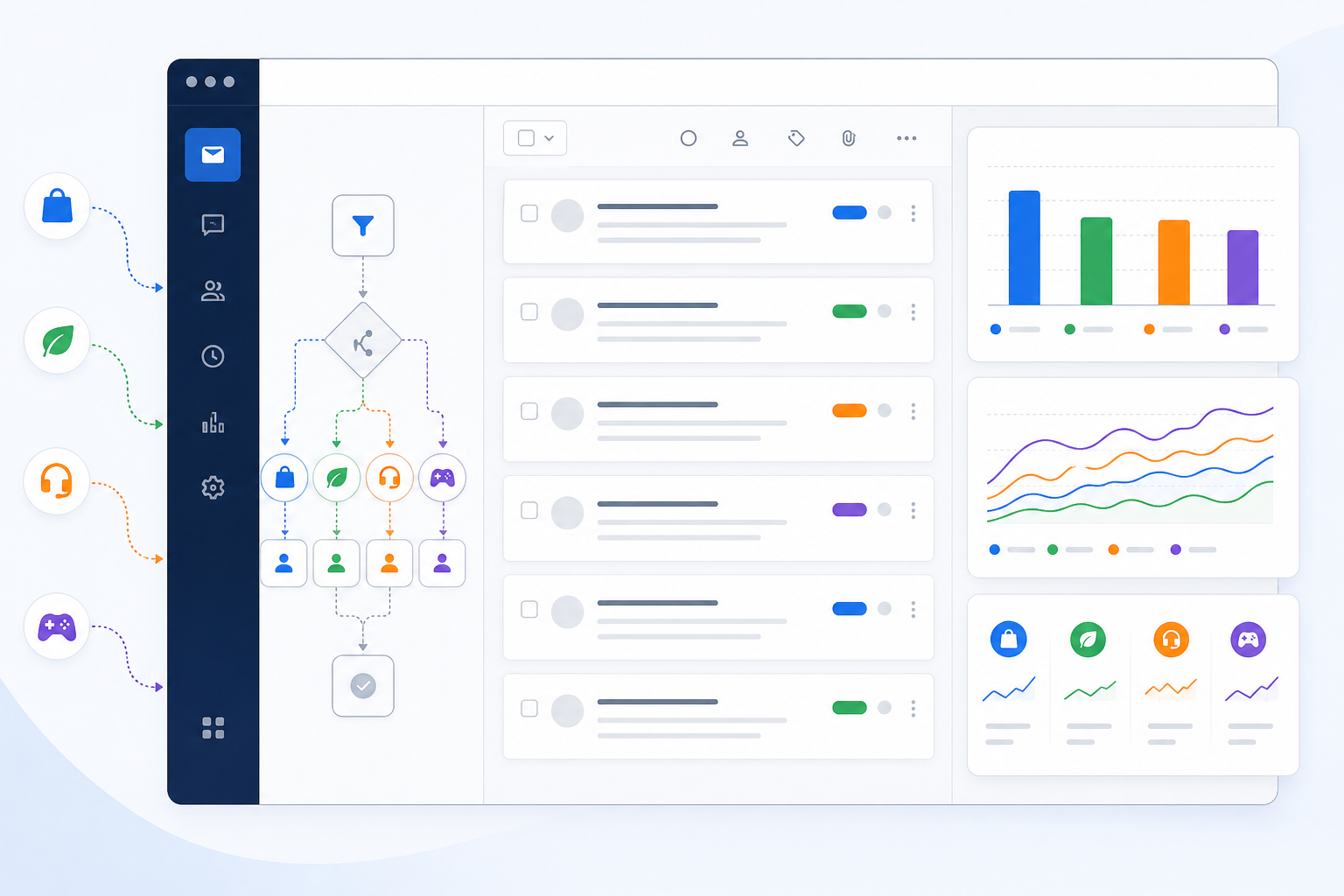
When these pieces work together, your support tool becomes automation for the boring parts, so your team can focus on actually talking to customers instead of sorting and re-sorting tickets all day.
Help Desk Software Pricing Models to Watch Out For
This is where multi-brand teams get caught out most often, so let's talk through the numbers properly, using UK pounds throughout (VAT may apply on top of quoted prices, so always check whether the figure you're given is inclusive or exclusive).
Most help desk software falls into one of three pricing camps:
- Per-seat pricing. You pay a monthly fee for every agent who needs access. Zendesk, Freshdesk, and Help Scout, for example, all use variations of this model. It's straightforward, but multi-brand teams often need more agents than single-brand teams to cover more ground, so costs can climb faster than expected as you scale.
- Per-inbox or per-brand pricing. Some tools charge separately for each brand or domain you connect, on top of your base plan. This can work fine if you only have two brands and don't plan to add more, but it effectively taxes growth, which is worth factoring in if you expect to launch new brands.
- Flat-rate pricing with unlimited agents. One monthly price regardless of how many agents or conversations you're handling. This tends to scale more predictably for multi-brand teams specifically because agent count usually grows faster than in single-brand support, but it's worth checking whether “unlimited” also covers brands and conversations, or just agents.
Here's a simplified comparison for a team of 8 agents covering three brands, using illustrative, approximate pricing (always confirm current rates and VAT treatment directly with vendors, since pricing changes and plan tiers vary):
| Pricing Model | Cost Structure | Approx. Monthly Cost (8 agents, 3 brands) |
|---|---|---|
| Per-seat, roughly £12–18/agent/month | Scales directly with team size | Around £96–144/month, rising as you hire |
| Per-brand add-on fees | Extra charge per connected brand on top of a base plan | Often an additional £15–30/month per brand |
| Flat-rate, unlimited agents | Fixed monthly price regardless of team size | A single fixed fee, e.g. roughly £15–20/month equivalent, unchanged as you add agents |
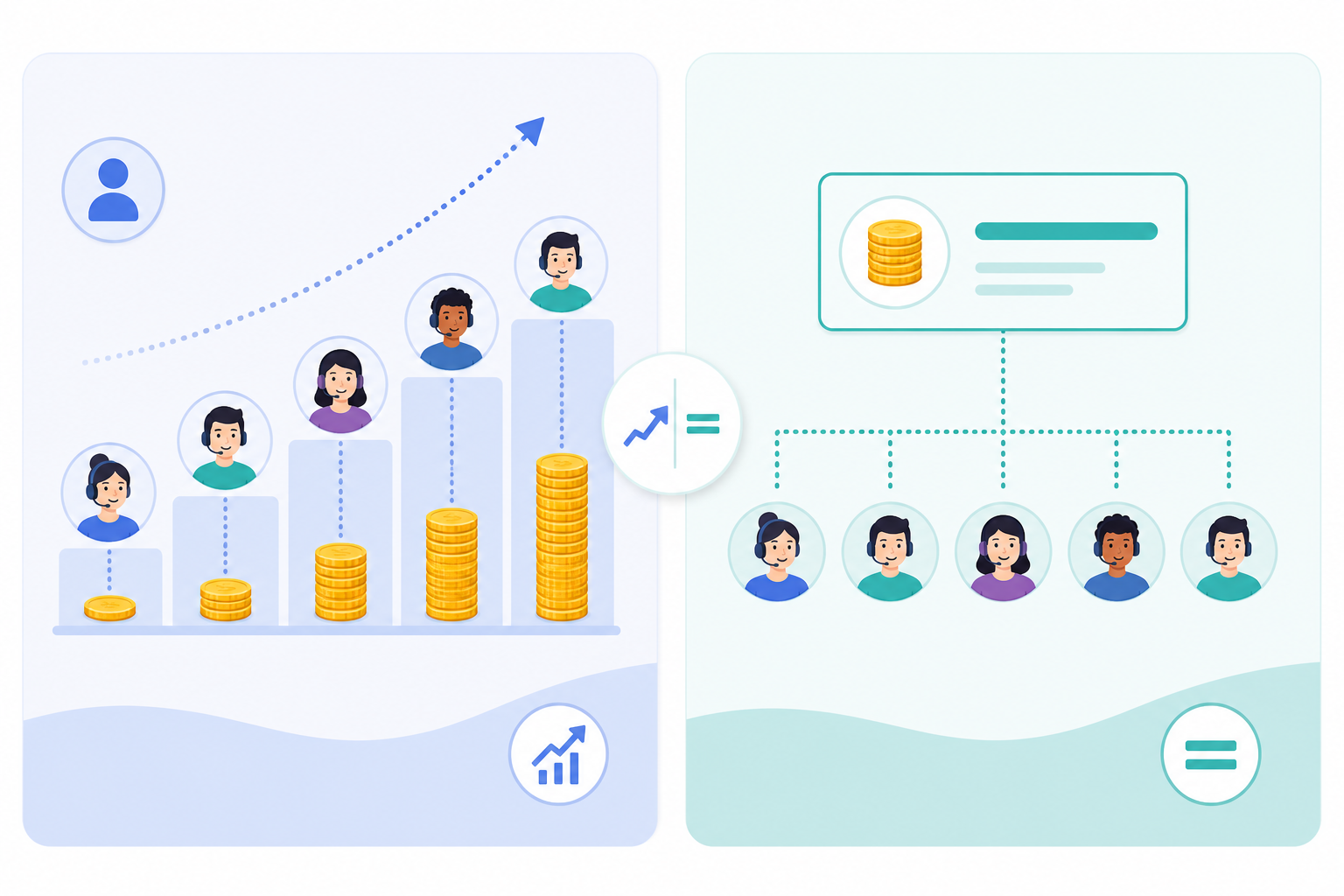
Worked example: Sonny is one flat-rate option in this space, priced at $19.99/month (roughly £16, depending on the exchange rate at the time) for unlimited agents and unlimited conversations. For an 8-agent team, that's a meaningfully lower and more predictable cost than most per-seat plans at that headcount. Treat this as one example of how flat-rate pricing plays out in practice, not a universal recommendation — always verify current pricing, currency, and any brand or conversation limits directly with the vendor before deciding.
One thing worth watching for regardless of model: vendors that advertise “unlimited” but quietly cap something else, like the number of brands you can connect or the number of conversations before you're bumped to a higher tier. Read the fine print, or better yet, ask the vendor directly (we'll cover exactly what to ask next).
Questions to Ask Help Desk Software Vendors During Your Trial
A free trial is your chance to stress-test a tool before you commit. Here's what I'd ask, roughly in order of importance:
- Can I connect multiple email addresses or domains to one shared inbox? Non-negotiable for multi-brand teams.
- Is there a limit on agents, conversations, or connected brands at this price point? Get this in writing, not just verbally from a sales rep.
- Can I set different permissions per brand, so agents only see what they're assigned to? Ask to see this configured live, not just described.
- Can I filter or tag conversations by brand for reporting purposes? Again, ask to see this live during the trial.
- What integrations are available for CRM, e-commerce, or order management tools? Confirm whether the integrations you actually rely on are supported, not just listed generically.
- How long does setup actually take, and is there a mandatory onboarding call? If a vendor insists on a call before you can even see the product, that's often a sign setup isn't as simple as advertised. Some flat-rate tools, including Sonny, are built for self-serve setup in under five minutes with no onboarding call required — worth using as a benchmark when comparing others.
- Does the trial require a credit card, and how long do I get to test it? A trial with no credit card required and enough time to actually run a few days of real tickets tells you a vendor is confident in their product.
- Is there a mobile app so my team can respond on the go? For multi-brand teams especially, someone will need to reply from their phone between meetings.
- What's your published SLA, and what's your incident history like? Ask for links to a status page or incident log, not just a verbal assurance.
- What happens to my data and conversation history if I cancel? Always ask this before you're locked in, not after. Also ask where data is hosted and how it's handled under GDPR if you're a UK or EU business.
Red Flags When Choosing Help Desk Software for Multiple Brands
A few warning signs that a tool isn't going to serve you well long-term:
- Pricing pages that hide per-seat costs until you're deep into a demo call
- No clear way to separate, tag, or restrict access to conversations by brand
- Setup that requires a sales call just to get started
- Vague uptime commitments, or an SLA with no service credits, no incident history, and no clarity on which plans it actually applies to — a headline like “99.9% uptime” means little without that detail
- Limited or no mobile app support for on-the-go response
- Reporting that only shows team-wide stats with no brand-level breakdown
- No documented data export process, or unclear answers about what happens to your history after cancellation
If you spot two or more of these during a demo, it's worth pausing and asking harder questions before you sign anything.
What Multi-Brand Support Looks Like in Practice
Imagine a small team running two e-commerce brands — call them a homeware label and a separate skincare line, both selling through their own Shopify stores under one company. Before consolidating, each brand had its own inbox, its own reply templates, and its own Slack thread for “did anyone reply to this yet?” After moving to a shared inbox with brand tagging and routing, incoming tickets from each store's domain landed automatically in the correct queue, tagged by brand, with the right signature and macros applied without anyone having to remember which brand they were replying to. The team didn't shrink, but the time spent switching context and double-checking which inbox they were in did.
Some teams take this a step further with AI copilot features trained on their own help docs, which can draft faster first-pass replies to repetitive questions. This is genuinely useful, but it comes with caveats worth knowing: the quality of the drafts depends entirely on the quality of the source documentation you feed it, it needs to be kept separate per brand so it doesn't blend policies or tone across brands, and a human should still review anything that touches billing, refunds, or anything sensitive before it goes out. It's a head start, not a replacement for judgement.
Fast setup also matters more than people expect going into this. When you're juggling multiple brand workflows already, a week-long onboarding process before you can even start is its own kind of cost. Being able to connect email forwarding and deploy a chat widget in under five minutes means you're solving your actual problem on day one, not two weeks from now.
Choosing the Best Help Desk Software for Your Multi-Brand Team
If you're a small team (roughly under 10 agents) managing two or more brands and expecting to add agents or brands over the next year, flat-rate pricing with unlimited agents will usually save you money and headaches as you scale — just confirm any brand or conversation caps up front. If you're a very small operation with one or two agents, low ticket volume, and no near-term growth plans, a modest per-seat plan from an established provider might genuinely be cheaper and perfectly adequate.
Either way, prioritise brand-level routing, tagging, and reporting over flashy extras, and test permissions and data export during your trial, not after you've migrated your history over. The best shared inbox is the one that fits your current workflow, remains affordable as you grow, and keeps every brand's customer experience consistent.
FAQ: Help Desk Software for Multi-Brand Teams
Is it possible to manage several brands with one support tool?
Yes, and it's increasingly common. The key is choosing a shared inbox that lets you connect multiple email addresses or domains, tag conversations by brand, set permissions per brand where needed, and route tickets automatically. You don't need five separate tools; you need one tool built to handle multiple brand identities cleanly.
What pricing model works best for multi-brand support teams?
It depends on your size and growth plans. Flat-rate pricing with unlimited agents tends to work out better for teams that expect to add agents or brands over time, since per-seat pricing scales costs alongside headcount in a way that can get expensive quickly. But if you're a very small team with low ticket volume and no immediate plans to grow, a per-seat plan from an established provider can still be a reasonable, sometimes cheaper, choice. Compare total cost at your expected agent count 12 months out, not just today's price.
How long does it typically take to set up help desk software for multiple brands?
This varies by vendor, but with most modern tools you should be up and running the same day, not after a week of onboarding calls. Look for platforms that let you connect email forwarding and deploy a live chat widget in under 30 minutes, ideally with no mandatory sales call required — some flat-rate tools, like Sonny, aim for under five minutes.
What questions should I ask help desk software vendors before buying?
Ask directly about seat limits, conversation caps, brand-level tagging and permissions, integration support, mobile app availability, SLA history, and what happens to your data if you cancel. Vendors who are upfront about pricing, limitations, and data handling during a free trial — ideally one that doesn't require a credit card — are usually the ones worth trusting long-term.