

Disclosure: I'm part of the team behind Sonny, so I use it as one worked example below. I've tried to keep the general advice separate from the product details, and you should check every price and feature against current vendor pages before you buy.
For most early-stage SaaS teams, yes, unlimited agents are worth considering. When founders, developers and sales all end up answering customers, per-seat limits push people out of the inbox and create blind spots. A flat-rate plan keeps everyone in the loop at a predictable cost. It matters much less if one person genuinely handles all support, and I'll show you how to tell which camp you're in.
If you're choosing a help desk for startups, this one decision can either support your team or slow it down. Let's dig in. ☕
Who answers customer support at a startup? 🤔
Picture a Tuesday evening. It's 9pm and you're a founder replying to a customer who can't connect their account. Earlier, a developer got pulled into a Slack thread about a bug report someone pasted in as a screenshot. Meanwhile, your salesperson spent ten minutes answering a billing question because the prospect happened to email them directly.
Sound familiar? At an early-stage company, support is rarely a department. It's a shared job that moves between people depending on who's free, who knows the answer, and who happens to be awake.
That matters because customer conversations are some of the best product research a small team gets. Nobody explains what went wrong quite as honestly as a frustrated user. The more of your team can see those conversations, the faster you learn what to build, fix and say.
So here's the idea I'd like you to hold onto: your pricing model should match how your team really works, not how an org chart says it should. If three or four people touch customers every week, a tool that charges per person can quietly work against you.
The problem with per-seat help desk pricing
Per-seat pricing looks tidy on a pricing page. In a real startup it can cause a handful of problems, and most of them are sneaky.
- Seat rationing becomes a habit. You give inbox access to one designated support person, and everyone else relies on screenshots, Slack pings and forwarded emails. Context gets stripped at every handoff.
- Blind spots appear. Developers may never see the raw bug report, and sales can miss the churn signals buried in a polite complaint.
- Coverage gets thin. If the one seat-holder is offline, on holiday or asleep, the queue can sit untouched.
- Shared logins creep in. It's the classic workaround: one login, five people. It wrecks accountability (who said that to the customer?) and it's a security headache, especially when someone leaves.
- Costs creep up. Add a part-time helper, a contractor or an intern and that cheap-looking starter plan stops being cheap.
That last point deserves a closer look. With per-agent pricing, adding engineers, product managers or occasional helpers can raise your bill even if they only handle a few tickets. Some vendors soften this with lighter roles. Zendesk, for example, has a Light Agent role with limited ticket access and collaboration abilities, and Atlassian's Jira Service Management separates agents who work requests from customers who raise them. Those roles can solve part of the problem for some teams, so they're worth a proper look. Just check the current documentation, because role details and pricing change.
When you compare help desk software, ask each vendor exactly how they define an agent. Is billing based on named agents, active agents, or something else? Are there read-only or collaborator roles, and do they cost extra?
Here's a quick example. Imagine a startup with three support specialists, plus an engineer who investigates technical tickets and a product manager who reviews recurring feedback. If each of those collaborators needs a paid seat, your effective seat count is five, not three. That gap is exactly where teams start rationing access.
Benefits of everyone seeing the shared inbox
When the right people can see the shared inbox, a few things can shift. None of them are automatic, and they depend on your team setting things up well.
- Replies can get faster. Whoever is closest to the answer can jump in, rather than waiting for the one person with a login.
- Developers can see bugs in the customer's own words, which sometimes saves them from decoding a second-hand summary.
- Sales and founders can spot opportunities, because upgrade requests, objections and feature gaps show up in real conversations.
- Handovers can be smoother across time zones and part-time schedules, as long as someone clearly owns each conversation.
Let me give you a composite example. Picture a small SaaS team of six that sells a lead-capture tool. One afternoon their developer, who had access to the inbox, skimmed a few conversations while waiting for a build. He noticed three customers describing the same odd symptom with an import, each in slightly different words. In the old setup, each message would have been handled separately as 'user error'. Because he saw the pattern, he traced it to how one date format was parsed and shipped a fix. Nobody had filed a bug ticket. The pattern was simply visible.
That's the quiet value of shared visibility. Seeing conversations doesn't fix anything by itself, though. It only helps when ownership, tags and permissions are set up so that people see what's relevant and know what's theirs to do.
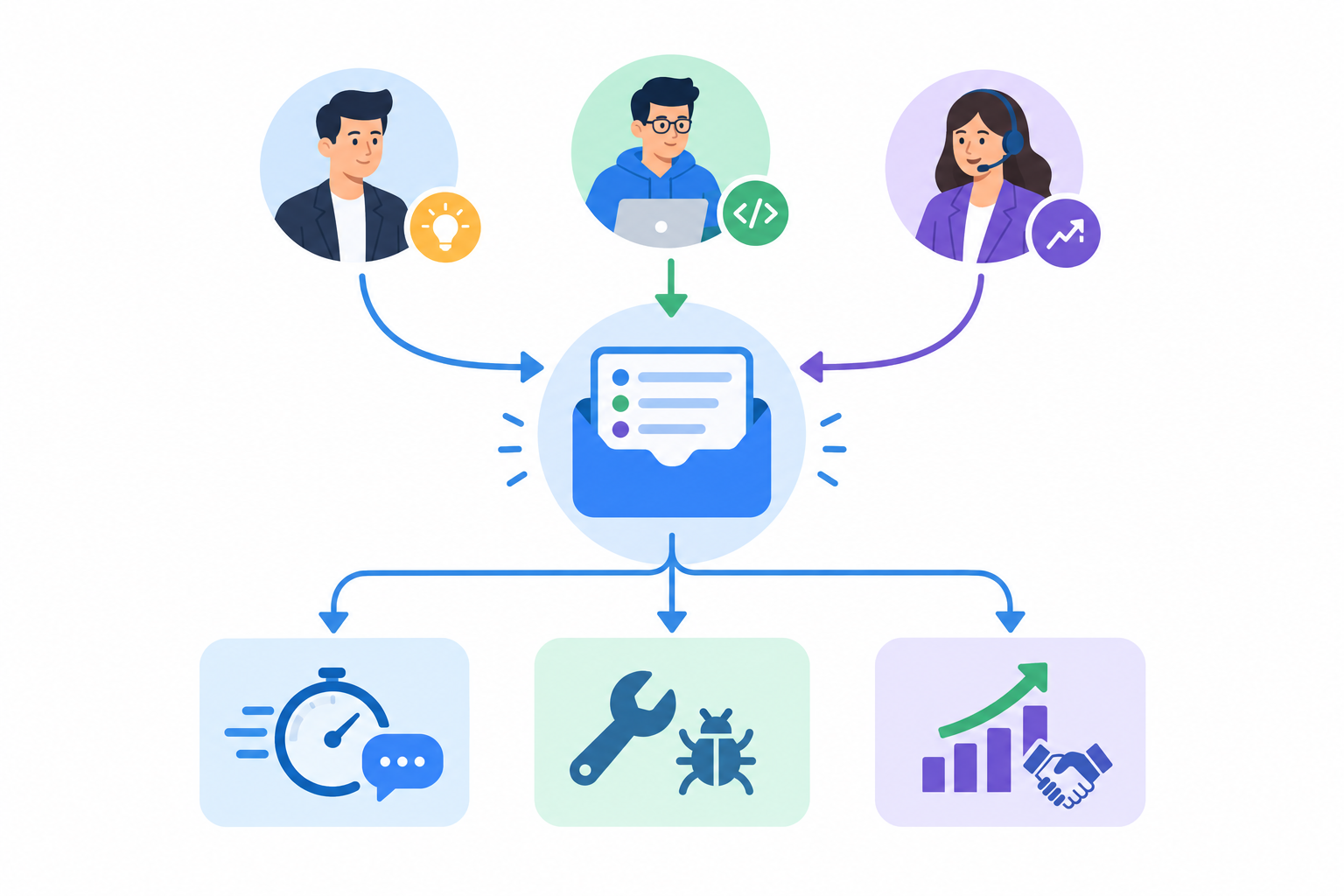
It also helps to keep your tools in one place. A shared inbox that combines a live chat widget, email ticketing and internal collaboration keeps context together, rather than scattering it across three apps and a Slack channel. That's the idea behind Sonny, which puts live chat, email-to-ticket forwarding and team notes in one inbox, with unlimited agents included.
Governance: notes, tags and ownership for a shared inbox 🧭
I can already hear the worry: 'If everyone can reply, won't it turn into a free-for-all?' It's a fair concern. More agents doesn't have to mean more mess, but it does need a little structure. Most teams can agree the basics in a single planning session, then refine them as they go.
- Agree who owns what. Pick a rotating first responder, daily or weekly. That person makes sure every new conversation gets picked up. Everyone else can chip in, but there's always one named owner.
- Use internal notes. Notes let developers, sales and founders discuss a ticket without the customer seeing it. Keeping the thread attached to the conversation preserves context that would otherwise live in Slack.
- Set a simple tag system. Something like bug, billing, feature request and sales lead covers most needs. Keep it to under ten tags. If you need a tag glossary, you've got too many.
- Build saved filters. Each person should see what's relevant to them. Your developer watches the bug filter, your salesperson watches sales leads, and the first responder watches everything new.
- Review reports weekly. Ten minutes on response times and team performance will show gaps such as slow evenings or a tag that never gets cleared.
- Write a one-page tone and escalation guide. Cover how you greet customers, what you never promise, and when to pull in a founder or developer.
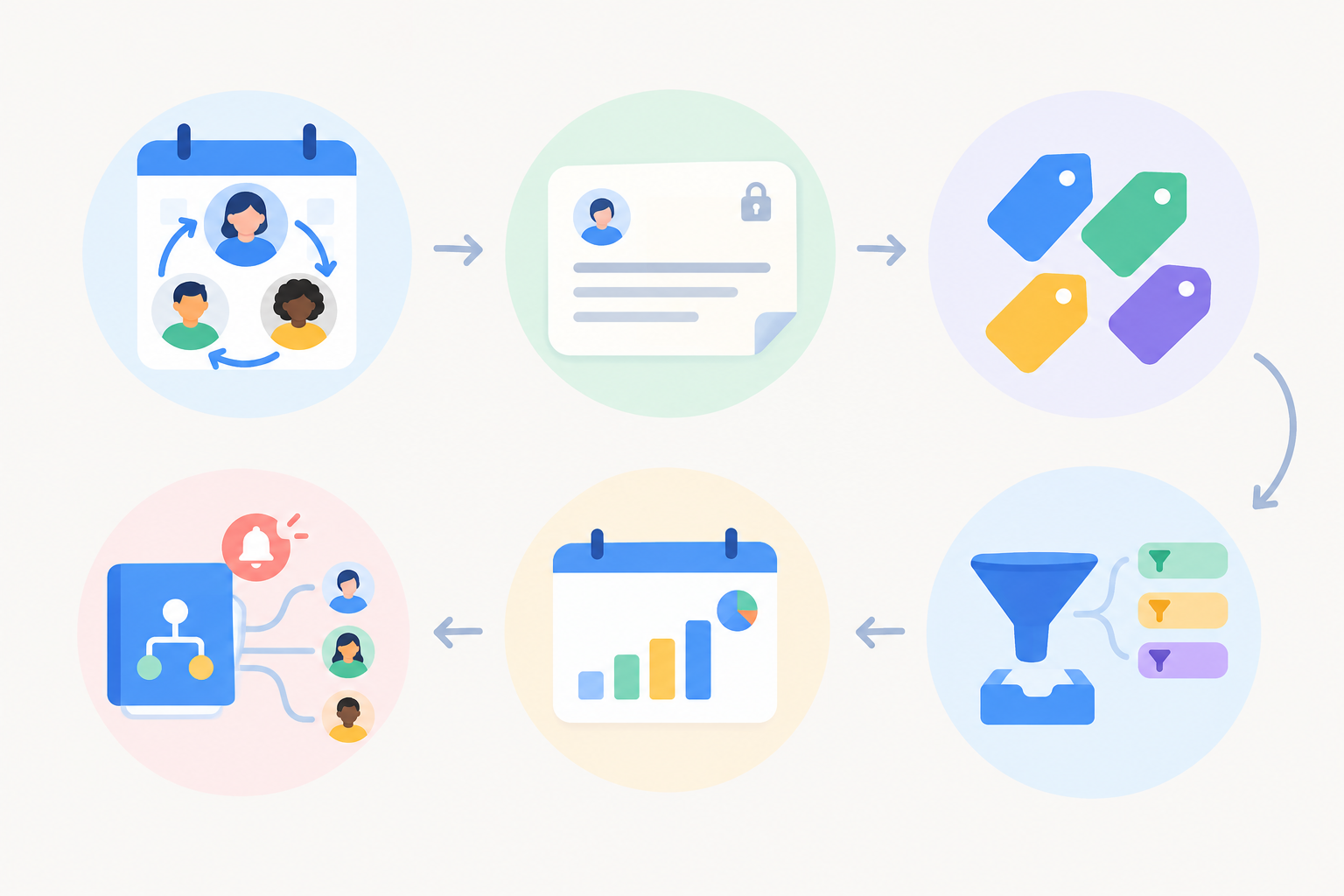
Most help desks offer some version of notes, tags, filters and reporting, so check that your shortlisted tools cover steps two to five. Sonny has internal notes, tagging, filtering and response-time reporting, but any tool still needs you to agree the habits and permissions with your team.
Should developers have access to a startup help desk inbox?
For most startups, yes, but access should be deliberate rather than unlimited in practice. Developers who can see the original report usually triage faster and build a better feel for the people using the product. Still, paying nothing extra per seat doesn't mean everyone needs unrestricted access to every customer's details.
Here's a sensible middle path:
- Use individual accounts, never shared logins, so every reply and note can be traced to a person.
- Match roles to responsibilities. Where your tool offers role-based permissions, give developers the filters or conversations they need, such as a 'bug' filter, and keep admin and billing settings with a small group. If your tool doesn't offer fine-grained permissions, factor that into your choice.
- Review access regularly, especially when someone changes role, leaves, or stops being on the support rota.
- Protect focus time. A first-responder rota stops support landing on every developer at once.
This follows the security principle of least privilege. NIST describes it in its security and privacy controls catalogue (SP 800-53, control AC-6), and the same publication covers regular account management reviews. In practice, you keep the benefits of wide visibility while limiting who can see or export sensitive data.
If you're in the UK, the ICO's guidance on data minimisation is a handy mindset: use and share only the personal data you need. When you escalate to engineering, include what someone needs to reproduce the problem, not a customer's full history, and link back to the original conversation. Habits like locking devices and not exporting data casually matter more as more people can see customer details. I'm not a lawyer, and this isn't legal advice. A short written policy about who can see what is time well spent, but no particular access pattern guarantees compliance by itself.
Unlimited agents vs per-seat help desk pricing: what does it cost?
Let's put numbers on it, with an important caveat. The comparison below is a scenario, not market evidence. Per-seat prices vary a lot by vendor and plan, and they change often. I've used two made-up per-seat prices, $15 and $30 per agent per month, so you can see how the maths works. Swap in current quotes from the tools you're considering.
For the flat-rate side I'm using Sonny's published plan at the time of writing: $19.99 per month with unlimited agents and unlimited conversations. Check Sonny's pricing page for the current price and terms before you rely on it.
Scenario 1: monthly cost in US dollars (before any tax)
| Team size | Flat rate ($19.99) | Per-seat at $15 | Per-seat at $30 |
|---|---|---|---|
| 1 person | $19.99 | $15 | $30 |
| 3 people | $19.99 | $45 | $90 |
| 5 people | $19.99 | $75 | $150 |
| 8 people | $19.99 | $120 | $240 |
The break-even point is simple: divide the flat price by the per-seat price. At $15 per seat, $19.99 is cheaper from the second person onwards. At $30 per seat, it's cheaper from the first. If a real per-seat plan costs less than your flat rate divided by your headcount, per-seat wins.
Scenario 2: a five-person team in pounds, including VAT
Suppose the exchange rate is $1 = £0.79 (an assumed rate for illustration, so check today's rate) and the vendors quote prices excluding 20% UK VAT.
| Plan | Monthly (ex VAT) | Monthly (inc. 20% VAT) |
|---|---|---|
| Flat rate, $19.99 | about £15.79 | about £18.95 |
| Per-seat at $15 × 5 | about £59.25 | about £71.10 |
| Per-seat at $30 × 5 | about £118.50 | about £142.20 |
Over a year, the gap between the flat plan and the cheaper per-seat scenario for five people comes to roughly £630 including VAT. Currency swings and whether your supplier charges VAT can nudge that either way. If your business is VAT-registered, you may be able to reclaim VAT, so check with your accountant.
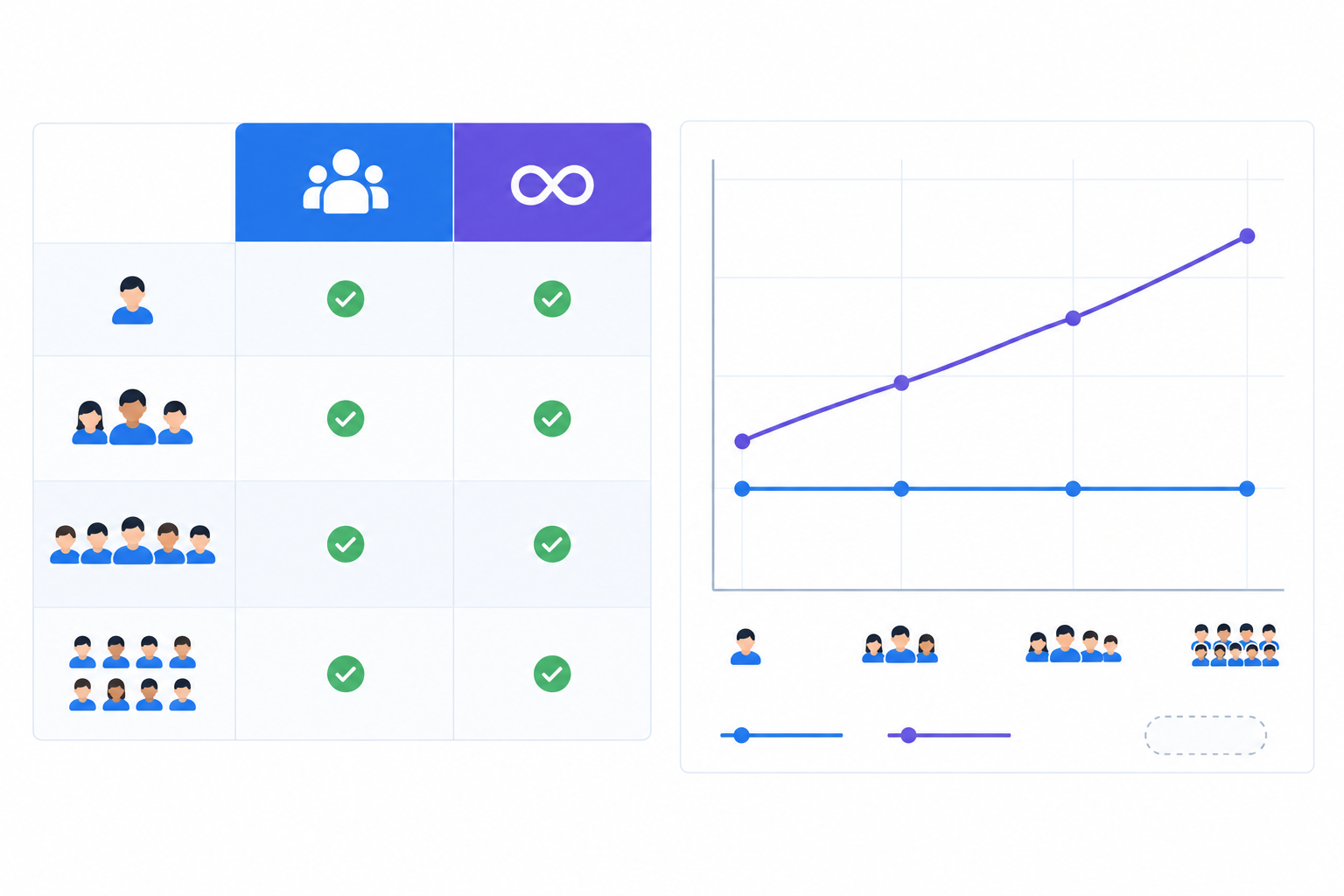
Price alone isn't the whole picture, so compare like with like. As published at the time of writing, Sonny's flat rate includes:
- A live chat widget
- Email-to-ticket forwarding
- Unlimited conversations
- Reporting on response times and team performance
- Internal notes, tagging and filtering
- Native apps for iPhone, Mac and Android, plus browser access
When you compare other tools, ask about ticket volume caps, automation, AI features, extra channels, storage, integrations, billing terms (monthly or annual) and premium support. Some are bundled and some are charged separately, and 'unlimited agents' alone doesn't tell you the total cost. A pricier per-seat tool may include things the flat plan lacks, and the reverse can be true too.
There are free options as well. Tawk.to, for instance, advertises free use with unlimited agents. It can suit a cash-strapped team, though you'd want to check its features, reporting, integrations and support against how you work before treating it as equivalent to a paid platform. Affordable support software doesn't have to mean the cheapest tool. It means the one that gives you the most for your real team size.
Predictability is one more perk. If you bring on a contractor for a month or hire your first customer success person, a flat rate means no surprise on the invoice. For a founder watching every pound, that counts as much as the saving.
When unlimited-agent help desk software may not matter
I'd be doing you a disservice if I said flat-rate was right for everyone. Here's when it matters less:
- You're a solo founder and the only person who will ever answer customers. A per-seat or free plan may genuinely cost less.
- Your ticket volume is very low. If you get a handful of emails a week, a free or single-seat tier may be plenty.
- You have enterprise needs, such as complex SLAs, deep workflow routing or heavy compliance tooling. You may need a heavier platform, and that's fine.
- You're already locked in. If your current platform holds years of data and integrations, the switching cost may outweigh the saving.
The test is simple: if people outside your core support team regularly need to see or answer conversations, unlimited agents start to earn their keep. If one or two people do all your support, per-seat pricing can come out cheaper.
How to evaluate affordable support software and start a trial
Here's a simple way to decide without overthinking it.
- Count everyone who touched a customer conversation last month, not just your 'support' person. Include the founder who replied at 9pm and the developer who answered that one bug report.
- Estimate that number for 6 to 12 months from now. Are you hiring or bringing in contractors?
- Compare total cost at your current headcount and at double, in pounds and including VAT.
- Check the basics: setup time, mobile apps, uptime commitments, permissions, and whether the tool combines chat and email in one inbox.
- If AI features matter to you, ask for details. Find out what content an AI assistant draws on, whether it's optional, and what it costs. Sonny offers an optional AI copilot, so you can add it later rather than paying upfront. Check its documentation for exactly how it works.
- Run a trial with the whole team involved. A test with one person tells you very little about collaboration. Invite the developer, the salesperson and the founder and see how it feels over a few days.
If you want to try Sonny, it offers a 7-day free trial with no credit card required. It says setup takes under five minutes with no onboarding calls, and it lists a 99.9% uptime SLA. These are the vendor's own claims as of writing, so confirm them on Sonny's site and read the SLA terms to see what the guarantee actually covers. Whichever tool you try, ask for references or case studies you can verify.
FAQ about unlimited-agent help desk software
Should developers have access to the support inbox?
Usually yes, with guardrails. Use individual accounts, give access by role where the tool allows it, and review it regularly.
How do I avoid chaos with lots of agents in one inbox?
Name a first responder, use internal notes, keep a short tag list and set up saved filters. Then check response-time reports weekly.
Is a flat-rate plan really cheaper than per-seat pricing?
It depends on the per-seat rate and what each plan includes. Divide the flat price by the per-seat price to find your break-even headcount, then compare current quotes in pounds, including VAT.
Can we try it before committing?
Most help desks offer trials. Sonny offers a 7-day free trial with no credit card required, so you can invite your whole team and see how a shared inbox works in practice.
The bottom line
Here's my decision rule. If people beyond one core support person regularly need to see or answer customers, price your options at your real headcount and look hard at unlimited agents. If one person truly handles everything, a free or single-seat plan is likely enough for now, and you can revisit when the team grows.
Either way, test with your real team before you decide. 😊