
How to Reduce Customer Support Response Times Without Adding Headcount
A tactical guide to fixing the process problems that slow down customer support teams — shared inboxes, templates, routing, metrics, team collaboration, and AI, without a bigger budget for hires.
If you're staring at a support queue that's growing faster than your team can handle, I want to save you some stress right now: you don't need to hire your way out of this. You can reduce response times meaningfully without adding a single new agent, and the fix isn't more people — it's fixing the process problems that quietly slow everyone down.
Think about what actually eats up your team's time. It's not usually the act of answering a question. It's switching between five different tabs to find context, typing the same refund policy explanation for the tenth time this week, or watching a ticket sit untouched because everyone assumed someone else grabbed it. These are process problems, not headcount problems.
The fastest wins come from five moves: consolidating your email and chat into one shared inbox, building templates for your most common questions, setting up routing rules so tickets land with the right person immediately, tracking the metrics that tell you where things are actually stalling, and letting AI draft first responses your team can review in seconds instead of writing from scratch. Let's walk through exactly how to do each one — with a rough sense of what kind of impact to expect, so you can set realistic goals rather than chase a number pulled out of thin air.
Quick example to keep in mind as we go: imagine a team handling around 300 tickets a month with two agents. If a third of those tickets are repeat questions (password resets, shipping queries, refund policy), and each one currently takes five minutes to answer from scratch versus one minute with a good template, that's roughly six hours a month back — without touching headcount. We'll build on this kind of example throughout.
Why You Should Reduce Response Times for Customer Retention
Here's something worth sitting with: in Salesforce's State of the Connected Customer research, a large majority of customers surveyed said the experience a company provides matters just as much as the product or service itself. That's not a small finding, even allowing for the fact that global surveys like this one blend markets together rather than isolating UK-specific behaviour. It suggests your support response time isn't a side detail — it's part of what people are actually buying when they choose you.
The flip side is just as telling. Zendesk's Customer Experience Trends research has found that a significant share of customers say they'll switch to a competitor after more than one bad experience. Slow replies are one of the most common ways companies rack those up, particularly in SaaS and e-commerce, where customers often have several UK-based alternatives one search away. It's worth being cautious with any single statistic here — these are associations from broad customer surveys, not controlled experiments proving that slow responses alone cause churn. But the pattern shows up consistently enough across multiple studies that it's a reasonable thing to plan around.
Speed alone isn't the whole story, though. Customers don't necessarily need an instant full resolution. They need to know you've seen their message and you're on it. A quick "we're looking into this now" buys you real goodwill while your team works through the actual problem. It's the silence that erodes trust, not the time it takes to solve something complex — which is why it's worth treating acknowledgement time and resolution time as two separate things to measure (more on that in Fix 4).
So when we talk about reducing response times, we're really talking about closing the gap between "customer sends a message" and "customer feels heard." That gap is almost always a process issue, and it's fixable without touching your budget for new hires.
Fix 1: Consolidate Channels Into One Shared Inbox
Let me paint a picture that might feel uncomfortably familiar. A customer emails your support address. Meanwhile, someone else from the same company messages your live chat widget about a related issue. Your team is now piecing together context across two separate tools, maybe even asking about it in Slack: "hey, did anyone see this one?"
That back-and-forth is the real time-sink, not the actual reply. Front's research on shared inboxes points out that without one, conversations become dependent on a single person's personal inbox — which tends to produce duplicate replies, missed messages, and zero visibility for anyone else on the team.
When you're evaluating a shared inbox tool, look for three things: it should merge conversations by customer identity (so a chat and an email from the same person link together automatically), it should preserve full conversation history when a ticket moves between channels, and it should let your team add internal notes that customers never see. Intercom's guidance on support workflows notes that teams which separate urgent issues from routine ones — and collaborate internally without exposing that back-and-forth to the customer — tend to see meaningfully fewer delays.
We built Sonny around exactly this kind of shared inbox, bringing live chat and email ticketing into one view so nobody's forwarding emails or hunting through Slack threads to figure out who's handling what. It's one option among several reasonable ones — the underlying principle matters more than the specific tool you pick.
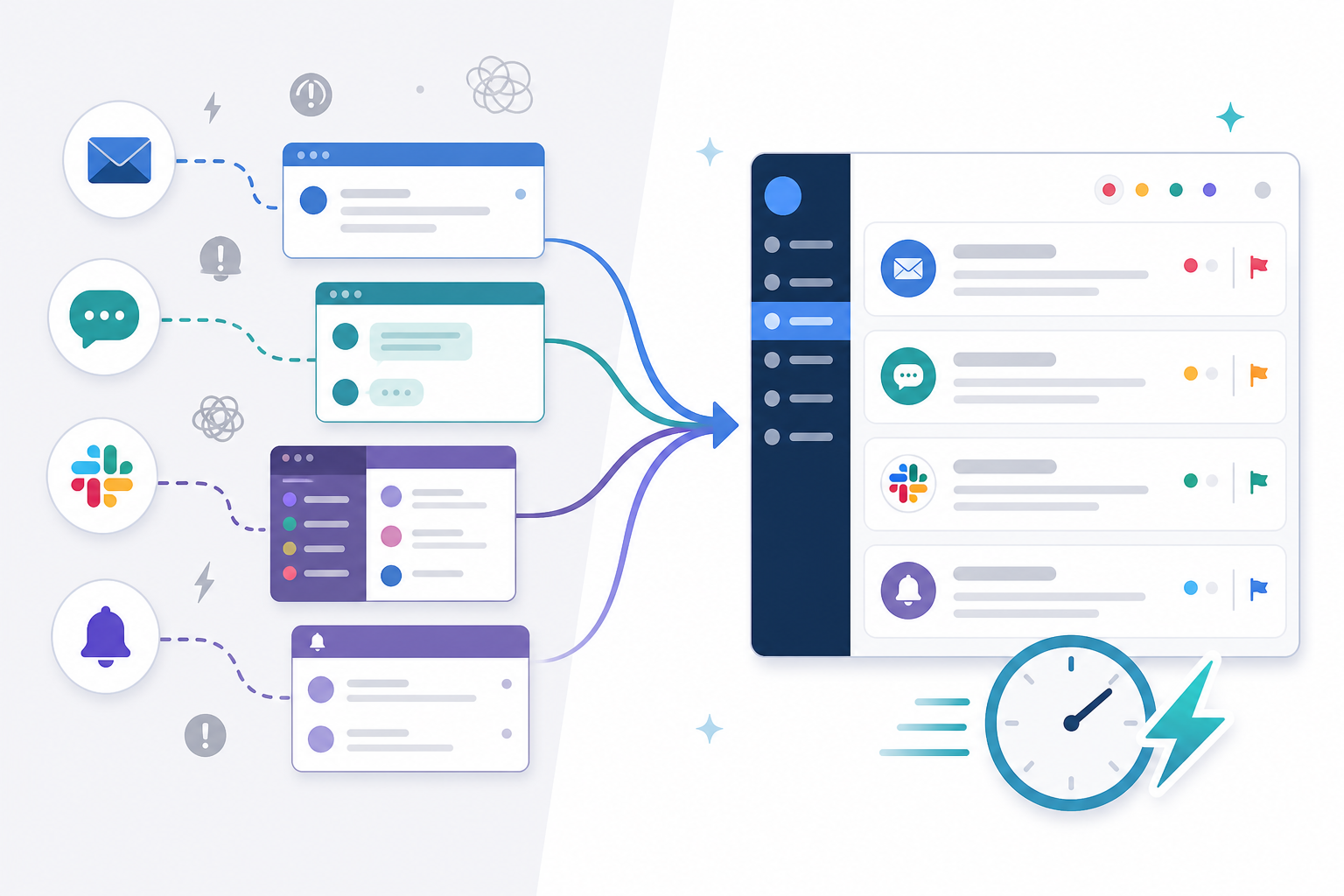
A shared inbox with internal notes lets your team leave context for each other ("already refunded this, just needs a follow-up email") without the customer seeing that conversation happening behind the scenes. If you do nothing else on this list, start here. It's the foundation the other four fixes build on.
Fix 2: Use Canned Responses and Support Templates
Once your channels are consolidated, the next obvious drain on your team's time is typing the same answers over and over. Every support team has a set of questions that show up constantly — password resets, shipping delays, refund policies, "how do I cancel my plan." If your agents are typing fresh responses to these every single time, you're leaving easy speed on the table.
Here's how to build a template library that actually gets used:
- Identify your top 10–15 repeated questions. Pull a week or two of tickets and look for patterns. You'll probably be surprised how few unique issues make up the bulk of your volume.
- Write templates your team can tweak in seconds, not rigid scripts. The goal is a strong starting point, not a robotic copy-paste job that feels impersonal. For example: "Hi [name], thanks for flagging this. I can see your order [order number] was placed on [date] — it looks like it's currently [status]. I've [action taken], and you should see this reflected within [timeframe]. If anything looks off after that, just reply here and I'll dig further."
- Build in an escalation line for anything outside the standard case: "If this doesn't resolve it, I'm looping in [team/person] who can take a closer look." This stops agents from stretching a template to cover a situation it wasn't written for.
- Store them somewhere everyone can access, ideally inside your shared inbox tool rather than one person's personal drafts folder, so the whole team benefits.
- Assign an owner to review them monthly. Policies change, product features ship, and stale templates create more confusion than they solve. A recurring 15-minute calendar slot, with one named person responsible, is usually enough to keep them accurate.
Going back to our 300-ticket example: if templates shave four minutes off each of the roughly 100 repeat-question tickets a month, that's not a dramatic transformation on its own — but stacked with routing and AI drafting, these small wins compound. This is a genuinely low-effort fix that costs an afternoon of setup and keeps paying dividends until your policies change and someone updates it.
Fix 3: Set Up Smart Support Routing Rules
Here's a scenario that plays out on more support teams than you'd think: a billing question comes in, and it sits in the general queue for two hours because nobody's sure whose job it is to answer it. Meanwhile, the person who actually handles billing hasn't even seen it.
Routing rules fix this by getting tickets to the right person quickly, without anyone having to manually sort through everything first. Here's a simple way to set it up:
- Tag incoming conversations automatically by topic, urgency, or product area. Most shared inbox tools, including Sonny, let you do this based on keywords, form fields, or the channel a message came through — for example, any message containing "invoice," "charge," or "refund" routes to the billing queue automatically.
- Route by owner, not by everyone. Billing questions go to whoever handles billing, technical issues go to whoever handles technical support, and so on — not the entire team's inbox.
- Build in a fallback queue. Keyword-based routing isn't perfect; some tickets will be miscategorised or won't match any rule. Route anything unmatched to a clearly owned "needs triage" queue with an escalation timer (say, 30 minutes) rather than letting it disappear into a general inbox.
- Review misrouted tickets periodically. Once a month, check what landed in the wrong place and adjust your keyword rules. Routing logic drifts as your product and support topics change, so this isn't a total set-and-forget exercise, even though it needs far less ongoing effort than manual sorting.

Done well, routing rules are mostly a one-time setup with a small monthly check-in. You spend an hour or two building the initial logic, and from then on, most relevant tickets find their way to the right desk without manual sorting — with a safety net in place for the ones that don't.
Fix 4: Track Support Response-Time Metrics to Spot Bottlenecks
You can't fix what you can't see. Most small teams don't have a bottleneck problem because they're understaffed — they have one because nobody's tracking where things actually stall. This fix isn't a direct speed intervention like the first three; it's the measurement layer that tells you whether those fixes are working and where to focus next.
Before changing anything, capture a baseline. Two numbers matter most:
- First response time — how long between a customer's message and your first reply. This tells you how quickly a customer feels acknowledged.
- Resolution time — how long until the issue is actually solved. This tells you whether the underlying problem is fixed, not just acknowledged.
A team can have fast first response and slow resolution, or the reverse, and you'd never know which one needs attention without measuring both. When you look at these numbers, use the median (the middle value) rather than the average, since a handful of extreme outliers — a ticket that sat for three days over a bank holiday weekend, say — can skew an average badly. Many teams also track a percentile figure, like "90% of tickets get a first response within X hours," which shows how consistent you are, not just how fast you are on a good day.
Once you have a baseline, start looking for patterns:
- Is one channel (say, email) consistently slower than another (like live chat)?
- Does everything pile up at a specific time of day, like right after lunch or first thing Monday morning?
- Is one team member's queue always backed up while others are relatively clear?
- How old is your oldest open ticket right now? A rising "backlog age" number is often the earliest warning sign of a growing problem.

Sonny includes response-time and team-performance reporting built in, so you're not exporting data into a spreadsheet to build your own pivot tables. But whichever tool you use, the principle matters more than the software: when these numbers are visible at a glance, patterns tend to jump out — and more often than not, the real issue turns out to be an unclear process, not a lack of people.
One caution: don't optimise purely for speed. If you're rushing replies just to hit a number, you risk creating more back-and-forth and lower satisfaction overall. Track speed alongside resolution time and customer satisfaction so you're improving the whole picture, not just one metric.
Fix 5: Let AI Draft First Support Responses
This is the fix that tends to surprise people the most, mostly because "AI support" has a reputation for feeling robotic or unreliable. Done well and with the right safeguards, it can genuinely save time — but it needs guardrails, not blind trust.
An AI copilot trained on your actual help docs and past conversations can draft a first response in seconds, tailored to the specific question that came in rather than a generic canned reply. Your agent reads it, tweaks anything that needs a human touch, and hits send. That's faster than starting from a blank reply box for the repetitive, well-documented questions we covered in Fix 2.
Before relying on this in production, a few things are worth putting in place:
- Human review, always. AI drafts should be reviewed before sending, not auto-sent, especially early on. AI can produce confident-sounding answers that are subtly wrong ("hallucinations"), and a human check is your safety net.
- Clear escalation rules. Define which topics AI should never draft on its own — anything involving legal disputes, safety concerns, complaints likely to result in a formal grievance, or highly sensitive account details should route straight to a human.
- Sensitive data handling. If you're a UK business, think through UK GDPR implications: what customer data the AI tool processes, where it's stored, and whether your provider's data processing terms meet your obligations. This is worth a conversation with whoever manages compliance on your team, however informal that role is.
- Keep your knowledge base current. AI drafts are only as good as the documentation they're trained on. Stale help docs produce stale, sometimes wrong, drafts — so this ties back to the same discipline as reviewing your templates in Fix 2.
Sonny's optional AI copilot is built to pull from your own documentation, so replies sound like your brand voice rather than a generic chatbot, and the human review step stays in place by design — it drafts, your team decides. But whichever AI tool you consider, ask the vendor directly about data handling, UK GDPR compliance, and what happens when the AI isn't confident in an answer.
Putting These Support Process Fixes Together: A Realistic Rollout Plan
Trying to implement all five fixes at once is a recipe for overwhelm. Here's a more realistic month-long rollout that growing teams can actually stick to:
- Week 1: Turn on basic reporting first and capture your baseline first-response and resolution times, then move your channels into a shared inbox. You need a "before" number to know whether anything you do afterwards is actually working.
- Week 2: Build your template library based on your most common tickets, pulled from real examples over the past few weeks rather than guesswork.
- Week 3: Set up routing and tagging rules based on the patterns you're actually seeing, including a fallback queue for anything that doesn't match your rules.
- Week 4: Review your metrics against the Week 1 baseline. Are first response times down? Is resolution time holding steady or improving too? Adjust templates and routing based on what you're seeing.
- Ongoing: Layer in AI drafts once your templates and routing feel solid, with human review and escalation rules in place from day one. AI works best when it has good structure to build on, so this is the natural last step, not the first.
One of the nice things about a platform like Sonny is that you're not stitching together five separate tools to make this work — shared inbox, routing, reporting, and optional AI drafting live in one place, with flat-rate pricing and unlimited agents rather than per-seat costs that creep up as you grow. Pricing and currency details are worth checking directly on the provider's site before you commit, since they can change — and if you're based in the UK, confirm pricing is shown in GBP and that support hours line up with your team's working day. Most providers worth considering, including Sonny, offer a free trial with no credit card required, so you can test a rollout plan like this one before paying anything.
Frequently Asked Questions About Reducing Support Response Times
How can I speed up support response times without hiring?
Focus on removing friction from your existing process before adding people. Consolidate channels into one shared inbox, build a template library for repeat questions, set up routing so tickets reach the right person quickly, and use reporting to find where delays actually happen. Most teams find they were losing time to disorganisation, not lack of staff — though if your ticket volume is genuinely outpacing what any process fix can absorb, that's a real signal you may need to hire, and no amount of tooling will substitute for that.
What tools help reduce customer support response times?
Look for a shared inbox that combines live chat and email ticketing, since switching between separate tools is one of the biggest hidden time costs. Beyond that, look for tagging and routing rules, response-time reporting broken down by channel, and — if you want it — AI drafting with clear human review controls. Platforms like Sonny bundle these together, but the same principles apply whichever tool you choose.
What is a good average response time for support?
There's no single universal number, and benchmarks vary by channel and by how much you're charging customers for a premium support tier. As a rough starting point, many SaaS and e-commerce teams aim for email first response within a business day or less, with live chat expectations closer to minutes rather than hours. If you offer support only during UK business hours, be explicit about that on your website and in auto-replies — an honest "we're closed until 9am tomorrow, but we've got your message" beats a slow silent reply every time. What matters most is defining a target for each channel and priority level, measuring against it consistently, and trending downward over time rather than chasing an industry number that may not fit your business.
At the end of the day, reducing response times isn't about working harder or squeezing more hours out of the same people. It's about clearing away the friction that's been slowing everyone down without anyone quite noticing. Fix the process, measure honestly, and the speed follows — not overnight, and not without some trial and error, but steadily and in a way that actually holds up as your team grows.